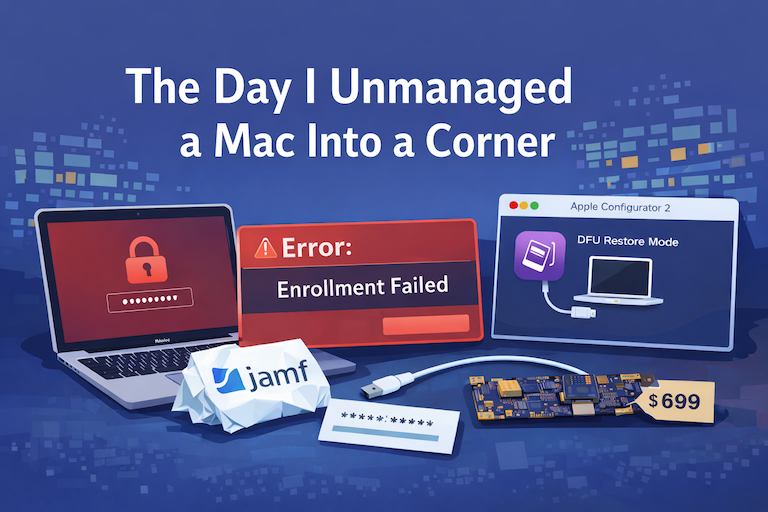

There are a few kinds of mistakes you make as a Mac admin. There are the ones that cost you time, the ones that cost you sleep, and then there are the ones that leave you staring at a perfectly good laptop thinking, “How did I possibly make this less manageable by touching it?”
This one started the way a lot of “quick wins” start: with confidence. I needed to wipe a Mac via Jamf. I issued the command, I saw what I expected to see, and I moved on mentally before the machine had actually moved on physically. I removed the computer record from Jamf before verifying the wipe had completed. That single choice turned a routine offboarding into a weird, escalating puzzle box.
When I met with the user, we tried to clean things up manually. We removed the Jamf management framework locally (which felt reasonable in the moment and looked like progress). It wasn’t. The framework removal didn’t cleanly unwind the management state, and profiles were still sitting there like ghosts—present enough to enforce restrictions, absent enough to be unhelpful. The device was no longer in Jamf, the framework was gone, and the Mac was still acting managed.
The next realization hit harder: this was an Apple silicon Mac, and the recovery partition access was being protected by an MDM-enforced passcode—not an Intel-era firmware password. I had the FileVault recovery key saved (thankfully), but that didn’t solve the immediate problem. The user account was standard. The only admin account password wasn’t working. Recovery was blocked. I couldn’t elevate with sudo. And the Mac that I thought I had wiped was now a machine I couldn’t effectively repair with the usual levers.
At that point, my brain did what it always does under pressure: it went straight for tooling. I tried pulling down the Jamf management framework directly from the cloud distribution URL, the same “QuickAdd without the ceremony” move we all keep in our back pocket for enrollment troubleshooting. Jamf even documents that process, and it’s legitimately useful when you’re trying to validate that nothing on the network path is stripping the payload. Jamf Support
I got the binary down. I fixed ownership. I ran an enrollment attempt with a valid invitation. And it still wouldn’t re-enroll. Not because invitations are bad, but because the machine’s relationship with management had become messy in a way that the “just enroll it again” mental model doesn’t fully account for when remnants are still installed and enforcement is still happening.
So I pivoted to the /enroll portal, thinking: profile-driven enrollment will reset the story. In theory, you point the Mac at the enrollment URL, install the profile, and it’s back in a known-good state. Jamf’s own documentation is clear on how that flow is supposed to work. Jamf Learning Hub
In practice, the newly downloaded profile didn’t magically evict the old ones already installed. The Mac stayed stubbornly stuck in a half-managed limbo: managed enough to block me, unmanaged enough to keep me out.
Then I went to the command line—because of course I did. I tried nudging enrollment with profiles renew -type enrollment, and I tried forcing a new enrollment profile prompt. But without sudo, and with the device already in a broken management state, it was mostly just me performing ritual. On paper, profile and certificate renewal can be a legitimate fix path. In real life, it’s not a universal reset button, and Apple’s own documentation is a good reminder that renewal behavior has guardrails and limitations. Apple Support
At some point, I did what everyone does when they’ve exhausted the obvious: I went to Apple. I brought proof of purchase. I explained the situation. And I had to re-learn a fact I knew at some point but had apparently filed away in the “Intel problems” drawer: Apple silicon doesn’t have the same concept of a firmware password in the old sense. What I was dealing with was being enforced by MDM. Apple couldn’t remove it as a “firmware password,” because it wasn’t one. The suggested fix was effectively “replace the logic board,” which, while technically true in some scenarios, is a painful answer when the device is otherwise fine.
Back at my desk, I found myself staring at a GitHub repo I’ve recommended to other admins before: Jamf-Framework-Redeploy. It’s a great tool that leverages Jamf Pro’s ability to redeploy the management framework using MDM commands, and Jamf has even published guidance on redeploying the framework via the API in modern versions of Jamf Pro. GitHub
The problem was the same one I’d created for myself at the very beginning: I’d removed the device record from Jamf. Those redeploy workflows assume the device still exists in Jamf Pro in a way that can be targeted. In other words, I’d tried to use “MDM fixes” after I’d thrown away the MDM handle.
And that’s the moment I finally stopped trying to be clever.
I put the Mac into DFU mode and restored it using Apple Configurator. The fix was brutal, clean, and old-school in the best way: when the management state is poisoned and recovery is locked by enforcement you can’t undo from the inside, you step outside the system. DFU restore doesn’t negotiate with your half-broken enrollment. It replaces it. Apple documents the DFU revive/restore process explicitly, and when you need it, it feels like someone quietly put a fire extinguisher behind glass for the exact day you’d swear you’d never need it. Apple Support
I also re-discovered a tool I hadn’t thought about in a while DFU Blaster Pro and it did exactly what it’s designed to do: make a painful but necessary recovery path faster and more repeatable. The important part wasn’t the brand of tool, though. The important part was the mental shift from “I can recover this with Jamf” to “I need to recover this before Jamf can even be part of the conversation again.”
The takeaway here isn’t that Jamf failed me. Jamf did what it was told. The failure was procedural, and it was mine. I treated “wipe sent” as “wipe done.” I treated “remove from Jamf” as a cleanup step instead of a point of no return. I tried to fix a management problem by removing the management framework. I walked myself into a corner and then spent hours trying to remodel the walls instead of remembering there was a door behind me.
Verify before you do anything destructive. Verify again after you do it. And when you’re tempted to skip confirmation because you’re busy or someone is waiting, remember this story—because the time you “save” up front has a way of returning later with interest.
What this really reinforced for me is that experience doesn’t eliminate mistakes—it just changes the kind of mistakes you make. The dangerous ones aren’t the things you don’t know; they’re the things you think you’ve already handled. A wipe you didn’t verify, a record you removed too early, a framework you pulled because it felt like progress—all of those were small, understandable decisions that compounded into a much larger problem. Apple silicon, MDM enforcement, and modern recovery behavior don’t leave much room for improvisation once you’ve crossed certain lines. The fundamentals still matter: confirm destructive actions, respect points of no return, and don’t forget that sometimes the right fix isn’t another Jamf command but stepping back to the lowest level and starting clean. Even after years of managing Macs, the basics are still what save you.
Resources
- Jamf Support: “Download Jamf Management Framework” Jamf Support
- Jamf Learning Hub: “Providing an Enrollment URL to Users” (the
/enrollportal) Jamf Learning Hub - Jamf Technical Article: “Redeploying the Jamf Management Framework Using the Jamf Pro API” Jamf Learning Hub
- GitHub: red5coder — “Jamf-Framework-Redeploy” GitHub
- Apple Support: “How to revive or restore Mac firmware” (DFU restore / revive) Apple Support
- DFU Blaster Pro
Ready to take your Apple IT skills and consulting career to the next level?
I’m opening up free mentorship slots to help you navigate certifications, real-world challenges, and starting your own independent consulting business.
Let’s connect and grow together — Sign up here
AI Usage Transparency Report
AI Era · Written during widespread use of AI tools
AI Signal Composition
Score: 0.31 · Moderate AI Influence
Summary
A Mac admin's story of a complex problem caused by procedural mistakes, and the importance of verifying actions before proceeding.
Related Posts

Discovering Mole: A Command Line Utility for Mac Cleaning
Caches pile up, apps leave behind junk, and disk space slowly disappears. While there are plenty of GUI tools out there, most of them either lack transparency or feel overly bloated.

Automating JAMF Pro Email Notifications with SendGrid (Smart Group Driven Workflows)
Modern device management isn't just about enforcing policies—it's about communicating effectively with users at the right time. In JAMF Pro, Smart Groups give you powerful visibility into device state, but they don't natively solve the problem of proactive, automated user communication. Whether you're trying to prompt users to restart their machines, complete updates, or take action on compliance issues, bridging that gap requires a flexible and scalable notification system.

Introducing Pique - The Game-Changing Quick Look Plugin for Mac Admins
As a Mac admin, I'm always on the lookout for tools that make my life easier and more efficient. Recently, I stumbled upon Pique - a brilliant Quick Look plugin created by Henry Stamerjohann that allows you to view file contents in a syntax highlighted way.

ABM Warranty 0.4.1 Walkthrough: Wrap-Up and Beta
In this final ABM Warranty 0.4.1 walkthrough, I’m wrapping up the last features I had not covered directly in the earlier videos and then focusing on support, community, and the beta program. I also want to show where the support resources live inside the app so you know where to go if you need help, documentation, or a way to send useful feedback. Additionally, I'll be covering some of the key features that were updated since the previous version, including any bug fixes or improvements made to existing functionality.

ABM Warranty 0.4.1 Walkthrough: Managed Preferences
In this part of the ABM Warranty 0.4.1 walkthrough series, I'm focusing on managed preferences and the credential packaging workflow. In the last video, I covered multiple credentials inside the app itself. In this one, I'm showing how to package those credentials so they can be deployed securely through MDM. This process is a crucial step in ensuring that your credentials are properly configured and protected within your organization's mobile device management system.

Low Profile Walkthrough and Review
Today I’m walking through Low Profile, a utility from Nindi Gill that I use when I want to inspect profiles already installed on a Mac and figure out whether those profiles contain issues I need to clean up. The value is that Low Profile gives me a straightforward way to inspect profiles installed on any Mac. This simplicity makes it easy for me to identify and address potential problems, which is especially useful when working with multiple machines or troubleshooting complex profile configurations.

ABM Warranty 0.4.1 Walkthrough: Multiple Credentials
In this part of the ABM Warranty 0.4.1 walkthrough series, I’m focusing on multiple credentials. In the first video, I showed the basic setup and how to add a single credential. Now, I want to explore what happens when I remove a credential, what changes occur when I add more than one, and how the app behaves once there are multiple contexts in play. This will help clarify any potential issues or inconsistencies that may arise with multiple credentials.

QuickPKG Walkthrough and Review
I use QuickPKG when I need to turn an application, DMG, or ZIP file into a package quickly without wasting time in a heavier packaging workflow. This post follows the same path as my video: what QuickPKG is, where to get it, how I run it, what a simple packaging example looks like, and where I think admins need to be careful about potential pitfalls that can arise from using this tool.

ABM Warranty 0.4.1 Walkthrough: Introduction
In this first ABM Warranty 0.4.1 walkthrough, I want to show you what the app actually does before I get into the more specific feature videos. This is the broad introduction. I’m walking through the dashboard, how I think about the warranty cards, how released devices are handled, how the filters work, how to add credentials, where the data is stored locally, and what the logging and security model looks like.
