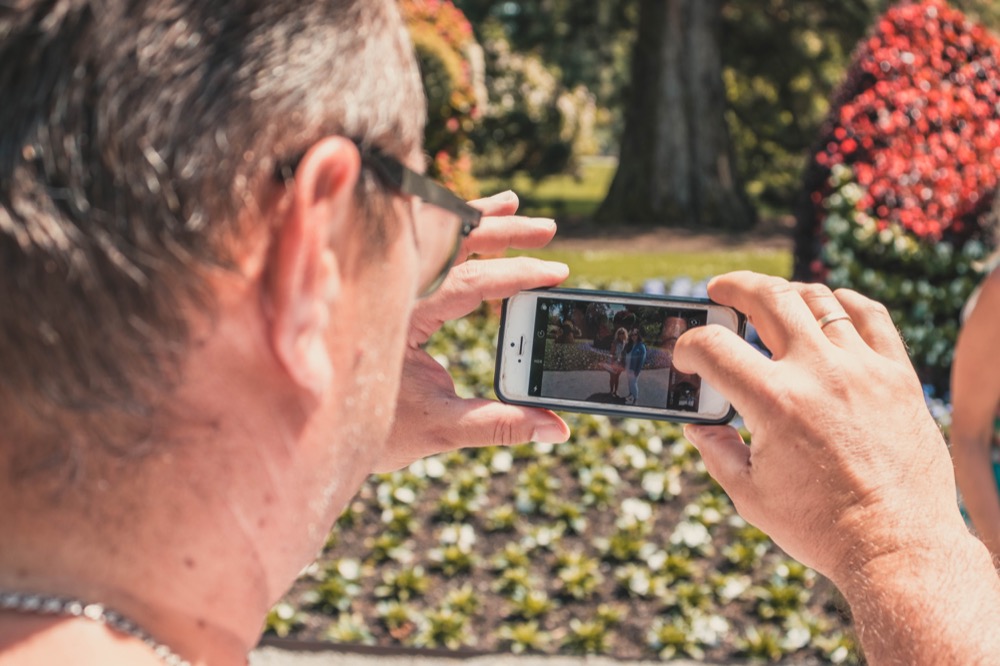

Now and then, we run across iPhone apps that feel magical, and we want to share two of them: Seek and Merlin. They both use machine learning to help you identify something from the natural world using your iPhone. If you’re at all curious about the plants, wildlife, and birds you encounter outside, you’ll want to download these free apps.
Seek from iNaturalist
You’re out for a walk and see a particularly pretty flower or a tree with an unusual leaf shape. In the past, you’d probably wonder what it was and move on, or if you were really motivated to identify it, you might take a photo and consult a master gardener or arborist.
Instead, download the Seek app, created by the team behind iNaturalist, a social network that encourages members to share their photographs of living things to document organisms in time and space. iNaturalist is a joint initiative of the California Academy of Sciences and the National Geographic Society, and it maintains a massive database of identified images of plants and wildlife.
To start using Seek, which doesn’t require an account, tap the green camera button on any screen. Then point the camera at something you want to identify and watch as the ID meter at the top of the screen works its way through the taxonomic ranks: kingdom, phylum, class, order, family, genus, and species. Once Seek fills all seven dots—indicating that it knows the species—you can tap the camera button again to take a photo and add the organism to your observations. Seek then presents a page with additional information about the organism.
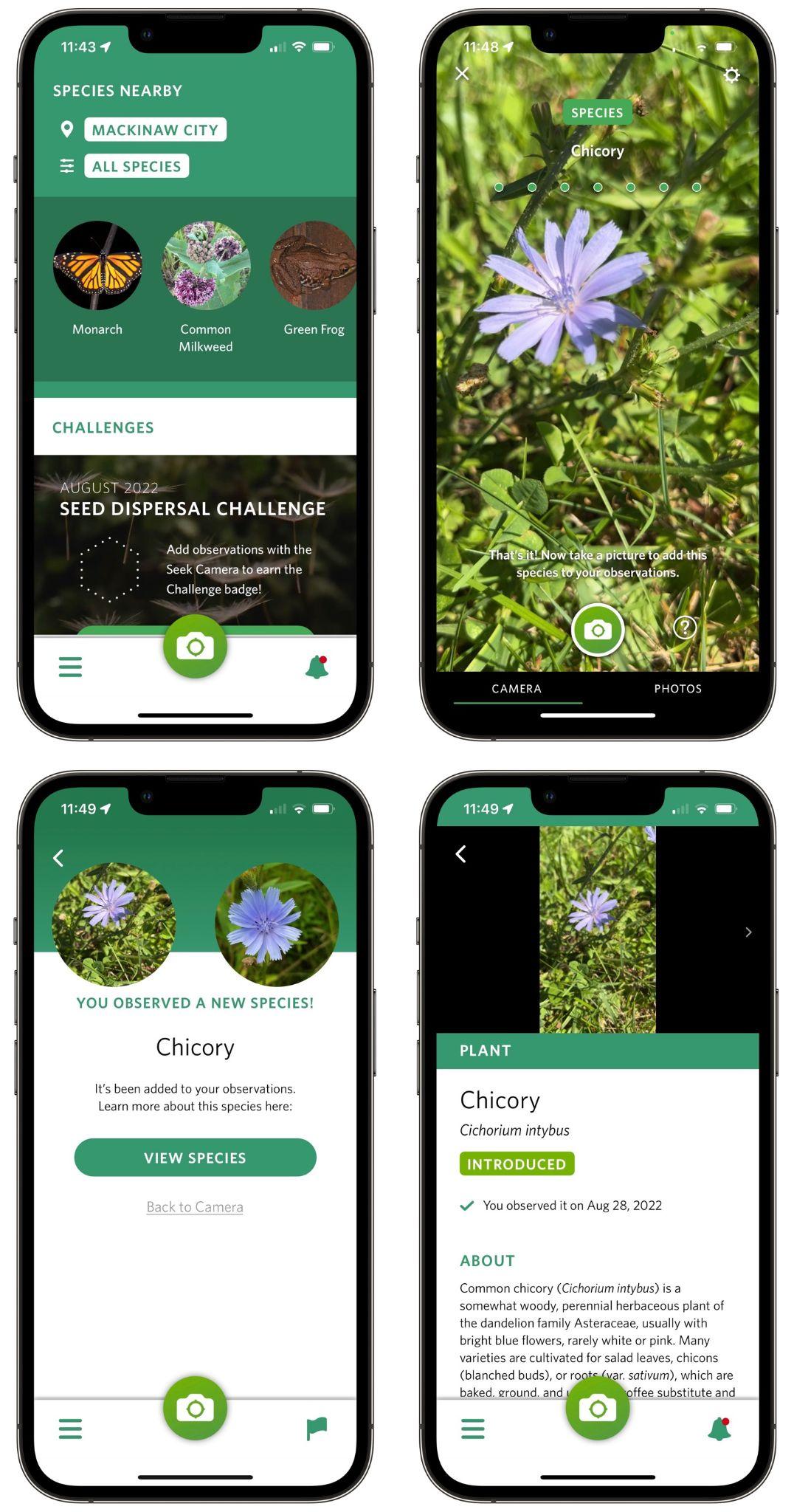
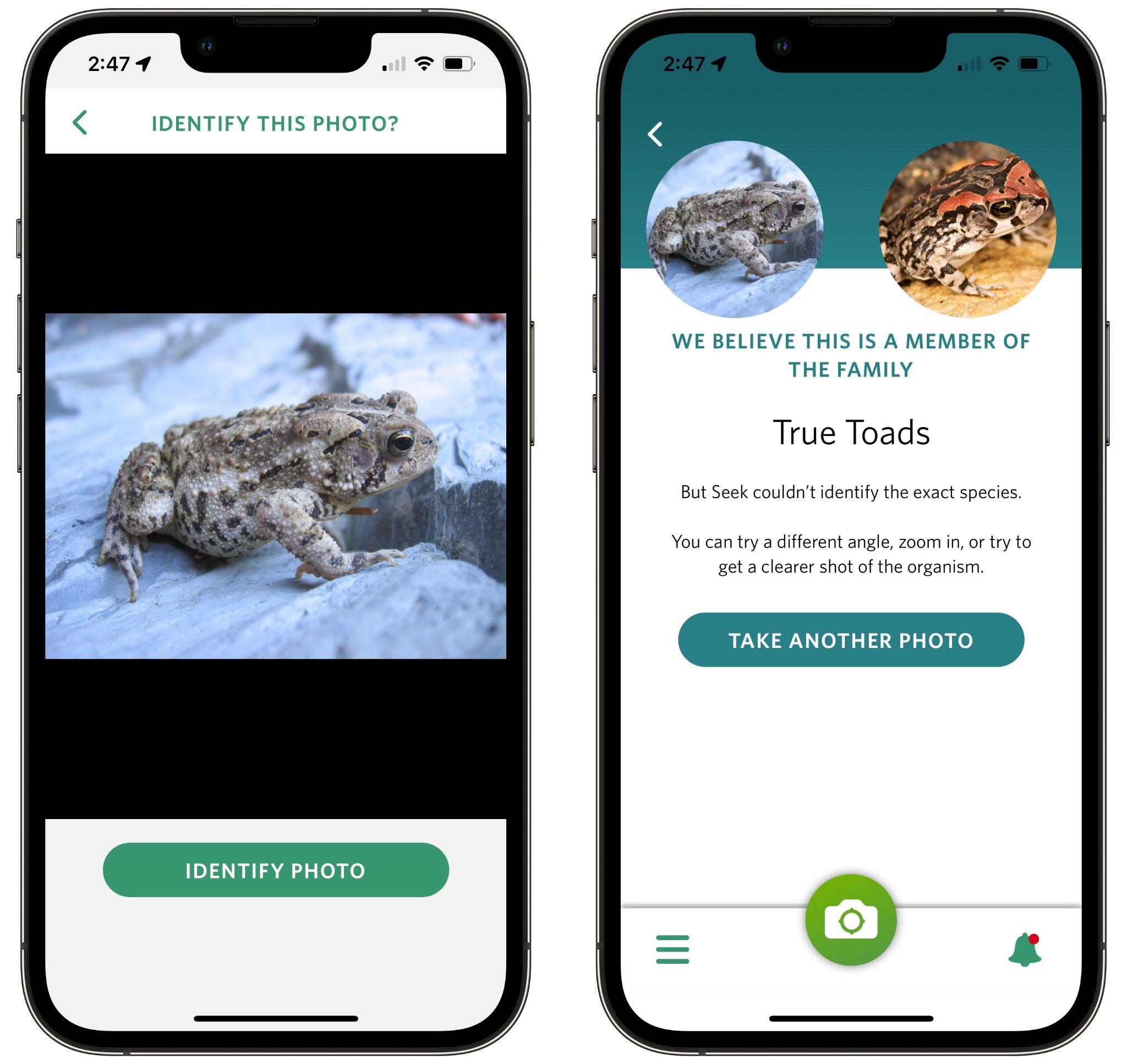
Beyond plants, Seek can identify amphibians, fungi, fish, reptiles, arachnids, birds, insects, mollusks, and mammals. It can be more difficult to get a spider or rodent to hold still while you point the camera at it, but you can also take a regular photo and have Seek identify it instead—just tap Photos at the bottom of the camera screen to select a photo from your library. If Seek recognizes the organism, it lets you add it to your observations, but it often has more trouble getting to the species level with a photo.
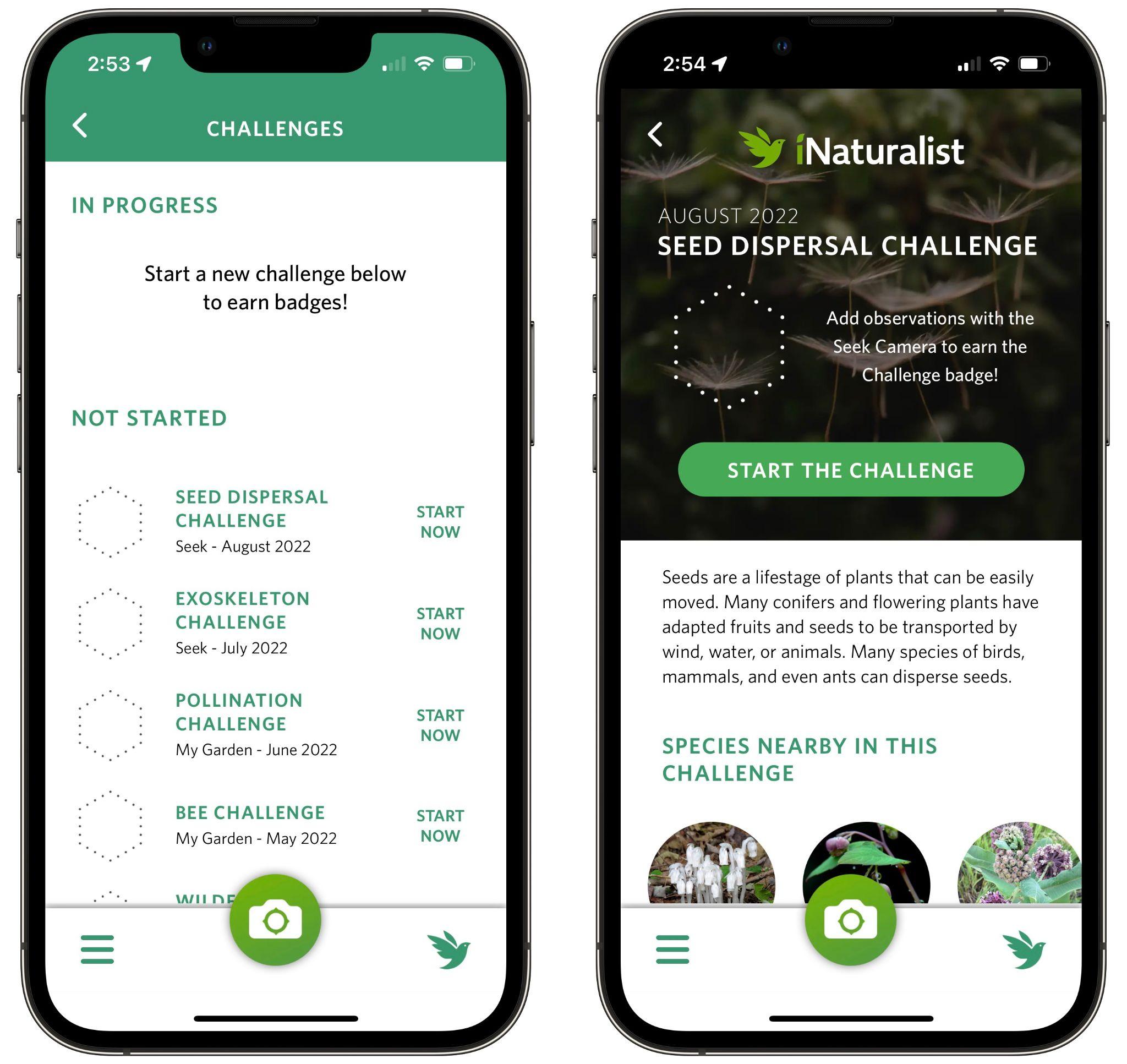
If you’re a parent, Seek’s challenges and badges might make the app especially fun to use with your child. A new challenge appears each month and asks you to identify a set of species near your location. You can also try past challenges, though you’ll have the most luck with ones from a similar season.
Merlin from Cornell University’s Lab of Ornithology
Although Seek can identify birds using its camera, if you’re intrigued to learn more about birds in particular, check out the Merlin app, created by the Cornell Lab of Ornithology. It can identify over 8500 species of birds using images or 685 species by listening to bird songs. Since birds can be difficult to see, much less photograph, Merlin’s capability to identify birds by listening to songs around you is hugely helpful.
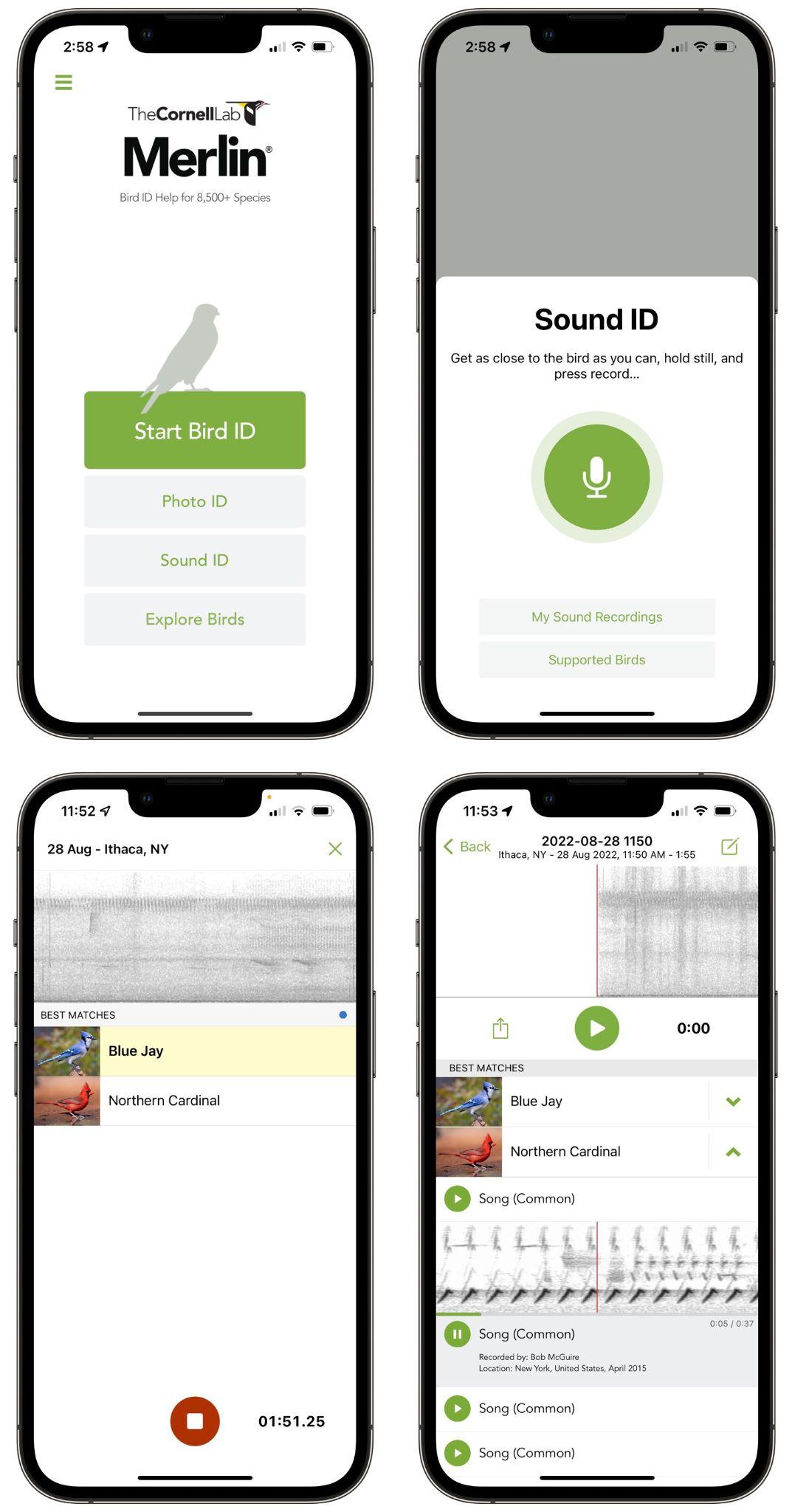
To get started with Merlin, tap the Sound ID button on the main screen and then tap the microphone button. The app starts recording, and as it identifies bird songs nearby, it adds them to a list. It’s likely that you’ll hear multiple birds, and as Merlin continues to hear their songs, it highlights the species singing. After you tap the red stop button, Merlin saves your recording. You can then compare Merlin’s recordings with the one you made, and if they match, tap a button to add the bird to your list.
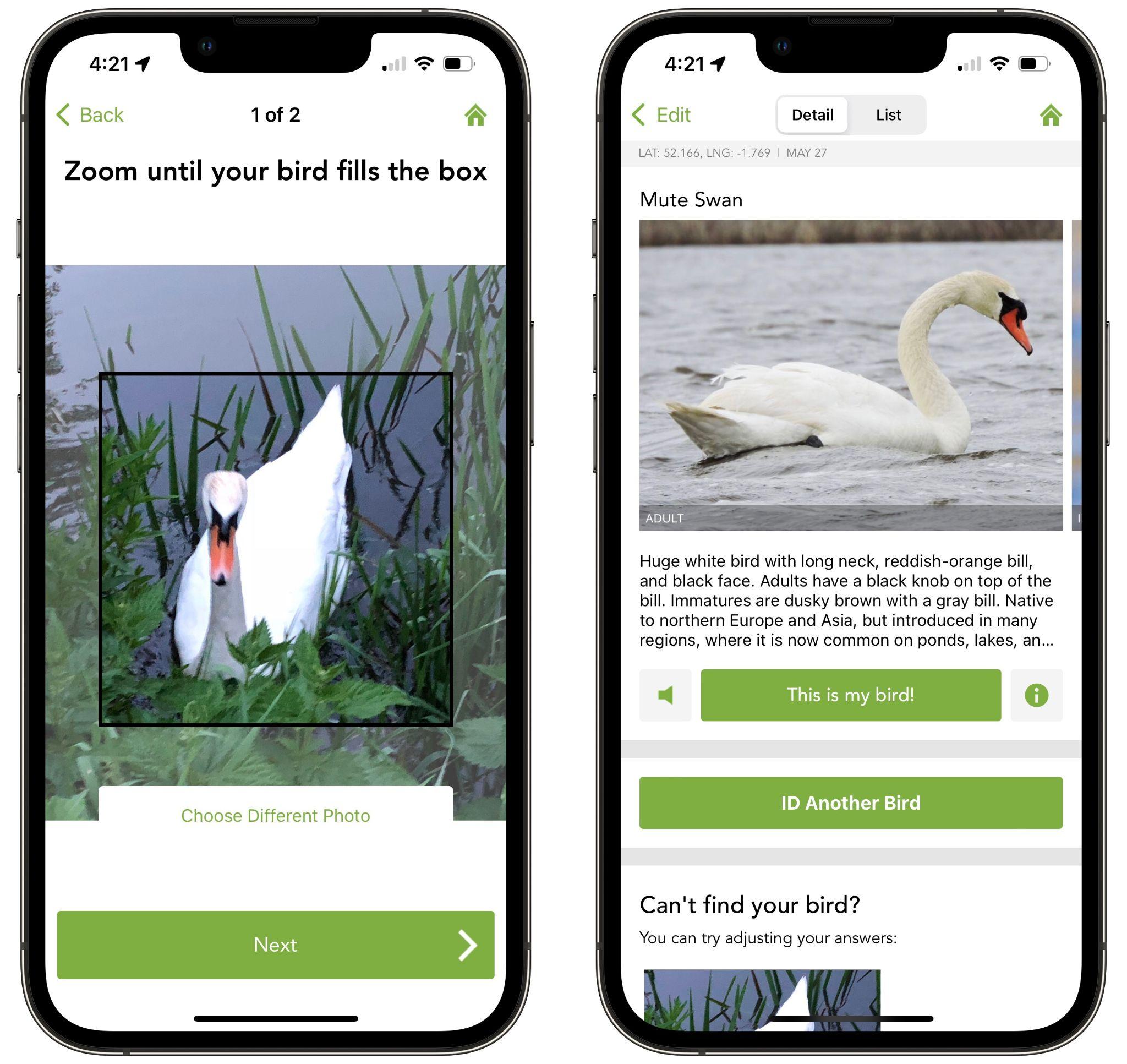
Merlin is also happy to identify a bird from a photo, which you can take from within the app or pull out of your Photos library. (Tip: When viewing your library from within Merlin, search for “bird” to find just the photos you might want to identify.) After you use a two-finger pinch-out gesture to zoom the photo to fit in the box, tap the Next button and confirm the photo’s location and date to see details about the bird. Again, if it’s right, tap the This Is My Bird button to add it to your list.
Just as Seek connects to iNaturalist for additional online capabilities, Merlin can connect to an online eBird account where you can manage your sightings and more. There’s also an eBird app that makes sightings public, provides rankings, and incorporates sightings into cutting-edge research projects.
Whether you’re a parent looking for something to do with your child outdoors, an environmentalist with an abiding interest in the natural world, or just someone who would like to identify a pretty flower or unusual visitor to your birdfeeder, Seek and Merlin are well worth downloading. Both are easy to use and require no upfront commitment, but be warned that you may find them surprisingly addictive!
AI Usage Transparency Report
Pre-AI Era · Written before widespread use of generative AI tools
AI Signal Composition
Score: 0.05 · Low AI Influence
Summary
Two iPhone apps, Seek and Merlin, use machine learning to help identify plants and wildlife using your iPhone's camera or microphone.
Related Posts
Leaving Flickr: Migrating 20,000+ Photos to Synology and Taking Back Control
There’s a certain kind of friction you start to notice when you’ve been using a service for a long time. Not enough to make you leave immediately, but enough to make you pause. Flickr had been that kind of service for me. It quietly held years of photos, uploads from old phones, albums I hadn’t looked at in ages, and a massive "Auto Upload" collection that had grown into something I didn’t fully understand anymore.

How I Finally Passed the PMP Exam (After 12 Years of Waiting)
Back in 2013, I registered for a PMI membership with every intention of pursuing my PMP certification. I downloaded the handbook, bookmarked the eligibility requirements, and even told a few friends that I was going to do it "soon." At the time, I thought getting certified would be a straightforward process, but little did I know what lay ahead in terms of studying and preparation.

10 Things You Didn't Know You Could Do With Apple Configurator (That Save Mac Admins Hours)
Most of us treat Apple Configurator like a fire extinguisher: break glass, DFU, restore, move on. But it can do a lot more, and when you know the edges, you can turn a bricked morning into a ship-it afternoon. Below are ten things I regularly use (or wish I’d used sooner) that demonstrate its capabilities beyond just emergency recovery.
The Evolution of Apple Certification: A Journey Through Versions, Challenges & Growth
When I recently passed the Apple Certified Support Professional (ACSP) exam again, I paused to reflect — not just on this milestone, but on the long path I’ve walked through Apple’s certification landscape. My first certification dates back to macOS 10.5, and over the years, I’ve earned credentials across nearly every version since. In that time, the exams — and Apple itself — have transformed significantly.

Secure Software, Secure Career: How I Passed the CSSLP
After passing the CISSP earlier this year, I decided to follow it up with the **Certified Secure Software Lifecycle Professional (CSSLP)** certification. For those unfamiliar, CSSLP is an ISC2 certification that focuses specifically on secure software development practices across the full SDLC—from requirements and design to coding, testing, deployment, and maintenance. My goal in pursuing this certification was to further develop my skills in ensuring the security of software throughout its entire lifecycle.
Managing Bring Your Own Device (BYOD) for Android with Microsoft Intune
Alright, so today we're going to be talking about the management of bring your own device BYOD for Android devices. There's a lot of information out there for the management of iOS devices and you can do that with pretty much any Apple MDM on the market. We just happen to use Jamf where I work, but you could use anything from Braavos to SimpleMDM to Kanji or JumpCloud. Mosyle is also a great option.

BYO with me in 2025: iOS with User Enrollment in JAMF Pro
It really depends on your company's needs. For example, many companies need to hire 1099 contractors and in such a case they come with their own devices but not the correct security settings or enforcements. Remember BYOD is a security construct. The idea here is that you should be securing the company's sensitive data in all forms. This may involve implementing policies for contractor-owned devices, ensuring that all devices accessing company data meet minimum security standards, and regularly reviewing and updating these standards to stay ahead of emerging threats.
Securing BYOD Email Access: Exploring Strategies in Microsoft 365
In today’s mobile-first world, organizations increasingly rely on Bring Your Own Device (BYOD) programs to empower employees while optimizing costs. However, this flexibility introduces unique challenges, particularly around securing email access. To mitigate risks, we are implementing a comprehensive strategy to block email access on non-company devices by default and ensure only sanctioned apps can access organizational email accounts. This approach will help prevent unauthorized access and data breaches, aligning with our commitment to maintaining the security and integrity of company communications.

How I Conquered the CISSP Exam: 9 Months, Top Resources, and Proven Strategies
Passing the CISSP (Certified Information Systems Security Professional) exam is no small feat. It’s known for its breadth, depth, and ability to test not just your knowledge but your practical understanding of cybersecurity. After nine months of intense preparation, I’m thrilled to say I’ve joined the ranks of CISSP-certified professionals! Here's a detailed account of my experience, including the resources I used, some tips that helped me along the way, and what I learned from the process itself.

Get more out of scripting than you may expect
Expect is an extension to the Tcl scripting language written by Don Libes. The program automates interactions with programs that expose a text terminal interface. Expect, originally written in 1990 for the Unix platform, has since become available for Microsoft Windows and other systems. Its functionality allows users to interact with these programs through scripted commands, eliminating the need for manual input.
