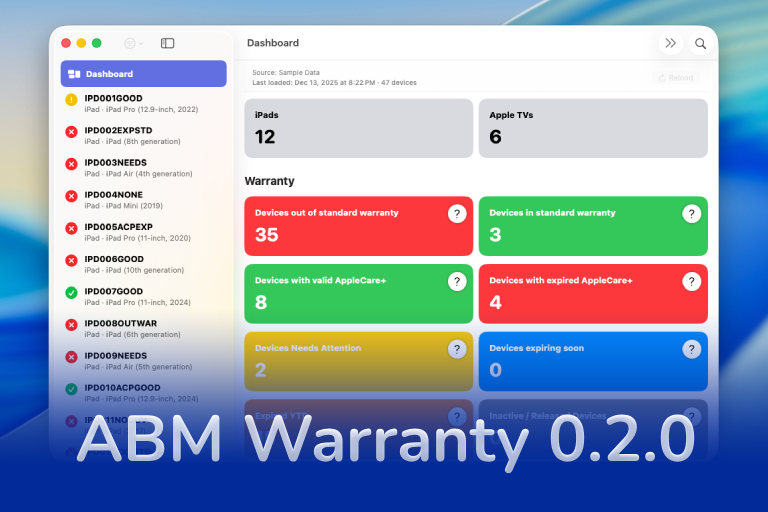

ABM Warranty 0.2.0 is a feature release focused on visibility, safety, and scale. This version does not change what ABM Warranty is meant to be, but it significantly improves how the app behaves under real-world conditions—large device counts, API throttling, long-running imports, and the kinds of failure modes Apple IT admins actually encounter.
This release was all about making the system observable, predictable, and recoverable.
Logging
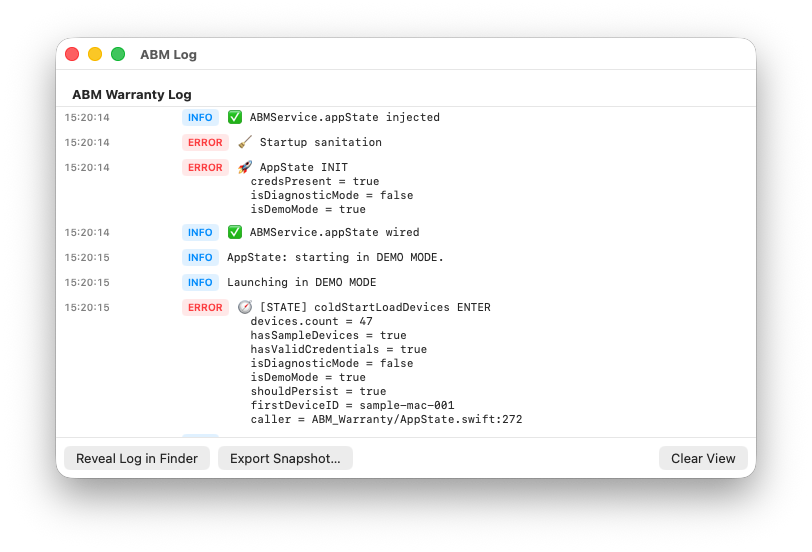
The logging window in ABM Warranty 0.2.0 is not an afterthought or a debug-only feature. It is a first-class part of how the application is meant to be understood and operated, especially at scale.
From the beginning, the goal was not just to log errors, but to log decisions. Every authentication attempt, every page fetch, every warranty lookup, every retry, and every throttling response is recorded deliberately. If the app makes a choice—retrying a request, backing off due to rate limiting, skipping a device temporarily—that choice is visible.
A significant amount of time was spent deciding what to log and when. Logging is verbose by design, but it is not noisy for the sake of it. Each entry is structured around intent: what operation was attempted, why it was attempted, and what the result was. When an API call fails, the log reflects not just the failure, but the context around it, including whether the failure is transient, whether a retry will occur, and what backoff strategy is being applied.
This matters because Apple Business Manager is not a deterministic system from the client side. API throttling, pagination boundaries, intermittent failures, and delayed responses are all normal behaviors at scale. When something goes wrong, “it failed” is not actionable. Knowing where it failed, how many times it was attempted, and what the app did next is.
The logging window exposes this lifecycle clearly. Retry attempts are logged individually. Throttling responses are called out explicitly rather than treated as generic errors. Pagination progress is visible page by page, which is especially important for large organizations where imports may take significant time.
Logs can be exported directly from the UI. This is intentional. Troubleshooting should not require reproducing a problem live, attaching a debugger, or guessing based on partial information. Exported logs provide a durable record of what happened during an import or reload, making it easier to diagnose issues, validate expected behavior, or share precise context when asking for support.
Ultimately, the logging system exists to support trust. If ABM Warranty is going to operate against critical inventory data, it needs to be explainable. The logging window is how the app shows its work.
Progress View and Responsive Loading
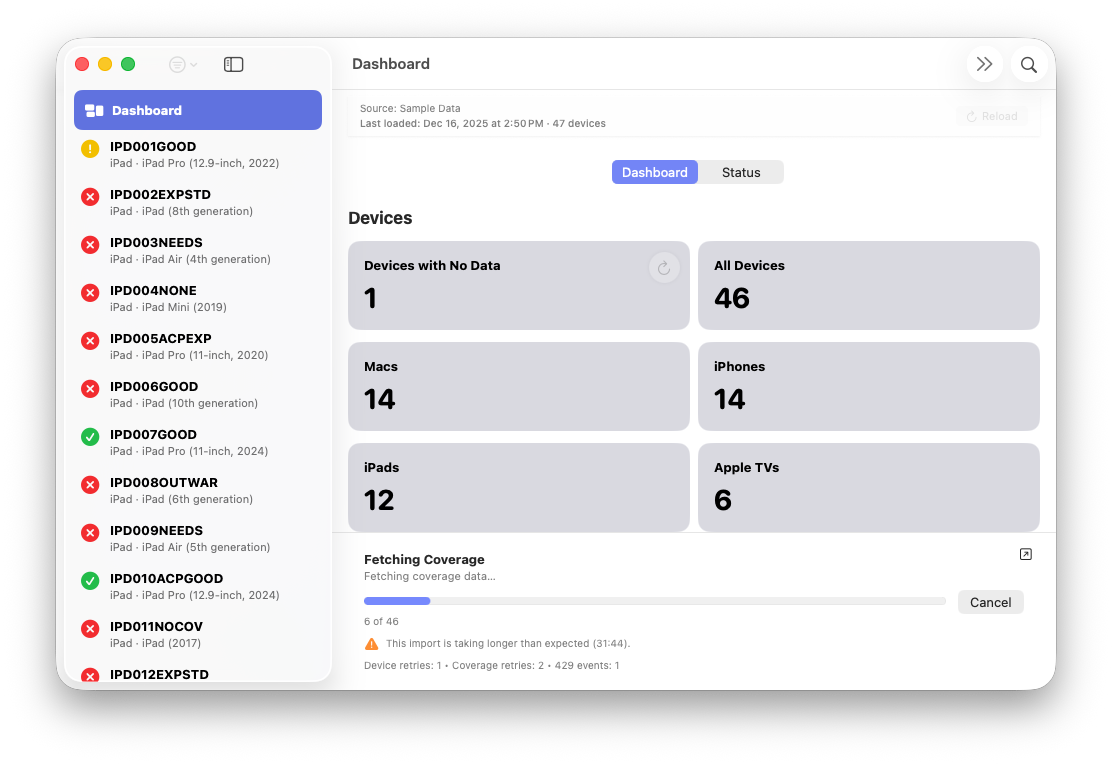
The progress system in ABM Warranty 0.2.0 was redesigned to make long-running operations observable, interruptible, and non-blocking. Rather than treating loading as a single opaque state, the app now exposes each phase of the import process as it happens.
Fetching Pages
Device imports are page-based, and that reality is now reflected directly in the UI. As pages are fetched from Apple Business Manager, the progress view shows page-by-page advancement rather than a generic spinner or percentage.
This matters most for large environments, where pagination may involve hundreds or thousands of pages. Showing this progression makes it clear that the import is advancing steadily, even when individual pages take time to return.
Fetching Coverage
Coverage data is fetched separately from device records, and that distinction is now explicit. The progress view shows when the app transitions from device discovery into coverage lookup, making it clear which phase is currently active.
Separating these phases also helps explain why imports may appear to slow down after device pages complete. Coverage lookups are subject to their own rate limits and retry behavior, and surfacing that boundary makes the system’s behavior easier to reason about.
Retry and Throttling Events
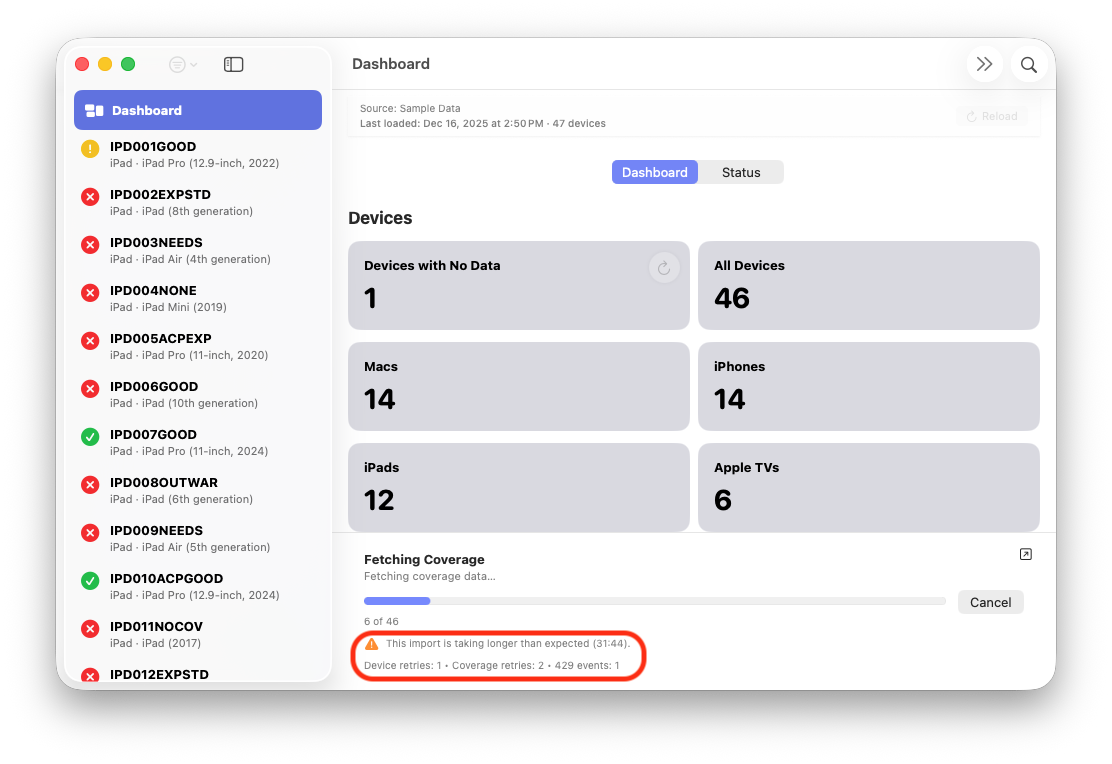
When Apple responds with rate limiting or transient failures, those events are now shown directly in the progress view. Rather than appearing stalled or frozen, the UI reflects that the app is backing off, retrying, and waiting intentionally.
These events are not treated as errors unless they truly are. By showing retry and throttling behavior as part of normal operation, the progress view reinforces that patience, not intervention, is often the correct response.
Paging Enhancements
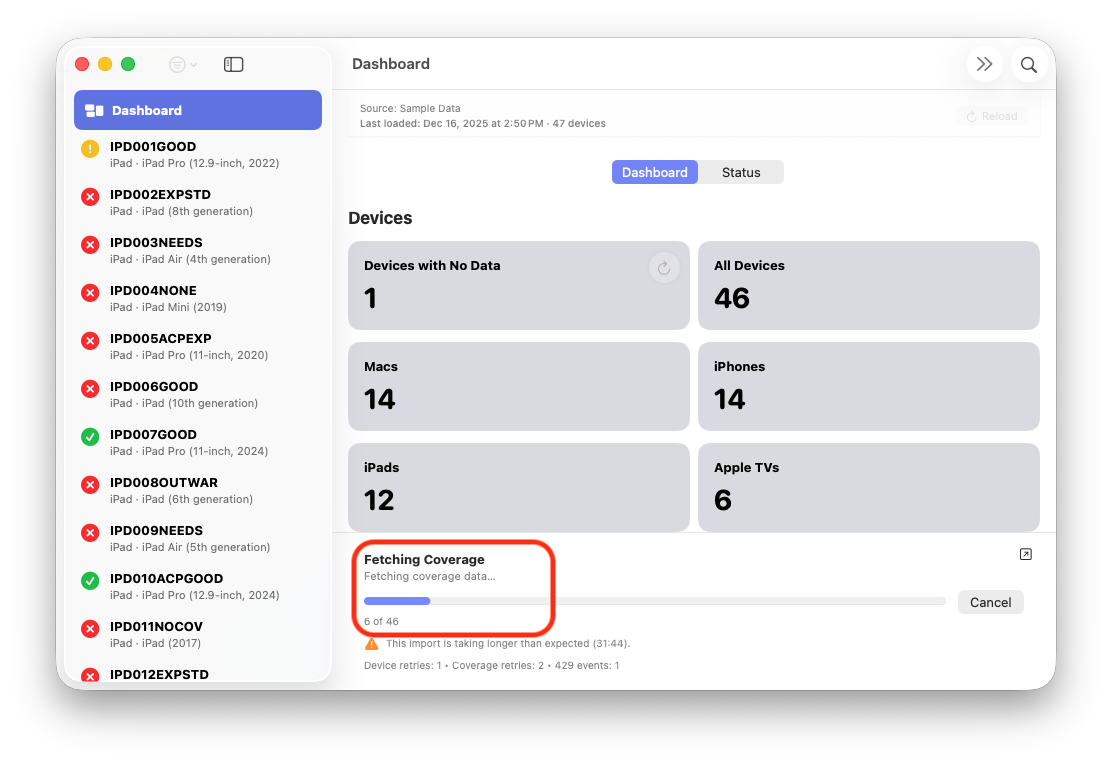
Pagination handling has been improved internally and made more transparent externally. Page boundaries, retries within a page, and continuation behavior are all tracked and surfaced.
This ensures that large imports remain resilient even when individual requests fail intermittently. Progress does not reset or silently skip work; it advances methodically until completion or explicit cancellation.
Canceling an In-Progress Import
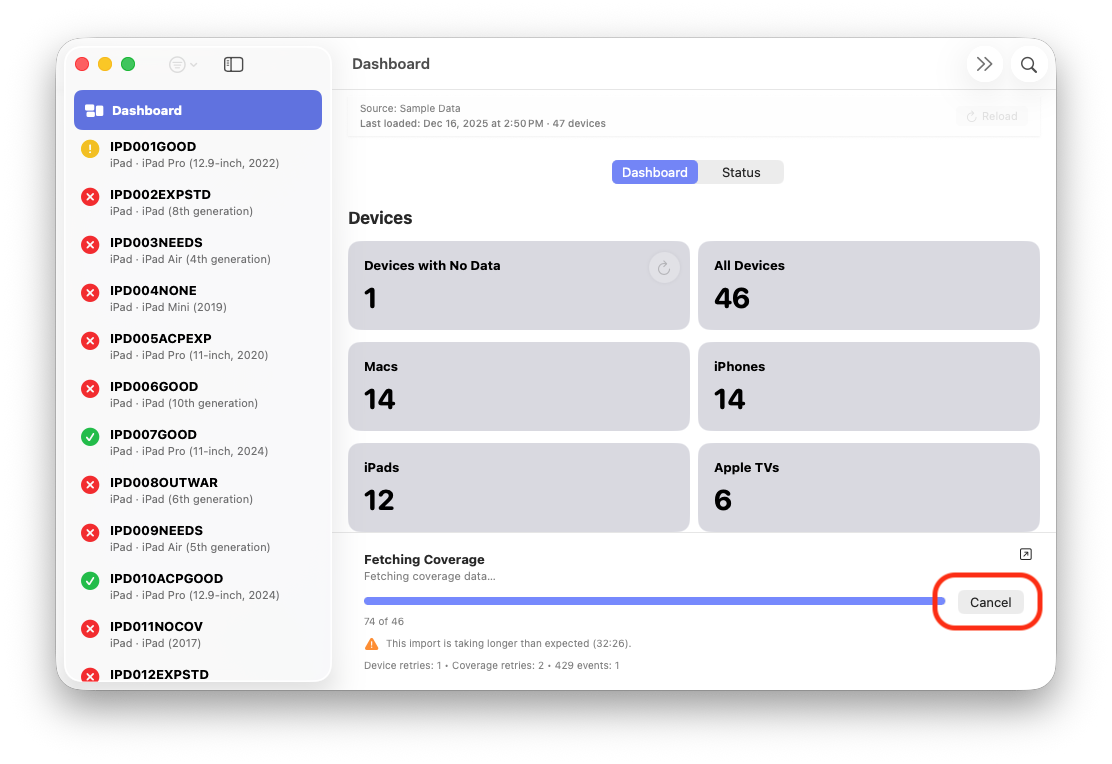
Imports can now be canceled safely at any point. Cancellation is immediate, explicit, and leaves local data in a consistent state.
This is especially important during testing, troubleshooting, or credential changes. Admins are no longer forced to wait out a long-running operation if they already know it needs to be restarted or adjusted.
Pop-Out Progress View
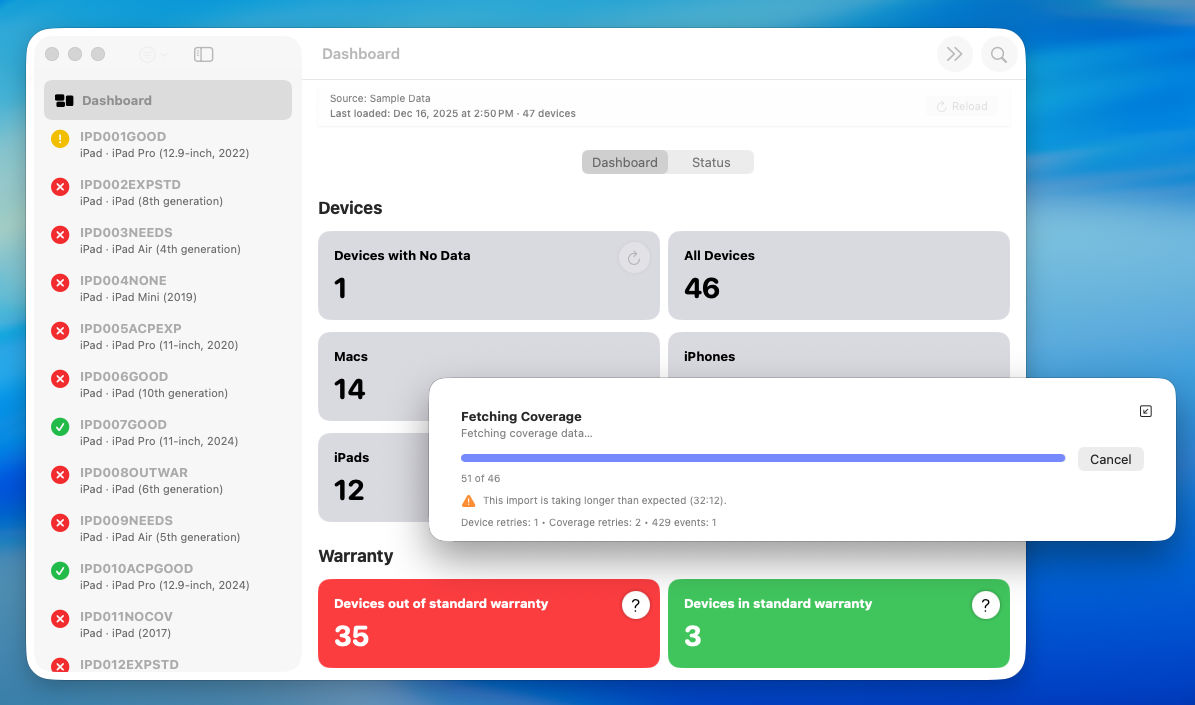
The progress view can be detached into its own window, allowing admins to continue using the rest of the application while imports run in the background.
This is a practical quality-of-life improvement. Long imports should not monopolize the interface or block other tasks, and the pop-out view keeps progress visible without being intrusive.
Responsive Loading
As part of this redesign, the app no longer blocks the main UI during imports. ABM Warranty remains responsive on launch and during reloads, even when handling large datasets.
This change is foundational. The app should feel alive and usable at all times, regardless of how much work is happening behind the scenes.
Settings and Credential Validation
Credential handling in ABM Warranty 0.2.0 was redesigned to reduce ambiguity and prevent partial or invalid imports. The focus here is on making authentication state explicit and ensuring that data loading only begins when credentials are known to be valid.
Credential Validation
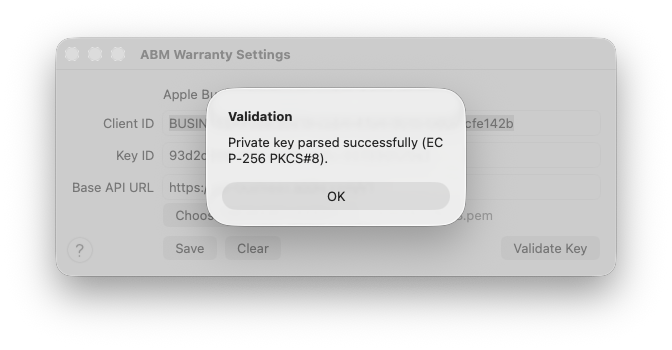
Credentials are no longer accepted implicitly. A dedicated validation action allows admins to test authentication explicitly before saving.
This validation step confirms that the credentials are structurally correct, authorized, and able to communicate with Apple Business Manager successfully. Failures are surfaced immediately, preventing scenarios where imports begin only to fail partway through due to misconfiguration or expired credentials.
Certificate Conversion on Upload
Certificates are now normalized at the point of upload. Rather than requiring admins to manually convert formats or guess which certificate type is acceptable, ABM Warranty handles conversion automatically.
This reduces a common source of setup friction and eliminates an entire class of configuration errors caused by mismatched certificate formats or encoding issues.
Import Trigger on Save and Validation
Once credentials are saved and successfully validated, the import process begins automatically. This ensures that the app transitions cleanly from configuration into data loading without requiring additional manual steps.
Just as importantly, imports do not start unless validation succeeds. This guards against incomplete datasets, partial state, and confusing failure modes that can occur when authentication issues are discovered mid-import.
In-App Help and Documentation
ABM Warranty 0.2.0 expands in-app guidance with a focus on being present when it’s needed, without overwhelming the interface or hiding important behavior behind documentation alone.
Contextual Help Queues
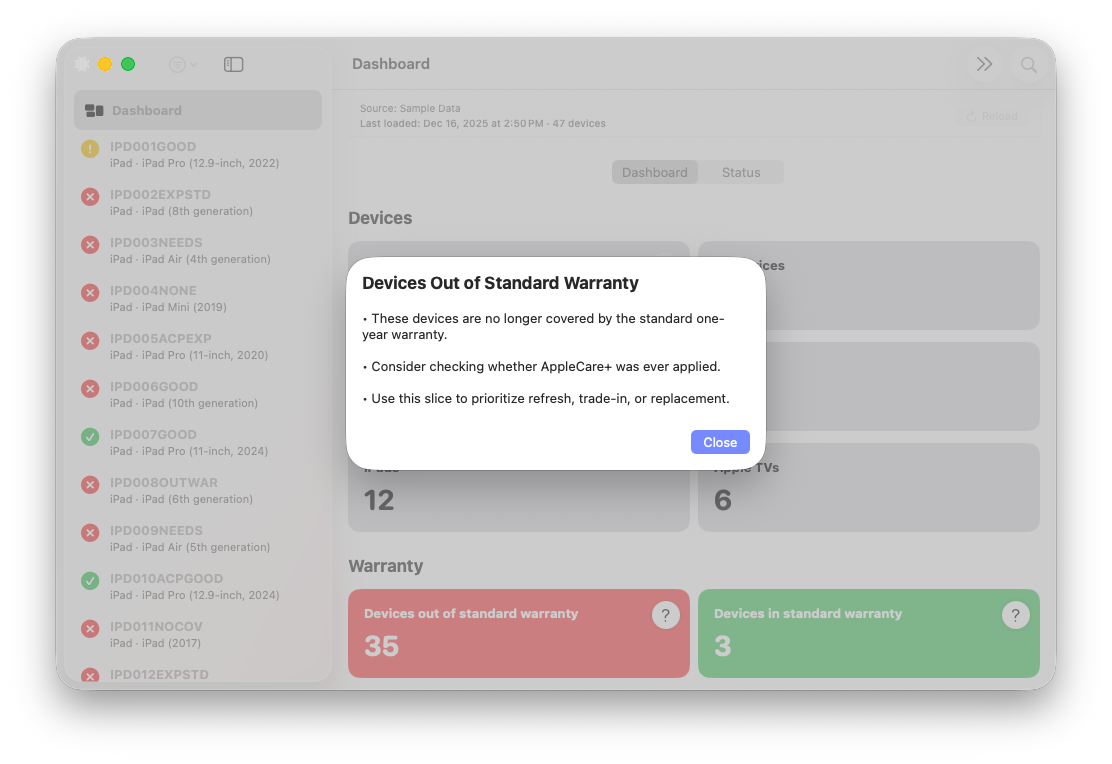
Throughout the app, contextual help cues appear at points where decisions are made or where behavior may not be immediately obvious. These cues open focused help sheets that explain the current screen, action, or state in place, without forcing a context switch.
These are not generic tooltips. Each help queue is tied to a specific workflow or condition and exists to explain why something behaves the way it does, not just what a button does. The goal is to reduce uncertainty at the moment it occurs, rather than asking admins to remember details from documentation read earlier.
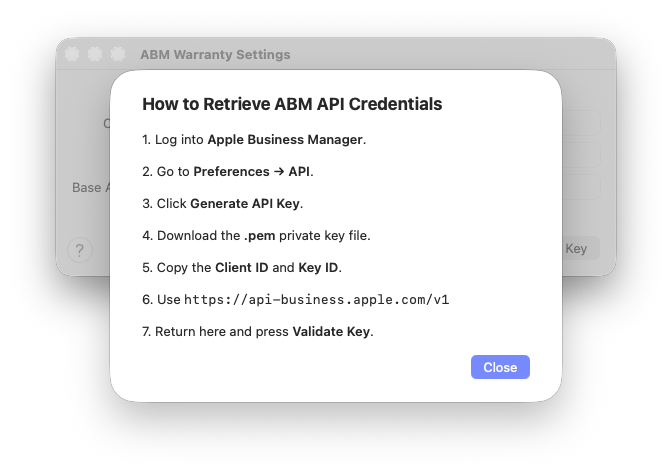
By keeping this guidance close to the UI, the app remains approachable without sacrificing precision or hiding complexity.
Built-In Help Book
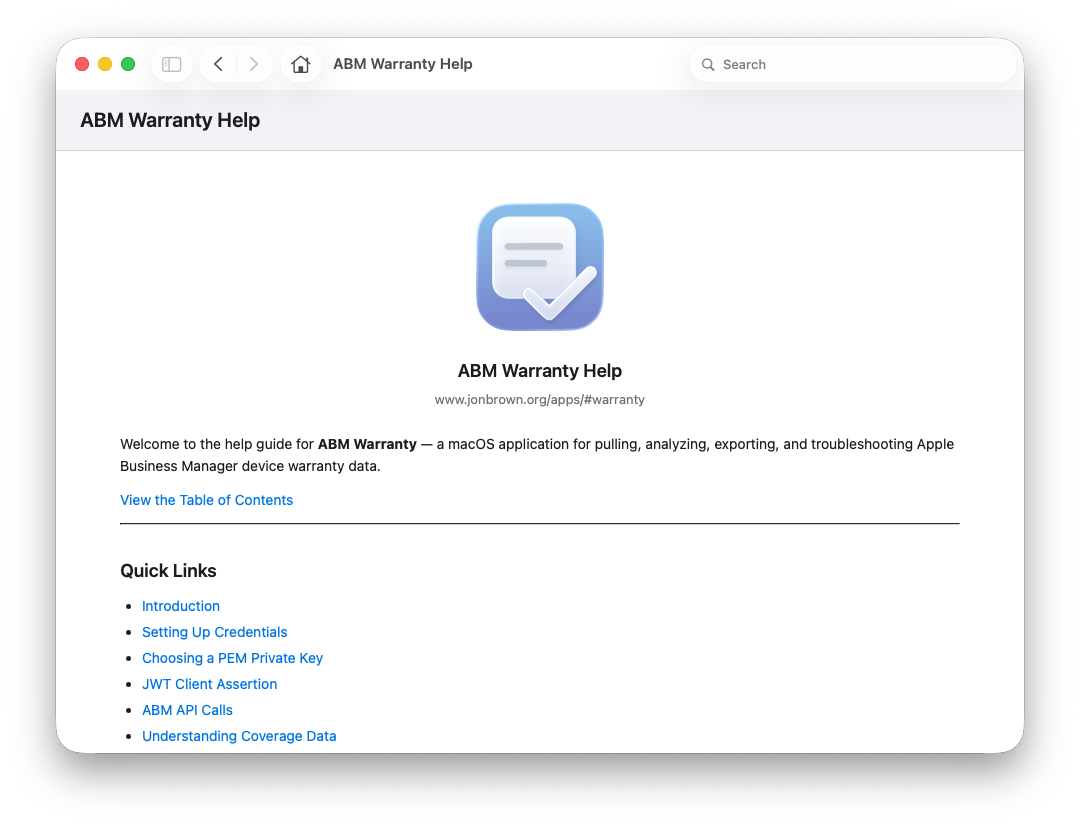
In addition to contextual guidance, ABM Warranty now includes a more complete in-app help book. This serves as a durable reference for workflows, terminology, and expected behaviors across the application.
The help book is designed to complement, not replace, logs and diagnostics. It explains concepts, lifecycle decisions, and operational expectations so that when something does go wrong, admins have a shared frame of reference for understanding what they’re seeing.
Keeping this documentation inside the app ensures it stays aligned with the current version and reduces reliance on external references during troubleshooting or evaluation.
Status Tab
The Status tab in ABM Warranty 0.2.0 provides a consolidated view into the internal state of the application. Rather than spreading health indicators across multiple screens, this tab brings the most important signals together in one place so issues can be identified quickly and understood in context.
Auth & Config
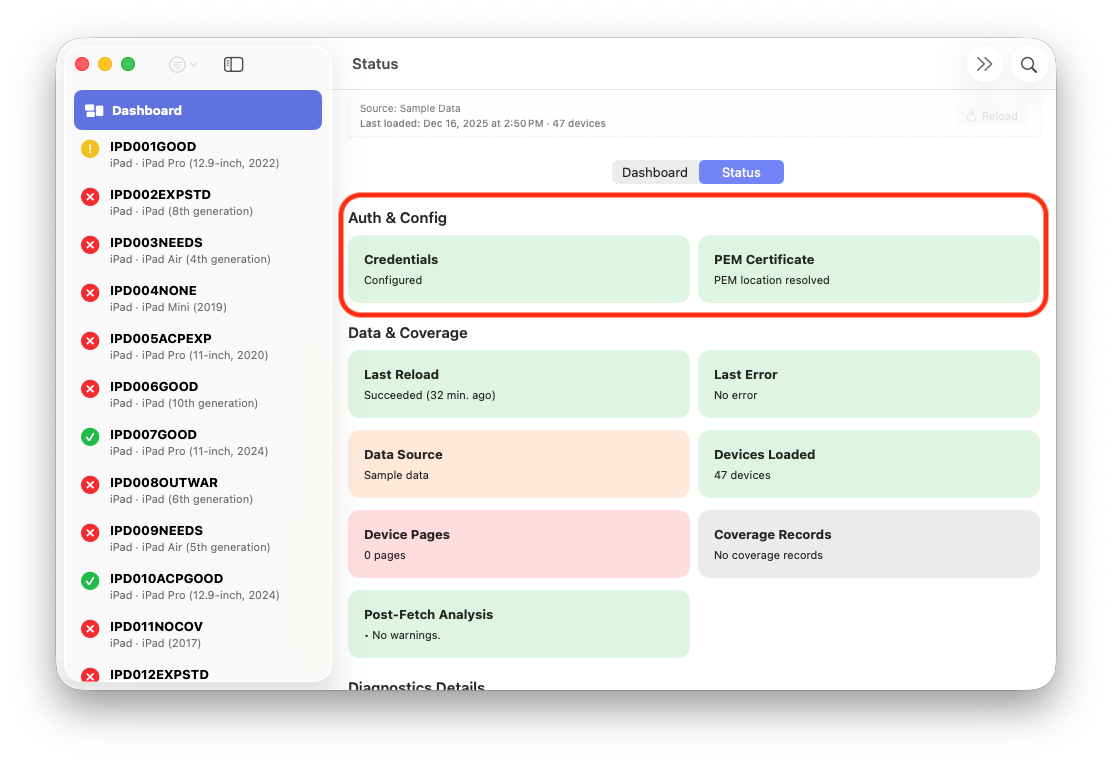
The Auth & Config section reflects the current authentication and configuration state of the app. Credential validity, certificate status, and configuration readiness are surfaced explicitly rather than inferred.
This view is intended to answer a basic but critical question immediately: is the app correctly authenticated and configured to talk to Apple Business Manager right now? When something is misconfigured or credentials are invalid, that state is visible without needing to trigger an import or inspect logs.
Data & Coverage
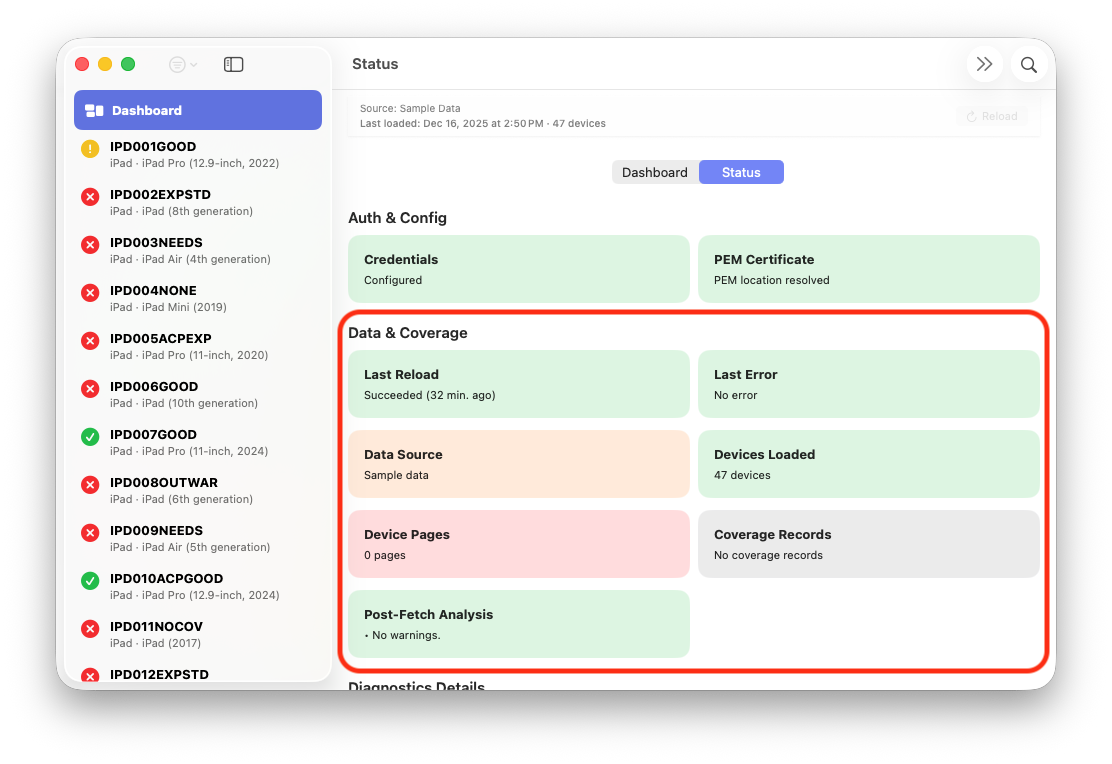
The Data & Coverage section focuses on the state of the locally stored device data. It shows whether device records are present, whether coverage information has been successfully fetched, and whether any data gaps exist.
By separating data presence from authentication health, this section makes it easier to distinguish between configuration problems and data lifecycle issues. An import may have completed successfully from an authentication perspective while still leaving coverage data incomplete due to throttling or retries, and that distinction matters when troubleshooting.
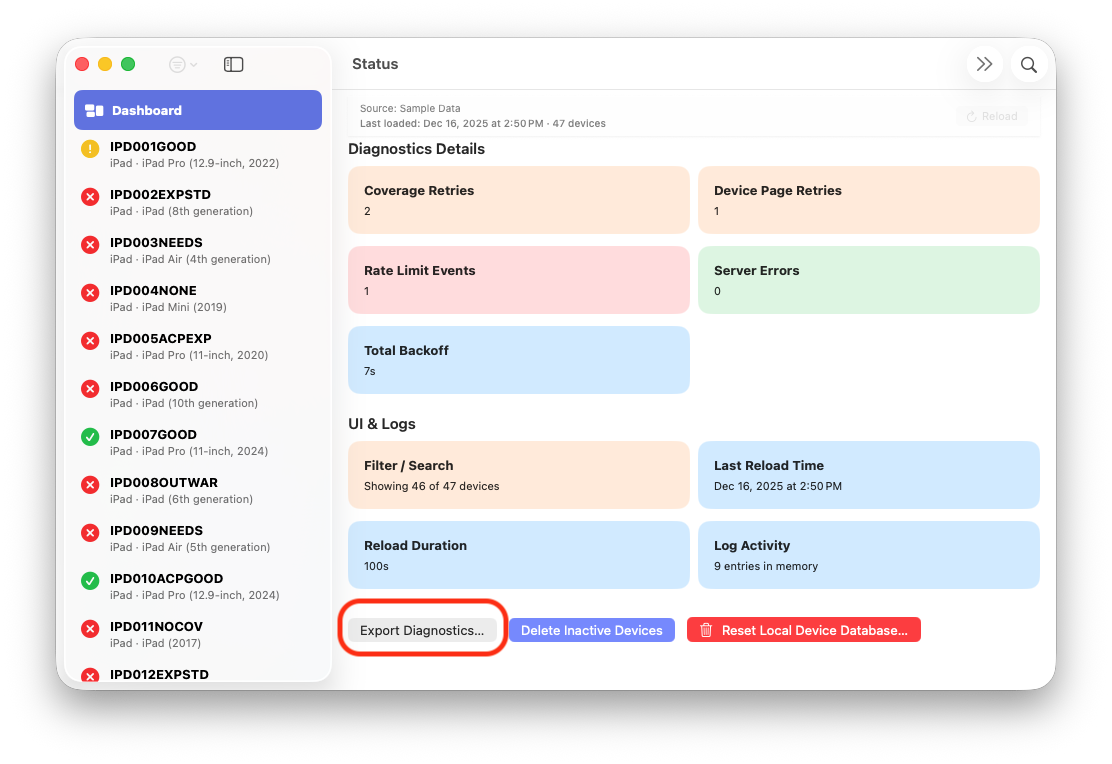
Diagnostic Details
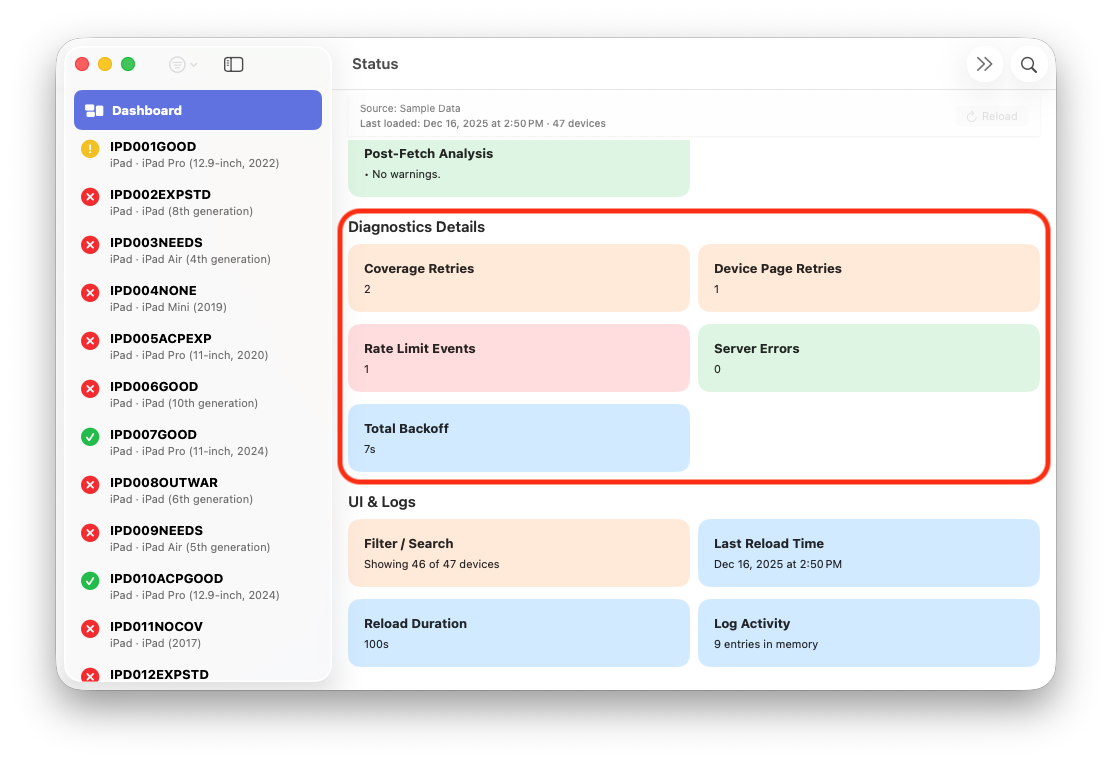
Diagnostic Details expose internal state information that is useful during testing, validation, and deeper troubleshooting. This includes signals related to import activity, retry behavior, and diagnostic mode when enabled.
This section is intentionally more technical. It exists to provide insight without requiring exported logs or external tooling, and to make internal behavior observable when validating that the app is behaving as expected.
UI & Logs
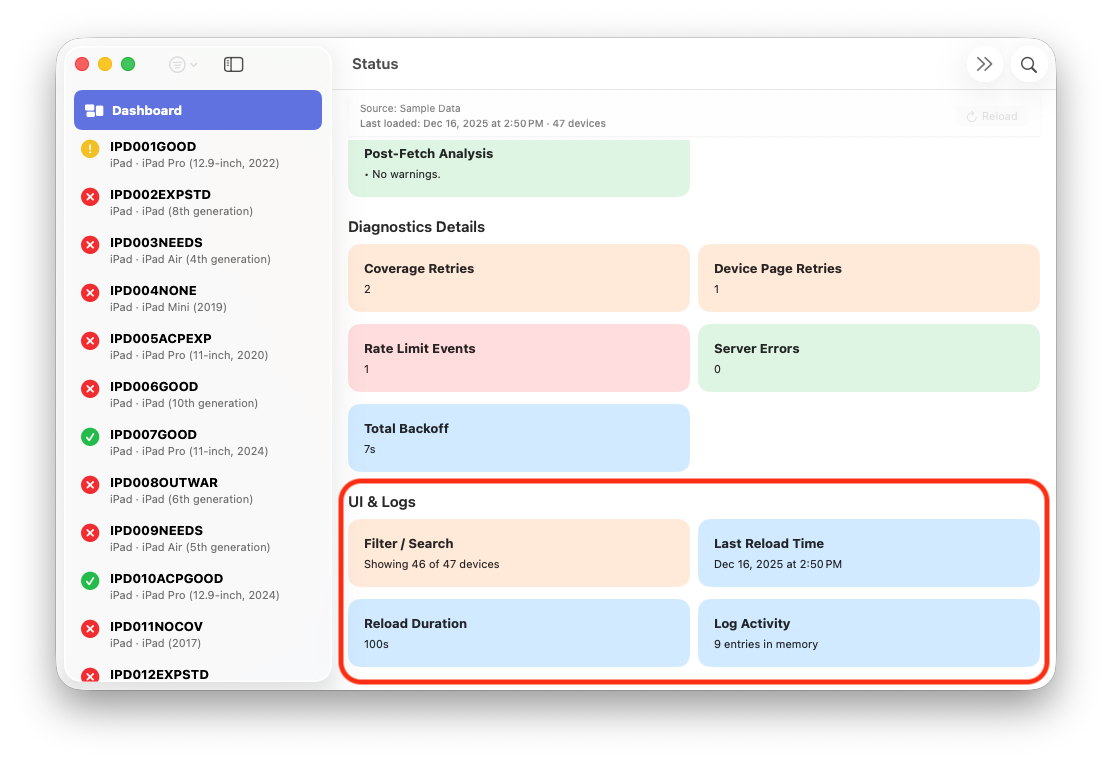
The UI & Logs section reflects the state of the user interface and logging system itself. It provides confirmation that logging is active, that UI state is consistent, and that expected components are functioning.
By surfacing these details alongside authentication and data health, the Status tab closes the loop between what the app is doing internally and what the admin is seeing on screen.
Reset Local Device Database
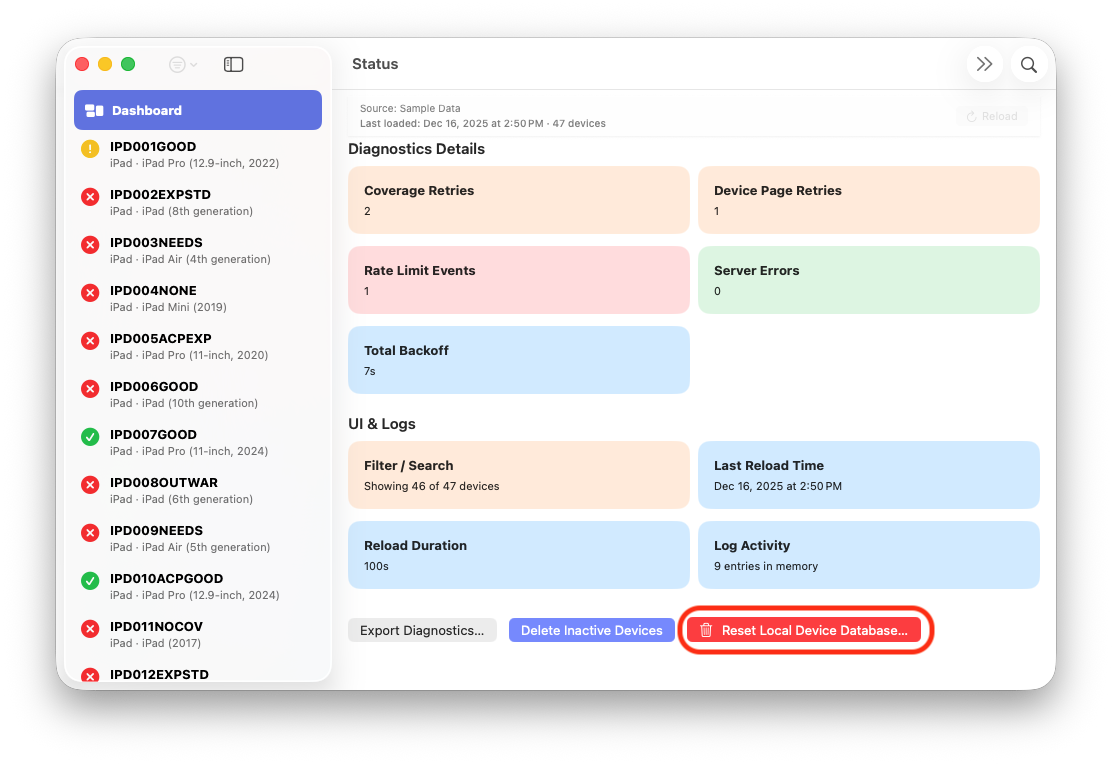
ABM Warranty 0.2.0 introduces the ability to reset the local device database safely. This feature exists for cases where an admin wants to start fresh—after credential changes, testing, or troubleshooting—without risking unintended side effects.
The reset operation is deliberate, confirmed, and limited to local data only. It does not affect Apple Business Manager or any external system.
Freshness Indicator and Device Detail Enhancements
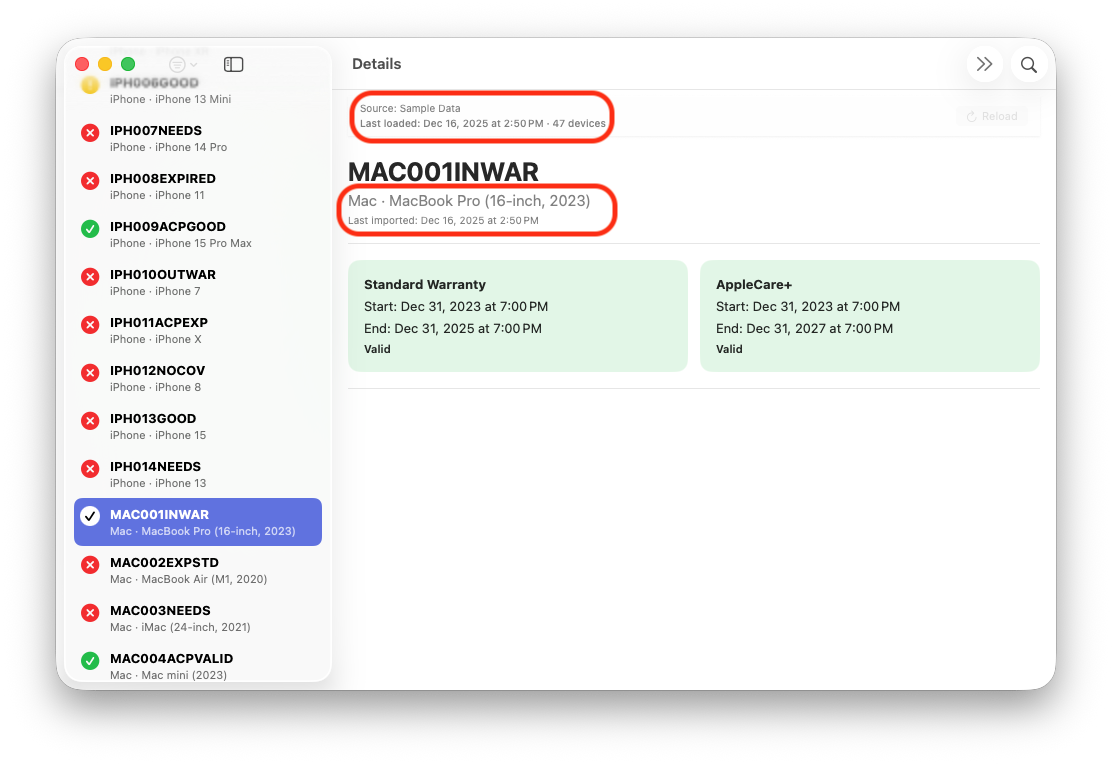
A freshness indicator has been added to make it immediately clear how current the displayed data is. This matters when imports take time, retries occur, or work is paused mid-process.
Additional information has also been added to individual device detail views, providing more context without requiring cross-referencing logs or external tools.
Filtering and Presets
The dashboard in ABM Warranty 0.2.0 is built around the idea that most administrative work starts with a question. Filtering is how those questions are expressed, and the dashboard presets are designed to surface answers immediately without hiding how they are derived.
Filters are grouped into two logical areas: device state and device coverage. Each section answers a different class of operational question.
Device Filters
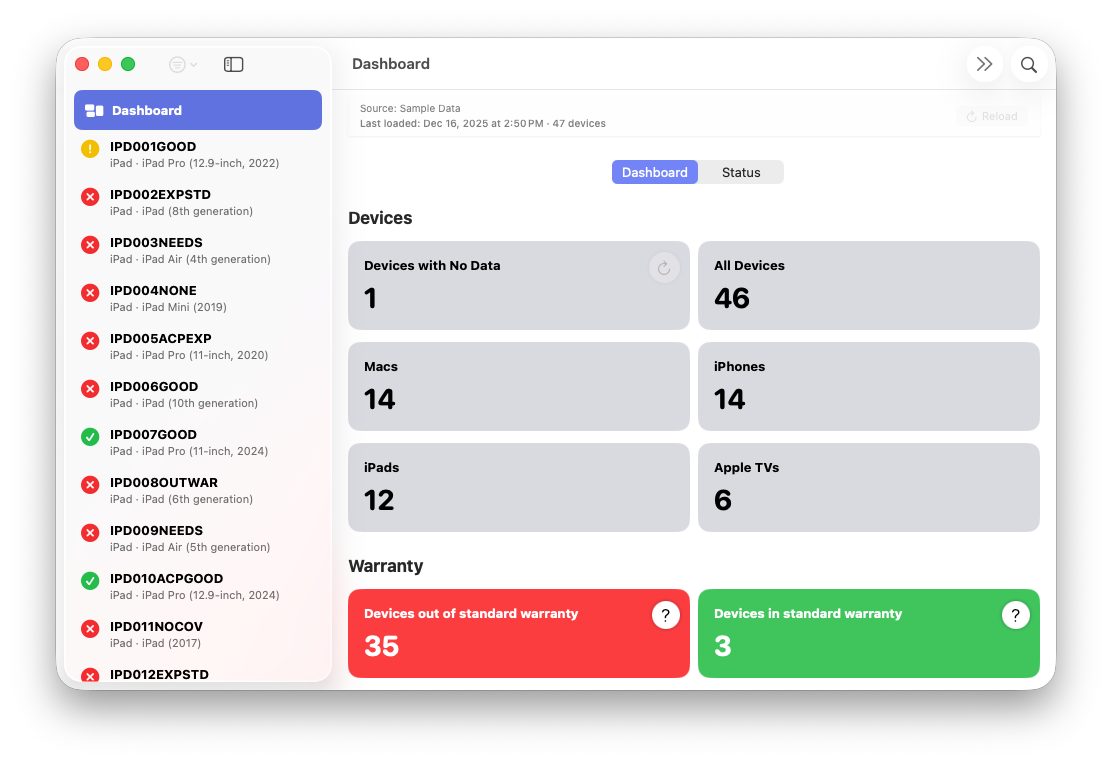
The Devices section at the top of the dashboard acts as a high-level header filter. These views are concerned with what exists in the local dataset and how devices are categorized by type or data completeness.
The Devices with No Data filter isolates records that exist locally but do not yet have complete device or coverage information. This typically occurs during partial imports, interrupted coverage fetches, or initial synchronization. Calling this state out explicitly prevents these devices from being silently lumped in with valid data.
All Devices represents the full local inventory, including active and inactive records. It serves as the neutral baseline from which all other filters are applied.
The remaining device filters—Macs, iPhones, iPads, and Apple TVs—segment the inventory by platform. These filters allow admins to focus on specific device classes without losing broader context. Because they are header-level filters, they can be combined with warranty views below to answer more targeted questions, such as coverage state for a single device type.
Warranty Filters
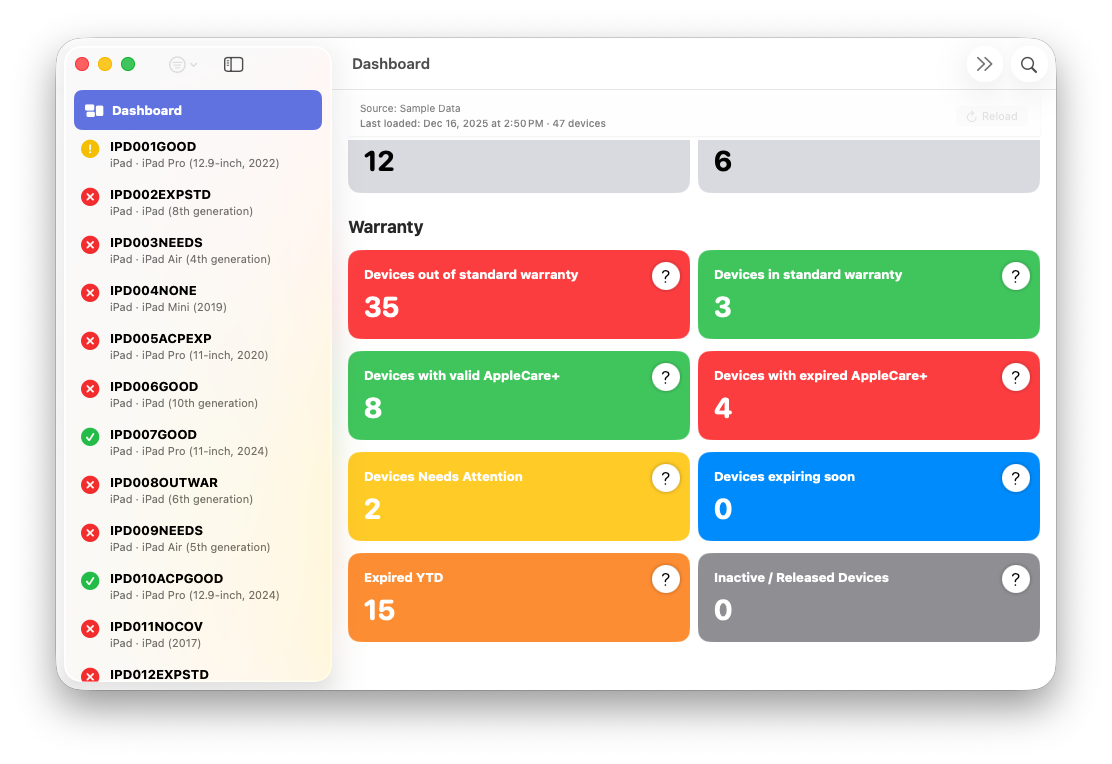
The Warranty section focuses on device coverage state and lifecycle. These filters are derived from warranty and AppleCare data and are intended to surface devices that require review, action, or follow-up.
Devices out of standard warranty identifies hardware that is no longer covered under Apple’s standard warranty terms and does not currently have active AppleCare coverage. This view is often used for replacement planning or risk assessment.
Devices in standard warranty surfaces devices still covered by Apple’s default warranty. This can be useful for understanding baseline protection across newer purchases.
Devices with valid AppleCare+ shows devices with active AppleCare coverage. This filter reflects confirmed coverage state rather than assumptions based on purchase date.
Devices with expired AppleCare+ isolates devices where extended coverage has lapsed. This view is intentionally separate from standard warranty expiration to distinguish between baseline coverage loss and the expiration of paid protection.
Devices Needs Attention highlights records where coverage data is incomplete, inconsistent, or otherwise requires review. This is not an error state, but a signal that the device does not fit cleanly into other categories and should be examined.
Devices expiring soon surfaces devices approaching warranty or AppleCare expiration. This filter exists to support proactive planning rather than retrospective cleanup.
Expired YTD provides a year-to-date view of devices whose coverage expired within the current calendar year. This helps frame coverage churn over time rather than as a static snapshot.
Inactive / Released Devices isolates devices that no longer appear in Apple Business Manager but are retained locally for historical reference. This filter reinforces that absence from ABM does not mean silent deletion and that lifecycle transitions are tracked explicitly.
Together, these filters are meant to be combined, inspected, and reasoned about. They are not shortcuts that hide logic, but structured views that make it easier to understand the state of a fleet at a glance without losing trust in the underlying data.
CSV Export
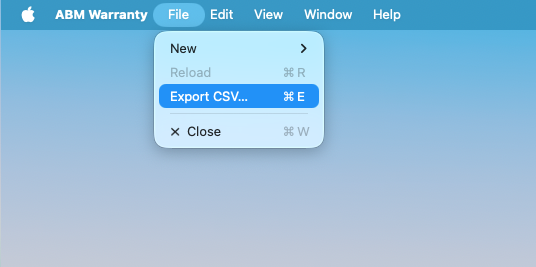
Device data can now be exported to CSV for offline analysis, reporting, or integration with other workflows. Exports reflect the current filtered view, allowing targeted data extraction rather than bulk dumps.
This feature is intentionally simple and predictable, focused on data portability rather than automation.
Reload Backoff and API Safety
Reloads are now subject to a five-minute backoff window. This is a deliberate safety measure to prevent excessive API usage and accidental hammering of Apple Business Manager endpoints.
The backoff applies only to successful reloads. Failed or aborted imports are not throttled, ensuring recovery paths remain open when something goes wrong.
Pagination and Retry Algorithm
This is the part of ABM Warranty that took the most time to get “boring.”
Not because it’s hard to write a loop that walks pages and makes requests, but because the Apple Business Manager API is not meaningfully documented in the way you’d want it to be if you’re building a reliable import pipeline. There are docs, there are endpoints, there are auth rules, but the thing that actually determines whether a large import completes—rate limits, throttle behavior, backoff expectations, what “too fast” looks like, how long Apple expects you to wait, how throttling manifests, how it changes during a run—is effectively a black box.
So 0.2.0 is the result of iterating in the dark: testing boundaries, logging everything, and being conservative whenever the system did something ambiguous. The goal is not to win a speed contest. The goal is to finish. Every time. Without abusing Apple’s APIs, and without turning transient throttling into a permanent failure.
The Core Design Decision: Separate “Inventory” From “Coverage”
The import pipeline is structured as two distinct phases that are intentionally decoupled.
First, ABM Warranty fetches the device inventory from ABM using page-based requests. This is the “shape of the fleet” step. It’s relatively predictable: you fetch a page, you parse it, you fetch the next page, and you keep going until you’re done.
Second, ABM Warranty fetches coverage state per device. This step is where things become volatile. Coverage lookups are typically more rate-limited, more failure-prone, and more sensitive to bursty request patterns. Treating coverage fetches as “just another field” and bolting them onto the pagination loop is the fastest way to create a pipeline that works fine for 50 devices and collapses at 5,000.
So the algorithm treats them as separate concerns, with separate retry logic, separate backoff behavior, and separate progress reporting.
Pagination: Make Progress Even When the World Is Messy
Pagination is designed around the idea that page fetches are the backbone of the import. If you lose your place or stall the entire import because of one bad page response, you’ve effectively built a system where the largest tenants are the least reliable.
In 0.2.0, the pagination loop is explicit and observable. Each page fetch is logged as an attempt. If it succeeds, the system advances. If it fails in a way that looks transient—timeouts, throttling, server errors—the system retries the page fetch rather than aborting the run.
The important detail is that retries are scoped. A failure on page N does not invalidate pages 1 through N-1. The system does not “start over,” and it does not throw away progress it has already earned. It retries the smallest unit of work that failed, and it keeps the rest intact.
This sounds obvious, but it’s the difference between “imports occasionally work” and “imports finish predictably.”
Retry Strategy: Treat Failures as Signals, Not Events
Retries in ABM Warranty are not blind “try again” loops. Each retry is a response to a signal, and those signals are logged so you can see the rationale.
There are broadly three outcomes for a request:
A successful response is just that: success, advance immediately.
A hard failure is something the app cannot solve with time. Invalid credentials, authorization problems, malformed configuration, or an error that indicates the request will never work until something changes. Those are surfaced clearly and stop the import because retrying would be pointless and would just generate noise.
A transient failure is the interesting case. Rate limiting, temporary server errors, timeouts, slow responses, and intermittent failures all fall into this bucket. For these, the system retries, but it does so with increasing caution rather than brute force.
Each retry attempt is logged with the attempt count and the reason for retry. The goal is to make the retry system auditable: you should be able to look at the logs and understand whether the app is behaving responsibly or spiraling.
Backoff: Slow Down on Purpose, and Prove That You Did
The backoff strategy is designed around one simple rule: when Apple says “slow down,” you actually slow down.
Because ABM doesn’t publish clear rate limits, the app can’t rely on numeric thresholds like “X requests per second.” Instead, it treats throttling responses and throttle-like behavior as feedback from the server. When that feedback is detected, ABM Warranty backs off intentionally.
The backoff is progressive. Early retries wait briefly. Continued throttling increases the delay. The system is conservative about ramping back up, because oscillation—hammer → throttle → wait → hammer again—is a pattern that tends to keep you throttled indefinitely.
Backoff is also contextual. The system distinguishes between inventory page fetches and per-device coverage lookups, because they behave differently under load. Coverage lookups are usually the first place you’ll feel the limits, so the app is designed to be gentler there rather than trying to brute force it.
Most importantly, backoff is not silent. The progress view surfaces throttling and retry events as they occur, and the logs capture the decision-making path. This makes it clear that the system is waiting because it chose to, not because it froze.
Why This Exists: Large Fleets Don’t Fail Like Small Fleets
If you test an import pipeline against a small tenant, you mostly test correctness. The pages are few, the requests complete quickly, and throttling is rare.
Large fleets fail differently. They fail through accumulation. One page takes longer than expected. Then a few coverage lookups are rate-limited. Then retries start stacking. Then the UI becomes unresponsive. Then admins click reload because they think it’s stuck. Then you’ve created the exact abusive traffic pattern that gets you throttled harder.
The algorithm in 0.2.0 is designed specifically to prevent that cascade. It makes progress visible, it makes waiting explicit, it makes cancellation safe, and it enforces a pacing model that favors eventual completion over speed.
The “Reload Backoff” Connection
This is also why reload backoff exists as a separate feature. If the import system is doing the responsible thing—waiting when throttled—letting users repeatedly smash “reload” is basically enabling self-inflicted denial of service against ABM.
A five-minute reload backoff forces the pacing behavior to remain coherent across UI interactions. It’s not there to be annoying. It’s there to protect the import pipeline from the natural human response to an operation that appears “stuck” when, in reality, it’s just backing off.
What You Should Expect in Practice
With 0.2.0, you should expect imports to be calmer. Sometimes slower, but more reliable. You should see clear progress through pages, clear transitions into coverage fetch, explicit throttling events when they occur, and an import that continues to make forward progress even when ABM pushes back.
And if it can’t, you should have enough logging and enough status visibility to explain why.
That was the bar for this release: predictable behavior, observable decisions, and a pipeline that finishes without having to guess what Apple wanted you to do.
Feature Recap
ABM Warranty 0.2.0 introduces:
- A full logging window with export
- A responsive, cancellable progress system
- Safer credential validation and handling
- In-app help and documentation
- A comprehensive status view
- Inactive device tracking and management
- Local database reset controls
- Data freshness indicators
- Expanded filtering and presets
- CSV export
- Reload backoff and API-safe retry logic
- Live Public Beta
- Warranty Support GPT
- Mac Admins Slack - #abm-warranty channel

Support Indie Development
These apps are built in my free time.
I build and maintain these tools as an indie developer outside of client work and day-to-day responsibilities. If you find these apps useful and want to help fund continued development, updates, support, and new releases, you can sponsor the work directly.
Monthly support helps me keep shipping improvements, maintain compatibility, and invest more time into building practical software for the Apple admin and consultant community.
Looking Ahead to 0.3.0
Work on 0.3.0 is already in progress, and the focus remains the same: expanding capability without compromising predictability, safety, or scale. The features planned for the next release build directly on the foundations established in 0.2.0 rather than introducing parallel systems.
Language localization is planned to make the interface more accessible across regions without altering underlying behavior or terminology. The intent is to localize presentation while keeping operational semantics consistent for admins working across environments.
Managed Preferences support is planned to allow MDM-based deployment of API credentials and certificates. This will enable more consistent and repeatable setup, particularly in environments where ABM Warranty is deployed alongside existing management tooling. Credentials will remain locally stored and securely handled, but configuration will no longer require manual setup on every machine.
Support for Apple School Manager scoping is planned to allow clearer separation and analysis of education-focused environments. This work builds on existing device categorization logic rather than introducing a parallel inventory model.
The ability to configure and switch between multiple ABM API accounts is also planned. This is particularly important for MSPs and consultants managing multiple Apple Business Manager instances. Each account will maintain its own isolated dataset, with explicit switching rather than blended views, preserving clarity and preventing cross-tenant confusion.
Data completeness handling will continue to be refined. More granular “no data” states are planned, along with the ability to re-fetch individual device records without requiring a full reload. This work is intended to reduce unnecessary API traffic while improving recovery from partial or interrupted imports.
A manual “renewed” state is also planned for device records. This will allow admins to mark devices as renewed locally while waiting for Apple’s backend data to reflect updated coverage, preventing devices from remaining in a warning or “at risk” state longer than necessary.
Finally, continued work on large-fleet support remains a priority as the beta program expands from private to public. This includes further tuning of pagination behavior, retry and backoff strategies, and observability to ensure reliability holds as usage scales.
As with previous releases, these features will ship when they are stable, explainable, and predictable—not simply when they exist.
Ready to take your Apple IT skills and consulting career to the next level?
I’m opening up free mentorship slots to help you navigate certifications, real-world challenges, and starting your own independent consulting business.
Let’s connect and grow together — Sign up here
AI Usage Transparency Report
AI Era · Written during widespread use of AI tools
AI Signal Composition
Score: 0.3 · Moderate AI Influence
Summary
ABM Warranty 0.2.0 is a feature release focused on visibility, safety, and scale. This version does not change what ABM Warranty is meant to be, but it significantly improves how the app behaves under real-world conditions—large device counts, API throttling, long-running imports, and the kinds of failure modes Apple IT admins actually encounter. The improvements in this release are designed to make the app more reliable and efficient, allowing it to handle complex scenarios without breaking or becoming unresponsive.
Related Posts

Automating JAMF Pro Email Notifications with SendGrid (Smart Group Driven Workflows)
Modern device management isn't just about enforcing policies—it's about communicating effectively with users at the right time. In JAMF Pro, Smart Groups give you powerful visibility into device state, but they don't natively solve the problem of proactive, automated user communication. Whether you're trying to prompt users to restart their machines, complete updates, or take action on compliance issues, bridging that gap requires a flexible and scalable notification system.

Introducing Pique - The Game-Changing Quick Look Plugin for Mac Admins
As a Mac admin, I'm always on the lookout for tools that make my life easier and more efficient. Recently, I stumbled upon Pique - a brilliant Quick Look plugin created by Henry Stamerjohann that allows you to view file contents in a syntax highlighted way.

ABM Warranty 0.4.1 Walkthrough: Wrap-Up and Beta
In this final ABM Warranty 0.4.1 walkthrough, I’m wrapping up the last features I had not covered directly in the earlier videos and then focusing on support, community, and the beta program. I also want to show where the support resources live inside the app so you know where to go if you need help, documentation, or a way to send useful feedback. Additionally, I'll be covering some of the key features that were updated since the previous version, including any bug fixes or improvements made to existing functionality.
ABM Warranty 0.4.1 Walkthrough: Managed Preferences
In this part of the ABM Warranty 0.4.1 walkthrough series, I'm focusing on managed preferences and the credential packaging workflow. In the last video, I covered multiple credentials inside the app itself. In this one, I'm showing how to package those credentials so they can be deployed securely through MDM. This process is a crucial step in ensuring that your credentials are properly configured and protected within your organization's mobile device management system.

Low Profile Walkthrough and Review
Today I’m walking through Low Profile, a utility from Nindi Gill that I use when I want to inspect profiles already installed on a Mac and figure out whether those profiles contain issues I need to clean up. The value is that Low Profile gives me a straightforward way to inspect profiles installed on any Mac. This simplicity makes it easy for me to identify and address potential problems, which is especially useful when working with multiple machines or troubleshooting complex profile configurations.

ABM Warranty 0.4.1 Walkthrough: Multiple Credentials
In this part of the ABM Warranty 0.4.1 walkthrough series, I’m focusing on multiple credentials. In the first video, I showed the basic setup and how to add a single credential. Now, I want to explore what happens when I remove a credential, what changes occur when I add more than one, and how the app behaves once there are multiple contexts in play. This will help clarify any potential issues or inconsistencies that may arise with multiple credentials.

QuickPKG Walkthrough and Review
I use QuickPKG when I need to turn an application, DMG, or ZIP file into a package quickly without wasting time in a heavier packaging workflow. This post follows the same path as my video: what QuickPKG is, where to get it, how I run it, what a simple packaging example looks like, and where I think admins need to be careful about potential pitfalls that can arise from using this tool.

ABM Warranty 0.4.1 Walkthrough: Introduction
In this first ABM Warranty 0.4.1 walkthrough, I want to show you what the app actually does before I get into the more specific feature videos. This is the broad introduction. I’m walking through the dashboard, how I think about the warranty cards, how released devices are handled, how the filters work, how to add credentials, where the data is stored locally, and what the logging and security model looks like.

ABM Warranty 0.4.1
The 0.4.x release series for ABM Warranty is focused on operational scale. The earlier 0.3 releases were about trust, correctness, and stabilizing the foundation. Version 0.4.1 builds directly on that work by making the app more practical for consultants, internal IT teams, and managed service providers who need to support multiple environments without losing isolation, control, or visibility. This includes improvements to user interface and workflow, as well as enhanced reporting capabilities to help these users manage their workflows more efficiently.
The warranty dashboard Apple doesn’t provide… yet
Download ABM Warranty
