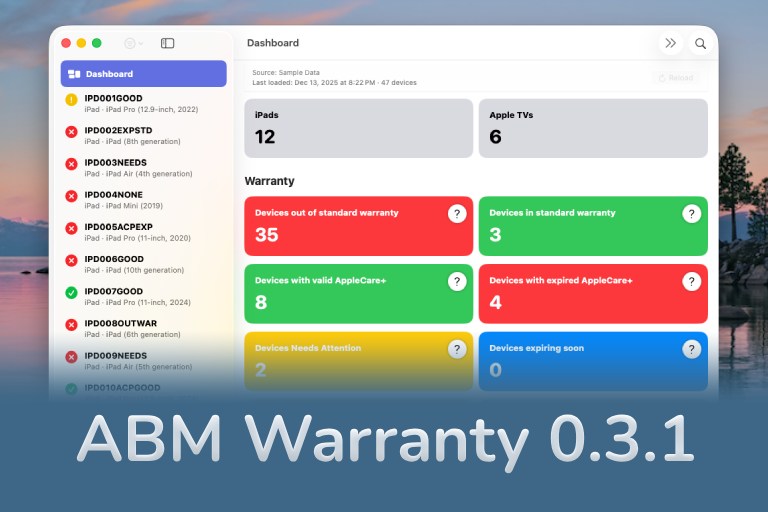

The 0.3.x release series for ABM Warranty is about tightening guarantees. Where earlier releases focused on surfacing data and making long-running operations observable, 0.3.x focuses on ensuring that what you see is complete, consistent, and safe to trust—particularly as the app is used in larger, slower, and more varied environments.
Version 0.3.0 introduced several foundational changes, while 0.3.1 follows shortly behind as a maintenance release that reinforces those foundations with important fixes and consistency improvements.
ABM and ASM Credentials, Explicitly Supported
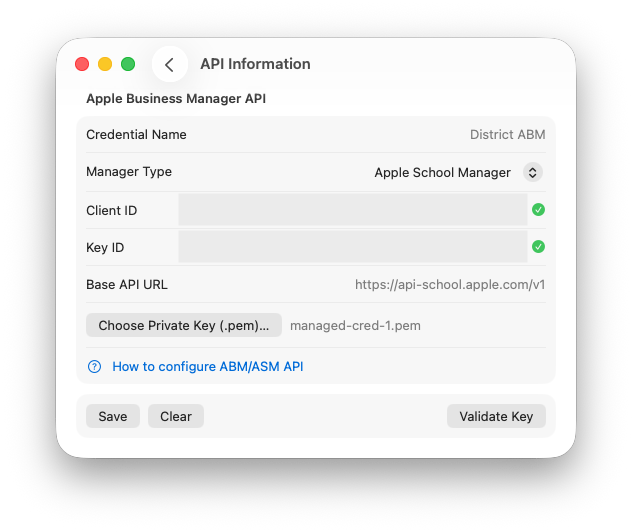
ABM Warranty 0.3.0 adds first-class support for both Apple Business Manager and Apple School Manager credentials. Rather than treating these environments as interchangeable, the app now recognizes and handles them explicitly, allowing administrators and consultants working across commercial and education fleets to use the same tooling with clearer expectations about scope and behavior.
This work also laid the groundwork for more advanced credential handling in the future. Credentials are now clearly separated based on how they are provided, whether entered manually by an admin or deployed and managed externally. That distinction matters, because it influences how credentials are validated, stored, and protected over time.
Safer Credential Handling by Design
Credential handling in 0.3.0 was intentionally conservative. Credentials are validated explicitly before any import is allowed to begin, reducing the chance of partial or misleading data caused by misconfiguration. At the same time, credentials are never used to trigger destructive behavior automatically. Saving or updating credentials does not overwrite existing data, and imports do not start implicitly unless validation has completed successfully.
In environments where ABM or ASM data is used to make lifecycle or financial decisions, it is better to be deliberate than clever. 0.3.0 favors predictability and auditability over convenience shortcuts.
Clearer Imports and More Resilient Coverage Fetching
Imports in 0.3.0 are more transparent and more resilient. The app now surfaces clearer import phases and progress indicators so that administrators can see where time is being spent and why an operation may be waiting rather than failing.
Coverage fetching has also been hardened. Retry behavior is more consistent, and transient failures are handled in a way that prioritizes eventual completeness over speed. This is particularly important in large or rate-limited environments where coverage requests may be throttled or delayed. Rather than silently skipping or partially persisting results, the app now works harder to ensure that coverage data is fetched and retained correctly.
Better Handling of Inactive and No-Data Devices
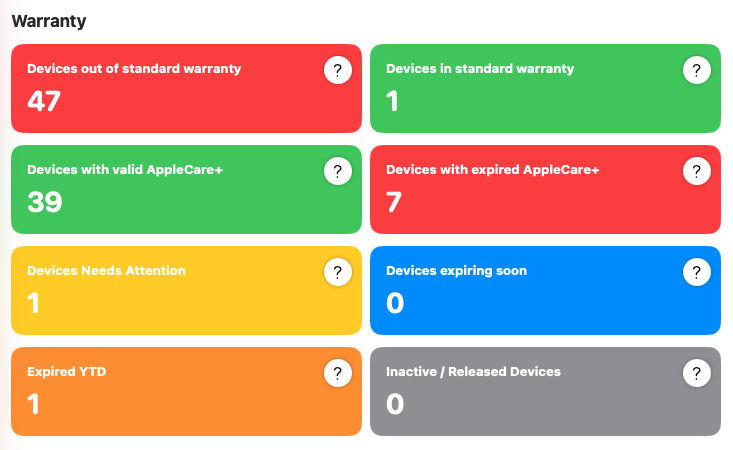
Another focus area in 0.3.0 is how devices that fall outside the “happy path” are represented. Devices that no longer appear in ABM or ASM are handled more cleanly as inactive records rather than disappearing unexpectedly. Devices that lack complete data are identified more clearly, making it easier to distinguish between temporary gaps and genuine lifecycle transitions.
These refinements reduce ambiguity on the dashboard and help ensure that counts, filters, and device states reflect reality rather than transient import conditions.
UX Refinements with an Eye Toward What’s Next
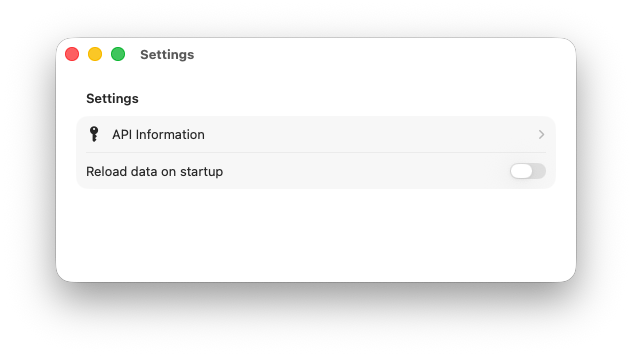
Several user experience changes in 0.3.0 may appear subtle, but they are intentional. Settings and import workflows were refined to make credential state, data state, and import readiness more obvious. These changes also prepare the app for future expansion, including support for multiple credential sets and more advanced tenant isolation in a future major release.
That work is ongoing, and while multi-credential and multi-tenant workflows are not shipping in 0.3.1, the app is now structured to support them without needing to revisit fundamental assumptions later.
0.3.1: Fixes That Reinforce Trust
Version 0.3.1 is a maintenance release focused on correctness and stability. It addresses rare but important cases where devices could import successfully while coverage details were missing or incomplete. Persistence issues that could cause coverage data to be overwritten or lost under certain conditions have been fixed, ensuring that once coverage is fetched, it remains stable and reliable.
Dashboard accuracy was another area of improvement. In 0.3.1, counts shown on the dashboard always align with filtered device lists, even in large or slow environments where imports and coverage fetches may span long periods of time. These changes reduce confusion and reinforce confidence in what the dashboard is showing at any given moment.
More broadly, 0.3.1 improves consistency when working with large fleets or environments that respond slowly or unevenly. Alongside these targeted fixes, the release includes general reliability and stability improvements that make day-to-day use calmer and more predictable.
Looking Ahead
The 0.3 series is about making ABM Warranty more dependable as it expands to support more environments and more complex workflows. The focus remains on correctness, data integrity, and transparency. Multi-credential and multi-tenant support are planned for a future major release, and the work in 0.3 is deliberately setting the stage for that evolution without rushing it.
As always, the goal is not to move fast for its own sake, but to build something administrators can rely on when the data matters.
Feature Recap
ABM Warranty 0.3.1 introduces:
- Support for both Apple Business Manager and Apple School Manager credentials
- Explicit credential validation before imports are allowed to run
- Safer credential handling with no automatic imports or destructive replacement of existing data
- Clearer and more transparent import phases with visible progress
- More resilient coverage fetching with improved retry and persistence behavior
- Improved handling and visibility of inactive devices and devices with incomplete data
- UX refinements in Settings and import workflows that prepare the app for future multi-credential support
- Fixes for rare cases where devices imported without complete coverage data
- Fixes for coverage persistence issues that could lead to lost or overwritten data
- Dashboard count accuracy improvements to ensure filtered views always match displayed totals
- Improved consistency and reliability in large or slow ABM and ASM environments
- General stability and reliability improvements
- Live Public Beta
- Warranty Support GPT
- Mac Admins Slack - #abm-warranty channel

Support Indie Development
These apps are built in my free time.
I build and maintain these tools as an indie developer outside of client work and day-to-day responsibilities. If you find these apps useful and want to help fund continued development, updates, support, and new releases, you can sponsor the work directly.
Monthly support helps me keep shipping improvements, maintain compatibility, and invest more time into building practical software for the Apple admin and consultant community.
Looking Ahead to 0.4.0
Language localization is planned to make the interface more accessible across regions without altering underlying behavior or terminology. The intent is to localize presentation while keeping operational semantics consistent for admins working across environments.
Managed Preferences support is planned to allow MDM-based deployment of API credentials and certificates. This will enable more consistent and repeatable setup, particularly in environments where ABM Warranty is deployed alongside existing management tooling. Credentials will remain locally stored and securely handled, but configuration will no longer require manual setup on every machine.
The ability to configure and switch between multiple ABM API accounts is also planned. This is particularly important for MSPs and consultants managing multiple Apple Business Manager instances. Each account will maintain its own isolated dataset, with explicit switching rather than blended views, preserving clarity and preventing cross-tenant confusion.
Data completeness handling will continue to be refined. More granular “no data” states are planned, along with the ability to re-fetch individual device records without requiring a full reload. This work is intended to reduce unnecessary API traffic while improving recovery from partial or interrupted imports.
A manual “renewed” state is also planned for device records. This will allow admins to mark devices as renewed locally while waiting for Apple’s backend data to reflect updated coverage, preventing devices from remaining in a warning or “at risk” state longer than necessary.
Ready to take your Apple IT skills and consulting career to the next level?
I’m opening up free mentorship slots to help you navigate certifications, real-world challenges, and starting your own independent consulting business.
Let’s connect and grow together — Sign up here
AI Usage Transparency Report
AI Era · Written during widespread use of AI tools
AI Signal Composition
Score: 0.26 · Moderate AI Influence
Summary
ABM Warranty 0.3.1 is a maintenance release focused on correctness and stability, addressing rare but important cases where devices could import successfully while coverage details were missing or incomplete.
Related Posts

Discovering Mole: A Command Line Utility for Mac Cleaning
Caches pile up, apps leave behind junk, and disk space slowly disappears. While there are plenty of GUI tools out there, most of them either lack transparency or feel overly bloated.

Automating JAMF Pro Email Notifications with SendGrid (Smart Group Driven Workflows)
Modern device management isn't just about enforcing policies—it's about communicating effectively with users at the right time. In JAMF Pro, Smart Groups give you powerful visibility into device state, but they don't natively solve the problem of proactive, automated user communication. Whether you're trying to prompt users to restart their machines, complete updates, or take action on compliance issues, bridging that gap requires a flexible and scalable notification system.

Introducing Pique - The Game-Changing Quick Look Plugin for Mac Admins
As a Mac admin, I'm always on the lookout for tools that make my life easier and more efficient. Recently, I stumbled upon Pique - a brilliant Quick Look plugin created by Henry Stamerjohann that allows you to view file contents in a syntax highlighted way.

ABM Warranty 0.4.1 Walkthrough: Wrap-Up and Beta
In this final ABM Warranty 0.4.1 walkthrough, I’m wrapping up the last features I had not covered directly in the earlier videos and then focusing on support, community, and the beta program. I also want to show where the support resources live inside the app so you know where to go if you need help, documentation, or a way to send useful feedback. Additionally, I'll be covering some of the key features that were updated since the previous version, including any bug fixes or improvements made to existing functionality.
ABM Warranty 0.4.1 Walkthrough: Managed Preferences
In this part of the ABM Warranty 0.4.1 walkthrough series, I'm focusing on managed preferences and the credential packaging workflow. In the last video, I covered multiple credentials inside the app itself. In this one, I'm showing how to package those credentials so they can be deployed securely through MDM. This process is a crucial step in ensuring that your credentials are properly configured and protected within your organization's mobile device management system.

Low Profile Walkthrough and Review
Today I’m walking through Low Profile, a utility from Nindi Gill that I use when I want to inspect profiles already installed on a Mac and figure out whether those profiles contain issues I need to clean up. The value is that Low Profile gives me a straightforward way to inspect profiles installed on any Mac. This simplicity makes it easy for me to identify and address potential problems, which is especially useful when working with multiple machines or troubleshooting complex profile configurations.

ABM Warranty 0.4.1 Walkthrough: Multiple Credentials
In this part of the ABM Warranty 0.4.1 walkthrough series, I’m focusing on multiple credentials. In the first video, I showed the basic setup and how to add a single credential. Now, I want to explore what happens when I remove a credential, what changes occur when I add more than one, and how the app behaves once there are multiple contexts in play. This will help clarify any potential issues or inconsistencies that may arise with multiple credentials.

QuickPKG Walkthrough and Review
I use QuickPKG when I need to turn an application, DMG, or ZIP file into a package quickly without wasting time in a heavier packaging workflow. This post follows the same path as my video: what QuickPKG is, where to get it, how I run it, what a simple packaging example looks like, and where I think admins need to be careful about potential pitfalls that can arise from using this tool.
ABM Warranty 0.4.1 Walkthrough: Introduction
In this first ABM Warranty 0.4.1 walkthrough, I want to show you what the app actually does before I get into the more specific feature videos. This is the broad introduction. I’m walking through the dashboard, how I think about the warranty cards, how released devices are handled, how the filters work, how to add credentials, where the data is stored locally, and what the logging and security model looks like.
