

ABM Warranty Featured
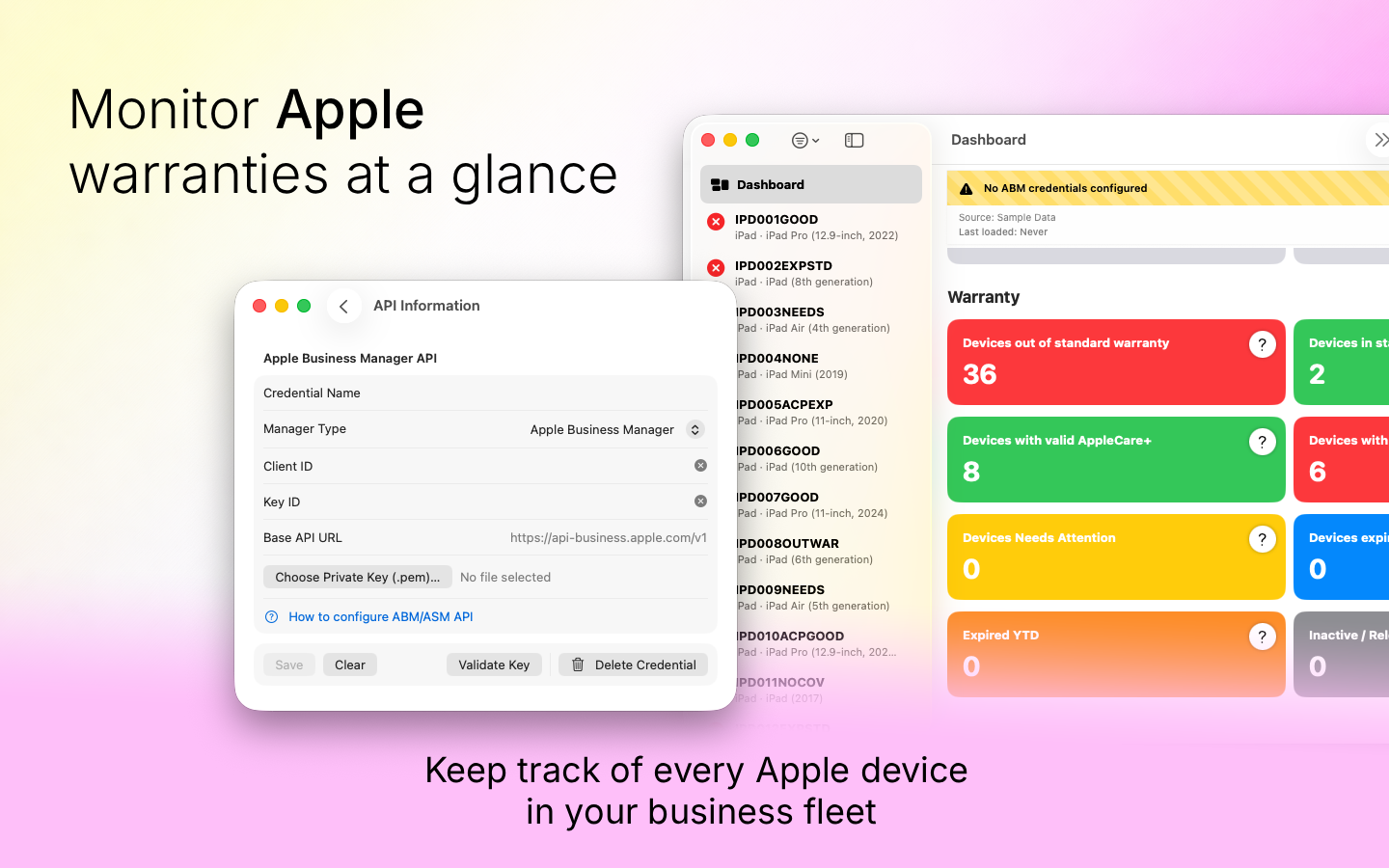
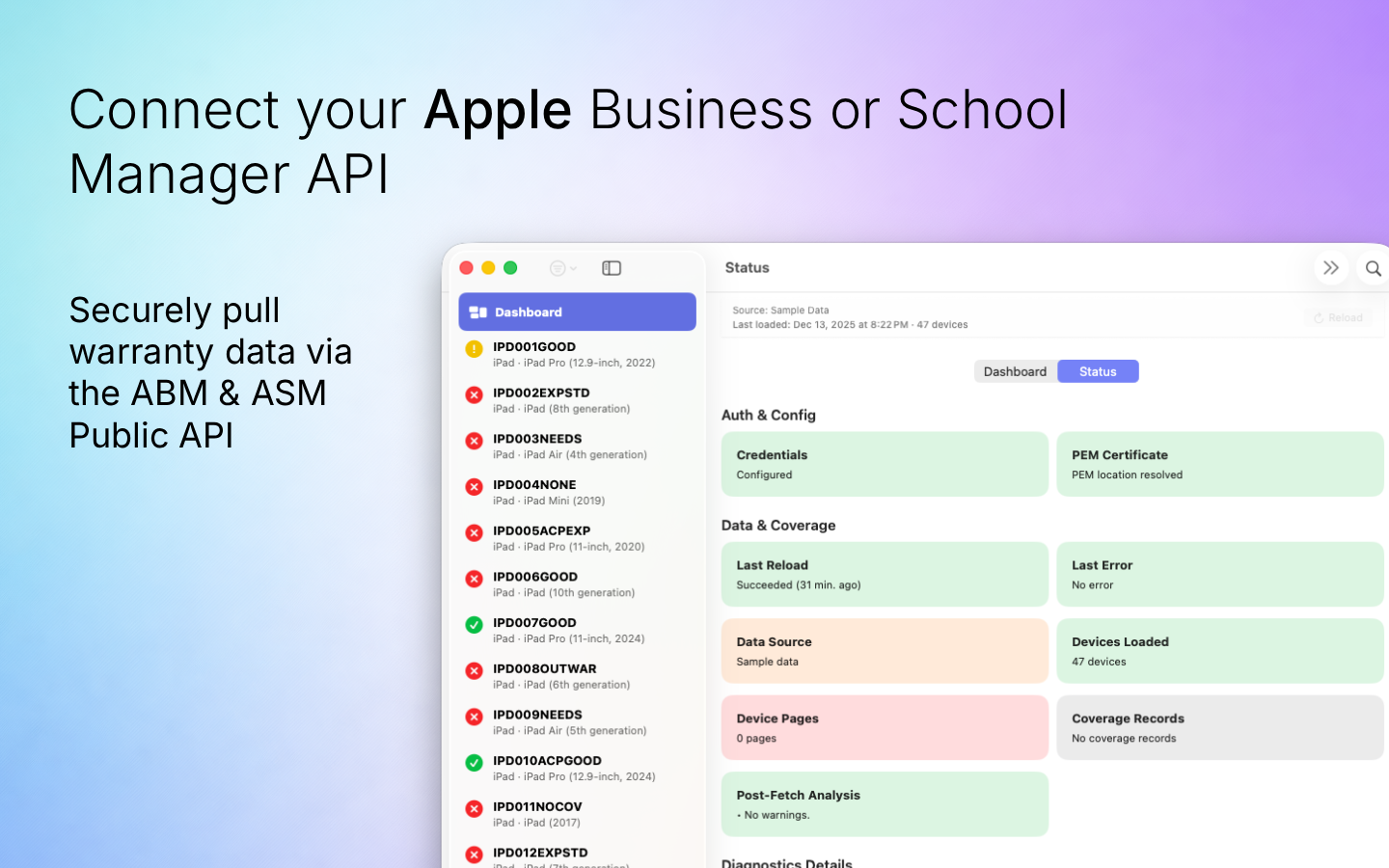
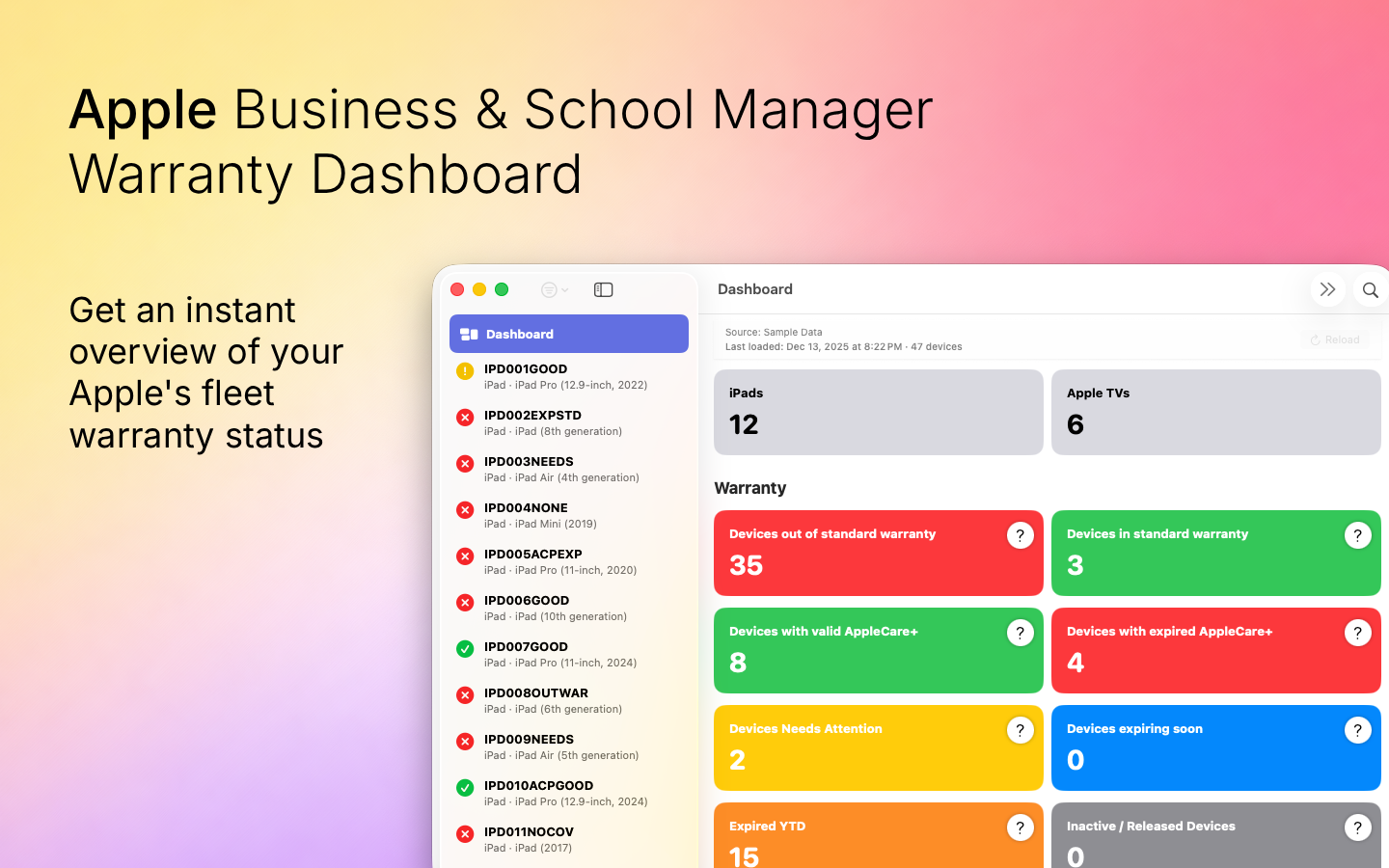
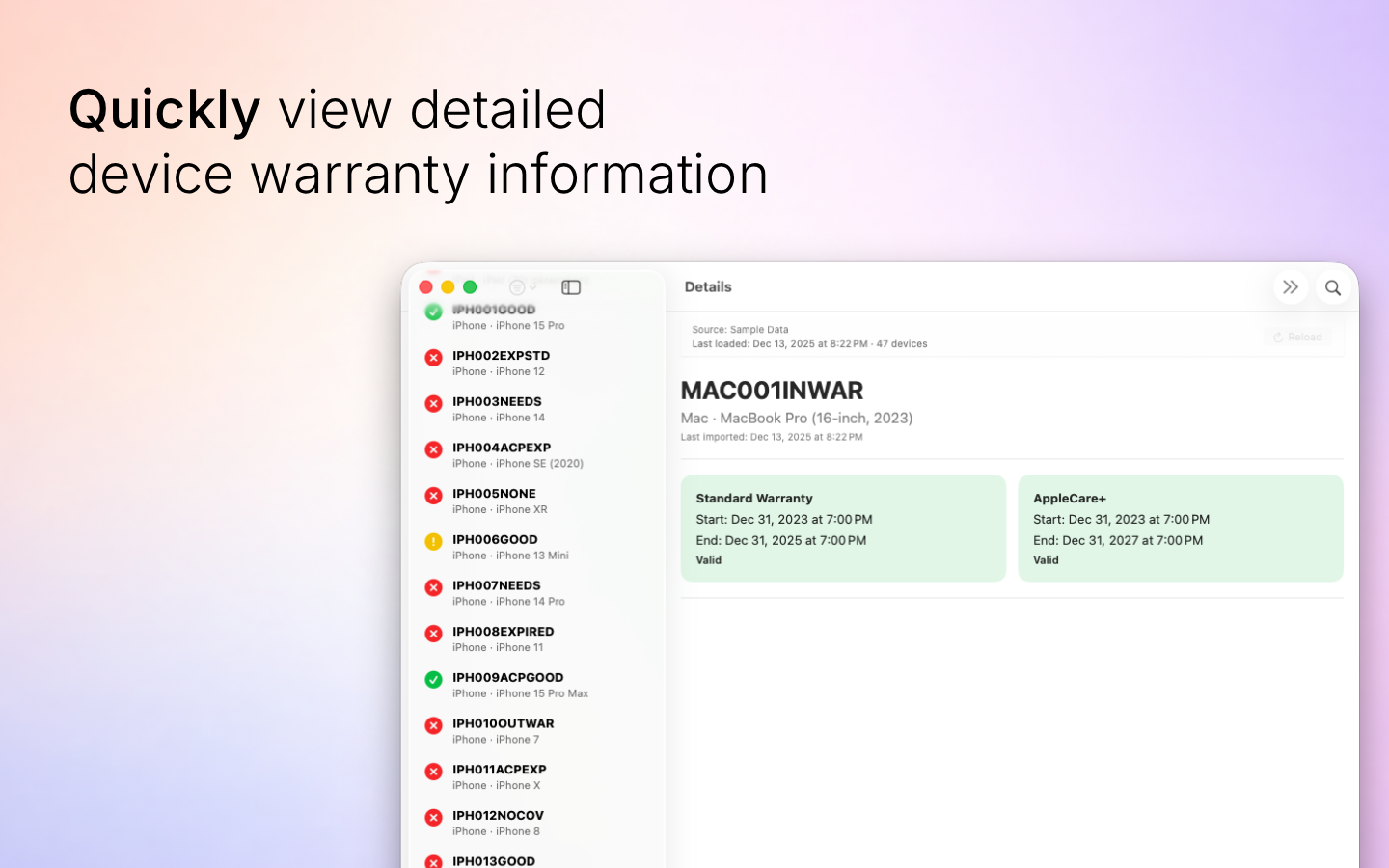
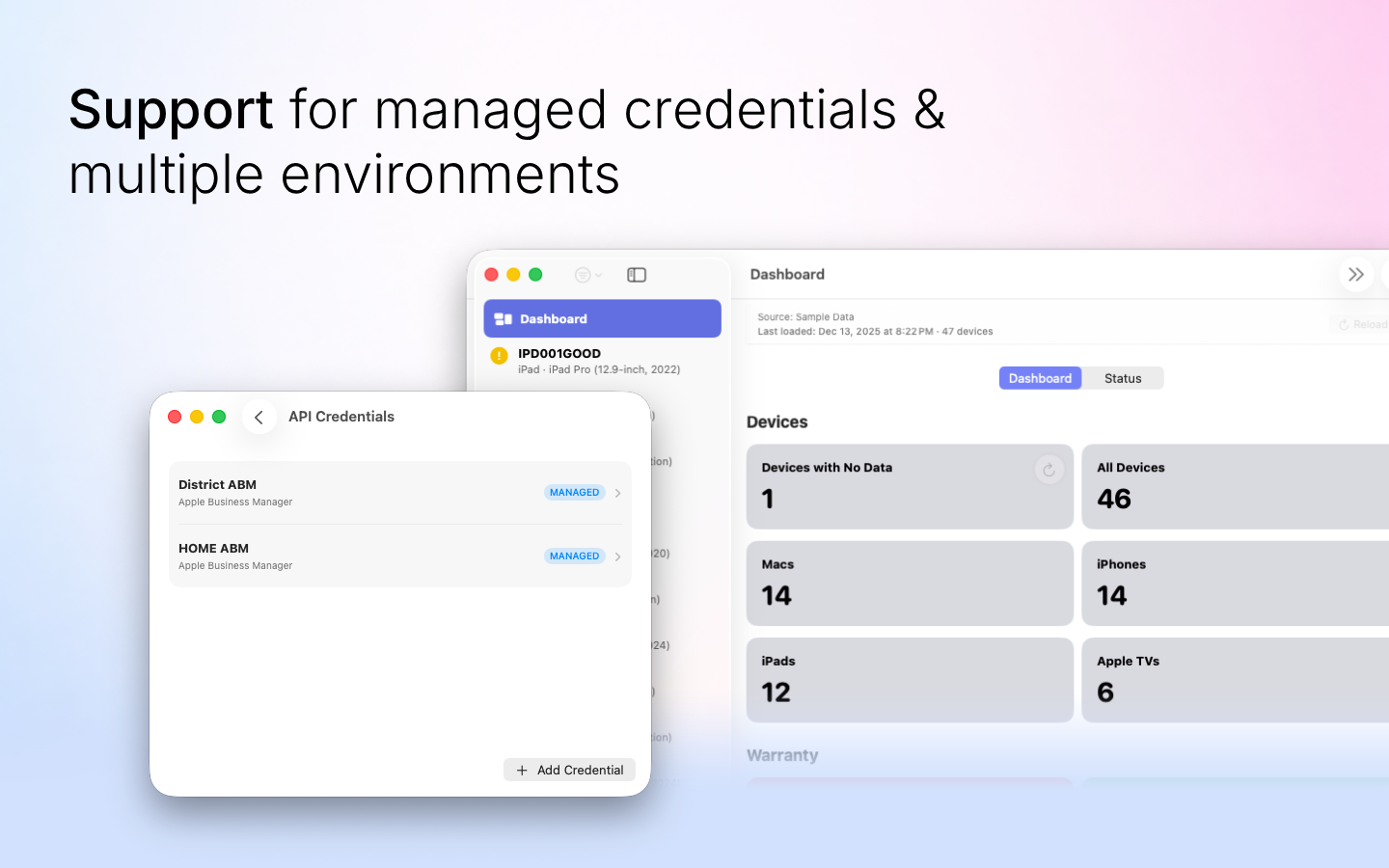
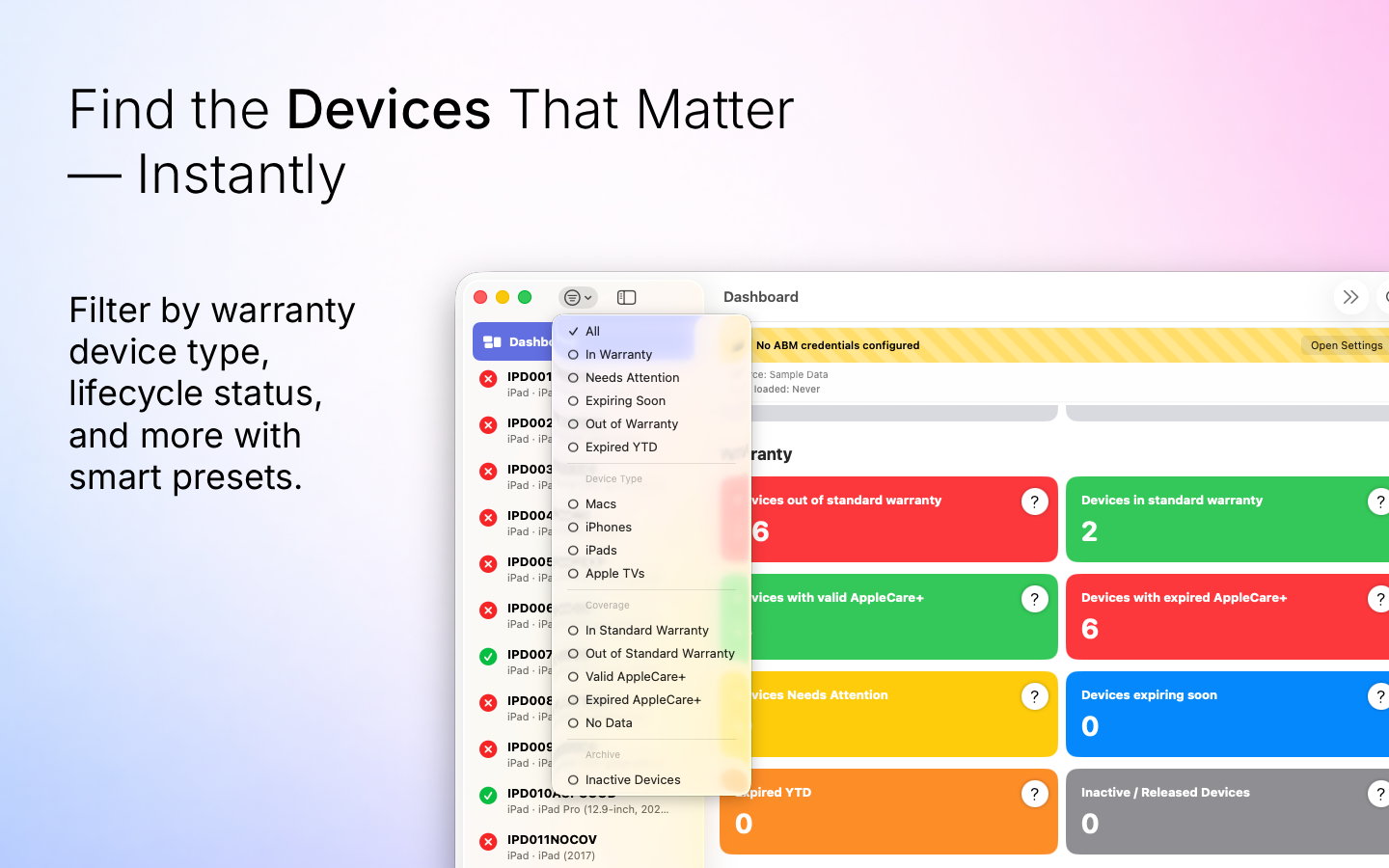
The 0.4.x release series for ABM Warranty is focused on operational scale. The earlier 0.3 releases were about trust, correctness, and stabilizing the foundation. Version 0.4.1 builds directly on that work by making the app more practical for consultants, internal IT teams, and managed service providers who need to support multiple environments without losing isolation, control, or visibility.
This release is not just a feature bump. It changes how ABM Warranty fits into real administration workflows. Multi-tenant support, managed deployment options, credential flexibility, targeted refresh behavior, and deeper logging all push the app closer to being something that can be operated intentionally in larger, more complex Apple environments.
Multi-Tenancy for Managed Service Providers
The most important change in 0.4.1 is multi-tenancy support for MSP workflows. ABM Warranty can now better support organizations that manage more than one customer environment without forcing those environments into a shared or ambiguous operating model.
That matters because MSP work breaks down quickly when data boundaries are unclear. A warranty tool that works well for a single internal IT team can become risky when multiple customers, multiple credential sets, and multiple operational contexts are involved. Multi-tenancy in 0.4.1 is designed to reduce that risk by making separation a first-class concept instead of an afterthought.
This also improves internal discipline. Even for organizations that are not traditional MSPs, separate operating contexts are often necessary for business units, regional divisions, lab environments, or staged credential transitions. The release makes those boundaries easier to preserve while keeping the app usable day to day.
Managed Preferences Support for MDM Deployment
ABM Warranty 0.4.1 adds support for managing key preferences through MDM-managed preferences. This is a significant operational step forward because it reduces the need for repetitive local setup and creates a path to more consistent deployment across fleets.
In practice, that means administrators can move more configuration into managed state rather than relying on each device to be configured manually. For teams already using MDM as the system of record for application configuration, this aligns ABM Warranty with the rest of their deployment model.
The practical value is not just convenience. Managed preferences improve repeatability, reduce setup drift, and make support easier because the expected configuration becomes clearer. They also reduce the friction of rolling out the app to additional technicians, shared admin systems, or managed utility workstations where configuration consistency matters.
ABM Warranty Utilities and Credential Packaging
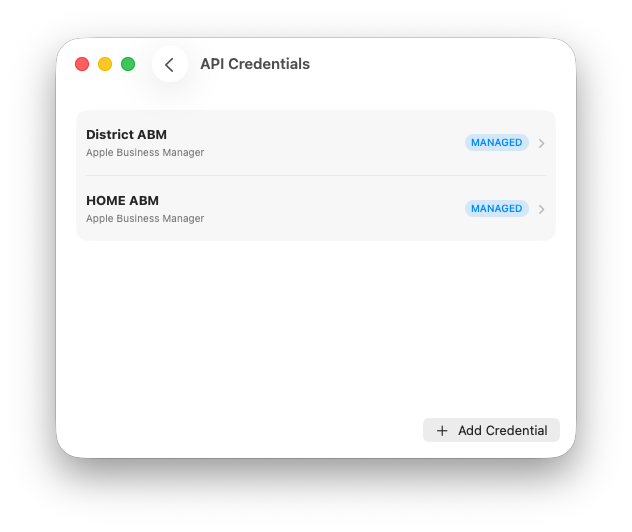
Version 0.4.1 also introduces a clearer path for working with more than one credential set through the companion project, ABM Warranty Utilities. Rather than forcing every workflow directly into the main application, this utility gives admins a more deliberate way to prepare and manage credential-related operations that support more advanced deployments.
The most important part of that workflow right now is the ABM Credential Packager guide. This utility is designed to help package credentials in a way that is easier to distribute, manage, and use across structured environments, especially where repeatability and consistency matter more than one-off local setup.
This is especially relevant for MSPs, consultants, and larger internal teams that need to support multiple Apple Business Manager contexts without turning credential handling into an improvised manual process. By moving credential packaging into a dedicated utility and documenting the workflow clearly, the 0.4.1 release makes multi-context administration more practical without overloading the core app with every supporting step.
It also reduces ambiguity. A dedicated packaging workflow makes it easier to understand where credentials come from, how they are prepared, and how they should be used in downstream ABM Warranty workflows. That separation is useful for both operational clarity and supportability.
Single Device Refresh for Targeted Recovery
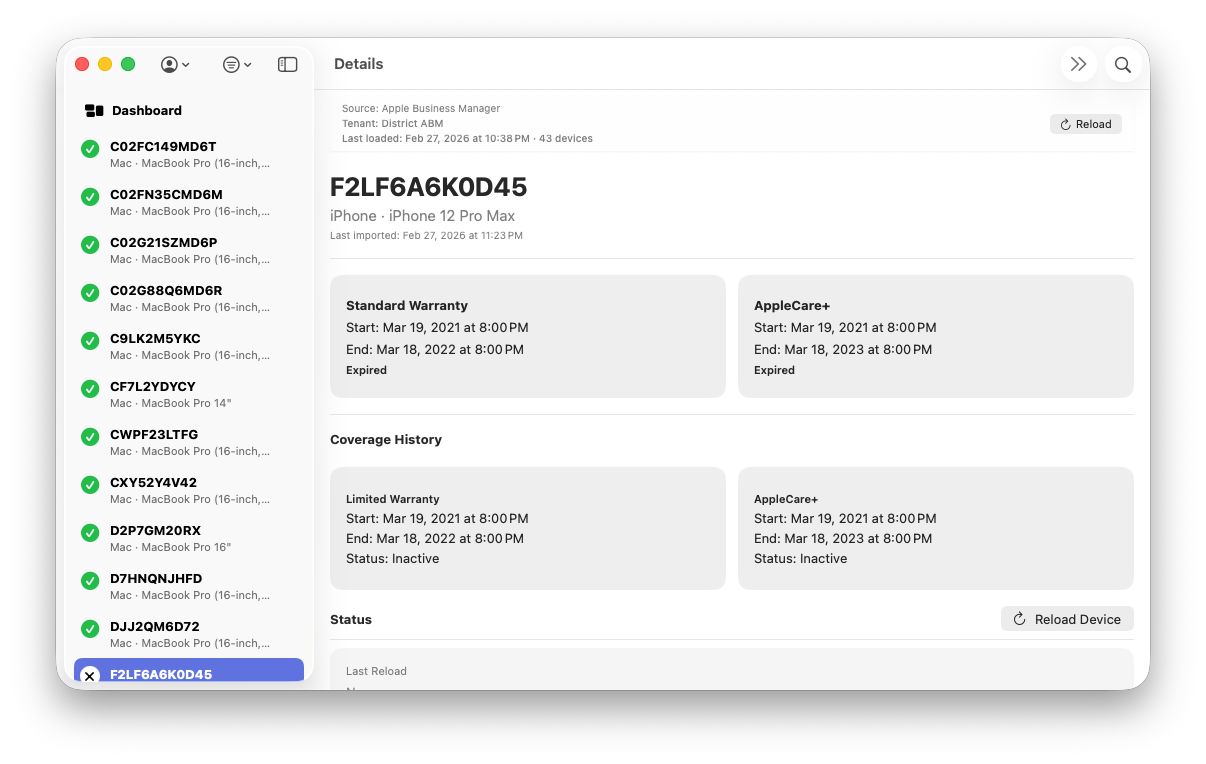
Single Device Refresh is one of the most practical additions in 0.4.1. Instead of forcing a broader import or sync cycle for every issue, admins can now reprocess an individual device when they need to verify a change, recover from a partial result, or confirm updated data.
That reduces unnecessary API traffic and shortens time to validation. When one serial number is out of date, one record has incomplete coverage, or one device needs to be rechecked after an operational change, a targeted refresh is the correct tool. A full reload in those scenarios adds noise, consumes time, and makes troubleshooting less precise.
This feature is also important for support workflows. When a technician is dealing with a single device issue, they need a narrow recovery path. 0.4.1 provides that path and makes the app more useful in real-time administrative work instead of only bulk reporting scenarios.
Log Debugging for Better Troubleshooting
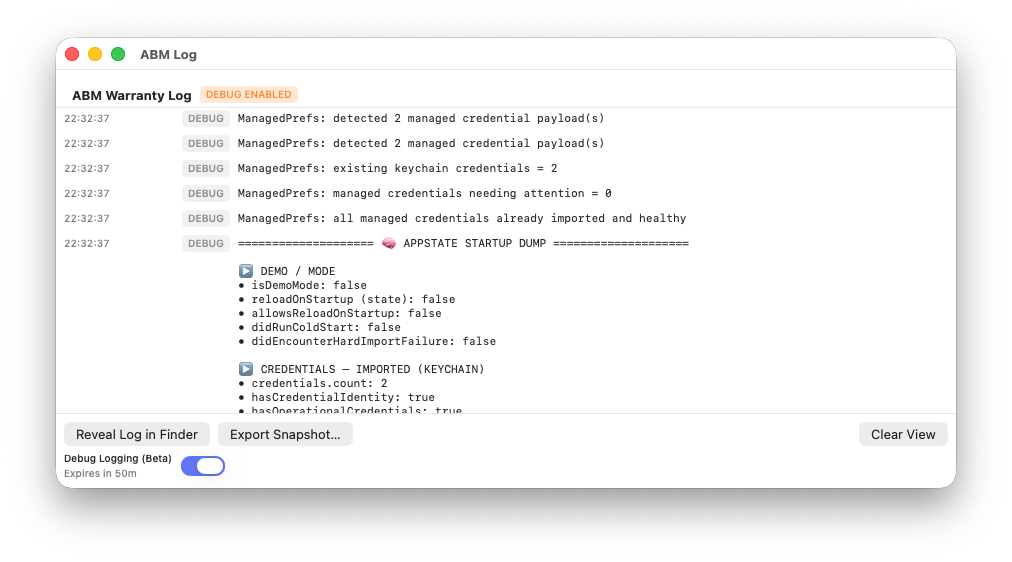
ABM Warranty 0.4.1 expands log debugging so administrators and support teams can better understand what the app is doing when something does not behave as expected.
That is a core operational feature, not a cosmetic one. In tools that depend on external APIs, managed credentials, long-running imports, and stateful local data, observability is essential. If the application cannot explain itself when something goes wrong, every support issue becomes slower and more expensive.
The improved logging in 0.4.1 gives more usable detail for diagnosing stalled operations, unexpected results, credential issues, and troubleshooting edge cases. It should also make escalation and support conversations more productive because the app can provide clearer evidence of where the failure occurred and what state it was in when it happened.
For admins, this means less guesswork. For MSPs and teams supporting others, it means a better path to repeatable diagnosis instead of one-off trial and error.
Why These Features Matter Together
The real strength of 0.4.1 is that these changes reinforce each other. Multi-tenancy without multi-credential handling would still create operational friction. Managed preferences without better logging would still make failures harder to diagnose at scale. Single device refresh without stronger separation between environments would still leave room for confusion in more complex workflows.
Taken together, these features shift ABM Warranty from a capable single-context utility toward a more disciplined platform for managing Apple device lifecycle visibility across more than one operating context. That is the real story of 0.4.1.
This release also sharpens the product for the people who need it most: consultants, in-house Apple admins, and MSP operators who need tooling that reflects how real environments work rather than assuming one account, one operator, and one perfectly clean dataset.
Feature Recap
ABM Warranty 0.4.1 introduces:
- Multi-tenancy support for Managed Service Providers and other multi-environment workflows
- Clearer operational separation between datasets so customer or organizational boundaries remain intact
- MDM support for managing managed preferences to improve deployment consistency and reduce local setup drift
- Better alignment with standard fleet deployment practices where configuration is centrally managed
- ABM Warranty Utilities for structured supporting workflows around multi-context administration
- ABM Credential Packager guide for packaging and preparing credentials for repeatable deployment
- Single Device Refresh for targeted recovery, validation, and troubleshooting of individual records
- Reduced need for full refresh cycles when only one device needs to be re-evaluated
- Expanded log debugging to improve troubleshooting, escalation, and supportability
- Better observability for imports, sync behavior, credential issues, and edge-case diagnosis
- Stronger support for larger and more complex Apple administration workflows overall
- Live Public Beta
- Warranty Support GPT
- Mac Admins Slack - #abm-warranty channel

Support Indie Development
These apps are built in my free time.
I build and maintain these tools as an indie developer outside of client work and day-to-day responsibilities. If you find these apps useful and want to help fund continued development, updates, support, and new releases, you can sponsor the work directly.
Monthly support helps me keep shipping improvements, maintain compatibility, and invest more time into building practical software for the Apple admin and consultant community.
Looking Ahead to 0.4.2
The next release is aimed at finishing the operational model that 0.4.1 expands. One major area is localization. The goal is to finalize language localization in a way that improves accessibility without changing the meaning of administrative workflows, field expectations, or device lifecycle interpretation.
Credential lifecycle visibility is also planned to improve. That includes expiration tracking for credentials and API keys so administrators can identify upcoming failures before imports stop working unexpectedly. Apple’s own token management guidance makes it clear that token state is part of normal administration, and ABM Warranty should surface that state more proactively rather than treating expiration as a surprise failure condition.
Notifications are also planned, including push-style alerting and other proactive signaling. The intent is to reduce the need for admins to manually check the app to discover issues such as credential problems, sync failures, or actionable data conditions.
CLI support is another key part of the roadmap. A command-line interface would make behind-the-scenes syncing, automation, and operational integration much more practical, especially for teams managing ABM Warranty as part of a larger workflow rather than only through the GUI.
Scheduled syncing is planned alongside that work so imports and refresh behavior can happen on a defined cadence rather than only when initiated manually. For larger environments, this becomes essential to keeping data current without turning refreshes into an interactive-only process.
Batch processing windows are also under consideration for larger fleets. The goal is to give admins more control over when heavy work runs and how that work is sequenced, especially in environments where API usage, workstation resources, or support windows need to be managed more deliberately.
Finally, seeding and incremental data workflows remain an important focus. Better support for seeded data and smarter incremental processing would reduce unnecessary rework, improve efficiency over time, and make the application more predictable as datasets grow.
Ready to take your Apple IT skills and consulting career to the next level?
I’m opening up free mentorship slots to help you navigate certifications, real-world challenges, and starting your own independent consulting business.
Let’s connect and grow together — Sign up here
AI Usage Transparency Report
AI Era · Written during widespread use of AI tools
AI Signal Composition
Score: 0.25 · Moderate AI Influence
Summary
The 0.4.x release series for ABM Warranty is focused on operational scale, with features such as multi-tenancy support, managed deployment options, credential flexibility, targeted refresh behavior, and deeper logging.
Related Posts
Discovering Mole: A Command Line Utility for Mac Cleaning
Caches pile up, apps leave behind junk, and disk space slowly disappears. While there are plenty of GUI tools out there, most of them either lack transparency or feel overly bloated.
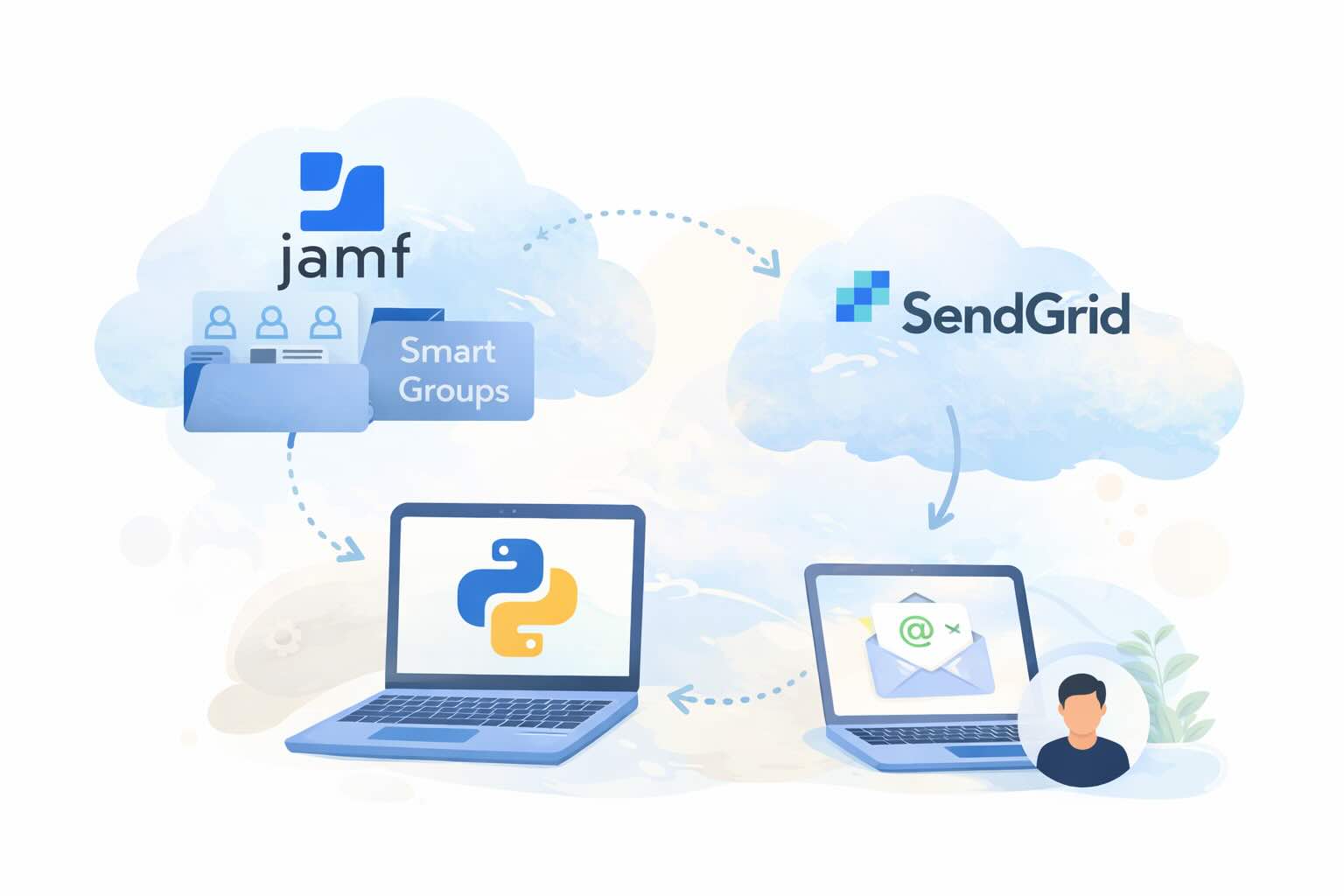
Automating JAMF Pro Email Notifications with SendGrid (Smart Group Driven Workflows)
Modern device management isn't just about enforcing policies—it's about communicating effectively with users at the right time. In JAMF Pro, Smart Groups give you powerful visibility into device state, but they don't natively solve the problem of proactive, automated user communication. Whether you're trying to prompt users to restart their machines, complete updates, or take action on compliance issues, bridging that gap requires a flexible and scalable notification system.

Introducing Pique - The Game-Changing Quick Look Plugin for Mac Admins
As a Mac admin, I'm always on the lookout for tools that make my life easier and more efficient. Recently, I stumbled upon Pique - a brilliant Quick Look plugin created by Henry Stamerjohann that allows you to view file contents in a syntax highlighted way.

ABM Warranty 0.4.1 Walkthrough: Wrap-Up and Beta
In this final ABM Warranty 0.4.1 walkthrough, I’m wrapping up the last features I had not covered directly in the earlier videos and then focusing on support, community, and the beta program. I also want to show where the support resources live inside the app so you know where to go if you need help, documentation, or a way to send useful feedback. Additionally, I'll be covering some of the key features that were updated since the previous version, including any bug fixes or improvements made to existing functionality.
ABM Warranty 0.4.1 Walkthrough: Managed Preferences
In this part of the ABM Warranty 0.4.1 walkthrough series, I'm focusing on managed preferences and the credential packaging workflow. In the last video, I covered multiple credentials inside the app itself. In this one, I'm showing how to package those credentials so they can be deployed securely through MDM. This process is a crucial step in ensuring that your credentials are properly configured and protected within your organization's mobile device management system.

Low Profile Walkthrough and Review
Today I’m walking through Low Profile, a utility from Nindi Gill that I use when I want to inspect profiles already installed on a Mac and figure out whether those profiles contain issues I need to clean up. The value is that Low Profile gives me a straightforward way to inspect profiles installed on any Mac. This simplicity makes it easy for me to identify and address potential problems, which is especially useful when working with multiple machines or troubleshooting complex profile configurations.

ABM Warranty 0.4.1 Walkthrough: Multiple Credentials
In this part of the ABM Warranty 0.4.1 walkthrough series, I’m focusing on multiple credentials. In the first video, I showed the basic setup and how to add a single credential. Now, I want to explore what happens when I remove a credential, what changes occur when I add more than one, and how the app behaves once there are multiple contexts in play. This will help clarify any potential issues or inconsistencies that may arise with multiple credentials.
QuickPKG Walkthrough and Review
I use QuickPKG when I need to turn an application, DMG, or ZIP file into a package quickly without wasting time in a heavier packaging workflow. This post follows the same path as my video: what QuickPKG is, where to get it, how I run it, what a simple packaging example looks like, and where I think admins need to be careful about potential pitfalls that can arise from using this tool.
ABM Warranty 0.4.1 Walkthrough: Introduction
In this first ABM Warranty 0.4.1 walkthrough, I want to show you what the app actually does before I get into the more specific feature videos. This is the broad introduction. I’m walking through the dashboard, how I think about the warranty cards, how released devices are handled, how the filters work, how to add credentials, where the data is stored locally, and what the logging and security model looks like.
