
Bromure Agentic Coding is easiest to understand when you stop treating it as a polished coding app and watch the boundary move.
The Mac app builds a Linux environment, gives that environment a workspace, brings Codex into it, and asks for approval at the moments that matter. The interesting evidence is not the promise of “safe AI coding,” but the observable chain underneath: a local installer and generated base image, a private guest network with a visible proxy, a VM filesystem with separate mounts, Codex authentication and directory trust, approval before writes and commands, and an explicit path for output to leave the VM.
I captured that chain while installing Bromure and using Codex to create a small HTML page. This is a walkthrough of what actually happened, including the parts that still need work.
Start with the installation, not the brochure
The first useful artifact is simple: the app asks macOS to install its command-line component.
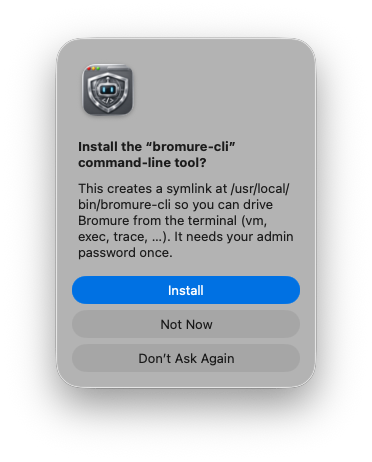
macOS presented the app as a notarized, developer-signed installation. That does not prove the sandbox is perfect, but it establishes a much better starting point than running an unidentified binary.
The installation log then showed the environment being assembled:
[init] Downloading Alpine netboot installer…
[init] Allocating 24GB sparse disk…
[init] Booting Alpine installer…
The installer then downloaded the pieces needed to construct the Linux environment. The UI showed a roughly 1.79 GB Ubuntu 24.04 base image being downloaded and expanded.
The base image is part of the product
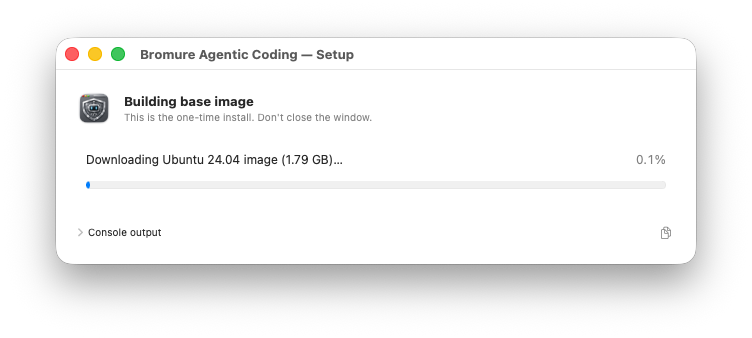
The installation log made the build process visible:
[init] Downloading Alpine netboot installer…
[init] Allocating 24GB sparse disk…
[init] Booting Alpine installer…
[ac-proxy] listening on 0.0.0.0:52329
[ac-proxy] guest URL = http://192.168.64.1:52329
Inside the installer, the guest received 192.168.64.2 from 192.168.64.1. The proxy logged package and dependency traffic rather than leaving the network boundary as an abstract setting.
The captured run included upstream requests to:
dl-cdn.alpinelinux.org
dl.google.com
registry.npmjs.org
x.ai
That is a useful audit trail. It tells us which hosts were contacted while the image was being prepared. It does not, by itself, prove that every later workspace action is completely offline or that credentials can never be exposed. Those are claims worth testing, not assumptions to repeat.
Bromure also presented a credential-import flow:
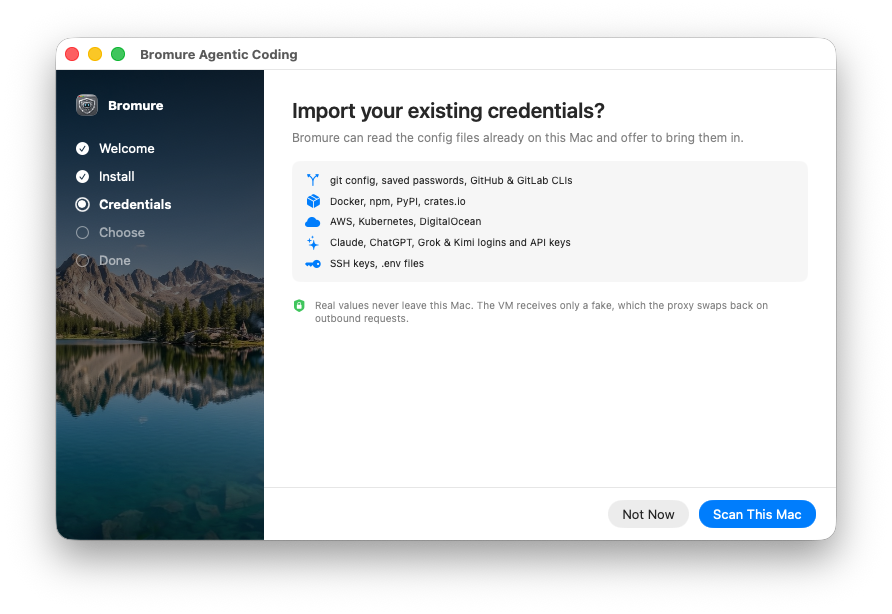
The UI described a design where real credential values remain on the Mac and the VM receives substitutes. That is exactly the kind of boundary a security-conscious AI user should validate with a harmless test credential, a deliberately blocked request, and the product’s trace output.
What the VM actually looks like
Once the workspace was running, the terminal showed the mounts instead of hiding them behind a single “sandbox” label.
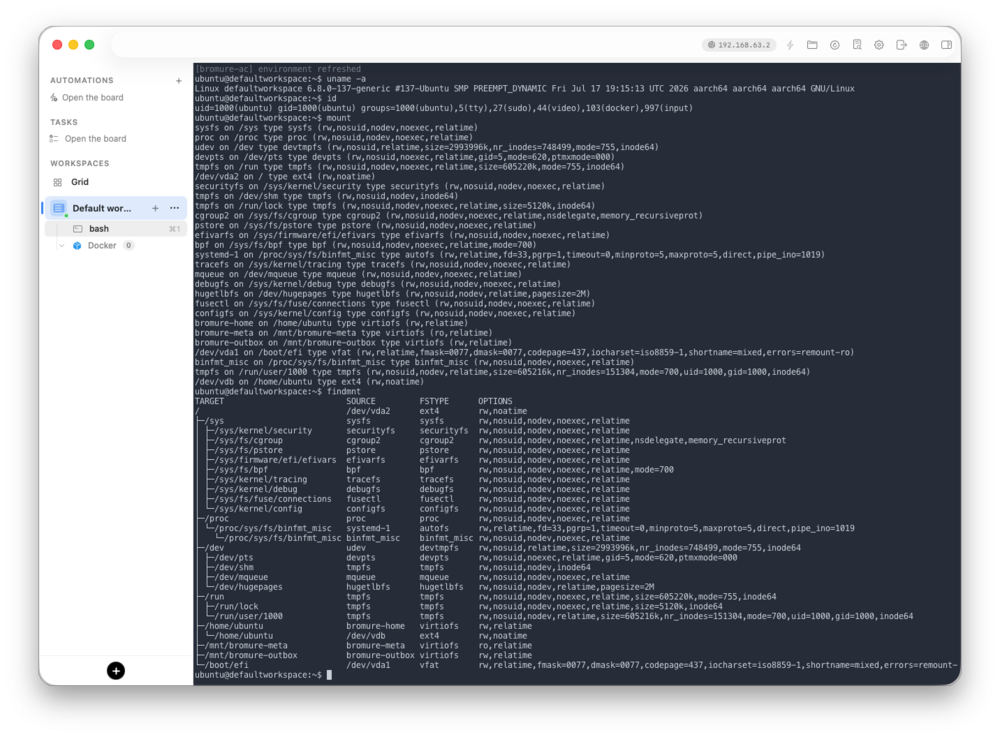
Here is the important part of the captured output:
/dev/vda2 on / type ext4 (rw,noatime)
/dev/vdb on /home/ubuntu type ext4 (rw,noatime)
bromure-home on /home/ubuntu type virtiofs (rw,relatime)
bromure-meta on /mnt/bromure-meta type virtiofs (ro,relatime)
bromure-outbox on /mnt/bromure-outbox type virtiofs (rw,relatime)
The VM has its own Linux root filesystem. It also has explicit shared mounts for metadata and outbound results. The absence of a shared Mac home folder in this workspace was more informative than a generic privacy statement.
Try this in a Bromure terminal:
That command is not a security certification. It is a reality check. It lets you compare the UI’s promises with the environment the model can actually see.
The workspace configuration is where the policy becomes visible
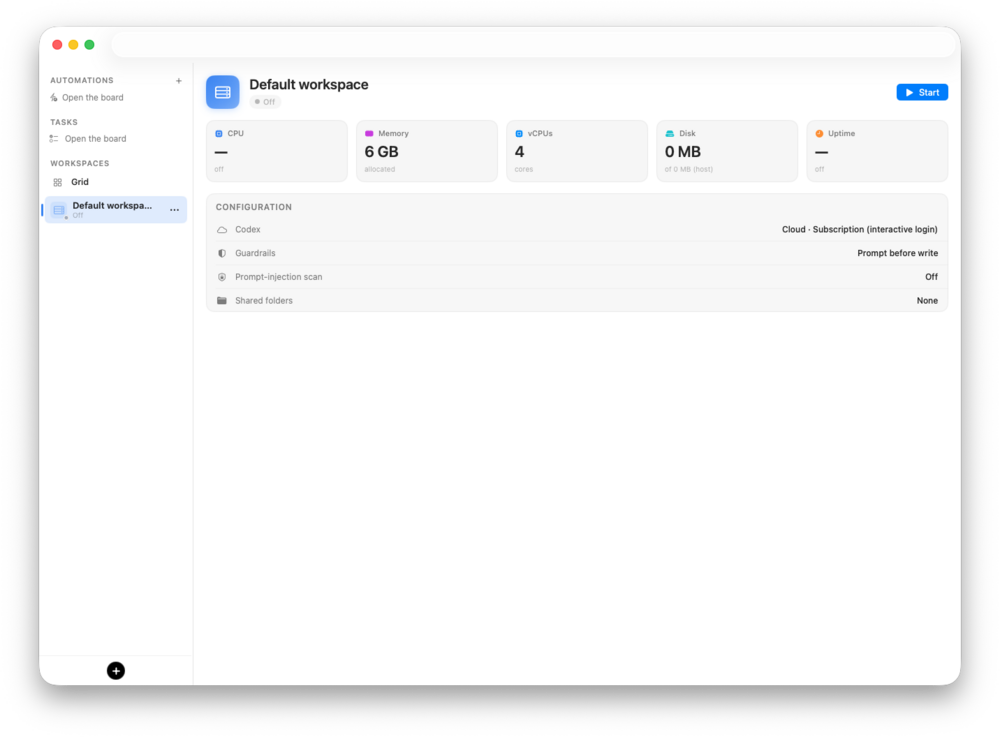
The workspace I used showed:
Codex: subscription
Guardrails: prompt before write
Prompt-injection scan: off
Shared folders: none
That combination is worth calling out. “Prompt before write” is a clear control: the agent can propose a change, but the user is asked before the filesystem mutation. “Shared folders: none” makes the default boundary easier to reason about. “Prompt-injection scan: off” is equally important because it prevents the screenshot from being mistaken for a fully hardened configuration.
The tradeoff is straightforward: fewer shared folders mean fewer accidental paths into the host, but they also mean more deliberate setup when you want to bring source code or assets into the workspace.
Bringing Codex into the room
Codex offered an interactive browser login and a device-code path for a remote or headless machine.
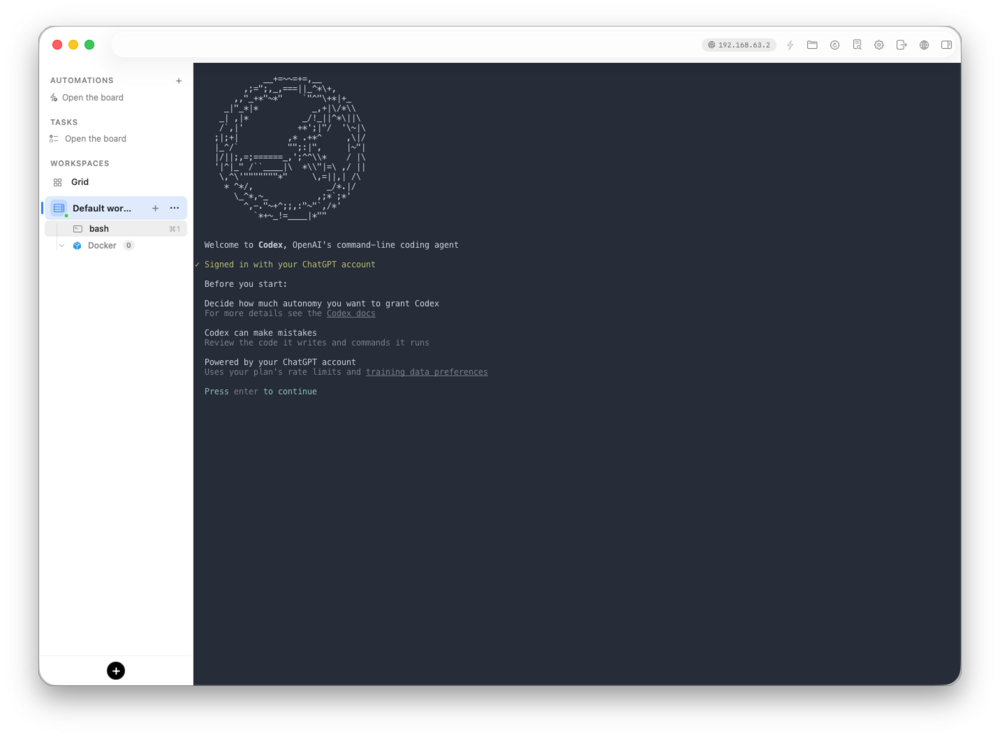
After authentication, Codex asked whether it should trust the working directory:
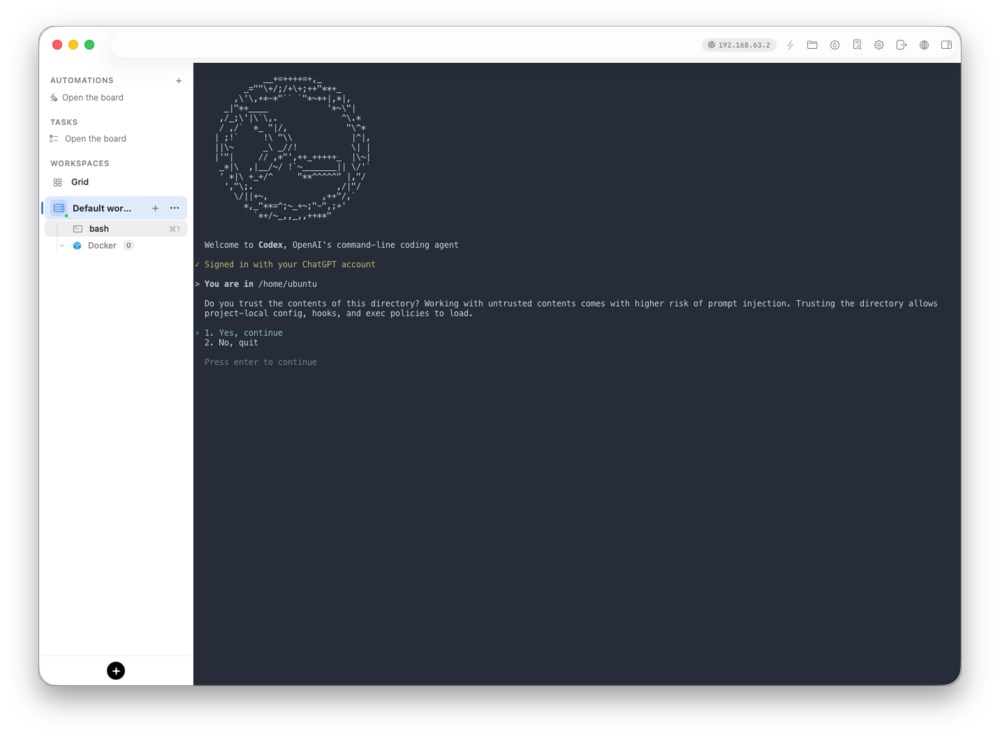
That creates a useful sequence of decisions: Bromure creates the workspace, the user authenticates Codex inside it, Codex asks about the directory, and Bromure asks before writes and commands according to the workspace policy.
By the time Codex reached its prompt, the workspace had established the important context: a signed-in coding agent, a trusted project directory, a Linux filesystem, and a user-controlled approval step before changes were made.
A small task with visible approvals
I gave Codex a task that would leave a readable artifact:
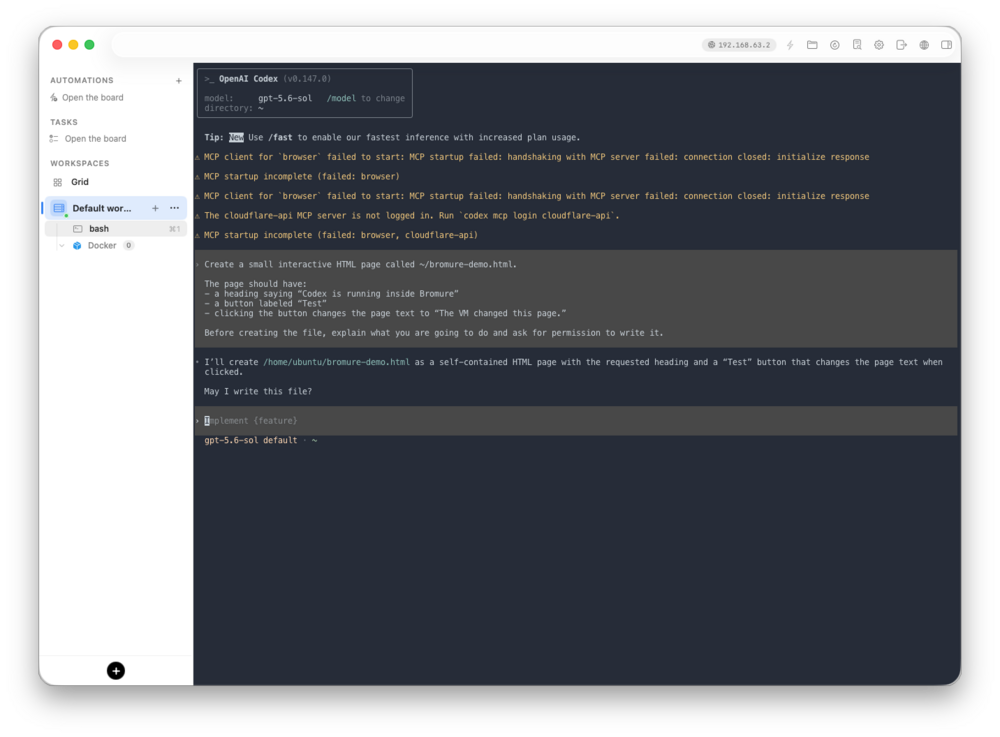
The resulting screen showed the green diff and the verification step:
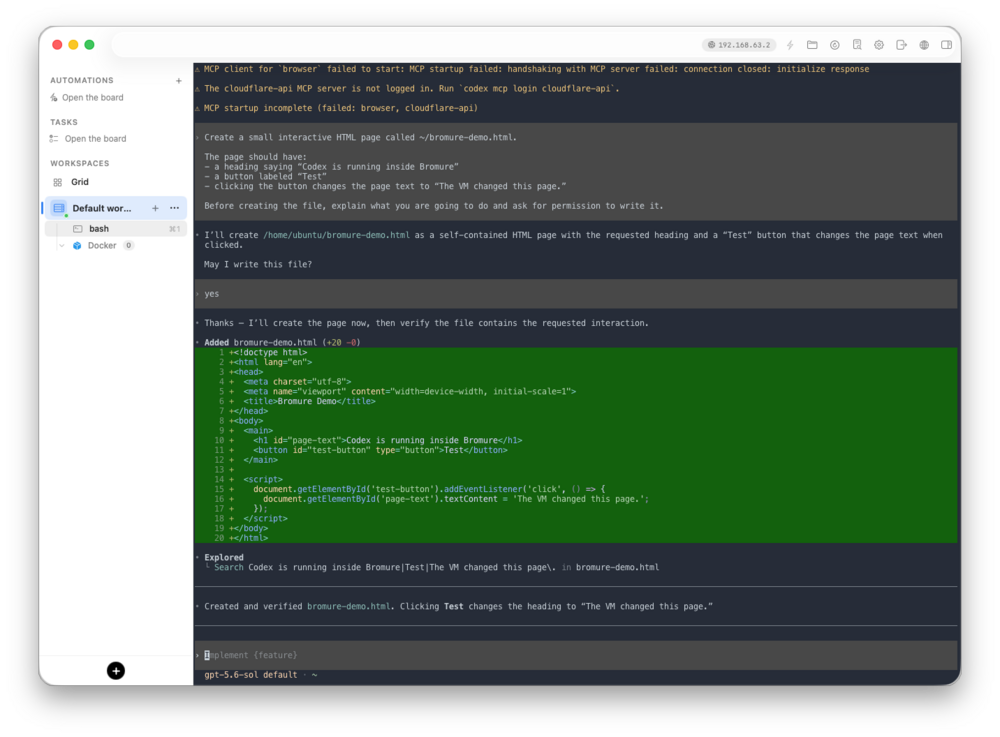
The useful interaction is the sequence, not the page itself:
user prompt
  ↓
Codex explains the proposed change
  ↓
user approves the write
  ↓
file is created in the VM
  ↓
Codex searches the file to verify the result
That is a much more concrete demonstration of agentic coding than a static claim that the model is “contained.”
Commands are approvals too
Next I asked Codex to serve the file locally:
python3 -m http.server 8000 --bind 127.0.0.1Bromure surfaced a command approval:
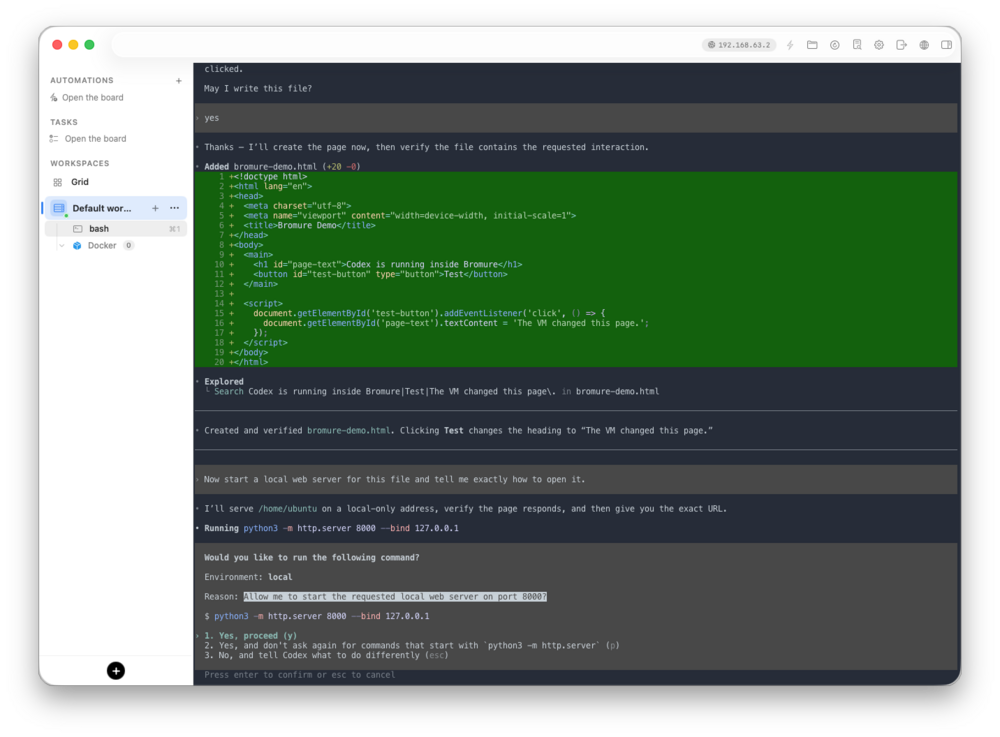
Codex then ran curl inside the workspace and reported the server URL:
http://127.0.0.1:8000/bromure-demo.html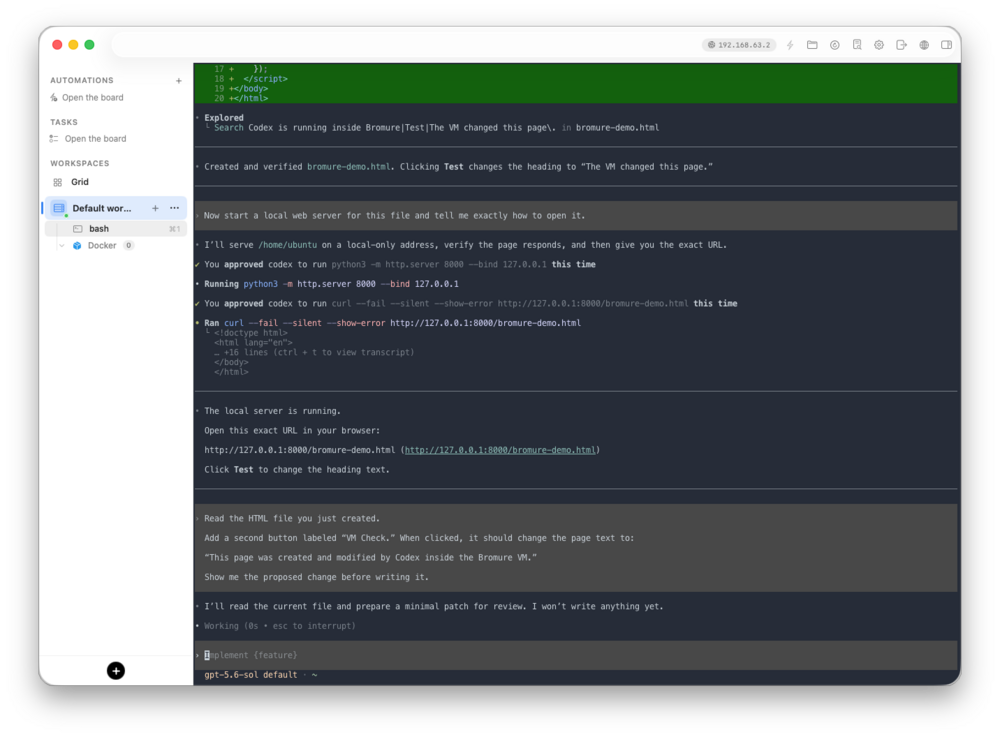
This exposed another useful boundary: 127.0.0.1 inside the VM is not automatically 127.0.0.1 on the Mac. A server can be healthy inside the guest and still be unreachable from the host browser unless Bromure publishes the port or the process binds to the guest interface.
That distinction becomes visible because the coding agent is actually running somewhere else.
From an empty app to a working workspace
The first launch is a guided build rather than a blank terminal. Bromure starts with a welcome screen, downloads the Ubuntu base image, and expands it into the environment where the coding session will run.
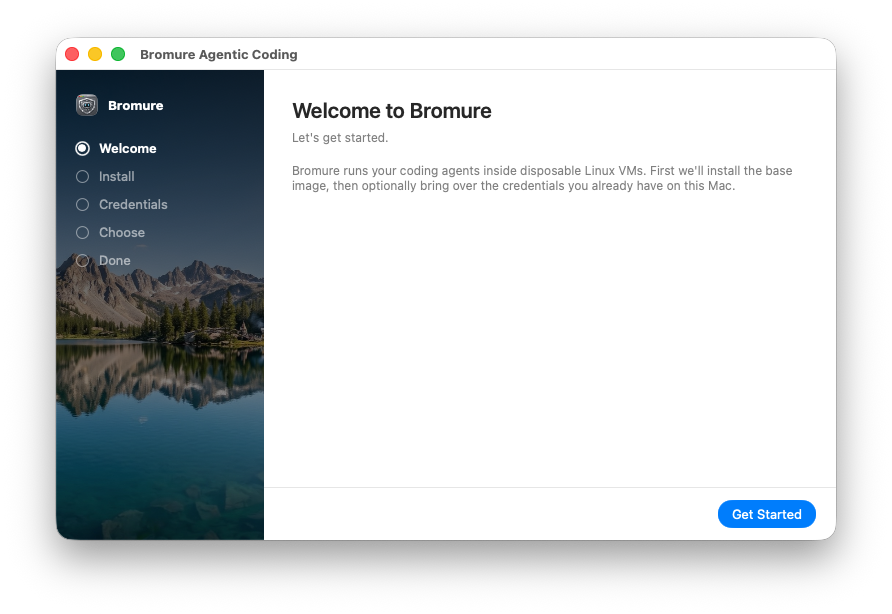
That gets the workspace from an empty app to a running Linux environment before Codex is asked to do anything.
The control plane is visible before the first prompt
The most useful screenshots are the ones taken before the agent starts coding. Bromure’s credential screen says that the real values stay on the Mac while the VM receives substitutes. Its workspace screen then shows the active policy: Codex is connected through a subscription, writes require approval, prompt-injection scanning is displayed as a setting, and no shared folders are attached.
That is practical evidence of how the app is meant to be used: configure the boundary first, then bring the coding agent into it. The screenshots give the reader something concrete to inspect before they ever see a generated file or a model response.
What Bromure is good for
Bromure is for giving a coding agent a separate Linux workspace instead of letting it work directly in your Mac environment. That makes it useful for trying unfamiliar repositories, building quick prototypes, running generated code, testing packages, and letting Codex work on a project without immediately handing it your home directory.
The appeal is that the separation is visible. In this session, Codex created an HTML file, changed it, served it, and verified it inside the workspace. Bromure showed the VM mounts and paused for approval before the write and before the command. I could see where the work happened and what Codex was asking to do.
That is the demo: give Codex a small job, watch it make the file, approve the server, and open the result. The point is not that Bromure makes every risk disappear. The point is that it gives the agent a room to work in, gives the user a door to control, and makes the handoff between the two visible.
Sources and further reading
AI Usage Transparency Report
AI Era · Written during widespread use of AI tools
AI Signal Composition
Score: 0.26 · Moderate AI Influence
Summary
The article discusses Bromure Agentic Coding, a tool that builds a Linux environment and uses Codex for AI coding. The author provides a walkthrough of the installation process, highlighting the chain of events that occur when installing and using Codex. The article also examines the workspace configuration and policy, including the use of explicit shared mounts and the absence of a shared Mac home folder.
Related Posts
Claude Code Auto Mode Changes Approval Flow, Not the Safety Boundary
Claude Code Auto mode changes how approval decisions are handled. It does not expand the boundary of what the coding agent should be allowed to do.

Opening the Ollama Black Box: Understanding the Trust Boundary Behind Local AI
Installing Ollama is easy. Understanding the trust boundary behind a local AI service is what determines whether it belongs in an automation workflow.
When AI Agents Trust the Wrong Tool Description
Microsoft's MCP tool-poisoning research shows why AI agent security has to treat tool descriptions, schemas, and metadata as part of the control plane instead of harmless documentation.
When a Local AI Tool Belongs in My Workflow and When It Stays in the Lab
Running AI locally on a Mac has become a real part of my workflow, but only once I stopped treating local models like general-purpose answers and started treating them like constrained components inside a system I can still inspect.
Scoring AI Influence in Jekyll Posts with Local LLMs
There’s a moment that kind of sneaks up on you when you’ve been writing for a while, especially if you’ve started using AI tools regularly. You stop asking whether AI was used at all, and instead start wondering how much it actually shaped what you’re reading. That shift is subtle, but once you notice it, you can’t really unsee it.
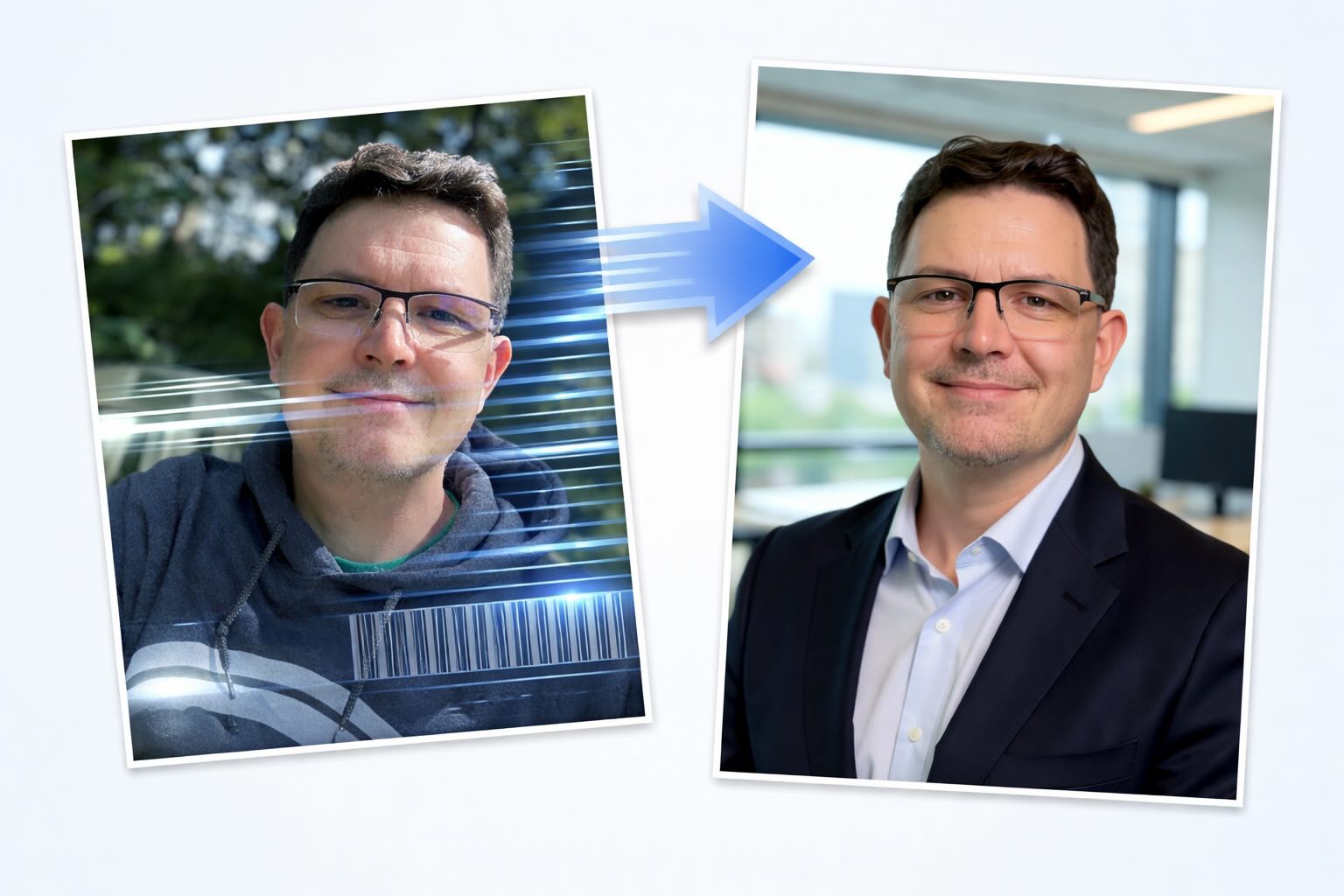
Running Image Generation Locally on macOS with Draw Things (2026)
Local LLMs have rapidly evolved beyond text and are now capable of producing high-quality images directly on-device. For users running Apple Silicon machines—especially M-series Mac Studios and MacBook Pros—this represents a major shift in what’s possible without relying on cloud services. Just a few years ago, image generation required powerful remote GPUs, subscriptions, and long processing times. Today, thanks to optimized models and Apple’s Metal acceleration, you can generate and edit images locally with impressive speed and quality. The result is a workflow that is faster, private, and entirely under...
Setting up Ollama on macOS
Recently, after some bad experiences with OpenAI's ChatGPT and CODEX, I decided to look into and learn more about running local AI models. On its face it was intimidating, but I had seen a lot of people in the MacAdmins community posting examples of macOS setups, which really helped lower the bar for me both in terms of approachability and just making me more aware of the local AI community that exists out there today.
AI Agent Constraints and Security
I really feel like in this era of AI it's essential to write about and share experiences for others who are leveraging AI, especially now that AI usage seems almost ubiquitous. Specifically, when it comes to AI in development and the rapid growth of AI-driven automations in the IT landscape, I believe there's a need for open discussion and exploration.
Vibe Coding with Codex: From Fun to Frustration
So there I was, a typically day, a typical weekend. As a ChatGPT customer, I had heard good things about Codex and had not yet tried the platform. To date my experience with agentic coding was simply snippit based support with ChatGPT and Gemeni where I would ask questions, get explanations and support with squashing bugs in a few apps that I work on, for fun, on the side. There were a few core features in one of the apps I built that I wanted to try implementing but the...
Automating Script Versioning, Releases, and ChatGPT Integration with GitHub Actions
Managing and maintaining a growing collection of scripts in a GitHub repository can quickly become cumbersome without automation. Whether you're writing bash scripts for JAMF deployments, maintenance tasks, or DevOps workflows, it's critical to keep things well-documented, consistently versioned, and easy to track over time. This includes ensuring that changes are properly recorded, dependencies are up-to-date, and the overall structure remains organized.
