

I have a lot of friends in the job market right now, and we’ve been having some interesting conversations about a title that comes up again and again: “Senior.”
It’s one of those words that carries weight when you first hear it—implying a certain level of mastery, trust, and authority—but the more you look at how it’s used in practice, the more slippery it becomes.
Some job postings call for senior-level expertise and years of experience, yet the salary barely clears what you might expect for a mid-level role. Other times, the title is given freely to anyone who’s simply been around long enough to outlast turnover. Then there are cases where “Senior” is self-appointed, used as a personal brand choice rather than something formally conferred. The problem isn’t that these approaches exist—it’s that they all exist at the same time, with no universal definition, leaving candidates and employers alike to project their own meaning onto the word.
That inconsistency affects more than just perception. It touches compensation, career mobility, and the way we measure professional growth. So what does “Senior” actually mean? And more importantly—should it still mean anything?
Time in the Chair vs. Actual Growth
One path to seniority is the simplest: staying put. If you’ve been in a role for years and everyone who started with you has moved on, you can end up as the “Senior” by default. There’s a certain value in that—stability, institutional knowledge, and the kind of historical context that can’t be Googled. But longevity alone doesn’t necessarily translate to expanded capability. It’s possible to spend a decade doing the same tasks, on the same systems, with the same approaches, and wake up one day realizing your job title has moved forward but your skill set hasn’t.
On the other hand, some people actively grow into seniority. They seek out new certifications, dive into challenging projects, learn the latest tools, and deliberately stretch beyond their comfort zones. They take on the work that others avoid—not just because it’s hard, but because it’s the kind of challenge that teaches you something you can’t learn otherwise. In environments that value this kind of development, “Senior” is shorthand for “proven track record of evolving with the work.” The trouble is, from the outside, both the time-based and the growth-based paths produce the same title. Without context, there’s no way to tell which one you’re looking at.
Experience by Accumulation
There’s another form of seniority that doesn’t rely on staying in one place at all. In certain industries—government contracting being a prime example—people move between projects quickly, sometimes in under a year. Over time, this creates a different kind of résumé: one that’s full of varied environments, systems, and challenges. You might go from supporting a small team’s SaaS tools one year, to managing a global cloud migration the next, to overseeing cybersecurity compliance for a regulated industry the year after that.
This kind of breadth can be incredibly valuable. It forces you to adapt fast, pick up unfamiliar tools on the fly, and navigate a constant stream of new personalities and processes. The flip side is that you rarely get to go as deep into any one system as someone who’s spent years mastering it inside a single organization. So here we have two professionals, both with the “Senior” title: one with broad adaptability, the other with deep specialization. They’re not interchangeable, yet the title makes it seem as if they are. This blurring of categories makes it hard for employers to hire effectively and for candidates to explain what they truly bring to the table.
Education’s Role (and Limitations)
In some organizations, particularly academia and large enterprises, education plays a significant role in determining seniority. A master’s degree or PhD can fast-track you into a senior title, especially in research-heavy or highly credentialed environments. In those contexts, the degree is viewed as a proxy for advanced capability, and in certain technical domains—like data science or cryptography—that’s often justified.
But in the trenches of day-to-day IT operations, the connection between education and practical seniority is less direct. Someone might graduate with an advanced degree in computer science yet lack the hard-earned instincts that come from responding to a 2 AM system outage or wrestling with a legacy configuration that’s been duct-taped together over a decade. Education can accelerate your path, but it rarely replaces the need for applied experience. The best “Senior” professionals often have both: the formal understanding of systems and the real-world history of having kept them running under pressure.
Does Senior Mean Management?
One of the most confusing things about “Senior” is how it intersects—or doesn’t—with management. Sometimes it means you’re the architect, the person shaping technical direction and owning the health of critical systems. Other times it means you’re managing people—mentoring junior staff, making hiring decisions, conducting performance reviews. And sometimes, it’s neither. You might have no direct reports, no architectural control, and no formal leadership role, yet still be labeled “Senior” because you work independently.
This ambiguity can make career progression harder to navigate. A “Senior Systems Administrator” at one company might be managing a team of five; at another, the same title might mean working solo in a back room full of humming servers. Without clarifying what “Senior” entails, people can end up in roles that look similar on paper but feel completely different in practice.
The Compensation Conundrum
Here’s where the title’s looseness hits hardest: pay. I’ve seen postings for “Senior” roles that require eight or more years of experience, multiple high-level certifications, and a proven leadership track record—only to offer salaries that would barely compete for a competent mid-level hire. In some cases, employers use “Senior” aspirationally, hoping to attract top talent without paying market rates. In others, the title inflation is designed to sound appealing while quietly sidestepping the compensation that should come with it.
For candidates, this creates real risks. You might accept a “Senior” role thinking it represents your skill and experience, only to find later that the industry doesn’t recognize it as such when you go to make your next move. That mismatch can stall your career growth, especially if your responsibilities or compensation don’t match what others in the market expect from someone at your supposed level. The word can look good on a résumé, but if the work behind it doesn’t align, it may not open the doors you think it will.
Is “Senior” Still Relevant?
All of this raises a bigger question: is “Senior” even a useful label anymore? In theory, it should signal autonomy, trust, and a certain level of mastery. But in practice, it’s so context-dependent that it often says more about the company than the person holding it. If you’re job hunting, you have to dig deeper—ask whether seniority here means leadership, deep technical ownership, or simply the absence of close supervision. Ask how the role is measured and how the compensation reflects the skill set.
For employers, this is an opportunity to rethink how titles are used. Instead of leaning on vague industry shorthand, be specific. Spell out the role’s scope, the decision-making authority, and the kind of outcomes you expect. Align the title with the compensation and the work so that when you call someone “Senior,” the rest of the world would agree.
In an industry where tools, processes, and expectations change faster than job descriptions, relying on a fuzzy label like “Senior” can do more harm than good. Maybe we don’t need to abandon it entirely, but we should treat it as the beginning of a conversation, not the final word. Until we bring clarity and alignment to what “Senior” means, it will remain a title that’s sometimes earned, sometimes assumed, and always worth looking at closely before taking it at face value.
Ready to take your Apple IT skills and consulting career to the next level?
I’m opening up free mentorship slots to help you navigate certifications, real-world challenges, and starting your own independent consulting business.
Let’s connect and grow together — Sign up here
AI Usage Transparency Report
AI Era · Written during widespread use of AI tools
AI Signal Composition
Score: 0.23 · Moderate AI Influence
Summary
The concept of 'Senior' in the job market is becoming increasingly ambiguous, with different industries and companies using it to mean different things. It's no longer a clear indicator of mastery, trust, or authority, but rather a label that can be applied loosely without any universal definition.
Related Posts
Setting up Ollama on macOS
Recently, after some bad experiences with OpenAI's ChatGPT and CODEX, I decided to look into and learn more about running local AI models. On its face it was intimidating, but I had seen a lot of people in the MacAdmins community posting examples of macOS setups, which really helped lower the bar for me both in terms of approachability and just making me more aware of the local AI community that exists out there today.
AI Agent Constraints and Security
I really feel like in this era of AI it's essential to write about and share experiences for others who are leveraging AI, especially now that AI usage seems almost ubiquitous. Specifically, when it comes to AI in development and the rapid growth of AI-driven automations in the IT landscape, I believe there's a need for open discussion and exploration.

ABM Warranty 0.4.1
The 0.4.x release series for ABM Warranty is focused on operational scale. The earlier 0.3 releases were about trust, correctness, and stabilizing the foundation. Version 0.4.1 builds directly on that work by making the app more practical for consultants, internal IT teams, and managed service providers who need to support multiple environments without losing isolation, control, or visibility. This includes improvements to user interface and workflow, as well as enhanced reporting capabilities to help these users manage their workflows more efficiently.

Vibe Coding with Codex: From Fun to Frustration
So there I was, a typically day, a typical weekend. As a ChatGPT customer, I had heard good things about Codex and had not yet tried the platform. To date my experience with agentic coding was simply snippit based support with ChatGPT and Gemeni where I would ask questions, get explanations and support with squashing bugs in a few apps that I work on, for fun, on the side. There were a few core features in one of the apps I built that I wanted to try implementing but the...
The warranty dashboard Apple doesn’t provide… yet
Download ABM Warranty
Why Apple Fleet Risk Isn’t a Security Problem—Until It Is
Security and risk are often treated as interchangeable concepts in modern IT environments, but they are not the same discipline. Security focuses on controls, enforcement, and prevention. Risk management, by contrast, is concerned with likelihood, impact, and consequence across operational, financial, and organizational domains. Frameworks such as those published by NIST make this distinction explicit: risk assessment is not a technical exercise, but a business one. Technology informs risk decisions, but it does not define them.
ABM Warranty 0.3.1
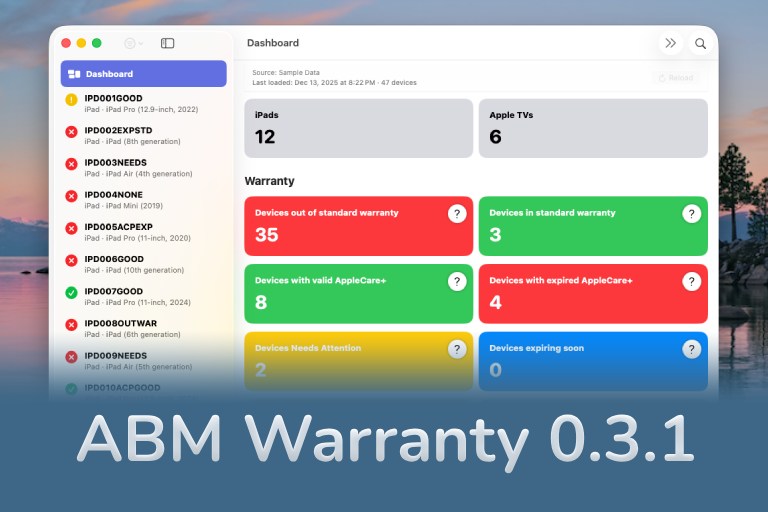
The 0.3.x release series for ABM Warranty is about tightening guarantees. Where earlier releases focused on surfacing data and making long-running operations observable, 0.3.x focuses on ensuring that what you see is complete, consistent, and safe to trust—particularly as the app is used in larger, slower, and more varied environments. This shift in focus aims to provide a more reliable foundation for users who require higher levels of assurance from their warranty management system.
ABM Warranty 0.2.0
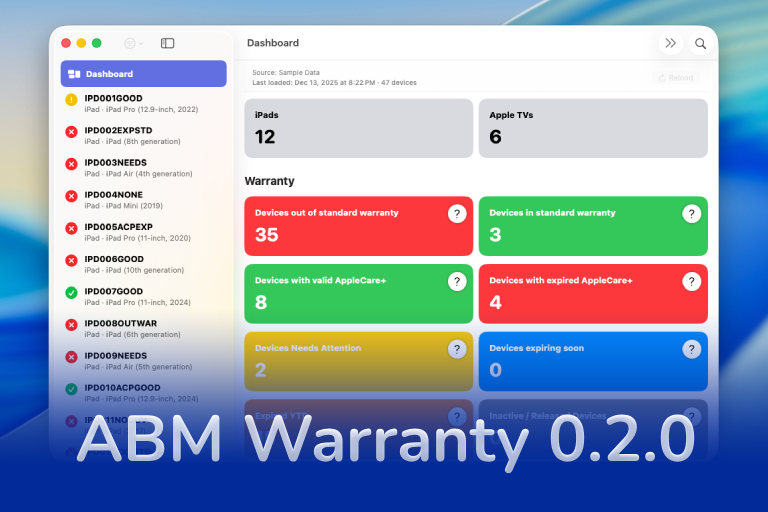
ABM Warranty 0.2.0 is a feature release focused on visibility, safety, and scale. This version does not change what ABM Warranty is meant to be, but it significantly improves how the app behaves under real-world conditions—large device counts, API throttling, long-running imports, and the kinds of failure modes Apple IT admins actually encounter. The improvements in this release are designed to make the app more reliable and efficient, allowing it to handle complex scenarios without breaking or becoming unresponsive.

Running a Beta Program: Lessons Learned
Shipping software in isolation is comforting. You control the inputs, the environment, and the narrative you tell yourself about how things work. The moment you invite other people in—especially people who don’t share your assumptions—you lose that comfort. You also gain something far more valuable. Running a public beta for ABM Warranty through Apple’s TestFlight program forced me to confront that tradeoff head-on, and it fundamentally changed how quickly and confidently the app matured.
The Day I Unmanaged a Mac Into a Corner
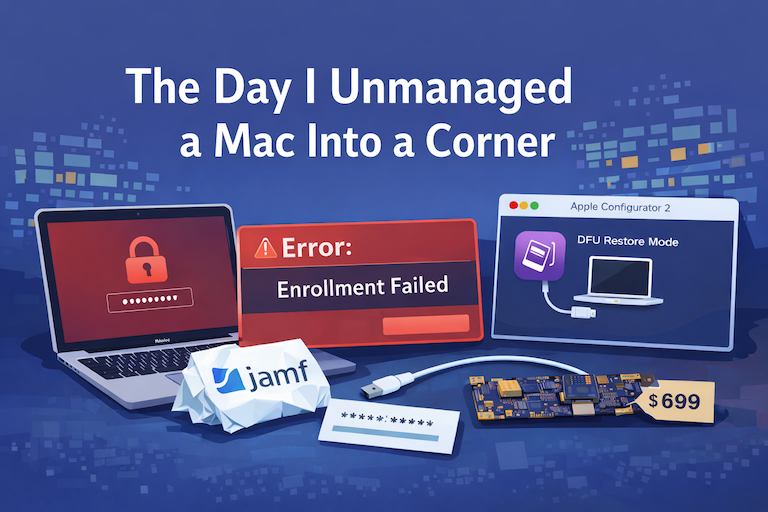
There are a few kinds of mistakes you make as a Mac admin. There are the ones that cost you time, the ones that cost you sleep, and then there are the ones that leave you staring at a perfectly good laptop thinking, “How did I possibly make this *less* manageable by touching it?” These mistakes often stem from a lack of understanding or experience with macOS, but they can also be the result of rushing through tasks or not taking the time to properly plan and test.
