Discovering Mole: A Command Line Utility for Mac Cleaning

If you manage or use Macs long enough, you know one thing is guaranteed: systems get messy.
Caches pile up, apps leave behind junk, and disk space slowly disappears. While there are plenty of GUI tools out there, most of them either lack transparency or feel bloated.
Mole is different.
Mole is a lightweight, command-line utility built specifically for macOS that gives you clear visibility and control over what’s consuming space—and what can be safely removed.
For MacAdmins, developers, and power users, it fits perfectly into existing workflows.
Why Mole Stands Out
Mole isn’t just another cleaner. It’s designed with a few key principles:
- Transparency first — see exactly what will be removed
- Safe by default — dry-run support prevents accidental deletion
- CLI-native — perfect for automation and scripting
- Focused on macOS realities — understands app leftovers and system clutter
Installing Mole
The easiest way to install Mole is via Homebrew.
brew install moleAfter installation, verify it’s working:
mole --helpRunning Mole
At its simplest, just run:
moleThis launches Mole’s interactive interface, where you can explore cleanup options, system insights, and uninstall tools.
Safely Cleaning Your Mac (Dry Run First)
Before removing anything, you should always start with a dry run.
This lets you preview exactly what Mole will clean without making changes.
mole clean --dry-runThis is critical for:
- Validating what will be removed
- Avoiding accidental deletion of important files
- Understanding system clutter patterns
Here’s what it found when I ran the dry run option.
Clean Your Mac

Dry Run Mode, Preview only, no deletions

◎ System caches need sudo, run sudo -v && mo clean --dry-run for full preview

⚙ Apple Silicon | Free space: 184Gi
✓ Whitelist: 21 core patterns active
  ↳ /Users/jon/Library/Caches/ms-playwright*
  ↳ /Users/jon/.m2/repository/*
  ↳ /Users/jon/.gradle/caches/*
  ↳ /Users/jon/.gradle/daemon/*
  ↳ /Users/jon/.ollama/models/*
  ↳ /Users/jon/Library/Caches/com.nssurge.surge-mac/*
  ↳ /Users/jon/Library/Application Support/com.nssurge.surge-mac/*
  ↳ /Users/jon/Library/Caches/org.R-project.R/R/renv/*
  ↳ /Users/jon/Library/Caches/pypoetry/virtualenvs*
  ↳ /Users/jon/Library/Caches/JetBrains*
  ↳ /Users/jon/Library/Caches/com.jetbrains.toolbox*
  ↳ /Users/jon/Library/Caches/tealdeer/tldr-pages
  ↳ /Users/jon/Library/Application Support/JetBrains*
  ↳ /Users/jon/Library/Caches/com.apple.finder
  ↳ /Users/jon/Library/Mobile Documents*
  ↳ /Users/jon/Library/Caches/com.apple.FontRegistry*
  ↳ /Users/jon/Library/Caches/com.apple.spotlight*
  ↳ /Users/jon/Library/Caches/com.apple.Spotlight*
  ↳ /Users/jon/Library/Caches/CloudKit*

➤ User essentials
  → User app cache 113 items, 3.30GB dry
  → User app logs 16 items, 3.4MB dry
  → Trash · would empty, 1 items

➤ App caches
  → Autosave information 3 items, 160KB dry
  → Siri suggestions cache 20 items, 26.2MB dry
Password:
[DRY-RUN] Would sudo remove: /Library/Application Support/com.apple.idleassetsd/Customer/TVIdleScreenStrings.bundle/de.lproj/Localizable.nocache.strings
[DRY-RUN] Would sudo remove: /Library/Application Support/com.apple.idleassetsd/Customer/TVIdleScreenStrings.bundle/_CodeSignature/CodeResources
[DRY-RUN] Would sudo remove: /Library/Application Support/com.apple.idleassetsd/Customer/TVIdleScreenStrings.bundle/_CodeSignature/CodeDirectory
[DRY-RUN] Would sudo remove: /Library/Application Support/com.apple.idleassetsd/Customer/TVIdleScreenStrings.bundle/_CodeSignature/CodeRequirements-1
[DRY-RUN] Would sudo remove: /Library/Application Support/com.apple.idleassetsd/Customer/TVIdleScreenStrings.bundle/_CodeSignature/CodeSignature
[DRY-RUN] Would sudo remove: /Library/Application Support/com.apple.idleassetsd/Customer/TVIdleScreenStrings.bundle/_CodeSignature/CodeRequirements
[DRY-RUN] Would sudo remove: /Library/Application Support/com.apple.idleassetsd/Customer/TVIdleScreenStrings.bundle/he.lproj/Localizable.nocache.strings
[DRY-RUN] Would sudo remove: /Library/Application Support/com.apple.idleassetsd/Customer/TVIdleScreenStrings.bundle/en_AU.lproj/Localizable.nocache.strings
[DRY-RUN] Would sudo remove: /Library/Application Support/com.apple.idleassetsd/Customer/TVIdleScreenStrings.bundle/ar.lproj/Localizable.nocache.strings
[DRY-RUN] Would sudo remove: /Library/Application Support/com.apple.idleassetsd/Customer/TVIdleScreenStrings.bundle/el.lproj/Localizable.nocache.strings
[DRY-RUN] Would sudo remove: /Library/Application Support/com.apple.idleassetsd/Customer/TVIdleScreenStrings.bundle/ja.lproj/Localizable.nocache.strings
[DRY-RUN] Would sudo remove: /Library/Application Support/com.apple.idleassetsd/Customer/TVIdleScreenStrings.bundle/en.lproj/Localizable.nocache.strings
[DRY-RUN] Would sudo remove: /Library/Application Support/com.apple.idleassetsd/Customer/TVIdleScreenStrings.bundle/uk.lproj/Localizable.nocache.strings
[DRY-RUN] Would sudo remove: /Library/Application Support/com.apple.idleassetsd/Customer/TVIdleScreenStrings.bundle/es_419.lproj/Localizable.nocache.strings
[DRY-RUN] Would sudo remove: /Library/Application Support/com.apple.idleassetsd/Customer/TVIdleScreenStrings.bundle/zh_CN.lproj/Localizable.nocache.strings
[DRY-RUN] Would sudo remove: /Library/Application Support/com.apple.idleassetsd/Customer/TVIdleScreenStrings.bundle/es.lproj/Localizable.nocache.strings
[DRY-RUN] Would sudo remove: /Library/Application Support/com.apple.idleassetsd/Customer/TVIdleScreenStrings.bundle/sl.lproj/Localizable.nocache.strings
[DRY-RUN] Would sudo remove: /Library/Application Support/com.apple.idleassetsd/Customer/TVIdleScreenStrings.bundle/pt_BR.lproj/Localizable.nocache.strings
[DRY-RUN] Would sudo remove: /Library/Application Support/com.apple.idleassetsd/Customer/TVIdleScreenStrings.bundle/da.lproj/Localizable.nocache.strings
[DRY-RUN] Would sudo remove: /Library/Application Support/com.apple.idleassetsd/Customer/TVIdleScreenStrings.bundle/it.lproj/Localizable.nocache.strings
[DRY-RUN] Would sudo remove: /Library/Application Support/com.apple.idleassetsd/Customer/TVIdleScreenStrings.bundle/sk.lproj/Localizable.nocache.strings
[DRY-RUN] Would sudo remove: /Library/Application Support/com.apple.idleassetsd/Customer/TVIdleScreenStrings.bundle/pt_PT.lproj/Localizable.nocache.strings
[DRY-RUN] Would sudo remove: /Library/Application Support/com.apple.idleassetsd/Customer/TVIdleScreenStrings.bundle/ms.lproj/Localizable.nocache.strings
[DRY-RUN] Would sudo remove: /Library/Application Support/com.apple.idleassetsd/Customer/TVIdleScreenStrings.bundle/sv.lproj/Localizable.nocache.strings
[DRY-RUN] Would sudo remove: /Library/Application Support/com.apple.idleassetsd/Customer/TVIdleScreenStrings.bundle/cs.lproj/Localizable.nocache.strings
[DRY-RUN] Would sudo remove: /Library/Application Support/com.apple.idleassetsd/Customer/TVIdleScreenStrings.bundle/ko.lproj/Localizable.nocache.strings
[DRY-RUN] Would sudo remove: /Library/Application Support/com.apple.idleassetsd/Customer/TVIdleScreenStrings.bundle/no.lproj/Localizable.nocache.strings
[DRY-RUN] Would sudo remove: /Library/Application Support/com.apple.idleassetsd/Customer/TVIdleScreenStrings.bundle/hu.lproj/Localizable.nocache.strings
[DRY-RUN] Would sudo remove: /Library/Application Support/com.apple.idleassetsd/Customer/TVIdleScreenStrings.bundle/zh_HK.lproj/Localizable.nocache.strings
[DRY-RUN] Would sudo remove: /Library/Application Support/com.apple.idleassetsd/Customer/TVIdleScreenStrings.bundle/tr.lproj/Localizable.nocache.strings
[DRY-RUN] Would sudo remove: /Library/Application Support/com.apple.idleassetsd/Customer/TVIdleScreenStrings.bundle/pl.lproj/Localizable.nocache.strings
[DRY-RUN] Would sudo remove: /Library/Application Support/com.apple.idleassetsd/Customer/TVIdleScreenStrings.bundle/zh_TW.lproj/Localizable.nocache.strings
[DRY-RUN] Would sudo remove: /Library/Application Support/com.apple.idleassetsd/Customer/TVIdleScreenStrings.bundle/en_GB.lproj/Localizable.nocache.strings
[DRY-RUN] Would sudo remove: /Library/Application Support/com.apple.idleassetsd/Customer/TVIdleScreenStrings.bundle/vi.lproj/Localizable.nocache.strings
[DRY-RUN] Would sudo remove: /Library/Application Support/com.apple.idleassetsd/Customer/TVIdleScreenStrings.bundle/ru.lproj/Localizable.nocache.strings
[DRY-RUN] Would sudo remove: /Library/Application Support/com.apple.idleassetsd/Customer/TVIdleScreenStrings.bundle/fr_CA.lproj/Localizable.nocache.strings
[DRY-RUN] Would sudo remove: /Library/Application Support/com.apple.idleassetsd/Customer/TVIdleScreenStrings.bundle/fr.lproj/Localizable.nocache.strings
[DRY-RUN] Would sudo remove: /Library/Application Support/com.apple.idleassetsd/Customer/TVIdleScreenStrings.bundle/fi.lproj/Localizable.nocache.strings
[DRY-RUN] Would sudo remove: /Library/Application Support/com.apple.idleassetsd/Customer/TVIdleScreenStrings.bundle/id.lproj/Localizable.nocache.strings
[DRY-RUN] Would sudo remove: /Library/Application Support/com.apple.idleassetsd/Customer/TVIdleScreenStrings.bundle/nl.lproj/Localizable.nocache.strings
[DRY-RUN] Would sudo remove: /Library/Application Support/com.apple.idleassetsd/Customer/TVIdleScreenStrings.bundle/th.lproj/Localizable.nocache.strings
[DRY-RUN] Would sudo remove: /Library/Application Support/com.apple.idleassetsd/Customer/TVIdleScreenStrings.bundle/ro.lproj/Localizable.nocache.strings
[DRY-RUN] Would sudo remove: /Library/Application Support/com.apple.idleassetsd/Customer/TVIdleScreenStrings.bundle/Info.plist
[DRY-RUN] Would sudo remove: /Library/Application Support/com.apple.idleassetsd/Customer/TVIdleScreenStrings.bundle/hr.lproj/Localizable.nocache.strings
[DRY-RUN] Would sudo remove: /Library/Application Support/com.apple.idleassetsd/Customer/TVIdleScreenStrings.bundle/hi.lproj/Localizable.nocache.strings
[DRY-RUN] Would sudo remove: /Library/Application Support/com.apple.idleassetsd/Customer/TVIdleScreenStrings.bundle/ca.lproj/Localizable.nocache.strings
[DRY-RUN] Would sudo remove: /Library/Application Support/com.apple.idleassetsd/Customer/resources.tar
[DRY-RUN] Would sudo remove: /Library/Application Support/com.apple.idleassetsd/Customer/entries.json
[DRY-RUN] Would sudo remove: /Library/Application Support/com.apple.idleassetsd/Customer/cbbim-w-prod.mat
[DRY-RUN] Would sudo remove: /Library/Application Support/com.apple.idleassetsd/Customer/cbbim-b-prod.mat
[DRY-RUN] Would sudo remove: /Library/Application Support/com.apple.idleassetsd/Customer/cbbim-r-prod.mat
[DRY-RUN] Would sudo remove: /Library/Application Support/com.apple.idleassetsd/Customer/cbbim-g-prod.mat
  → Messages preview attachment cache 197 items, 182.4MB dry
  → Messages preview sticker cache 3 items, 319KB dry
  → Sandboxed app caches, 98.4MB dry
  → Group Containers logs/caches, 92.0MB dry

➤ Browsers
  → Safari cache, 4KB dry
  → Chrome cache 2 items, 1.97GB dry
  → Chrome GPU cache 6 items, 5.9MB dry
  → Chrome component CRX cache 19 items, 34.1MB dry
  → Chrome Service Worker, would clean 1691MB, 0 protected
  → GoogleUpdater CRX cache 3 items, 726.7MB dry
  → GoogleUpdater old files 2 items, 2.1MB dry
  ◎ Google Chrome running · old versions cleanup skipped

➤ Cloud & Office
  ✓ Nothing to clean

➤ Developer tools
  → Bun cache 31 items, 17.5MB dry
  → pip cache · would clean
  → Go cache · would clean
  → Docker unused data · would clean
  → Google Cloud logs 2 items, 205KB dry
  → Python bytecode cache · LinkedInSpamFilter-master, 2 dirs, 61KB dry
  → Xcode runtime volumes · 2 unused, 2 in use
  • Runtime volumes total: 34.11GB (unused 0B, in-use 34.11GB)
    IN_USE 17.25GB · /Library/Developer/CoreSimulator/Volumes/iOS_23E244
    IN_USE 16.86GB · /Library/Developer/CoreSimulator/Volumes/iOS_23C54
    UNUSED 0B · /Library/Developer/CoreSimulator/Cryptex/Images
    UNUSED 0B · /Library/Developer/CoreSimulator/Cryptex/Caches
  → Xcode unavailable simulators · would clean 57, 9.92GB
  → Xcode Interface Builder cache, 0B dry
  → CoreSimulator logs, 35KB dry
  → Xcode cache 4 items, 3.2MB dry
  → Xcode build products 7 items, 67.7MB dry
  → Xcode derived data 14 items, 2.06GB dry
  → Xcode archives 18 items, 667.1MB dry
  → Xcode documentation index, 5.9MB dry
  → VS Code logs, 4KB dry
  → Homebrew cache 59 items, 343.3MB dry
  → Homebrew lock files 2 items, 0B dry
  → Homebrew · would cleanup and autoremove

➤ Applications
  → ChatGPT cache 7 items, 95.3MB dry
  → Zsh completion cache, 50KB dry

➤ Virtualization
  ✓ Nothing to clean

➤ Application Support
  → Application Support logs/caches, at least 44KB dry

➤ Orphaned data
  ✓ Found 174 active/installed apps
  → Orphaned HTTP: com.Swiftify.ServiceOnline.v3, 238KB dry
  → Orphaned HTTP: com.descript.Descript-Installer, 86KB dry
  → Orphaned HTTP: com.imobie.MC-Installer, 86KB dry
  → Orphaned HTTP: com.jonbrown.org.Animal-Age, 70KB dry
  → Orphaned HTTP: com.lindegroup.AutoPkgr, 74KB dry
  → Orphaned HTTP: com.lindegroup.AutoPkgr, 1KB dry
  → Orphaned HTTP: com.ninxsoft.lowprofile, 57KB dry
  → Orphaned HTTP: com.ninxsoft.mist, 303KB dry
  → Orphaned HTTP: com.trendmicro.AFMMainUI, 2.2MB dry
  → Orphaned HTTP: com.trendmicro.AFMMainUI, 40KB dry
  ✓ Cleaned 10 items, about 3.0MB
  • Potential stale login item: com.adobe.ccxprocess.plist
  ↳ Missing app/helper target: /Applications/Utilities/Adobe Creative Cloud Experience/CCXProcess/CCXProcess.app/Contents/MacOS/CCXProcess
  ☞ Review: open ~/Library/LaunchAgents and remove only items you recognize

➤ Apple Silicon updates
  ✓ Nothing to clean

➤ Device backups
  ✓ Nothing to clean

➤ Time Machine
  ✓ No incomplete backups found
  ✓ Nothing to clean

➤ Large files
  ◎ Mail data: 25.10GB, Path: /Users/jon/Library/Mail
  ◎ Time Machine local snapshots: 2
  ☞ Review: tmutil listlocalsnapshots /
  ◎ Docker storage:
  ☞ Run: docker system df

➤ System Data clues
  • Docker Desktop data: 3.55GB
  ↳ Path: ~/Library/Containers/com.docker.docker/Data
  ☞ Review: mo analyze, Device backups, docker system df

➤ Project artifacts
  ✓ Nothing to clean


======================================================================
Dry run complete - no changes made
Potential space: 9.71GB | Items: 469 | Categories: 40
Detailed file list: /Users/jon/.config/mole/clean-list.txt
Use mo clean --whitelist to add protection rules
======================================================================
Once you’re comfortable with the output, run the actual cleanup:
mole cleanRemoving Apps Cleanly (No More Leftovers)
Dragging apps to the Trash doesn’t remove everything. Preferences, caches, and support files often remain.
Mole helps you fully uninstall applications and their associated files.
Preview uninstall (recommended)
mole uninstall --dry-runPerform uninstall
mole uninstallThis ensures:
- App bundles are removed
- Related files in ~/Library are cleaned up
- No orphaned data is left behind
◎ Selected 1 apps:
1. AppCleaner           --  |  Last: 2y ago

Files to be removed:

◎ AppCleaner , 8.1MB
  ✓ /Applications/AppCleaner.app
  ✓ ~/Library/HTTPStorages/net.freemacsoft.AppCleaner
  ✓ ~/Library/Preferences/net.freemacsoft.AppCleaner.plist

➤ Remove 1 app, 8.1MB  Enter confirm, ESC cancel:
✓ AppCleaner


======================================================================
Uninstall complete
Removed 1 app, freed 8.1MB: AppCleaner
======================================================================
Get Status!
You can also use this tool to launch an interactive status dashboard which is pretty neat.
$ mo status

Status  Health ● 97  Mac Studio · Apple M2 Max, 30GPU · 32.0 GB/460.4 GB · 75Hz · macOS 26.4 · up 4d 10h
                                             /\_/\
                                         ___/ o o \
                                        /___   =-= /
                                        \____)-m-m)
◉ CPU  ╌╌╌╌╌╌╌╌╌╌╌╌╌╌╌╌╌╌╌╌╌╌╌╌╌╌╌╌╌╌╌╌╌╌╌╌╌╌╌╌╌╌╌╌╌╌╌╌╌╌╌╌╌╌╌╌╌╌╌╌╌╌╌╌╌╌╌╌╌╌╌╌╌╌╌╌╌╌╌╌╌  ◫ Memory  ╌╌╌╌╌╌╌╌╌╌╌╌╌╌╌╌╌╌╌╌╌╌╌╌╌╌╌╌╌╌╌╌╌╌╌╌╌╌╌╌╌╌╌╌╌╌╌╌╌╌╌╌╌╌╌╌╌╌╌╌╌╌╌╌╌╌╌╌╌╌╌╌╌╌╌╌╌╌
Total  ███░░░░░░░░░░░░░   24.6%                                                           Used   █████████░░░░░░░   56.7%
Core5  ██████████░░░░░░   63.2%                                                           Free   ██████░░░░░░░░░░   43.3%
Core6  ████████░░░░░░░░   52.6%                                                           Total  18.1 GB / 32.0 GB
Core7  ██████░░░░░░░░░░   40.0%                                                           Cached 10.3 GB
Load   2.15 / 2.06 / 2.13, 8P+4E                                                          Avail  13.9 GB

▥ Disk  ╌╌╌╌╌╌╌╌╌╌╌╌╌╌╌╌╌╌╌╌╌╌╌╌╌╌╌╌╌╌╌╌╌╌╌╌╌╌╌╌╌╌╌╌╌╌╌╌╌╌╌╌╌╌╌╌╌╌╌╌╌╌╌╌╌╌╌╌╌╌╌╌╌╌╌╌╌╌╌╌  ◪ Power  ╌╌╌╌╌╌╌╌╌╌╌╌╌╌╌╌╌╌╌╌╌╌╌╌╌╌╌╌╌╌╌╌╌╌╌╌╌╌╌╌╌╌╌╌╌╌╌╌╌╌╌╌╌╌╌╌╌╌╌╌╌╌╌╌╌╌╌╌╌╌╌╌╌╌╌╌╌╌╌
INTR   ██████░░░░░░░░░░  189G used, 271G free                                             No battery
EXTR1  ███░░░░░░░░░░░░░  362G used, 1T free
EXTR2  ███████████████░  16G used, 447M free
Read   ▯▯▯▯▯  0.0 MB/s
Write  ▯▯▯▯▯  0.7 MB/s

❊ Processes  ╌╌╌╌╌╌╌╌╌╌╌╌╌╌╌╌╌╌╌╌╌╌╌╌╌╌╌╌╌╌╌╌╌╌╌╌╌╌╌╌╌╌╌╌╌╌╌╌╌╌╌╌╌╌╌╌╌╌╌╌╌╌╌╌╌╌╌╌╌╌╌╌╌╌╌  ⇅ Network  ╌╌╌╌╌╌╌╌╌╌╌╌╌╌╌╌╌╌╌╌╌╌╌╌╌╌╌╌╌╌╌╌╌╌╌╌╌╌╌╌╌╌╌╌╌╌╌╌╌╌╌╌╌╌╌╌╌╌╌╌╌╌╌╌╌╌╌╌╌╌╌╌╌╌╌╌╌
com.apple.V…  ▮▮▮▮▮  102.5%                                                               Down   ▁▁▁▁▁▁▁▁▁▁▁▁▁▁▁▁  0 MB/s
Terminal      ▯▯▯▯▯    9.4%                                                               Up     ▁▁▁▁▁▁▁▁▁▁▁▁▁▁▁▁  0 MB/s
WindowServer  ▯▯▯▯▯    5.6%                                                               Proxy TUN
Both mo analyze and mo status support a –json flag for scripting and automation.
mo status also auto-detects when its output is piped (not a terminal) and switches to JSON automatically.
# Disk analysis as JSON
$ mo analyze --json ~/Documents
{
  "path": "/Users/you/Documents",
  "entries": [
    { "name": "Library", "path": "...", "size": 80939438080, "is_dir": true },
    ...
  ],
  "total_size": 168393441280,
  "total_files": 42187
}

# System status as JSON
$ mo status --json
{
  "host": "MacBook-Pro",
  "health_score": 92,
  "cpu": { "usage": 45.2, "logical_cpu": 8, ... },
  "memory": { "total": 25769803776, "used": 15049334784, "used_percent": 58.4 },
  "disks": [ ... ],
  "uptime": "3d 12h 45m",
  ...
}

# Auto-detected JSON when piped
$ mo status | jq '.health_score'
92
Mole is one of those tools that feels right at home on macOS—simple, fast, and incredibly effective.
If you prefer control over convenience and want a cleaner Mac without the guesswork, Mole is absolutely worth adding to your toolkit.
Here’s a link to the Mole GitHub repository: https://github.com/tw93/Mole
Ready to take your Apple IT skills and consulting career to the next level?
I’m opening up free mentorship slots to help you navigate certifications, real-world challenges, and starting your own independent consulting business.
Let’s connect and grow together — Sign up here
AI Usage Transparency Report
AI Era · Written during widespread use of AI tools
AI Signal Composition
Score: 0.2 · Moderate AI Influence
Summary
Mole is a lightweight, command-line utility built specifically for macOS that gives you clear visibility and control over what’s consuming space—and what can be safely removed.
Related Posts
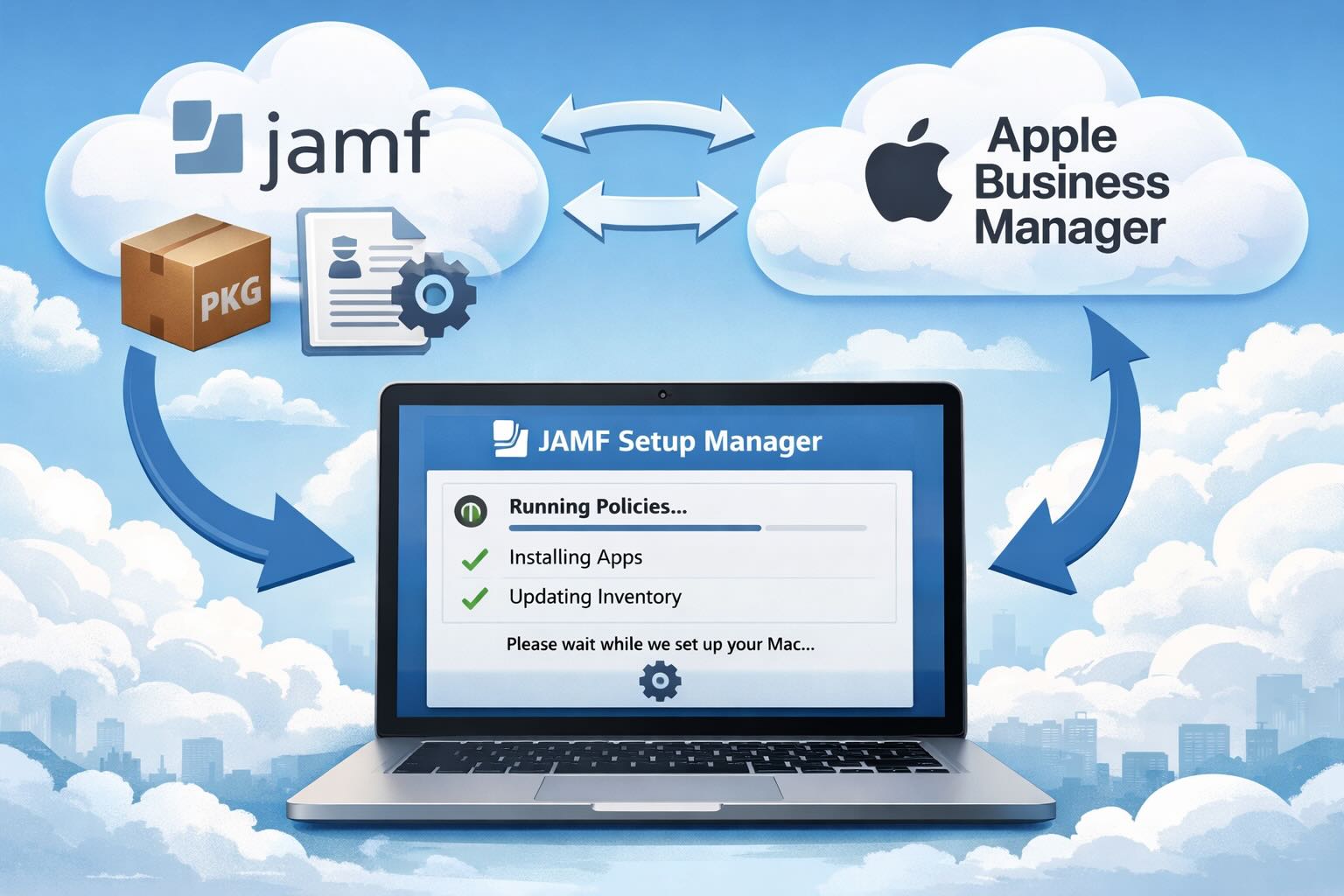

Automating JAMF Pro Email Notifications with SendGrid (Smart Group Driven Workflows)
Modern device management isn't just about enforcing policies—it's about communicating effectively with users at the right time. In JAMF Pro, Smart Groups give you powerful visibility into device state, but they don't natively solve the problem of proactive, automated user communication. Whether you're trying to prompt users to restart their machines, complete updates, or take action on compliance issues, bridging that gap requires a flexible and scalable notification system.
Introducing Pique - The Game-Changing Quick Look Plugin for Mac Admins
As a Mac admin, I'm always on the lookout for tools that make my life easier and more efficient. Recently, I stumbled upon Pique - a brilliant Quick Look plugin created by Henry Stamerjohann that allows you to view file contents in a syntax highlighted way.

ABM Warranty 0.4.1 Walkthrough: Wrap-Up and Beta
In this final ABM Warranty 0.4.1 walkthrough, I’m wrapping up the last features I had not covered directly in the earlier videos and then focusing on support, community, and the beta program. I also want to show where the support resources live inside the app so you know where to go if you need help, documentation, or a way to send useful feedback. Additionally, I'll be covering some of the key features that were updated since the previous version, including any bug fixes or improvements made to existing functionality.

ABM Warranty 0.4.1 Walkthrough: Managed Preferences
In this part of the ABM Warranty 0.4.1 walkthrough series, I'm focusing on managed preferences and the credential packaging workflow. In the last video, I covered multiple credentials inside the app itself. In this one, I'm showing how to package those credentials so they can be deployed securely through MDM. This process is a crucial step in ensuring that your credentials are properly configured and protected within your organization's mobile device management system.

Low Profile Walkthrough and Review
Today I’m walking through Low Profile, a utility from Nindi Gill that I use when I want to inspect profiles already installed on a Mac and figure out whether those profiles contain issues I need to clean up. The value is that Low Profile gives me a straightforward way to inspect profiles installed on any Mac. This simplicity makes it easy for me to identify and address potential problems, which is especially useful when working with multiple machines or troubleshooting complex profile configurations.

ABM Warranty 0.4.1 Walkthrough: Multiple Credentials
In this part of the ABM Warranty 0.4.1 walkthrough series, I’m focusing on multiple credentials. In the first video, I showed the basic setup and how to add a single credential. Now, I want to explore what happens when I remove a credential, what changes occur when I add more than one, and how the app behaves once there are multiple contexts in play. This will help clarify any potential issues or inconsistencies that may arise with multiple credentials.
QuickPKG Walkthrough and Review
I use QuickPKG when I need to turn an application, DMG, or ZIP file into a package quickly without wasting time in a heavier packaging workflow. This post follows the same path as my video: what QuickPKG is, where to get it, how I run it, what a simple packaging example looks like, and where I think admins need to be careful about potential pitfalls that can arise from using this tool.

ABM Warranty 0.4.1 Walkthrough: Introduction
In this first ABM Warranty 0.4.1 walkthrough, I want to show you what the app actually does before I get into the more specific feature videos. This is the broad introduction. I’m walking through the dashboard, how I think about the warranty cards, how released devices are handled, how the filters work, how to add credentials, where the data is stored locally, and what the logging and security model looks like.

ABM Warranty 0.4.1
The 0.4.x release series for ABM Warranty is focused on operational scale. The earlier 0.3 releases were about trust, correctness, and stabilizing the foundation. Version 0.4.1 builds directly on that work by making the app more practical for consultants, internal IT teams, and managed service providers who need to support multiple environments without losing isolation, control, or visibility. This includes improvements to user interface and workflow, as well as enhanced reporting capabilities to help these users manage their workflows more efficiently.
