Introducing Pique - The Game-Changing Quick Look Plugin for Mac Admins

As a Mac admin, I’m always on the lookout for tools that make my life easier and more efficient. Recently, I stumbled upon Pique - a brilliant Quick Look plugin created by Henry Stamerjohann that allows you to view file contents in a syntax highlighted way.
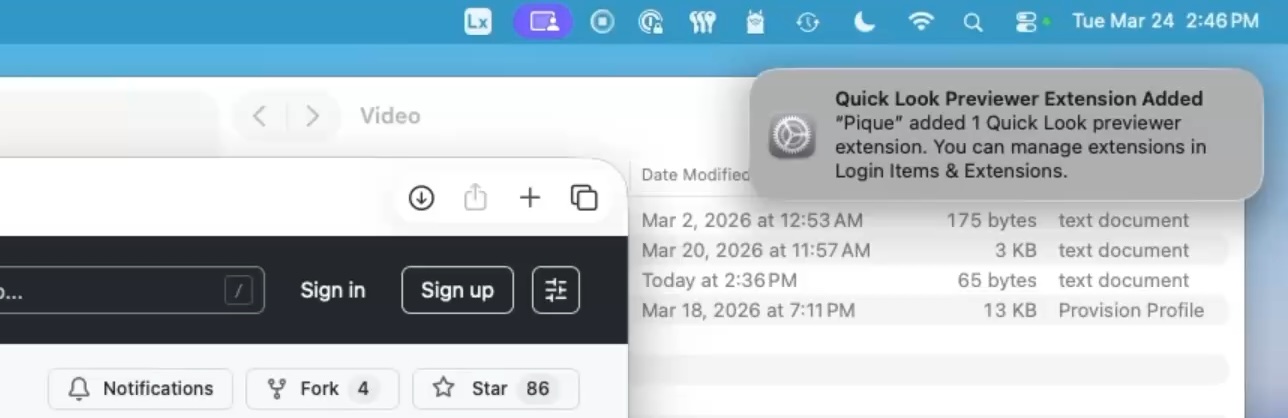
I was blown away by how easy it is to install and use Pique. Simply head over to the releases area on GitHub, download the installer, and run it. Once installed, you’ll see a notification letting you know that the Quick Look preview extension has been added. Clicking on this will take you directly to where the extension is located, giving you the option to turn it on or off.
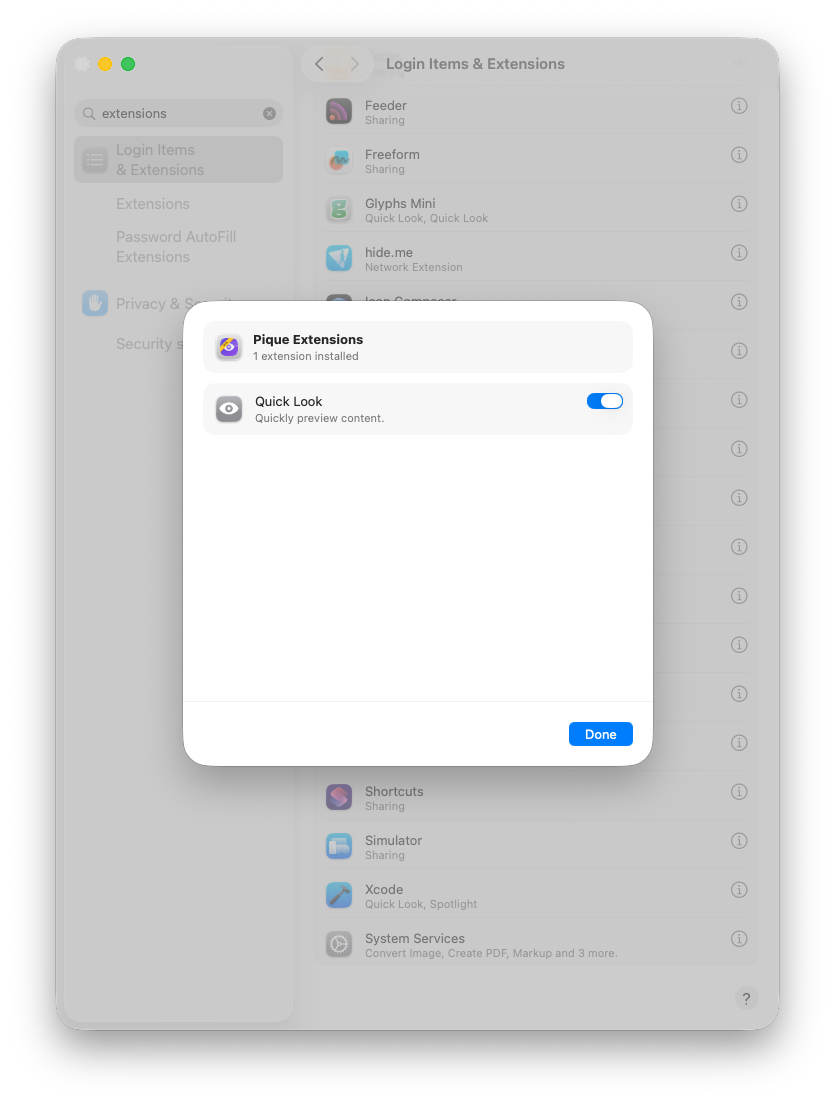
Go to System Settings > Login Items & Extensions > Quick Look Extensions and enable Pique.
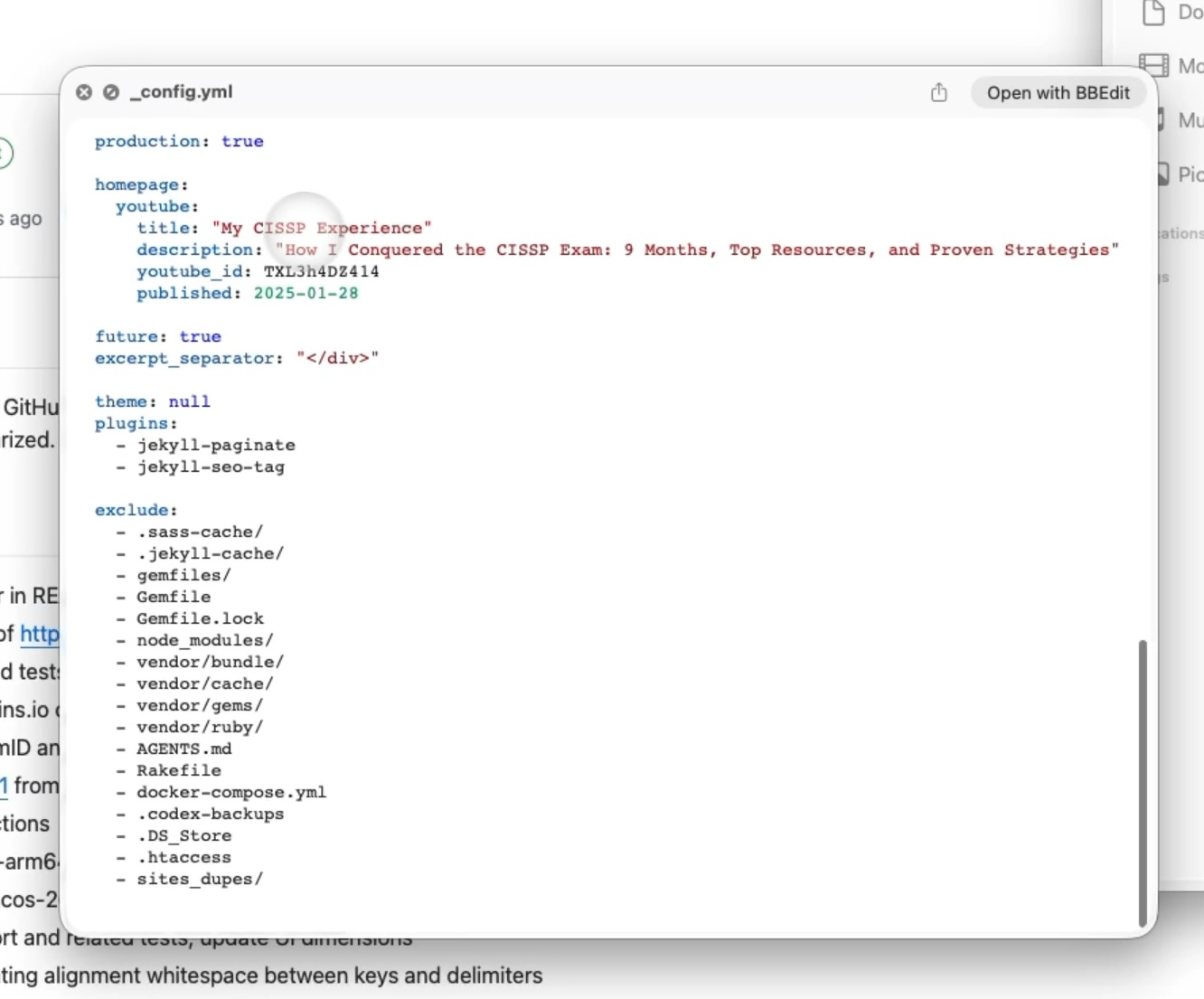
One of the things I love about Pique is how it provides a syntax highlighted view of file contents - something that’s often missing when using Quick Look natively. For example, provisioning profiles and configuration files are now easily readable and navigable.
Pique is still a relatively new project, so there may be some growing pains. However, Henry Stamerjohann has done an amazing job of getting the basics right and making it easy for us to get started.
If you’re like me and always on the lookout for ways to simplify your workflow, then Pique is definitely worth checking out. With Pique, you’ll be able to speed up processes and get a better understanding of what’s going on inside those JSON, YAML, TOML, XML, PLIST, MOBILECONFIG, SHELL and POWERSHELL files.
Give it a try and let me know what you think!
References
- Pique: The Quick Look plugin for Mac admins
- Henry Stamerjohann: Github Repositories
Ready to take your Apple IT skills and consulting career to the next level?
I’m opening up free mentorship slots to help you navigate certifications, real-world challenges, and starting your own independent consulting business.
Let’s connect and grow together — Sign up here
AI Usage Transparency Report
AI Era · Written during widespread use of AI tools
AI Signal Composition
Score: 0.16 · Low AI Influence
Summary
Pique is a Quick Look plugin that provides syntax highlighted view of file contents, making it easy to read and navigate files like JSON, YAML, TOML, XML, PLIST, MOBILECONFIG, SHELL, and POWERSHELL.
Related Posts

When Chromium Mistakes Your VPN for a Local Network
Turning off Jamf Trust fixed the webinar, which normally would have sent me straight to its routing policies. This time the route was fine: Chromium was treating Jamf's ZTNA broker addresses as a local network, and an Edge and Chrome preference corrected it.

Amnesia Stealer Shows the Next Stage of ClickFix on macOS
Amnesia Stealer shows how ClickFix-style social engineering is adapting on macOS, while a public malware sample gives defenders an opportunity to study the behavior behind the campaign.
Apple Software Updates Need a Blueprint Before the MDM Commands Fade
Apple software update management is moving away from command-first MDM workflows. Jamf Blueprints and Declarative Device Management give Mac admins a better place to express update intent, scope, enforcement, and visibility.

Contour Brings Schema Checks to Mac Admin Configuration Work
Contour is a MacAdmins configuration toolkit that brings schema validation, repeatable generation, normalization, and AI-agent-safe command discovery to Apple configuration profiles, DDM declarations, PPPC, Santa, mSCP, Background Task Management, notifications, support app profiles, and osquery schema lookup.

Three Mac Update Helpers That Fit Below a Patch Platform
Latest, Applite, and an all-in-one macOS update script each solve a different part of lightweight Mac maintenance: app update visibility, Homebrew-backed app management, and command-line package updates that can be wrapped carefully for small teams or basic MDM.
Natural Makes the macOS Scroll Direction Toggle Less Buried
Natural is a small macOS menu bar utility that makes the natural scrolling toggle easy to reach, but building it from source also shows why open-source desktop utilities need clear prerequisite checks before they become recommended tools.

Why Mac Performance Monitor Belongs in the Mac Admin Toolbox
Mac Performance Monitor belongs in the Mac admin toolbox because it records local performance history, helps Help Desk review slow-Mac reports after the moment has passed, and keeps process telemetry on the Mac instead of sending it to a cloud service.

Jamf Moves Platform SSO Into the Enrollment Gate
Jamf's attended Simplified Setup for Platform SSO changes Mac enrollment by making identity registration part of Setup Assistant before the MDM profile is installed.

ClickLock Shows Why Terminal Paste Is a Mac Security Boundary
ClickLock Stealer shows why Mac security teams should watch for Terminal paste lures, fake AppleScript password prompts, command-line Keychain access, LaunchAgent persistence, and Jamf Protect alerts that can route suspected Macs into Jamf Pro response groups.
Deploying DDM OS Reminder 4.0.0 in Jamf
DDM OS Reminder 4.0.0 is deployed as two separate pieces in Jamf: a managed preferences profile and a one-time installer script that creates the reminder script, starter script, and LaunchDaemon heartbeat on the Mac.
