Apple Software Updates Need a Blueprint Before the MDM Commands Fade

For a long time, managing Apple software updates through MDM has been built around a familiar loop: find the devices that need an update, send a command, and wait to see what happens.
Sometimes it works beautifully. Sometimes the Mac is asleep. Sometimes the user is in the middle of something. Sometimes inventory hasn’t updated yet. Sometimes the command appears to have gone somewhere but the machine doesn’t seem particularly interested in doing what you asked, and sometimes you have to send the command again.
If you’ve been managing Macs for any length of time, none of this is unusual. It is simply the command-and-response model we have been using. Apple is now preparing to leave a significant part of that model behind.
At WWDC26, Apple announced that legacy software update management will no longer function on devices running its 27.0 operating systems. That includes the traditional software update commands and queries that MDM administrators have relied on, along with legacy mechanisms for update restrictions, deferrals, recommended cadence and Background Security Improvement management.
Apple is not eliminating remotely managed software updates. It is changing how we manage them. The replacement is Declarative Device Management, or DDM, and if you are running Jamf Pro, this is the right time to understand where Jamf Blueprints fit into that future.
We’ve Been Heading Here for a While
Declarative Device Management isn’t new. Apple introduced DDM several years ago and has been steadily expanding what it can do with every major operating system release. Initially, it was tempting to look at DDM as something that existed alongside traditional MDM rather than something that would eventually replace portions of it.
Software updates are one of the clearest examples yet of Apple saying that a particular management workflow belongs in the declarative world. The difference between the two models sounds small until you think about how we actually manage devices.
Instead of continually telling a Mac what to do, the management service tells the Mac what state it expects. The device has more responsibility for getting itself into that state and for reporting changes back to the management service. Rather than an administrator thinking primarily about sending an ScheduleOSUpdate-style command to a Mac, we can define the update that should be installed, when enforcement should occur and what behavior should be allowed before that deadline.
That shift is easier to understand when you build the policy yourself. The workflow is no longer just a command you fire off and hope the Mac handles correctly. It is a defined update policy with specific enforcement choices, timing, and visibility.
How to Set Up DDM Software Updates in Jamf Pro
If you haven’t started using Blueprints in Jamf Pro yet, software updates are a good reason to start now. Apple’s move away from legacy MDM software update management means this isn’t something I would leave until macOS 27 arrives. Jamf already gives us the DDM-based workflow through Blueprints, so we can build and test it today.
Start in Blueprints and create a new Blueprint. The initial view is intentionally empty: Jamf shows that the Blueprint is incomplete, that no devices are in scope, and that no components have been added yet. The components library is where the declarative building blocks come from.
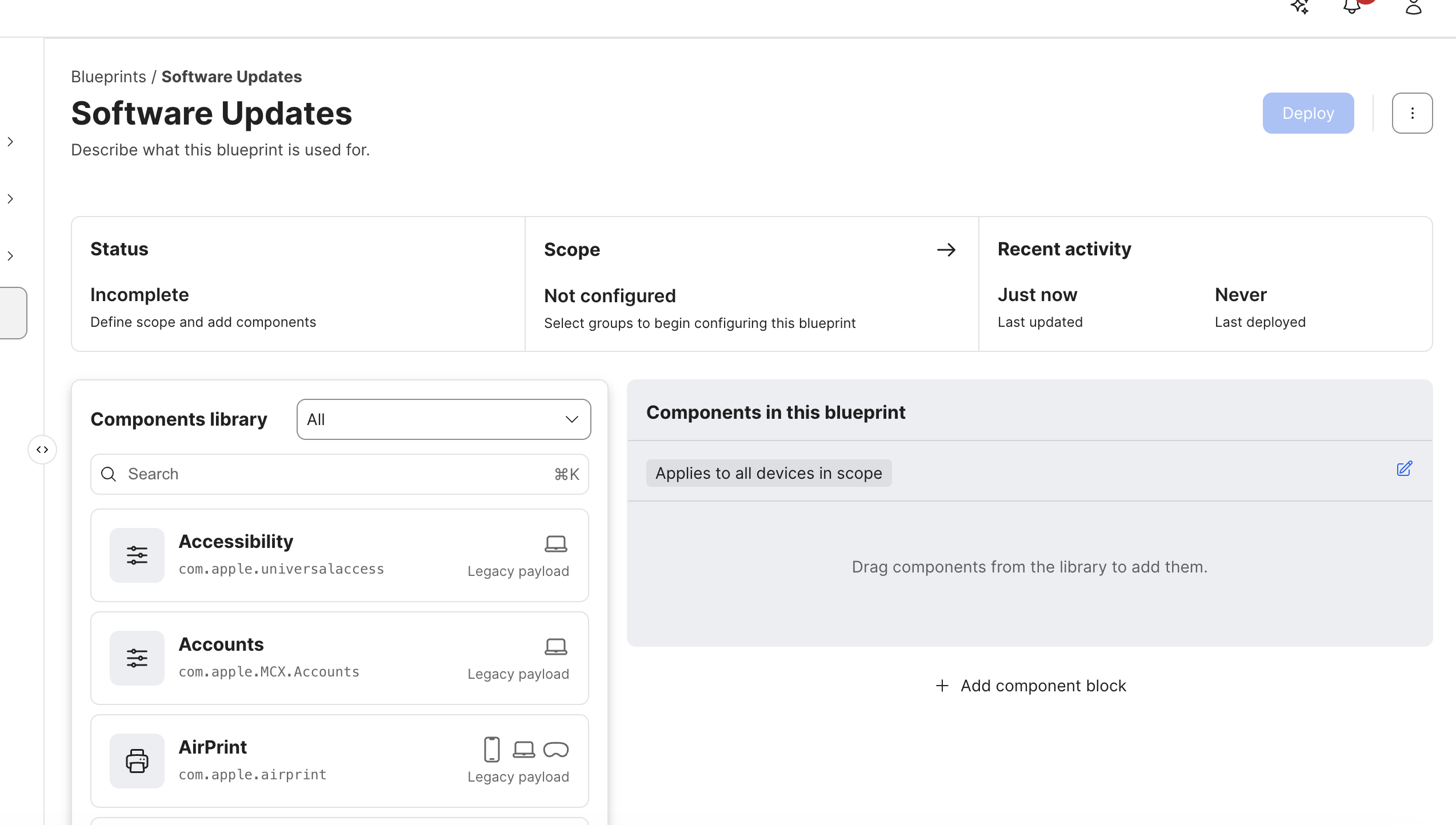
Use the components library search field to find Software Updates, then add that component to the Blueprint. This is the DDM equivalent of deciding what update state the Mac should maintain; you are adding a configuration component, not sending a one-time update command.
That is the point where the model becomes more coherent. You are no longer just scheduling a command. You are creating a managed update intent that can be scoped, enforced, and explained.
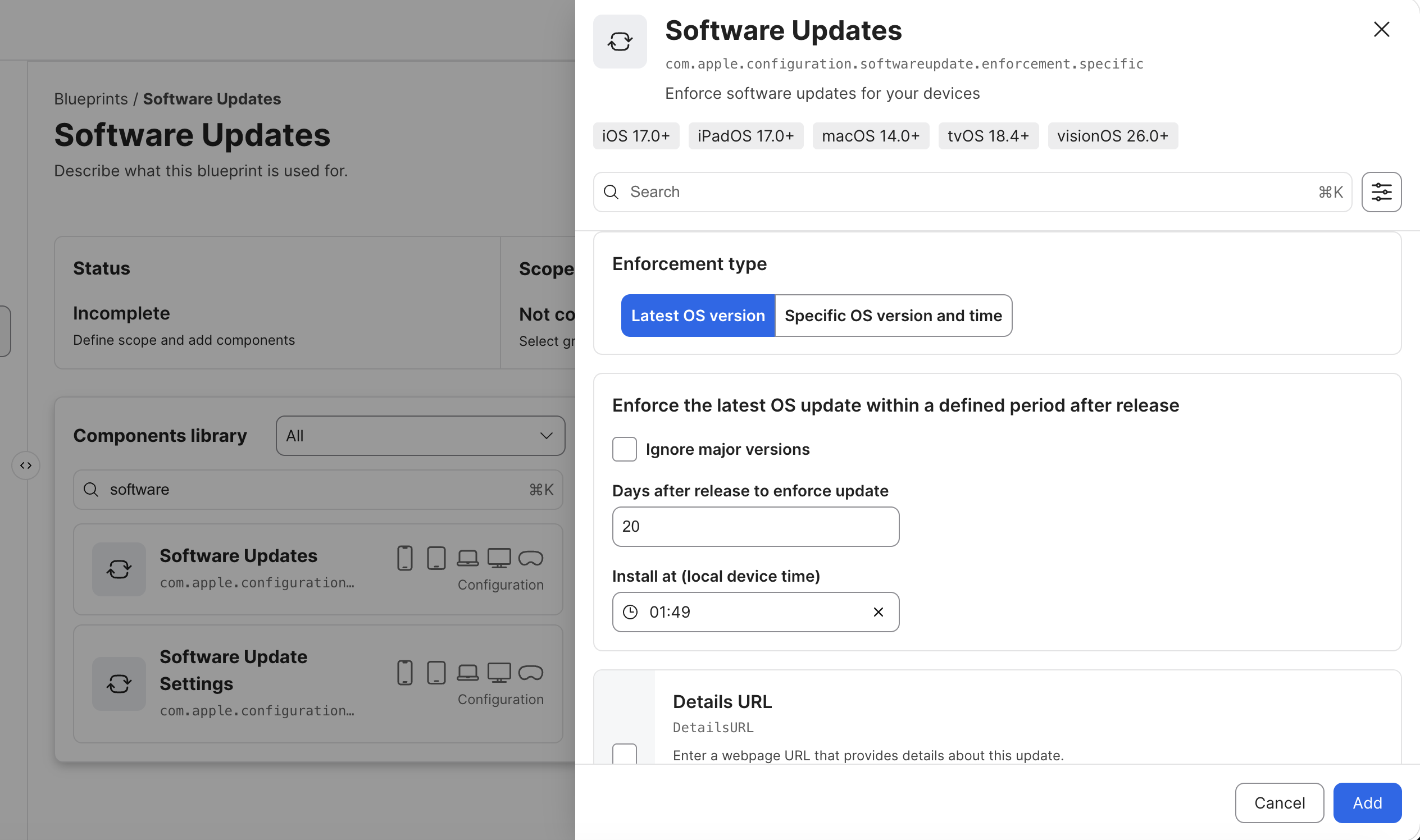
In the Software Updates component, choose whether the Blueprint should enforce the Latest OS version or a Specific OS version and time. The example shown here uses the latest OS version, ignores no major versions, waits 20 days after release, and installs at 01:49 local device time. Those choices turn a general update requirement into an explicit enforcement policy.
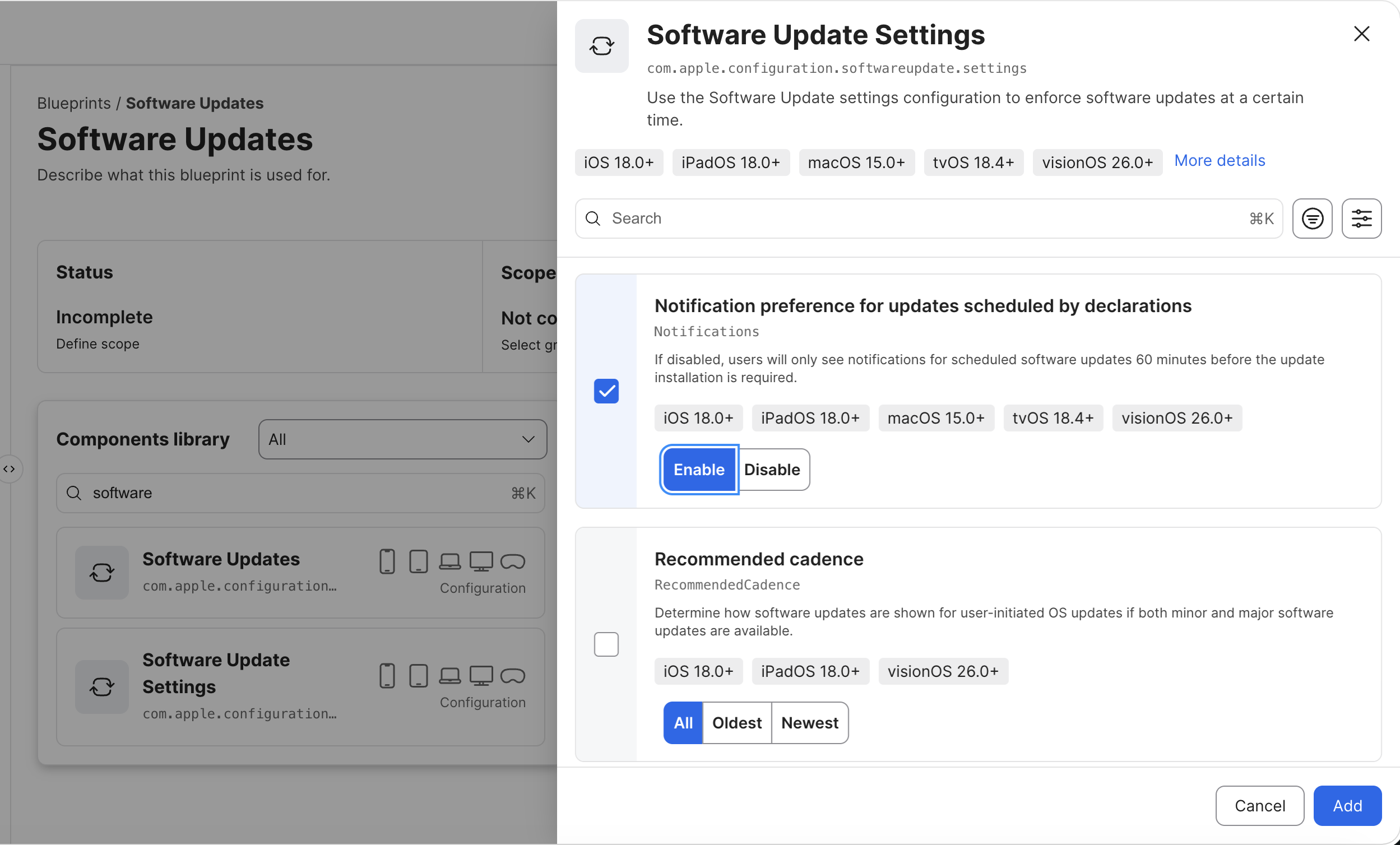
If you need more control than a single update enforcement rule provides, add Software Update Settings as a second component. This component controls the surrounding user and device behavior, such as whether standard users can install updates without administrator authentication and how notifications are presented.
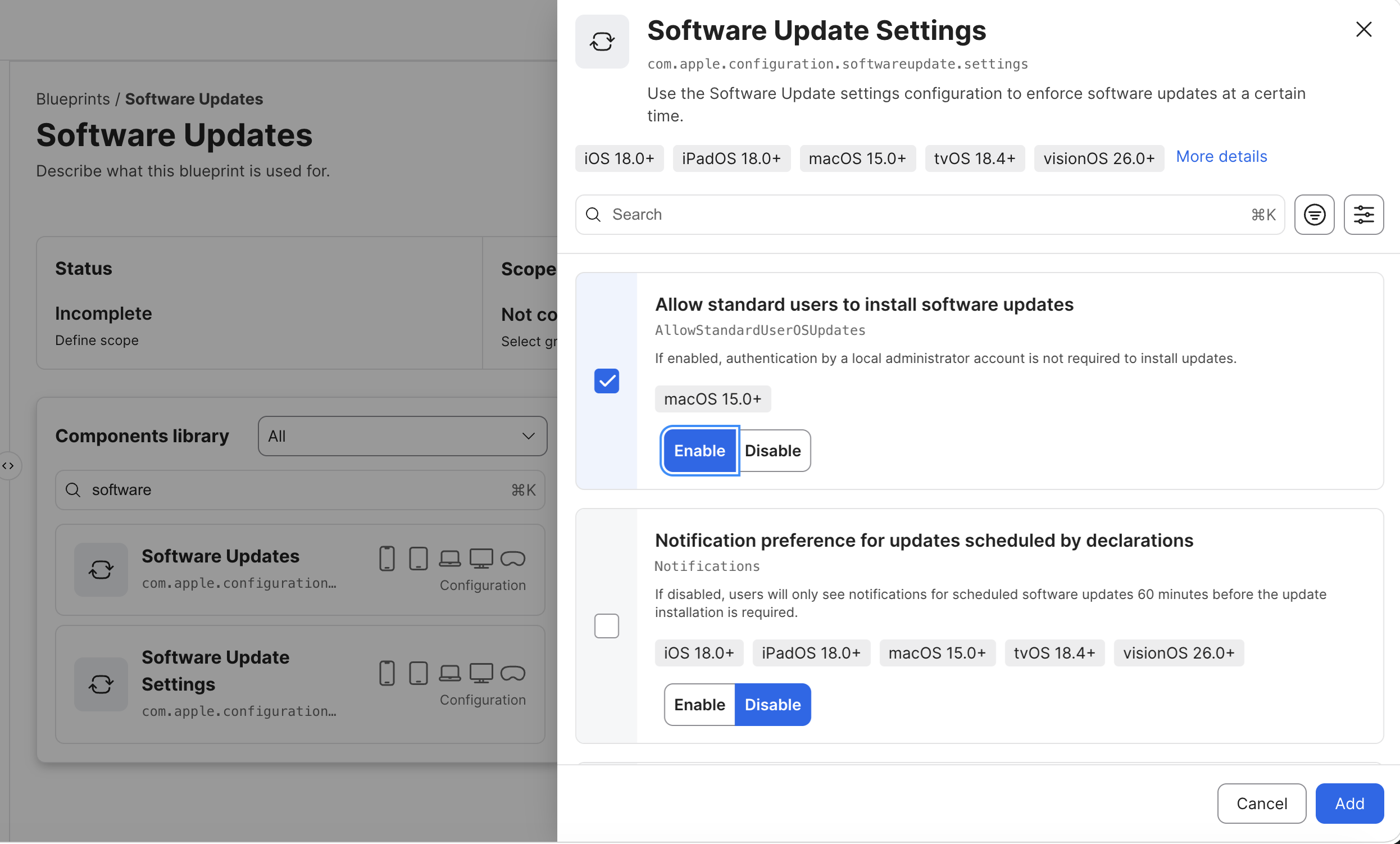
The next screen lets you choose the notification behavior for updates scheduled by declarations. In this example, notifications are enabled, so users can see the update before the enforcement deadline rather than receiving only the last-minute required notification. The same component also exposes Recommended cadence, which controls whether user-initiated updates favor all available updates, the oldest update, or the newest update.
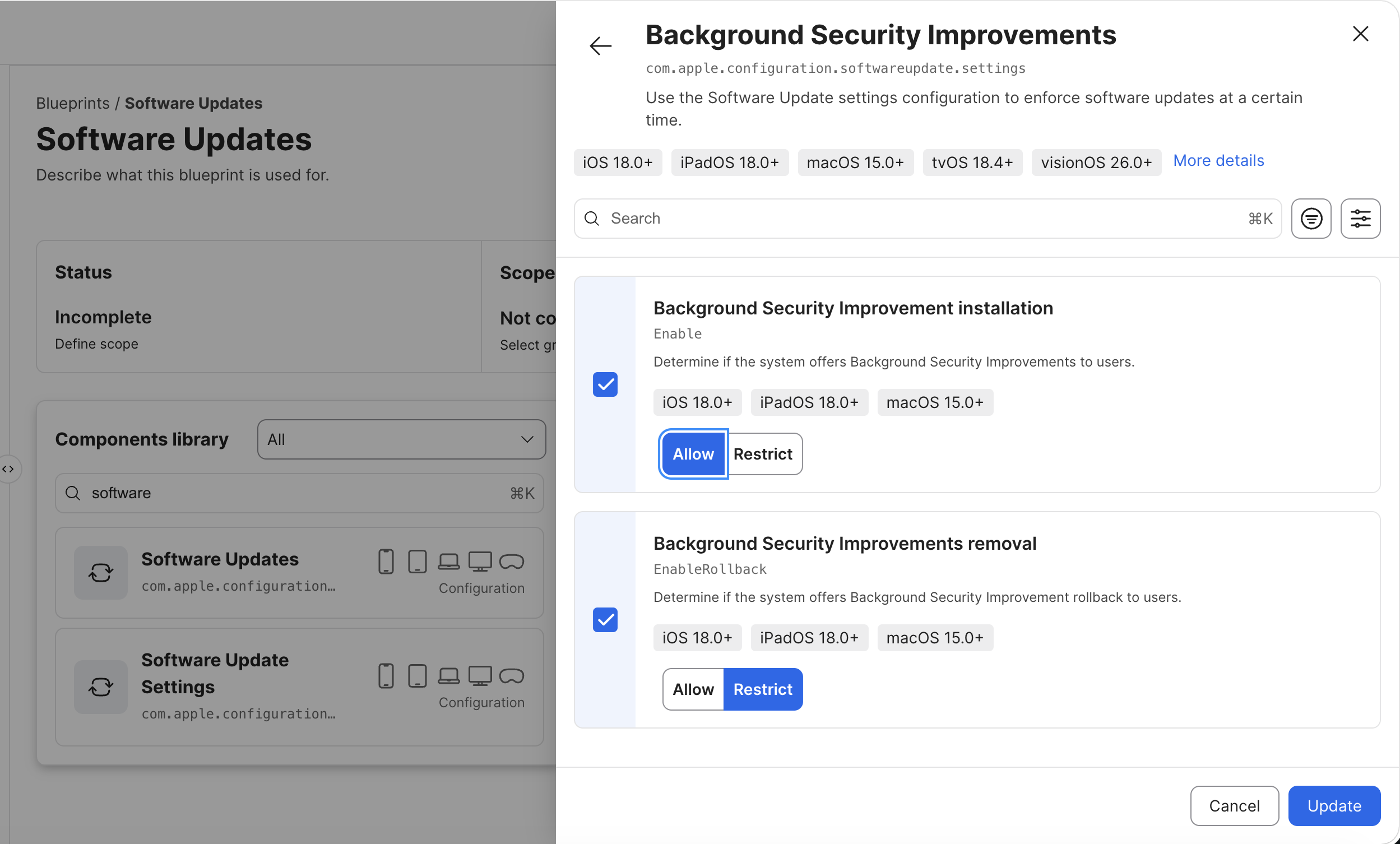
Finally, configure the Background Security Improvements behavior. The example allows installation and restricts removal, which keeps these security improvements available to users while preventing them from rolling the protection back. These settings are part of the same declarative update policy, so the Blueprint can describe both the major update deadline and the related security behavior around it.
Once the components are configured, define the Blueprint scope, add a small test group of Macs, and deploy it. Start with a limited pilot so you can verify the update timing, user notifications, and device reporting before expanding the scope. That’s really all you need to get started: build the policy, test it, and get comfortable with how DDM behaves in Jamf before macOS 27 forces the change.
Sources
- Apple Platform Deployment — WWDC26 device management updates
- Apple Platform Deployment — Use device management to deploy software updates to Apple devices
- Apple Platform Deployment — Use declarative device management to manage Apple devices
- Apple Developer — Deploying software updates using declarative management
- Apple Developer — Integrating declarative management
- Jamf — Jamf Pro Blueprints Harness the Power of Declarative Device Management
- Microsoft Learn — Manage macOS software updates using MDM-based policies in Microsoft Intune
- Microsoft Learn — Manage iOS/iPadOS software updates using MDM-based policies in Microsoft Intune
- Jon Brown — Build Jamf DDM Update Blueprints for macOS and iOS
- Jon Brown — Using Nudge with DDM for macOS Updates in Jamf
AI Usage Transparency Report
AI Era · Written during widespread use of AI tools
AI Signal Composition
Score: 0.26 · Moderate AI Influence
Summary
Apple is changing how software updates are managed through MDM, introducing Declarative Device Management (DDM). DDM replaces traditional command-and-response model with a declarative approach where devices maintain their expected state and report changes to the management service.
Related Posts

When Chromium Mistakes Your VPN for a Local Network
Turning off Jamf Trust fixed the webinar, which normally would have sent me straight to its routing policies. This time the route was fine: Chromium was treating Jamf's ZTNA broker addresses as a local network, and an Edge and Chrome preference corrected it.

Amnesia Stealer Shows the Next Stage of ClickFix on macOS
Amnesia Stealer shows how ClickFix-style social engineering is adapting on macOS, while a public malware sample gives defenders an opportunity to study the behavior behind the campaign.
Contour Brings Schema Checks to Mac Admin Configuration Work
Contour is a MacAdmins configuration toolkit that brings schema validation, repeatable generation, normalization, and AI-agent-safe command discovery to Apple configuration profiles, DDM declarations, PPPC, Santa, mSCP, Background Task Management, notifications, support app profiles, and osquery schema lookup.
Three Mac Update Helpers That Fit Below a Patch Platform
Latest, Applite, and an all-in-one macOS update script each solve a different part of lightweight Mac maintenance: app update visibility, Homebrew-backed app management, and command-line package updates that can be wrapped carefully for small teams or basic MDM.
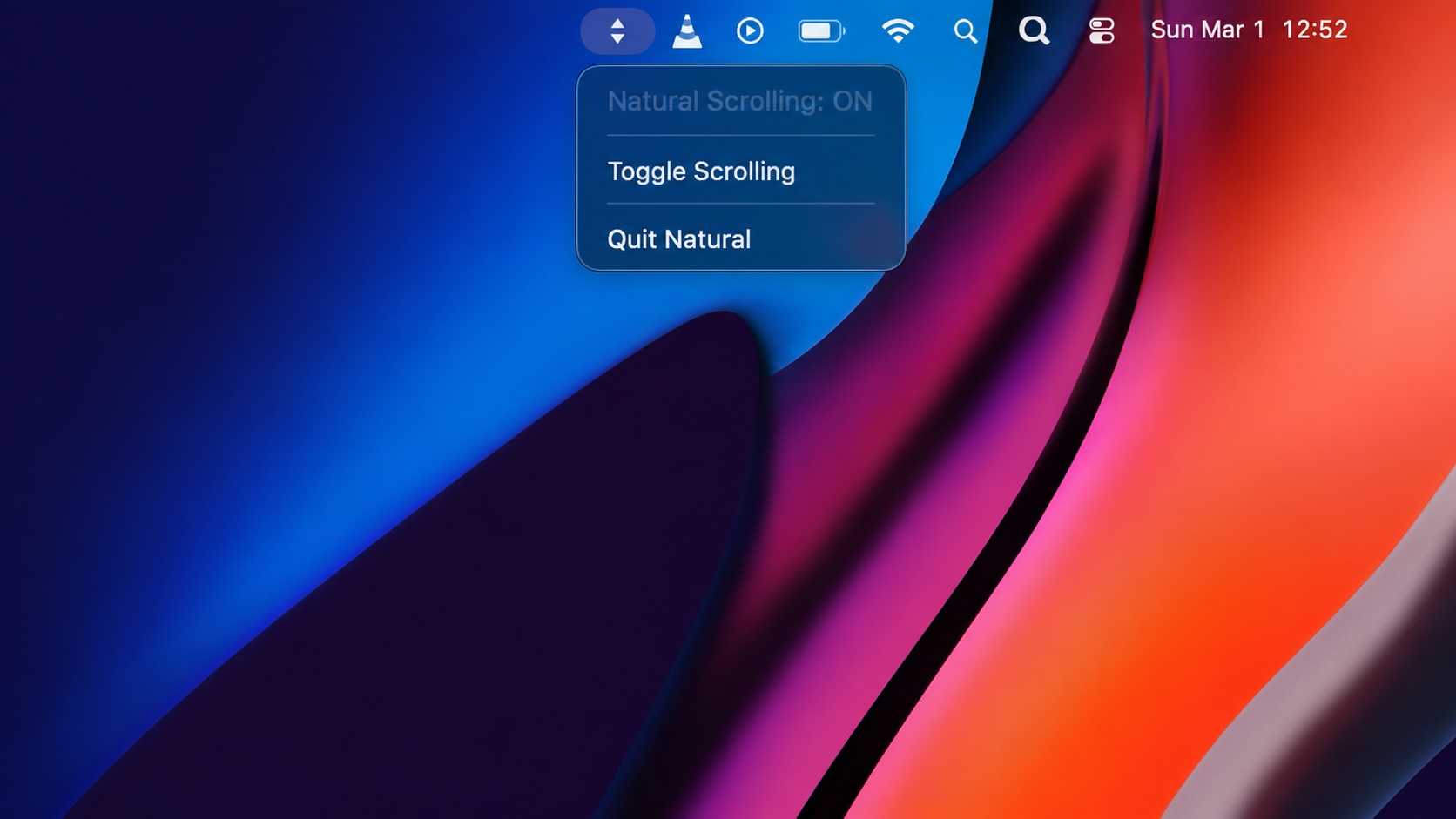
Natural Makes the macOS Scroll Direction Toggle Less Buried
Natural is a small macOS menu bar utility that makes the natural scrolling toggle easy to reach, but building it from source also shows why open-source desktop utilities need clear prerequisite checks before they become recommended tools.
Why Mac Performance Monitor Belongs in the Mac Admin Toolbox
Mac Performance Monitor belongs in the Mac admin toolbox because it records local performance history, helps Help Desk review slow-Mac reports after the moment has passed, and keeps process telemetry on the Mac instead of sending it to a cloud service.

Jamf Moves Platform SSO Into the Enrollment Gate
Jamf's attended Simplified Setup for Platform SSO changes Mac enrollment by making identity registration part of Setup Assistant before the MDM profile is installed.

ClickLock Shows Why Terminal Paste Is a Mac Security Boundary
ClickLock Stealer shows why Mac security teams should watch for Terminal paste lures, fake AppleScript password prompts, command-line Keychain access, LaunchAgent persistence, and Jamf Protect alerts that can route suspected Macs into Jamf Pro response groups.
Deploying DDM OS Reminder 4.0.0 in Jamf
DDM OS Reminder 4.0.0 is deployed as two separate pieces in Jamf: a managed preferences profile and a one-time installer script that creates the reminder script, starter script, and LaunchDaemon heartbeat on the Mac.
Using Mac Health Check 4.0.0 for Self-Service Compliance and Reporting
Mac Health Check 4.0.0 gives MDM administrators a Self Service workflow for showing managed Mac health, generating local JSON, and optionally feeding Splunk reporting.
