

Configuration profiles are easy to copy and hard to trust. A Mac admin can export a .mobileconfig, edit XML, move it between MDMs, paste keys from a vendor article, and still end up with a profile that looks reasonable but does not match the platform schema or the intended organization naming pattern.
That problem gets more complicated as AI enters the workflow. If an AI agent helps generate a profile, a DDM declaration, a PPPC payload, or a Santa configuration, I do not want the final check for sanity or quality control to be “the XML looks correct.” I want a tool that knows the schema, validates the output, and gives me a repeatable artifact I can review.
Contour is interesting because it is built with these kinds of checks in mind. It is a MacAdmins hosted configuration toolkit for Apple device management. The README describes a CLI that can normalize existing profiles, generate new .mobileconfig profiles and Declarative Device Management JSON declarations, render reusable TOML recipes, validate output against Apple’s device-management schema, and expose command help in a way an AI agent can consume without pulling the entire documentation set into context.
Pretty cool concept, especially since using AI as a tool in this space is both new and also being widely adopted.
What gets installed
The current local test used the contour-0.4.0-beta.4 package installer. The installer presents as a standard macOS package.
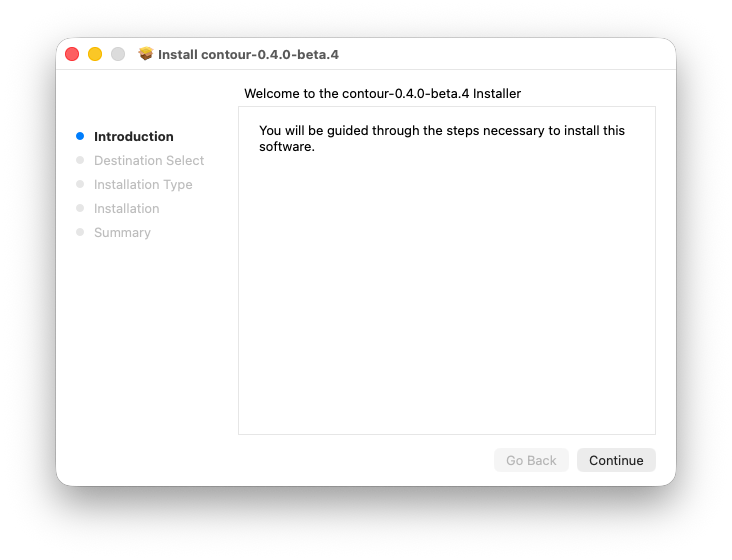
The installer reports a standard install on Macintosh HD and shows an installed size of 26.7 MB.
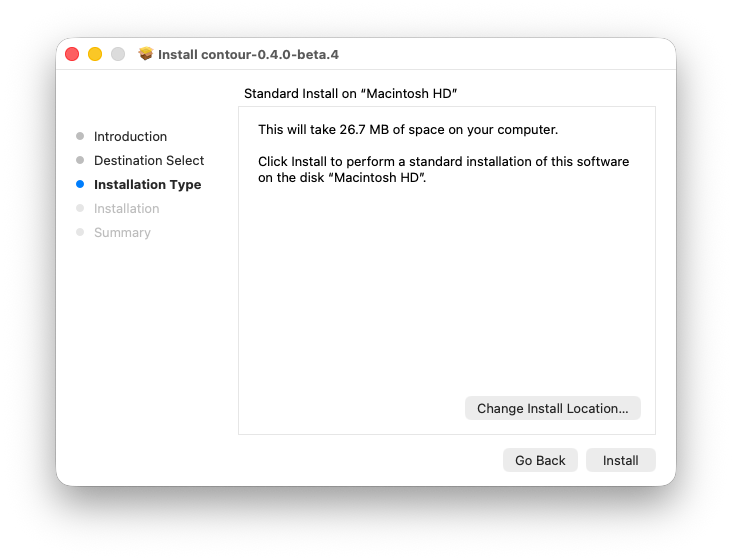
After installation, the package completes and you can keep or trash it. I typically keep these if needed.
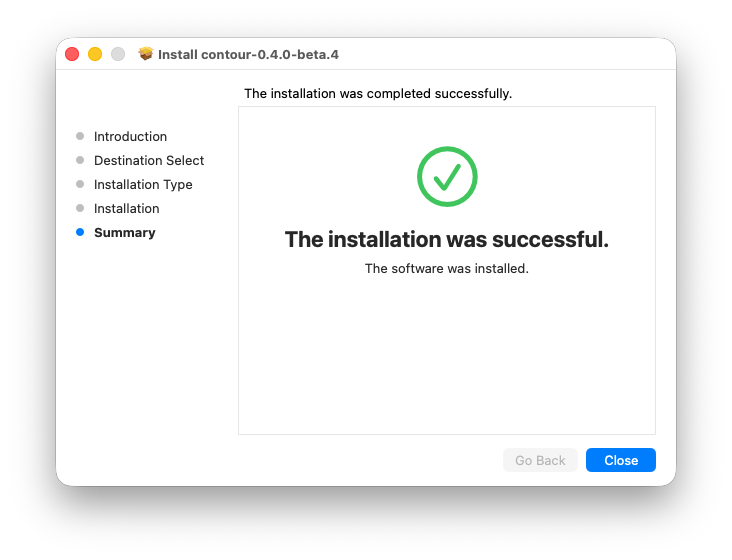
The release notes for Contour 0.4.0-beta.4 the binary is signed and notarized, and that the package is signed, notarized, and stapled. It does not remove the need for testing, but it is important to know its trusted and validated.
Contour has a great MAN page that you can access via CLI:
contour --help
The local help output identifies Contour as a macOS MDM configuration toolkit and shows the major command groups:
profile        Apple configuration profile toolkit
pppc           Privacy/PPPC mobileconfig profile toolkit
santa          Santa mobileconfig profile toolkit
mscp           mSCP baseline transformation toolkit
support        Root3 Support App profile generator
btm            Background Task Management service management profiles
notifications  Notification settings profile toolkit
osquery        Query embedded osquery table/column schema
init           Initialize contour configuration for this repository
trainer        Interactive training mode
help-agents    Output CLI reference for AI agents
find           Fuzzy-search commands by term
setup-agent    Install AI agent skill file
completions    Shell completions
Contour is not only a profile linter. It is a local toolkit for common Mac admin configuration artifacts.
Why schema matters
Apple publishes Device Management Client schema data for MDM and Declarative Device Management. The repository includes MDM commands, check-in requests, profiles, errors, DDM declarations, status items, and related data formats. Contour’s README says that Apple’s official device-management schema is embedded in the binary and used to validate generated artifacts.
Its important to note that if a profile is going to make changes to the configuration to a Mac or iOS device, the admin should be able to prove that the payload matches the platform schema before it reaches the MDM. If a DDM declaration is generated from a prompt, recipe, or template, the validation step should reject invented keys, malformed payloads, and unsupported structures.
For existing profiles, the README’s first use case is postprocessing. A single file can be normalized:
contour profile normalize ./restrictions.mobileconfig --org com.acme --name "Acme Corp"
A whole directory can be processed recursively with a report:
contour profile normalize ./profiles -r --org com.acme --name "Acme Corp" --report normalize.md
That is useful because exported profiles tend to collect inconsistent payload identifiers, organization names, UUIDs, signing leftovers, and formatting noise. If the output becomes deterministic, a profile change can be reviewed as a real diff instead of a wall of accidental XML churn.
The README also calls out typed exit codes and JSON output. That is exactly what I want in CI:
contour profile normalize ./profiles -r \
  --org com.example \
  --name "Example Org" \
  --report contour-normalize.md \
  --json
If validation fails, the automation should fail. If it passes, the report belongs in the pull request so the reviewer can see what changed and why.
Generating profiles and DDM declarations
Contour’s second major use case is generation. Instead of hand-editing XML, an admin can search for a payload type, inspect what is required, and generate a profile:
contour init
contour profile search passcode --json
contour profile generate com.apple.mobiledevice.passwordpolicy \
  --full \
  --org com.example \
  -o passcode.mobileconfig
For DDM, the workflow is similar:
contour profile ddm search passcode --json
contour profile ddm info passcode.settings --json
contour profile ddm generate passcode.settings \
  --full \
  --org com.example \
  -o declarations/passcode.settings.json
contour profile ddm validate declarations/passcode.settings.json
The point is not that every admin should generate passcode policy this way. The point is that schema-driven generation changes the review model. Instead of asking whether a block of XML looks like a profile, I can ask:
- Which payload type was selected?
- Which organization identifier was applied?
- Which values were set?
- Did validation pass?
- Is the generated artifact deterministic enough to review in Git?
The toolkits make the project more useful
There are a variety of toolkits baked into this tool and that is really cool to see since the Mac Admins community tends to mix and match approaches based on needs and use cases.
The pppc toolkit points at one of the most failure-prone Mac admin areas: Privacy Preferences Policy Control. A PPPC profile has to identify the right app, code requirement, service, and authorization behavior. Mistakes often look fine until the app prompts anyway or the profile silently does not cover the real binary.
The santa toolkit matters for teams using Santa, Google’s macOS binary authorization and monitoring system. Santa configuration is security-sensitive because the rules determine what software is allowed, blocked, monitored, or placed into rollout rings.
The mscp toolkit connects to the macOS Security Compliance Project, which generates profiles, DDM assets, documentation, and compliance scripts for Apple platform security baselines. That is not a casual configuration domain. If a tool can transform or validate mSCP artifacts in a repeatable way, it can make compliance review less hand-edited and easier to prove.
Background Task Management and notifications are also import to call out. These are payloads where small mistakes create user-visible behavior, missing prompts, or incorrect management signals. A schema-aware generator is useful because the admin can focus on intent and review instead of remembering every payload key from scratch.
The osquery schema lookup is a different kind of helper, but I like seeing it in the same binary. If I am building a configuration, validation, or compliance workflow, I often need to know whether the endpoint data I want exists in osquery and what the table shape looks like. Keeping that discovery local reduces context switching.
Where AI fits without taking over
Contour’s documentation is direct about AI agent usage. The tool is a CLI, not an MCP server. The agent shells out to contour, asks for the narrow help or schema slice it needs, and receives machine-readable output. The schema lives inside the binary, so the agent does not need repeated remote fetches or a large pinned documentation context.
Thats important as I do not want an AI assistant inventing profile keys from memory. I want it to discover commands through the tool, generate an artifact through the tool, validate the artifact through the tool, and leave me with a small diff and a report.
A realistic prompt to an agent would not be “make me a security profile.” It would be more specific:
Use /usr/local/bin/contour. Start with contour help-ai --sop profile.
Generate a passcode configuration profile for org com.example that requires
12 or more characters and disallows simple passcodes. Save it under profiles/.
Validate it and produce a markdown report.
The admin still owns the policy decision. Contour owns the schema-aware mechanics. The assistant owns the repetitive command execution. That split is much safer than treating generated XML as finished policy.
How I would pilot it
I would not start by handing Contour the hardest profile in the environment. I would start with a disposable repo and a few known artifacts:
mkdir contour-lab
cd contour-lab
contour init
mkdir profiles declarations reports
Then I would copy in a small existing profile, normalize it, and inspect the diff:
contour profile normalize ./profiles -r \
  --org com.example \
  --name "Example Org" \
  --report reports/normalize.md
The acceptance test is not only “the command ran.” I want to know whether the output remains deployable, whether the identifier changes are expected, whether placeholders are preserved, and whether the report explains the changes well enough for a reviewer.
After that, I would test a generated profile and a DDM declaration. Only when those look clean would I move to PPPC, Santa, mSCP, BTM, notifications, or support app profiles.
For a Jamf environment, Contour would sit before the upload step. It creates, normalizes, validates, and reports. Jamf, SimpleMDM, Kandji, Mosyle, Intune, or another MDM still delivers the artifact. Keeping those roles separate is important because a valid profile is not the same thing as a correct scope, deployment ring, or user communication plan.
Why this is so powerful
Mac admin work is moving toward a combination of declarative management, generated artifacts, Git-based review, and AI-assisted operations. That only works if the generated output is constrained by something stronger than fluent text.
Contour’s value is that it gives the workflow a local, schema-aware checkpoint. Existing profiles can be normalized. New profiles and DDM declarations can be generated from a repeatable recipe. Toolkits cover PPPC, Santa, mSCP, Background Task Management, notifications, support app profiles, and osquery schema lookup. The AI path is constrained by command discovery and validation instead of broad memory.
This is key, for me and my workflow I want to use AI as a tool not to replace my job. Let the assistant help with the repetitive work. Let the CLI enforce the schema. Let the admin review the intent, diff, deployment scope, and failure modes before anything reaches production.
Sources
- Contour GitHub repository
- Contour releases
- Apple Device Management Client Schema
- macOS Security Compliance Project
- Santa GitHub repository
- Mac Admins Open Source
AI Usage Transparency Report
AI Era · Written during widespread use of AI tools
AI Signal Composition
Score: 0.28 · Moderate AI Influence
Summary
Contour is a MacAdmins hosted configuration toolkit for Apple device management that can normalize existing profiles, generate new mobileconfig profiles and Declarative Device Management JSON declarations, render reusable TOML recipes, validate output against Apple's device-management schema, and expose command help in a way an AI agent can consume without pulling the entire documentation set into context.
Related Posts

When Chromium Mistakes Your VPN for a Local Network
Turning off Jamf Trust fixed the webinar, which normally would have sent me straight to its routing policies. This time the route was fine: Chromium was treating Jamf's ZTNA broker addresses as a local network, and an Edge and Chrome preference corrected it.

Amnesia Stealer Shows the Next Stage of ClickFix on macOS
Amnesia Stealer shows how ClickFix-style social engineering is adapting on macOS, while a public malware sample gives defenders an opportunity to study the behavior behind the campaign.
Apple Software Updates Need a Blueprint Before the MDM Commands Fade
Apple software update management is moving away from command-first MDM workflows. Jamf Blueprints and Declarative Device Management give Mac admins a better place to express update intent, scope, enforcement, and visibility.

Three Mac Update Helpers That Fit Below a Patch Platform
Latest, Applite, and an all-in-one macOS update script each solve a different part of lightweight Mac maintenance: app update visibility, Homebrew-backed app management, and command-line package updates that can be wrapped carefully for small teams or basic MDM.
Natural Makes the macOS Scroll Direction Toggle Less Buried
Natural is a small macOS menu bar utility that makes the natural scrolling toggle easy to reach, but building it from source also shows why open-source desktop utilities need clear prerequisite checks before they become recommended tools.
Why Mac Performance Monitor Belongs in the Mac Admin Toolbox
Mac Performance Monitor belongs in the Mac admin toolbox because it records local performance history, helps Help Desk review slow-Mac reports after the moment has passed, and keeps process telemetry on the Mac instead of sending it to a cloud service.

Jamf Moves Platform SSO Into the Enrollment Gate
Jamf's attended Simplified Setup for Platform SSO changes Mac enrollment by making identity registration part of Setup Assistant before the MDM profile is installed.
ClickLock Shows Why Terminal Paste Is a Mac Security Boundary
ClickLock Stealer shows why Mac security teams should watch for Terminal paste lures, fake AppleScript password prompts, command-line Keychain access, LaunchAgent persistence, and Jamf Protect alerts that can route suspected Macs into Jamf Pro response groups.
Deploying DDM OS Reminder 4.0.0 in Jamf
DDM OS Reminder 4.0.0 is deployed as two separate pieces in Jamf: a managed preferences profile and a one-time installer script that creates the reminder script, starter script, and LaunchDaemon heartbeat on the Mac.
Using Mac Health Check 4.0.0 for Self-Service Compliance and Reporting
Mac Health Check 4.0.0 gives MDM administrators a Self Service workflow for showing managed Mac health, generating local JSON, and optionally feeding Splunk reporting.
