

There are plenty of ways to manage software updates on a Mac. At the enterprise end, I expect a real patch platform, managed software updates, App Installers, vendor tooling, reporting, testing rings, user communication, and enforcement. Tools like Automox, Jamf, Addigy, Kandji, Munki, AutoPkg, and other patch workflows exist for a reason.
This is not about replacing that.
This is about the layer underneath it: the personal workstation, the lab Mac, the developer machine, the small business with basic MDM, or the lightly managed fleet where the admin wants something better than telling people to click through every app manually.
I tested three tools that fit that space in different ways: Latest, Applite, and andmpel’s All-In-One macOS Update Script. Latest answers “what GUI apps need attention?” Applite answers “can I manage Homebrew apps through a store-like interface?” The script answers “can I update the command-line toolchain from one repeatable command?”
Latest is the quick update check
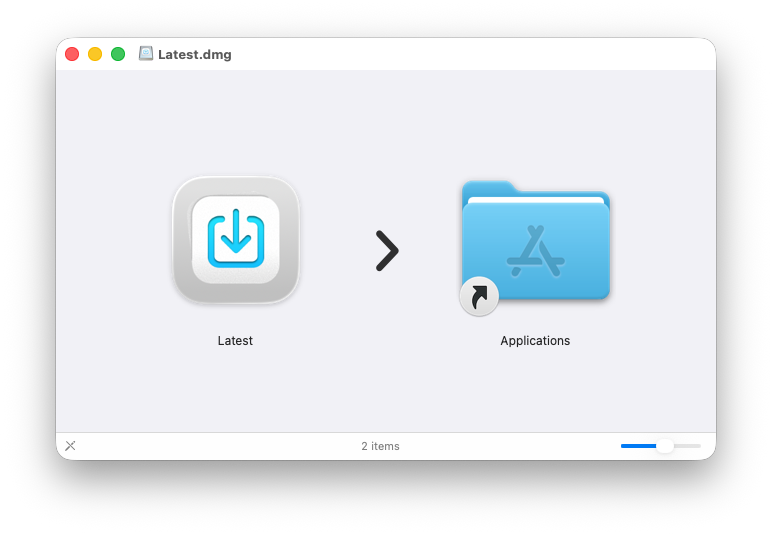
Latest installs like a normal Mac app: mount the DMG and drag it to Applications.
The app scans installed applications and separates update candidates from installed apps. In my test, it found one available update: Glyphs Mini, moving from 2.1.14 to 2.1.15. The right pane showed release notes for the selected app instead of just giving me a blind Update button.
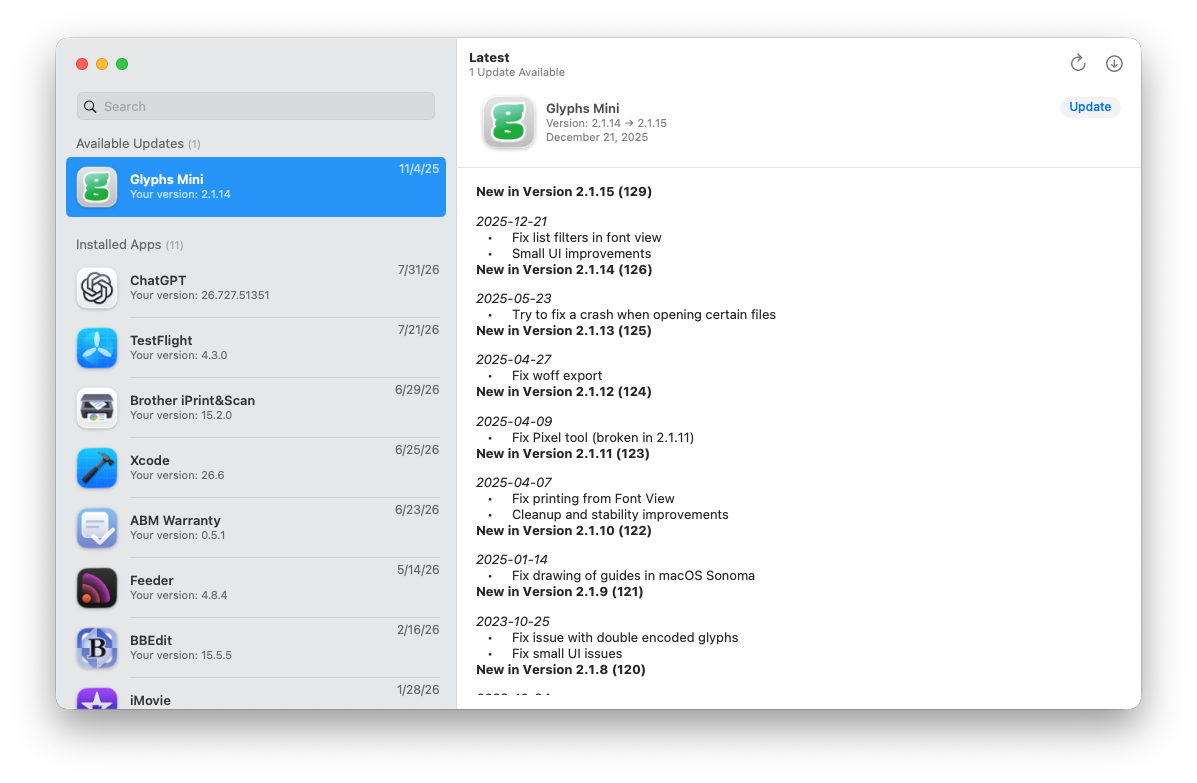
It is not a patch platform. It is a visibility tool for apps that expose update information in a way Latest can understand. The project says it supports Mac App Store apps and Sparkle-based apps, which explains why it is useful for a personal Mac or lab Mac but not enough for a compliance report.
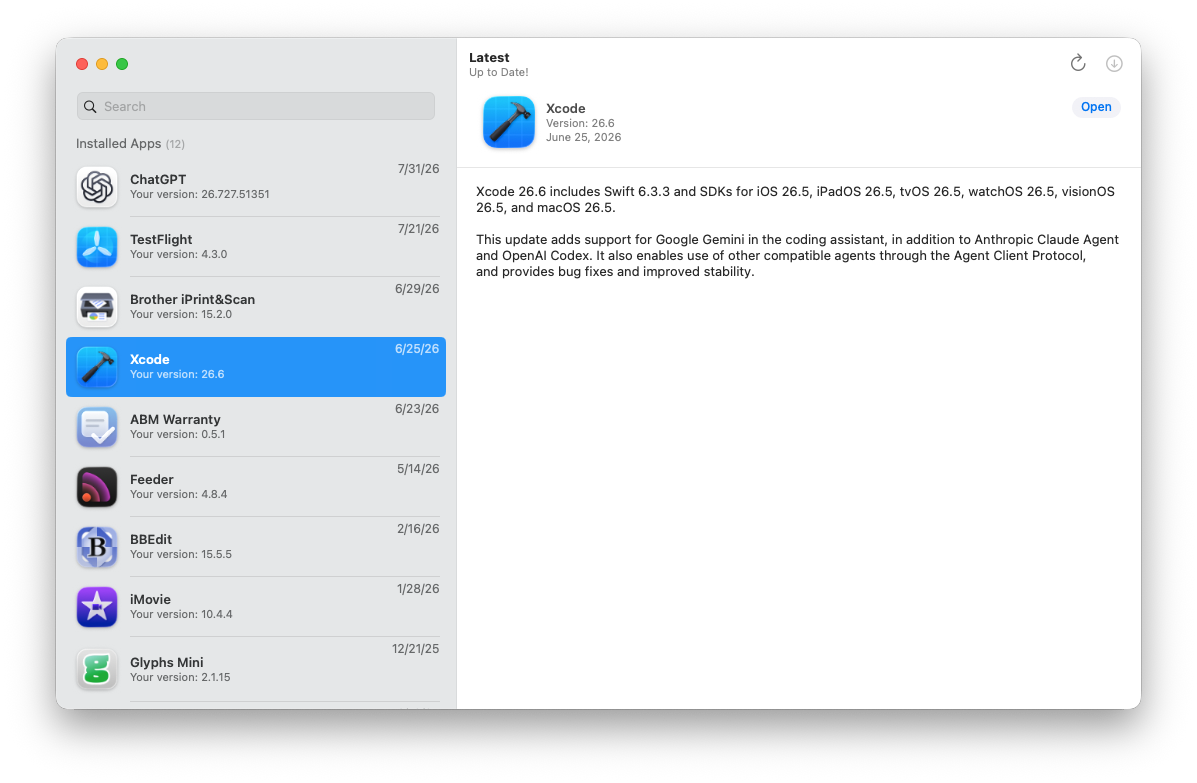
After updating Glyphs Mini, Latest showed the Mac as up to date. Selecting Xcode showed the installed version and release notes. That is a nice lightweight check because it gives me one place to inspect app update state without opening every application.
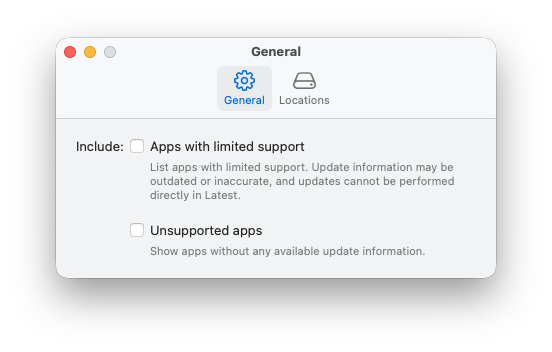
The preferences are also worth looking at. Latest can include apps with limited support and unsupported apps, but it tells you what that means: update information may be outdated or inaccurate, and unsupported apps cannot be updated directly in Latest.
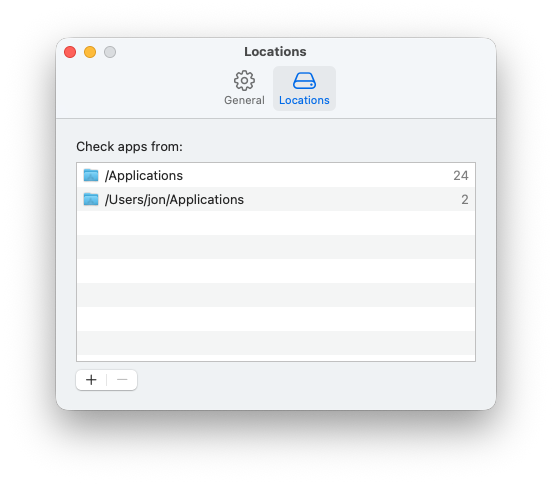
The locations preference is just as important. Latest was checking /Applications and the user-level ~/Applications folder, which is exactly the kind of detail I want visible. If a tool only scans one app folder, the result can look clean while user-installed apps are ignored.
That is the boundary for Latest: great for quick GUI app visibility, release notes, and one-off user-driven updates; not enough for enforced patch policy, vulnerability prioritization, or fleet proof.
Applite is the Homebrew app store layer
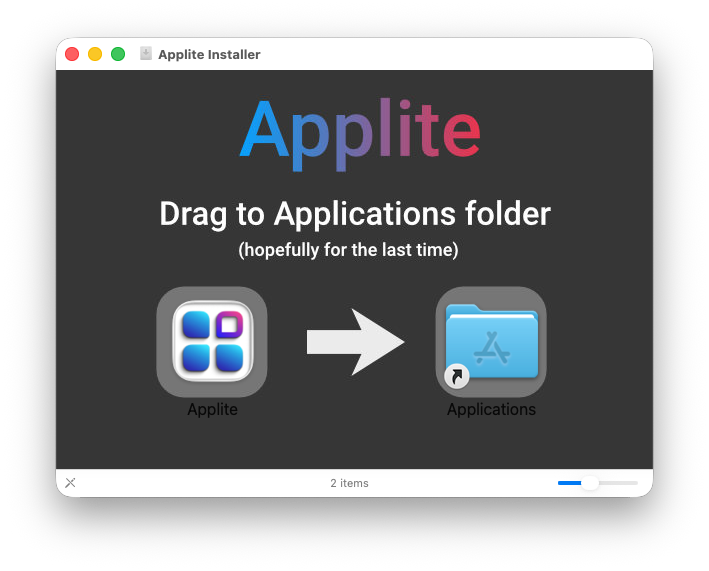
Applite also installs by dragging the app to Applications, but the app is really a graphical front end to Homebrew-backed app management.
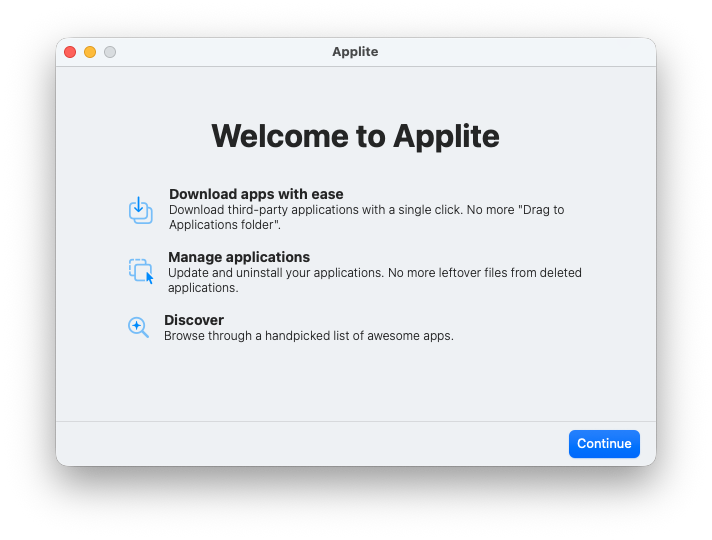
The welcome screen explains the pitch plainly: download third-party apps with a single click, manage applications, and discover apps through a handpicked list.
Applite detected the existing Homebrew installation at /opt/homebrew/ and offered three choices: use that brew path, use a different brew path, or install a separate brew for Applite.
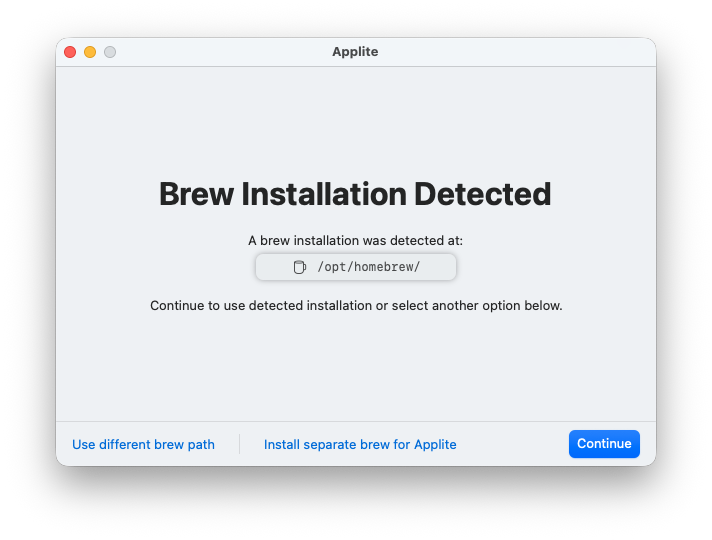
If the Mac already uses Homebrew, Applite can sit on top of that model. If I want to isolate Applite, it can create its own Homebrew installation under the user’s Application Support folder. The product site documents that choice and makes the tradeoff visible.
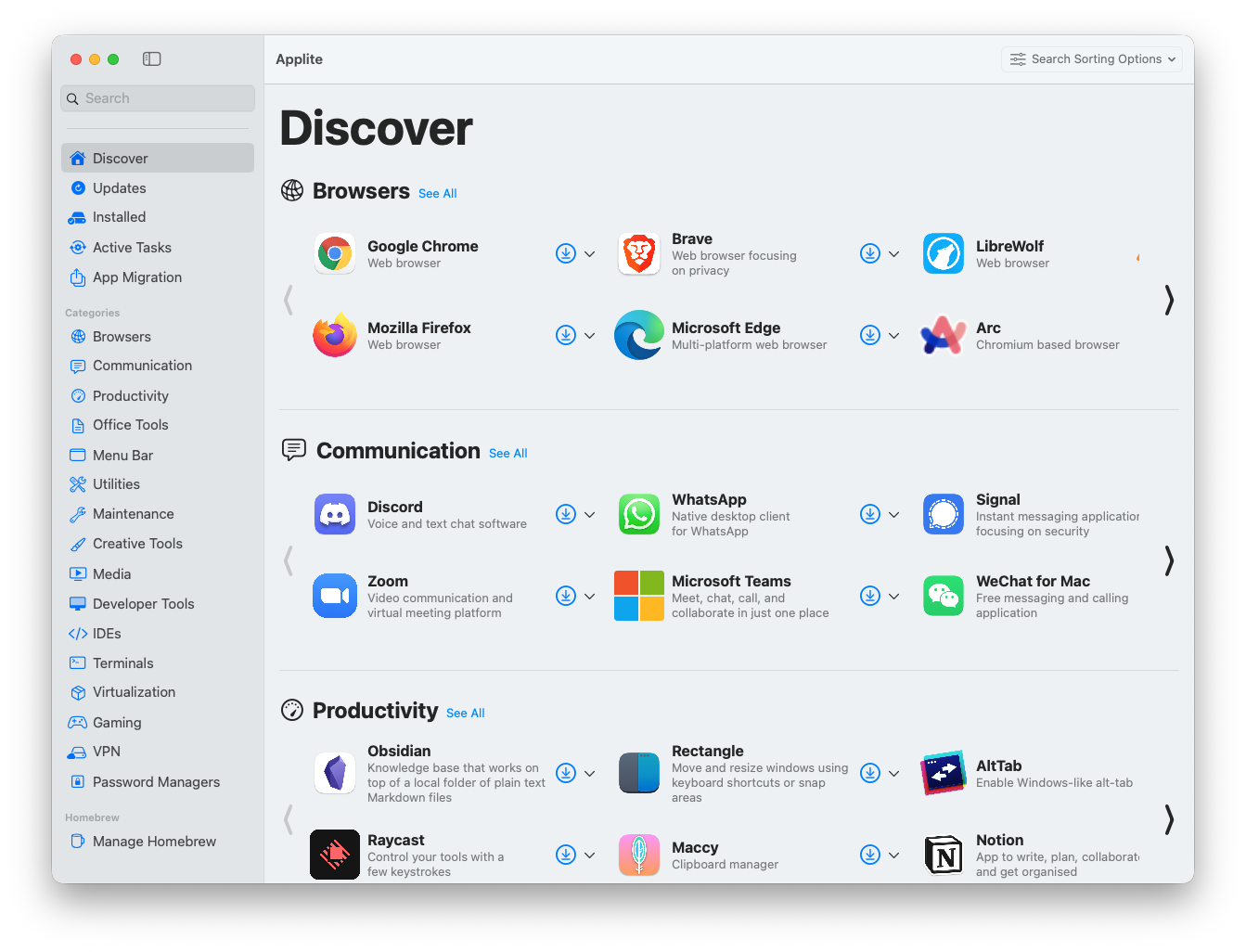
Once setup finished, Applite opened into a proper app-browsing experience.
The Discover view is why this is appealing for a small environment. It looks and behaves like a lightweight store: browsers, communication apps, productivity apps, office tools, menu bar apps, utilities, maintenance tools, developer tools, terminals, virtualization, VPN, password managers, and more. The screenshot shows common apps like Chrome, Brave, LibreWolf, Firefox, Edge, Arc, Discord, WhatsApp, Signal, Zoom, Teams, Obsidian, Rectangle, AltTab, Raycast, Maccy, and Notion.
For a user who should not have to learn brew install --cask, this is a useful interface. For an admin, it is useful because the underlying model is still Homebrew. I can reason about it, audit it, and explain it.
The Manage Homebrew screen shows the local Homebrew version and how many apps Applite has installed. In this test it showed Homebrew 6.0.14 and one app installed. It also exposed an Update Homebrew action and an Install Separate Brew action, with warnings about how reinstalling Applite’s Homebrew would unlink currently installed apps from Applite management.
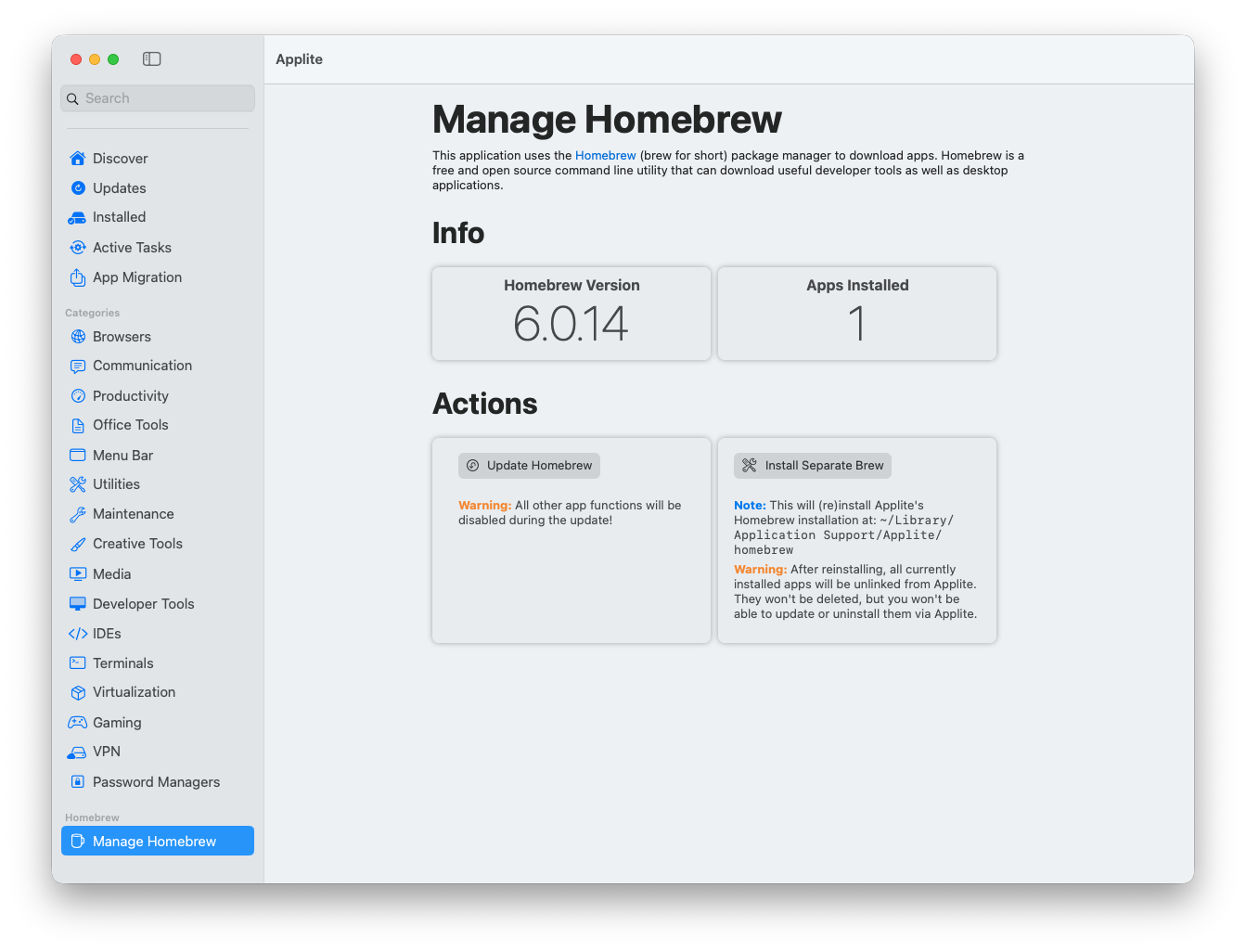
That warning is the kind of thing I want in the UI. It makes the state relationship visible: Homebrew can exist outside Applite, Applite can manage apps installed through its flow, and changing the brew foundation affects what Applite can update or uninstall.
The Updates view had no updates available, but it showed a Greedy Upgrade option. The tooltip explains the important behavior: enabling greedy upgrade lists all outdated apps, even those with built-in update mechanisms that normally handle themselves.
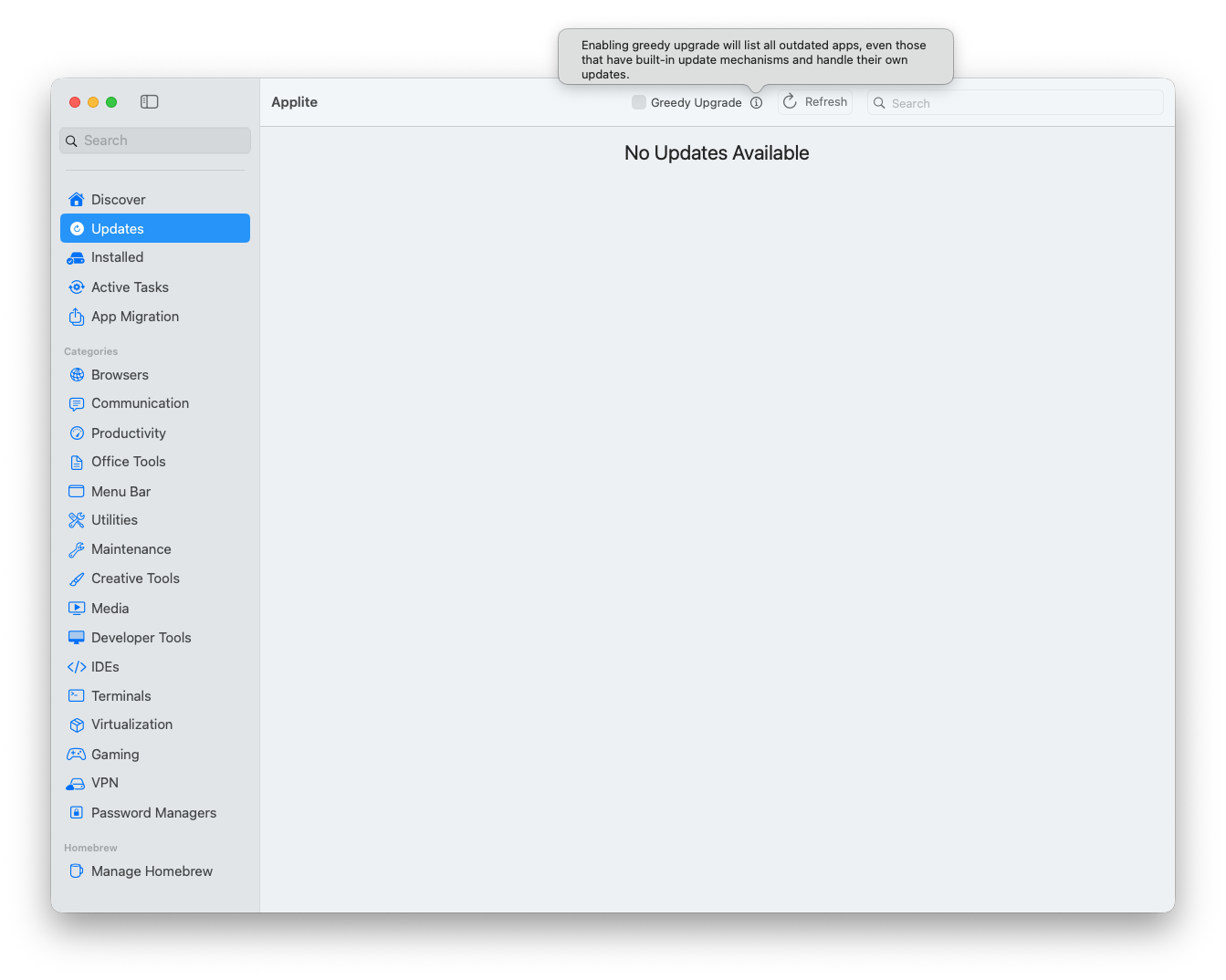
That is powerful, but it is also where I would be cautious. For some apps, letting the vendor’s built-in updater handle the app is normal. Greedy upgrade is useful when I want Homebrew to take over more aggressively, but I would not flip that switch blindly across a managed fleet.
Applite also has an App Migration view that can export apps installed by Applite and import them on another device. The screen notes that apps can also be imported from a Brewfile, while only casks are installed and formulae/taps are skipped.
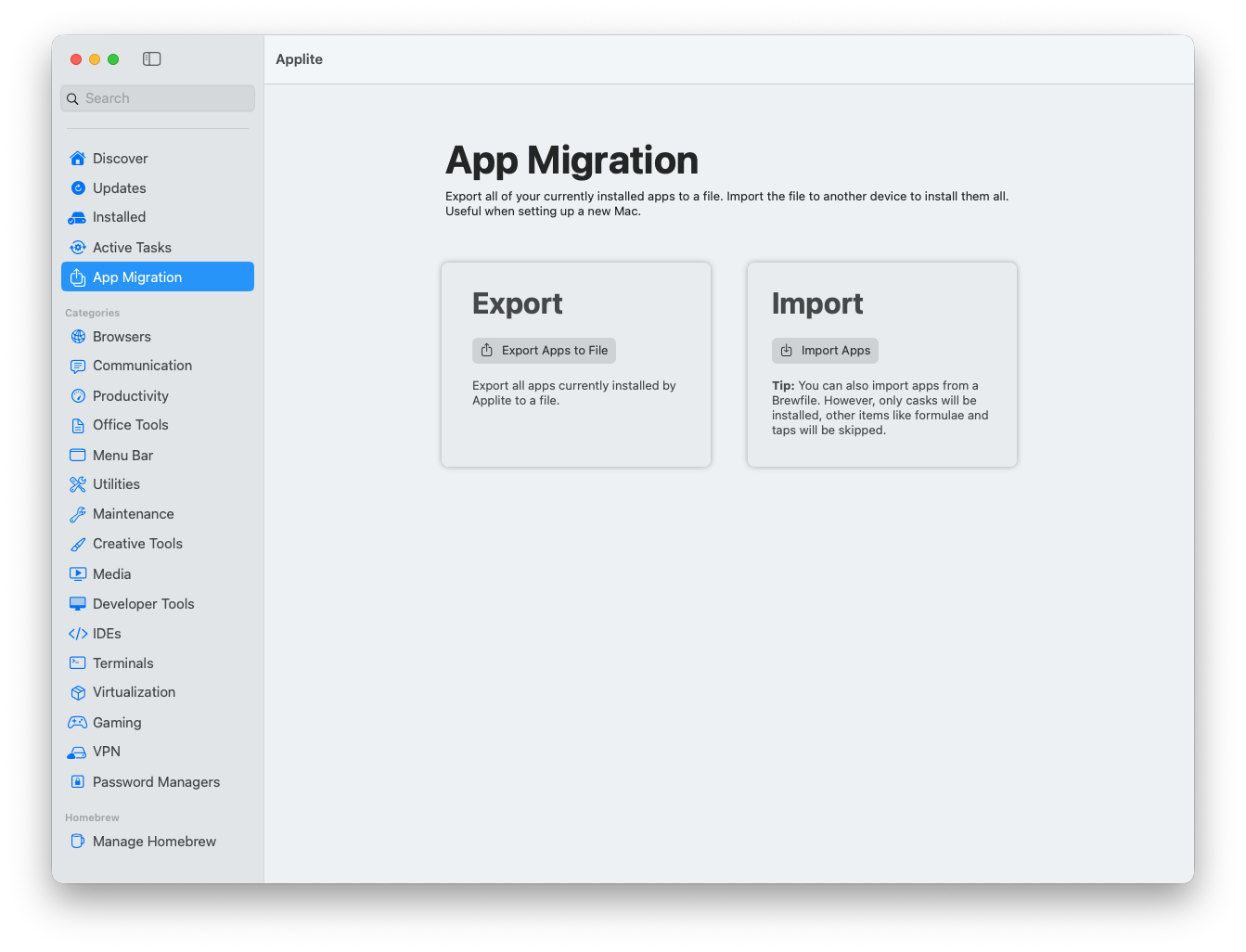
That makes Applite interesting for a new personal Mac, a lab rebuild, or a small team standard app set. It is not the same thing as MDM scoping, licensing control, or patch compliance, but it is a lot friendlier than handing someone a pile of Homebrew commands.
The script is for the command-line sprawl
Latest and Applite are GUI-centered. The All-In-One macOS Update Script goes after the part of Mac maintenance that usually lives in Terminal.
The installer adds an update alias to .zshrc:
curl -fsSL https://raw.githubusercontent.com/andmpel/MacOS-All-In-One-Update-Script/HEAD/install.sh | zsh
source ~/.zshrc
update
The script is not just running softwareupdate. The repository lists these supported update surfaces:
Homebrew formulas and casks: brew
VS Code extensions: code
Node packages: npm
Ruby gems: gem
Yarn packages: yarn
Rust packages: cargo
App Store applications: mas
macOS system updates and patches: softwareupdate
That is why I like the idea. A developer or Mac admin workstation can have useful tools scattered across Homebrew, npm, Cargo, App Store, VS Code extensions, and Apple’s software update system. Those do not naturally show up in one place.
The local run was useful because it showed both the value and the rough edges. Homebrew was already up to date, but it found five outdated packages:
openssl@4  4.0.0  -> 4.0.1
go         1.26.1 -> 1.26.5
gh         2.92.0 -> 2.97.0
jq         1.8.1  -> 1.8.2
mole       1.32.0 -> 1.49.1
It upgraded them, ran cleanup, and freed about 53 MB of disk space. That is the useful part: a single maintenance command caught Homebrew formula updates that matter on an admin workstation.
The same run also showed the missing-tool reality:
Updating VSCode Extensions
code is not installed.

Updating Gems
gem is not installed.

Updating Yarn Packages
yarn is not installed.

Updating App Store Applications
mas is not installed.
That output is not a failure by itself. It tells me which update surfaces exist on the Mac and which ones do not. On a personal workstation, that is fine. In an MDM script, I would probably make those checks quieter or more explicit so the log is easier to read.
The Cargo section did produce a real issue:
Updating Rust Cargo Crates
error: no such command: `install-update`

help: view all installed commands with `cargo --list`
help: find a package to install `install-update` with `cargo search cargo-install-update`
That tells me the script expects the cargo install-update subcommand, which is provided by cargo-update. If I wanted Cargo updates in this workflow, I would make that prerequisite explicit:
cargo install cargo-update
cargo install-update -a
The script eventually reached macOS software update and downloaded macOS Tahoe 26.6:
Updating MacOS
Software Update Tool

Finding available software
Downloading macOS Tahoe 26.6
Password:
Downloading: 100.00%
That is useful visibility from one command. The script can show that macOS itself has an available update while also handling the smaller maintenance items that usually sit outside the operating system update conversation: Homebrew packages, npm globals, Cargo tools, App Store helpers, and other developer utilities. Even when I would still manage macOS deadlines somewhere else, having the script surface the available softwareupdate result alongside the rest of the toolchain gives me a cleaner picture of what is stale on the Mac.
The flexibility is the point
What I like about this group of tools is not that any one of them solves updates completely. It is that each one exposes a different part of the update problem without forcing everything into the same model.
Latest is clean because it stays focused on visibility. It shows the app, the installed version, the available version, and the release notes. The downside is the same as the benefit: it depends on the update sources it can understand. App Store and Sparkle coverage is useful, but it is not the same thing as full inventory, CVE-aware prioritization, or compliance reporting.
Applite is more flexible because it turns Homebrew casks into something approachable. The benefit is the interface: discovery, updates, Homebrew status, app migration, and a visible choice between an existing brew path and a separate Applite-managed brew. The tradeoff is that Homebrew is still the foundation. That gives the workflow transparency and portability, but it also means the app inherits Homebrew’s assumptions, cask behavior, and trust model.
The script is the most flexible tool and also reaches the widest surface. Homebrew, npm, Cargo, Ruby gems, Yarn, VS Code extensions, App Store apps, and softwareupdate do not normally sit behind one command. The benefit is consolidation. The tradeoff is control. A script that touches that many update systems needs editing, logging, and clear boundaries before I would treat it as anything more than a useful local maintenance helper.
That is why these tools are interesting together. Latest gives visibility. Applite gives a friendlier Homebrew path. The script gives a flexible terminal-driven update sweep. None of that replaces a managed patch platform, but it does make the smaller update jobs easier to see, test, and adapt.
Sources
- Latest project site
- Latest GitHub repository
- Applite project site
- All-In-One macOS Update Script
- cargo-update GitHub repository
- mas command-line interface
- Jamf: Running Scripts Using a Policy
- Jamf: Keeping Macs up-to-date with Jamf Pro
- SimpleMDM: Scheduled scripts and auto attributes
AI Usage Transparency Report
AI Era · Written during widespread use of AI tools
AI Signal Composition
Score: 0.26 · Moderate AI Influence
Summary
The article discusses three tools for managing software updates on a Mac: Latest, Applite, and All-In-One macOS Update Script. Latest is a quick update check that provides visibility into app update state without opening every application. Applite is a Homebrew app store layer that allows users to download third-party apps with a single click and manage applications through a handpicked list.
Related Posts

When Chromium Mistakes Your VPN for a Local Network
Turning off Jamf Trust fixed the webinar, which normally would have sent me straight to its routing policies. This time the route was fine: Chromium was treating Jamf's ZTNA broker addresses as a local network, and an Edge and Chrome preference corrected it.

Amnesia Stealer Shows the Next Stage of ClickFix on macOS
Amnesia Stealer shows how ClickFix-style social engineering is adapting on macOS, while a public malware sample gives defenders an opportunity to study the behavior behind the campaign.
Apple Software Updates Need a Blueprint Before the MDM Commands Fade
Apple software update management is moving away from command-first MDM workflows. Jamf Blueprints and Declarative Device Management give Mac admins a better place to express update intent, scope, enforcement, and visibility.

Contour Brings Schema Checks to Mac Admin Configuration Work
Contour is a MacAdmins configuration toolkit that brings schema validation, repeatable generation, normalization, and AI-agent-safe command discovery to Apple configuration profiles, DDM declarations, PPPC, Santa, mSCP, Background Task Management, notifications, support app profiles, and osquery schema lookup.
Natural Makes the macOS Scroll Direction Toggle Less Buried
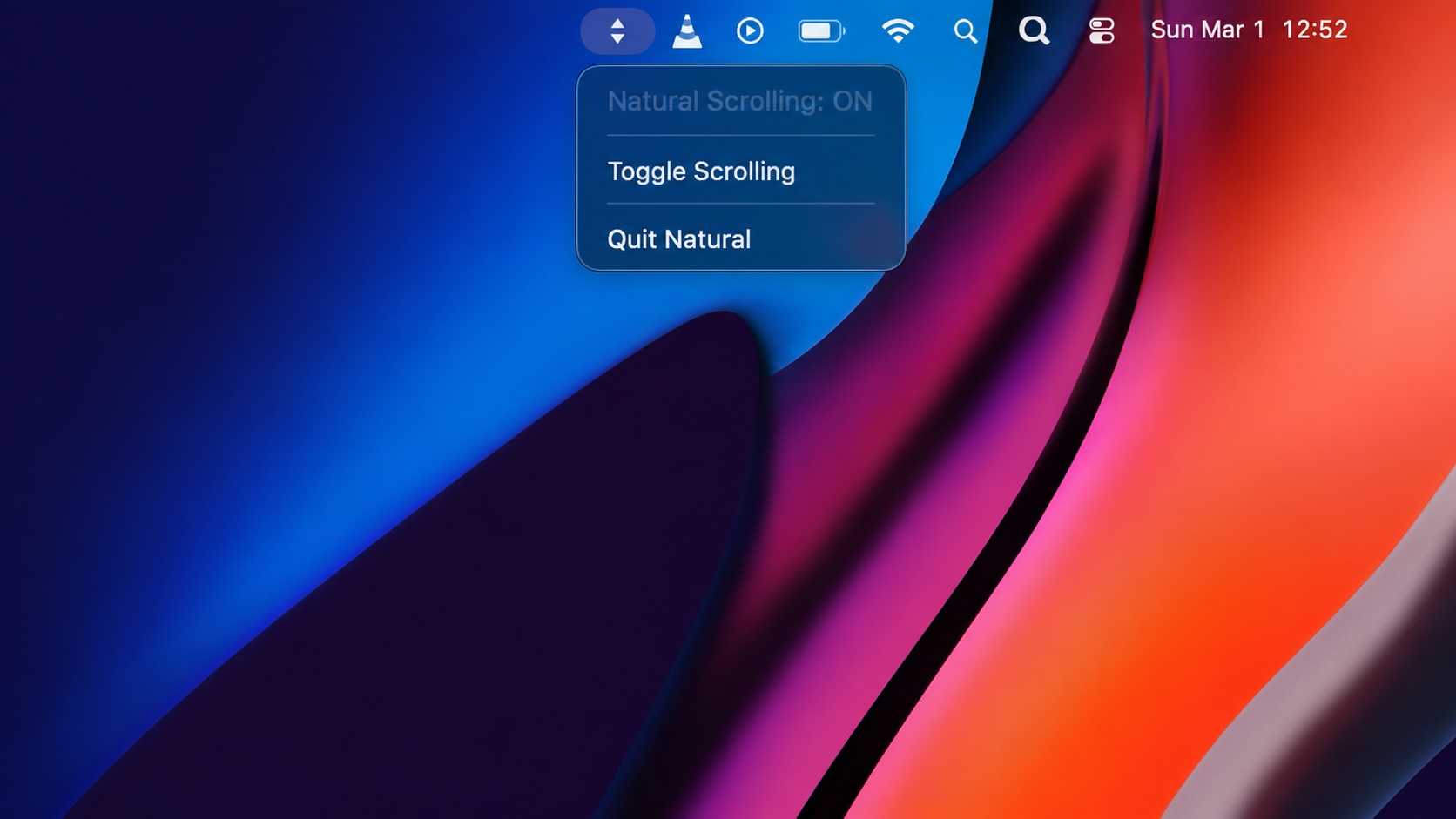
Natural is a small macOS menu bar utility that makes the natural scrolling toggle easy to reach, but building it from source also shows why open-source desktop utilities need clear prerequisite checks before they become recommended tools.

Why Mac Performance Monitor Belongs in the Mac Admin Toolbox
Mac Performance Monitor belongs in the Mac admin toolbox because it records local performance history, helps Help Desk review slow-Mac reports after the moment has passed, and keeps process telemetry on the Mac instead of sending it to a cloud service.

Jamf Moves Platform SSO Into the Enrollment Gate
Jamf's attended Simplified Setup for Platform SSO changes Mac enrollment by making identity registration part of Setup Assistant before the MDM profile is installed.

ClickLock Shows Why Terminal Paste Is a Mac Security Boundary
ClickLock Stealer shows why Mac security teams should watch for Terminal paste lures, fake AppleScript password prompts, command-line Keychain access, LaunchAgent persistence, and Jamf Protect alerts that can route suspected Macs into Jamf Pro response groups.
Deploying DDM OS Reminder 4.0.0 in Jamf
DDM OS Reminder 4.0.0 is deployed as two separate pieces in Jamf: a managed preferences profile and a one-time installer script that creates the reminder script, starter script, and LaunchDaemon heartbeat on the Mac.
Using Mac Health Check 4.0.0 for Self-Service Compliance and Reporting
Mac Health Check 4.0.0 gives MDM administrators a Self Service workflow for showing managed Mac health, generating local JSON, and optionally feeding Splunk reporting.
