Build Jamf DDM Update Blueprints for macOS and iOS
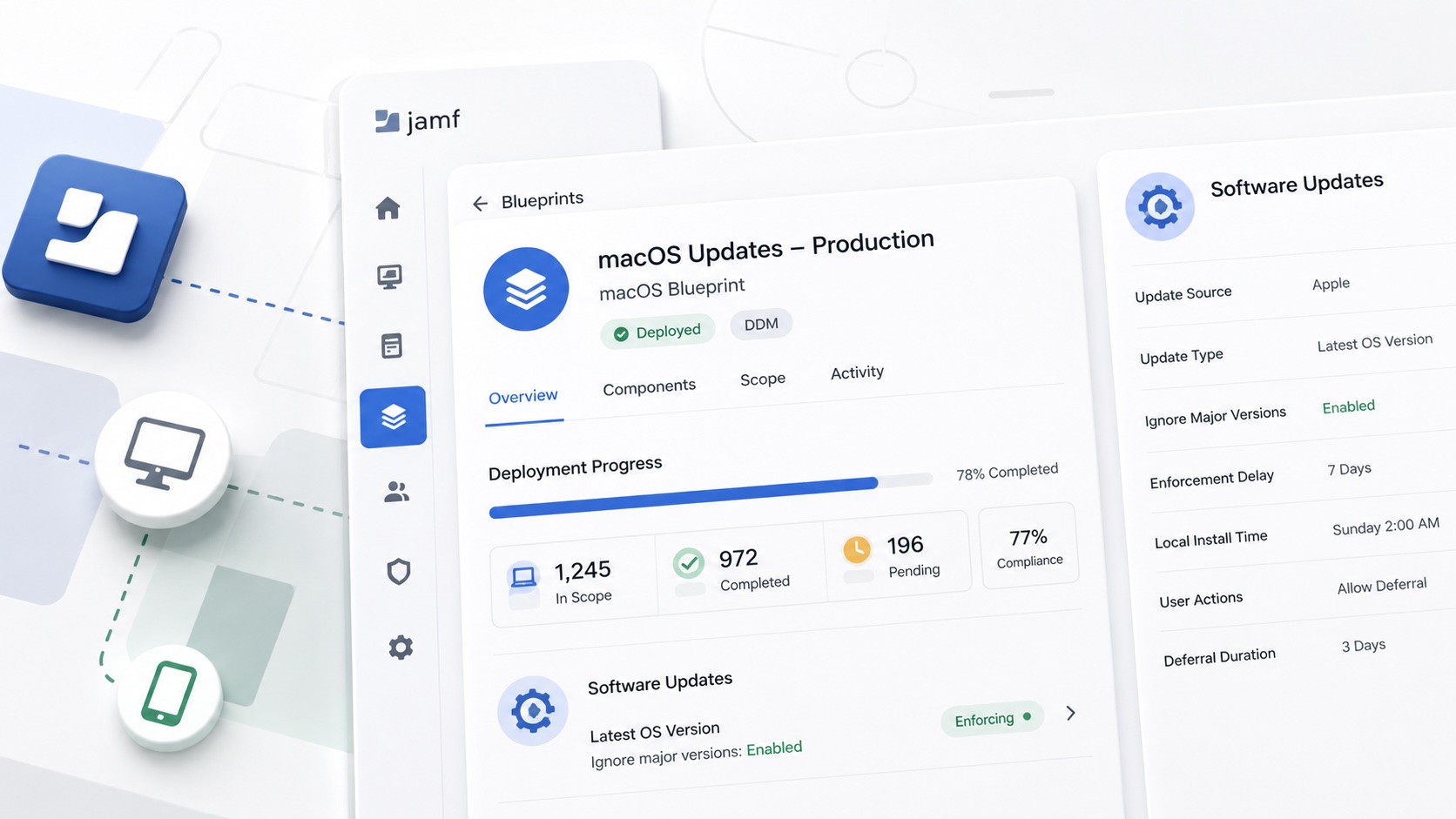

Software updates look simple until you’re the person explaining why half the fleet is still pending. That’s one of the reasons I’ve started leaning on Jamf Blueprints and Declarative Device Management (DDM). Instead of hiding software update settings across profiles, commands, and legacy workflows, Blueprints provide a single place to understand what is being deployed, who receives it, and how the rollout is progressing.
Apple’s software update declarations describe the desired update state, while Jamf Blueprints make that policy visible. For me, that’s a much cleaner operational model.
Build the Workflow
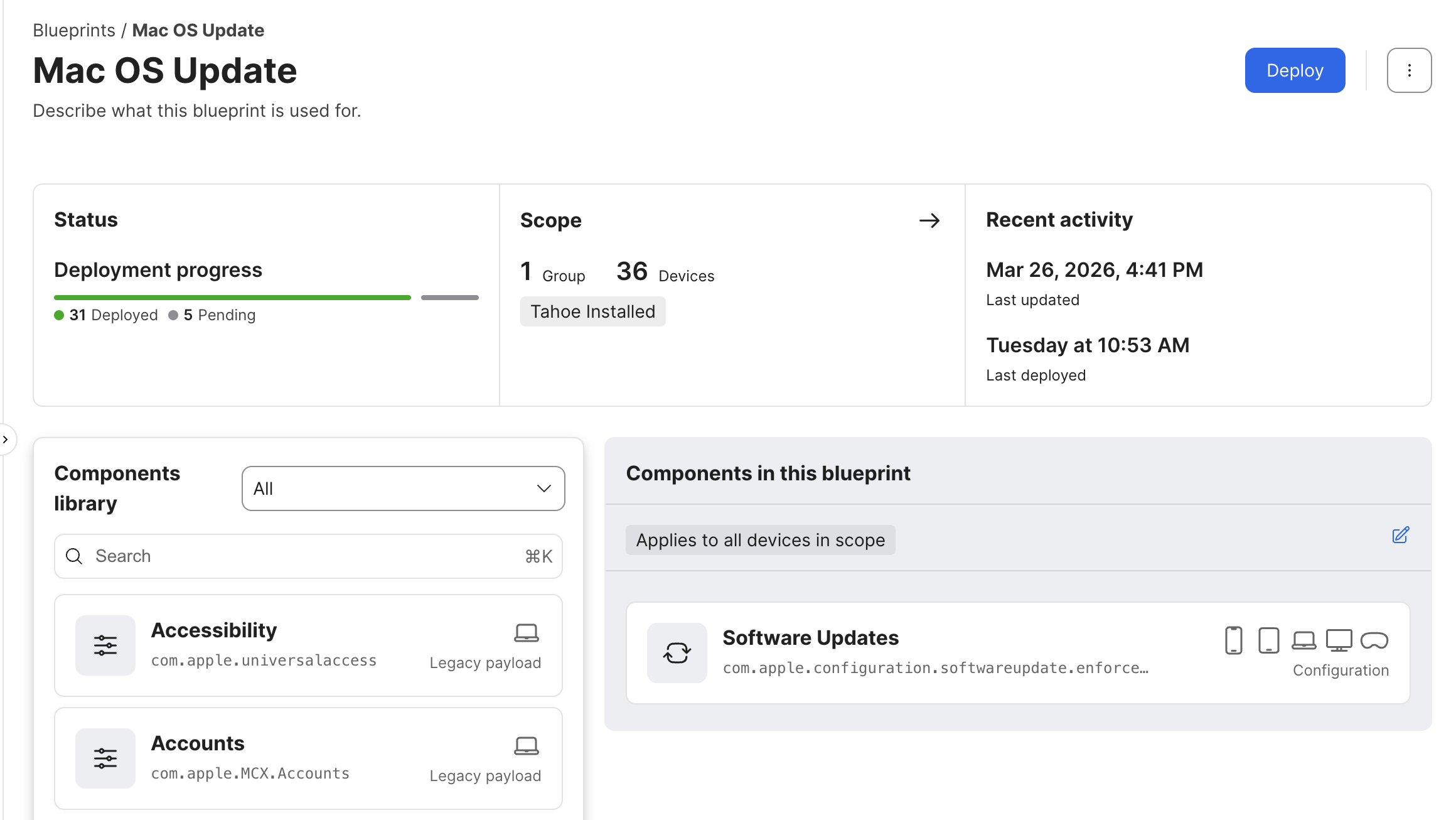
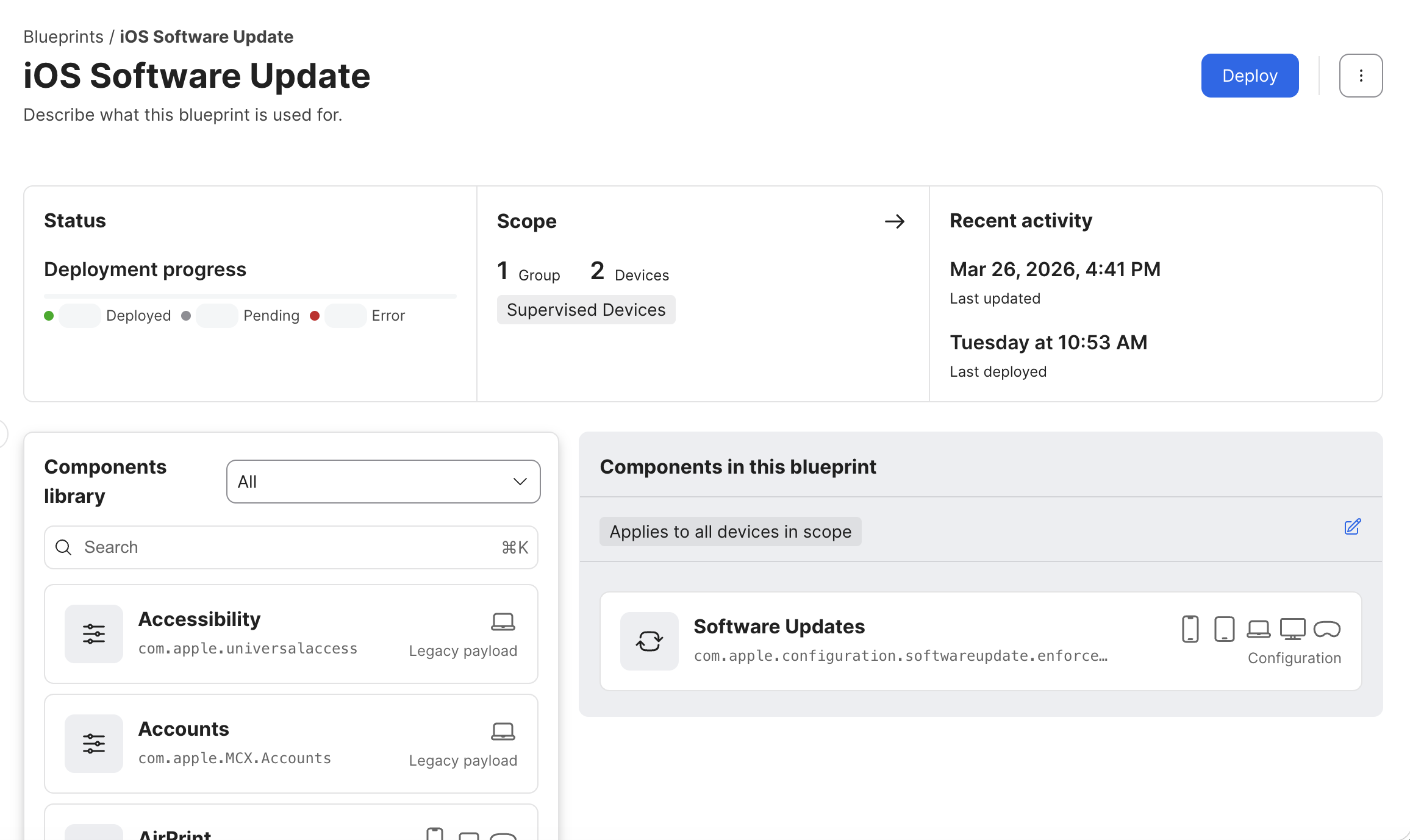
I do not try to build the entire deployment in one sitting. That usually leads to troubleshooting three different problems at the same time. Instead, I build the workflow in layers. First I create the Blueprint. Then I configure the Software Updates component. After that, I scope it to a small test group and make sure everything behaves the way I expect. Only then do I start expanding the rollout.
It is a slower way to build the deployment, but it is a much faster way to find mistakes before they affect the rest of the fleet.
Start with the Blueprint
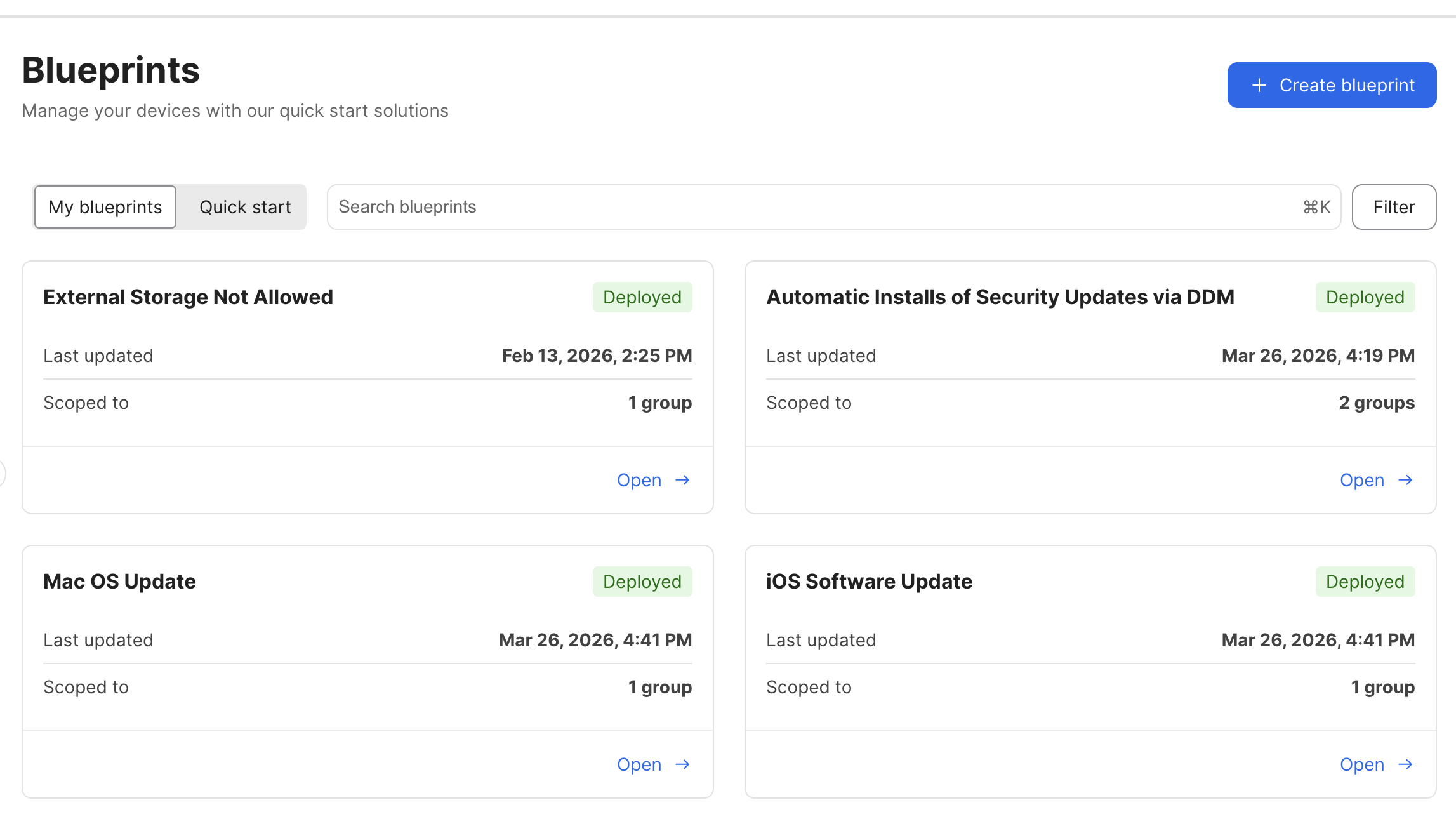
Every Blueprint should have a clearly defined purpose.
Separate macOS from iOS. Separate pilot devices from production. Separate major upgrades from routine maintenance. Those distinctions make the deployment easier to understand months later when another administrator inherits the environment.
Add the Software Updates Component
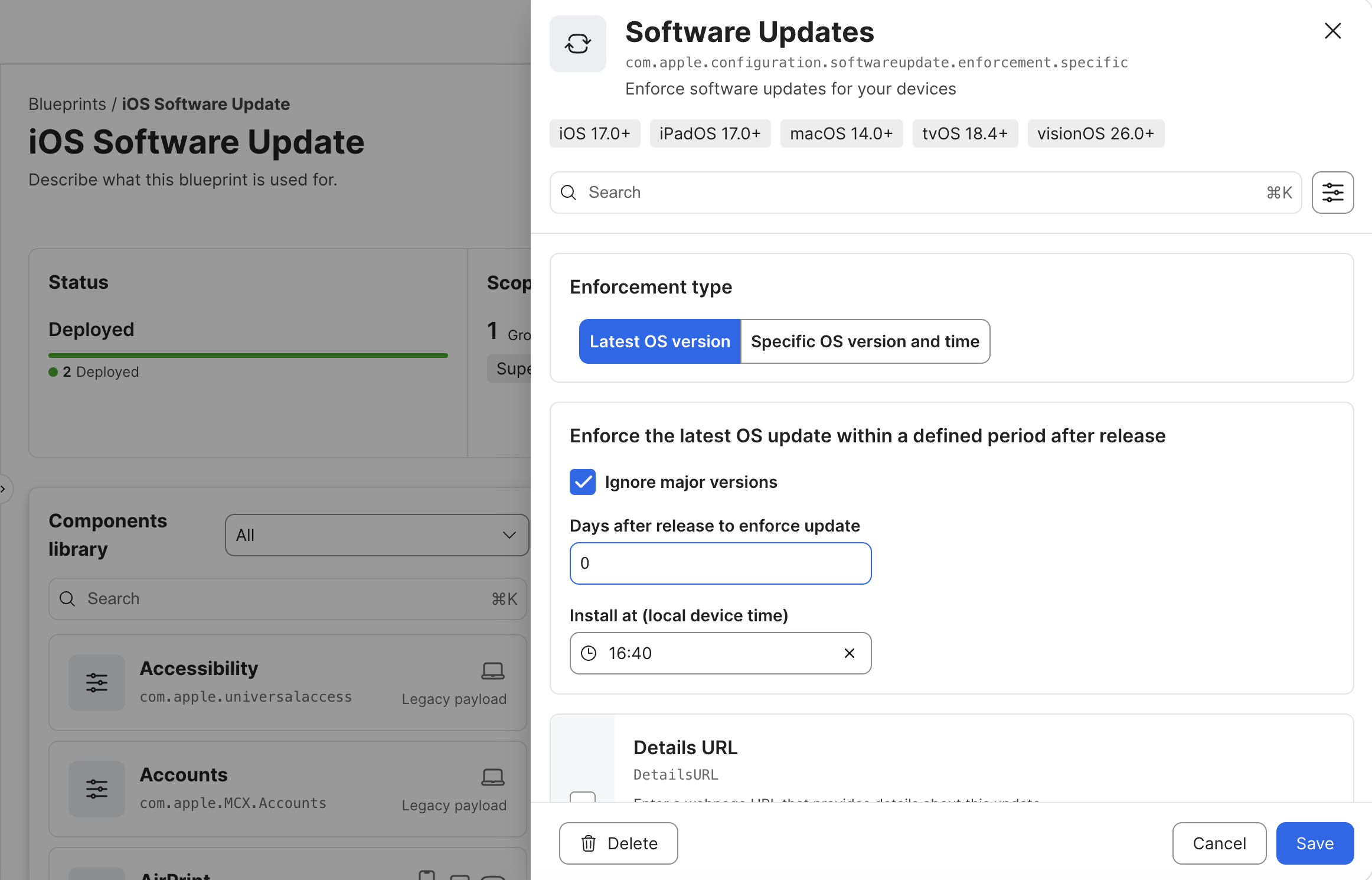
Once the scope is correct, configure the Software Updates component.
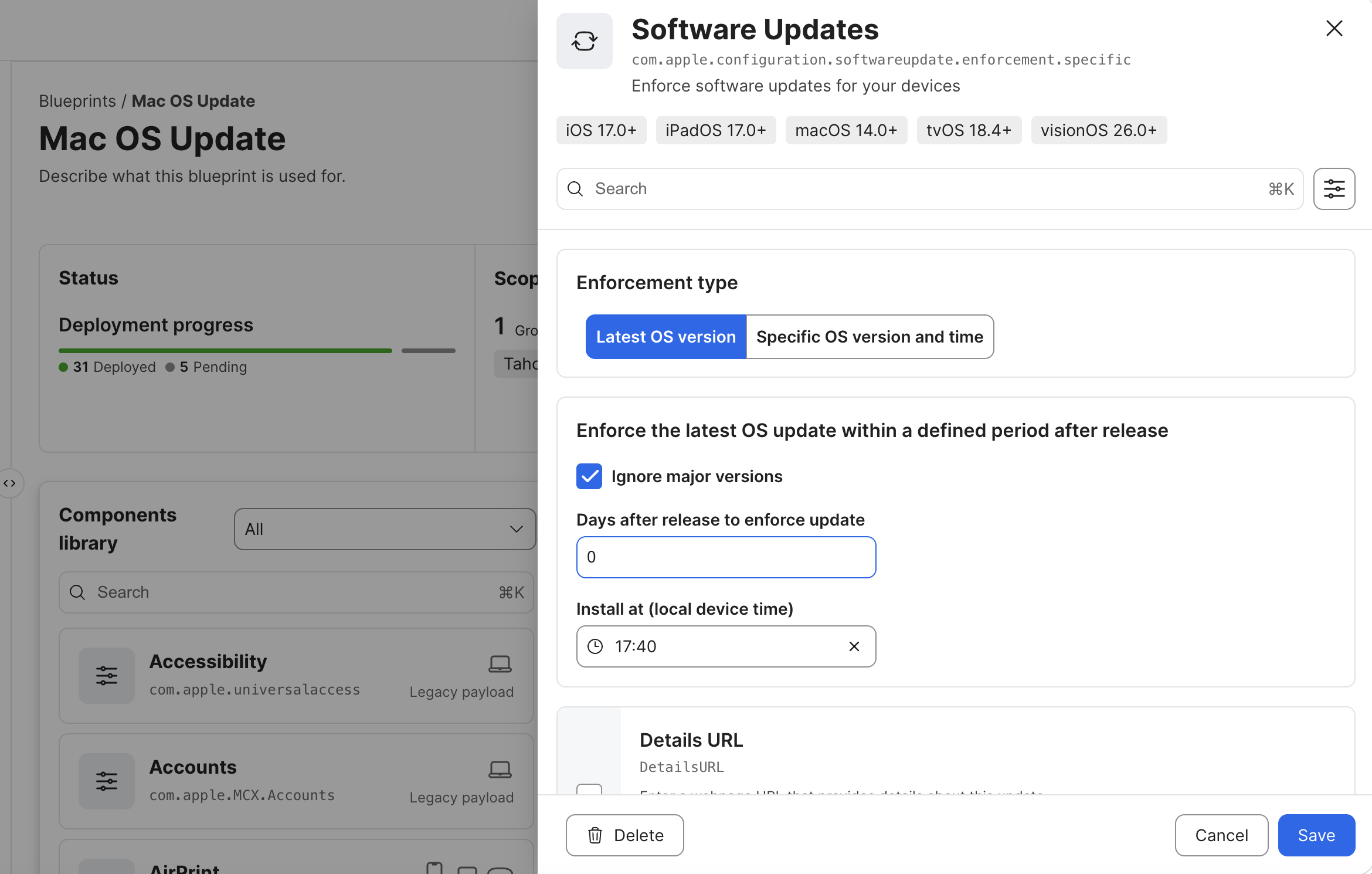
For most maintenance deployments I choose Latest OS Version while enabling Ignore major versions. Major operating system upgrades deserve their own deployment plan, testing window, and support timeline.
The settings I pay the most attention to are:
- Latest OS Version vs Specific Version
- Ignore Major Versions
- Enforcement delay
- Local installation time
A value of 0 days may be appropriate for security testing or a pilot group, but I would rarely use it for an entire production fleet.
Repeat the Pattern for iOS
The process is almost identical for iOS, but the operational considerations are different.
Device supervision, eligibility, and rollout groups become much more important, so I keep iOS in its own Blueprint rather than mixing it into my macOS deployment.
Why Blueprints Changed the Way I Manage Updates
One of the biggest improvements Jamf Blueprints brought to software updates wasn’t a new deployment option—it was clarity.
Before Blueprints, software update management could become spread across Smart Groups, configuration profiles, policies, and individual MDM commands. None of those pieces were inherently difficult to understand, but the overall workflow often wasn’t obvious. If someone asked why a particular group of Macs received an update on a certain day or what would happen if a policy changed, the answer usually involved opening several different areas of Jamf and mentally piecing everything together.
Instead of treating software updates as a collection of unrelated settings, Blueprints bring the deployment strategy together into a single object. Scope, update behavior, enforcement timing, deployment status, and recent activity all live in one place. That makes it much easier to understand not only what will happen, but why it’s happening.
I also think it makes environments easier to inherit. If another administrator needs to take over six months from now, they shouldn’t have to reverse engineer my update strategy. Opening the Blueprint should tell the story.
Rolling Updates into Production
Once I’ve tested a Blueprint and I’m comfortable with the update behavior, expanding the rollout becomes less about technology and more about change management.
I almost never deploy a new update to every managed Mac at once. Instead, I start with a small pilot group, expand to a group of users who don’t mind receiving updates a little earlier than everyone else, and then gradually increase the deployment as confidence grows.
Throughout that process I’m watching more than whether the update installs successfully. I want to know whether devices are checking in as expected, whether deployment progress matches what I planned, and whether users are encountering any unexpected issues before the rollout reaches the broader fleet.
If something doesn’t behave the way I expected, I’d much rather pause a deployment affecting twenty Macs than spend the afternoon explaining why two thousand devices updated unexpectedly.
A Few Things I’ve Learned Along the Way
One habit I’ve developed is treating different types of updates as different projects.
Routine security updates, major macOS upgrades, and iOS or iPadOS deployments all have different goals, different risks, and different rollout strategies. Trying to manage them all from the same Blueprint usually creates more confusion than it saves.
I’ve also learned that just because Declarative Device Management gives us better enforcement doesn’t mean we should immediately use the most aggressive settings available. Successful update management still depends on good communication, realistic deployment timelines, and giving yourself enough time to validate that everything behaves as expected before expanding the rollout.
The technology has improved considerably. The need for thoughtful planning hasn’t changed.
Final Thoughts
After spending time with Blueprints, I don’t really think of them as another Jamf feature. I think of them as documentation for my deployment strategy.
When I open a Blueprint, I can quickly understand which devices are targeted, how updates are being enforced, what stage of deployment they’re in, and whether the rollout is progressing as expected. I don’t have to remember how several Smart Groups, policies, and profiles interact because that logic is already organized in one place.
That’s probably what I appreciate most. Good administration isn’t just about getting software onto devices—it’s about building systems that someone else can understand and support later. If another administrator can open one of my Blueprints months from now and immediately understand how software updates are being managed, then I’ve built something that’s maintainable as well as functional.
For me, that’s every bit as valuable as the technology behind Declarative Device Management itself.
Sources
- Apple Platform Deployment: Intro to declarative device management
- Apple Platform Deployment: Install and enforce software updates for Apple devices
- Apple Platform Deployment: Software Update declarative configuration
- Jamf Pro Documentation: Declarative Device Management
AI Usage Transparency Report
AI Era · Written during widespread use of AI tools
AI Signal Composition
Score: 0.29 · Moderate AI Influence
Summary
The article discusses the benefits of using Jamf Blueprints and Declarative Device Management (DDM) for software updates, including improved visibility and control over update policies.
Related Posts
Tracing a Mac Failure with Logger Utility
Use Logger Utility to filter and stream macOS logs, inspect an Ask AI prompt, and turn a focused export into a local Llama troubleshooting report.

When Chromium Mistakes Your VPN for a Local Network
Turning off Jamf Trust fixed the webinar, which normally would have sent me straight to its routing policies. This time the route was fine: Chromium was treating Jamf's ZTNA broker addresses as a local network, and an Edge and Chrome preference corrected it.

Amnesia Stealer Shows the Next Stage of ClickFix on macOS
Amnesia Stealer shows how ClickFix-style social engineering is adapting on macOS, while a public malware sample gives defenders an opportunity to study the behavior behind the campaign.
Apple Software Updates Need a Blueprint Before the MDM Commands Fade
Apple software update management is moving away from command-first MDM workflows. Jamf Blueprints and Declarative Device Management give Mac admins a better place to express update intent, scope, enforcement, and visibility.

Contour Brings Schema Checks to Mac Admin Configuration Work
Contour is a MacAdmins configuration toolkit that brings schema validation, repeatable generation, normalization, and AI-agent-safe command discovery to Apple configuration profiles, DDM declarations, PPPC, Santa, mSCP, Background Task Management, notifications, support app profiles, and osquery schema lookup.
Three Mac Update Helpers That Fit Below a Patch Platform
Latest, Applite, and an all-in-one macOS update script each solve a different part of lightweight Mac maintenance: app update visibility, Homebrew-backed app management, and command-line package updates that can be wrapped carefully for small teams or basic MDM.
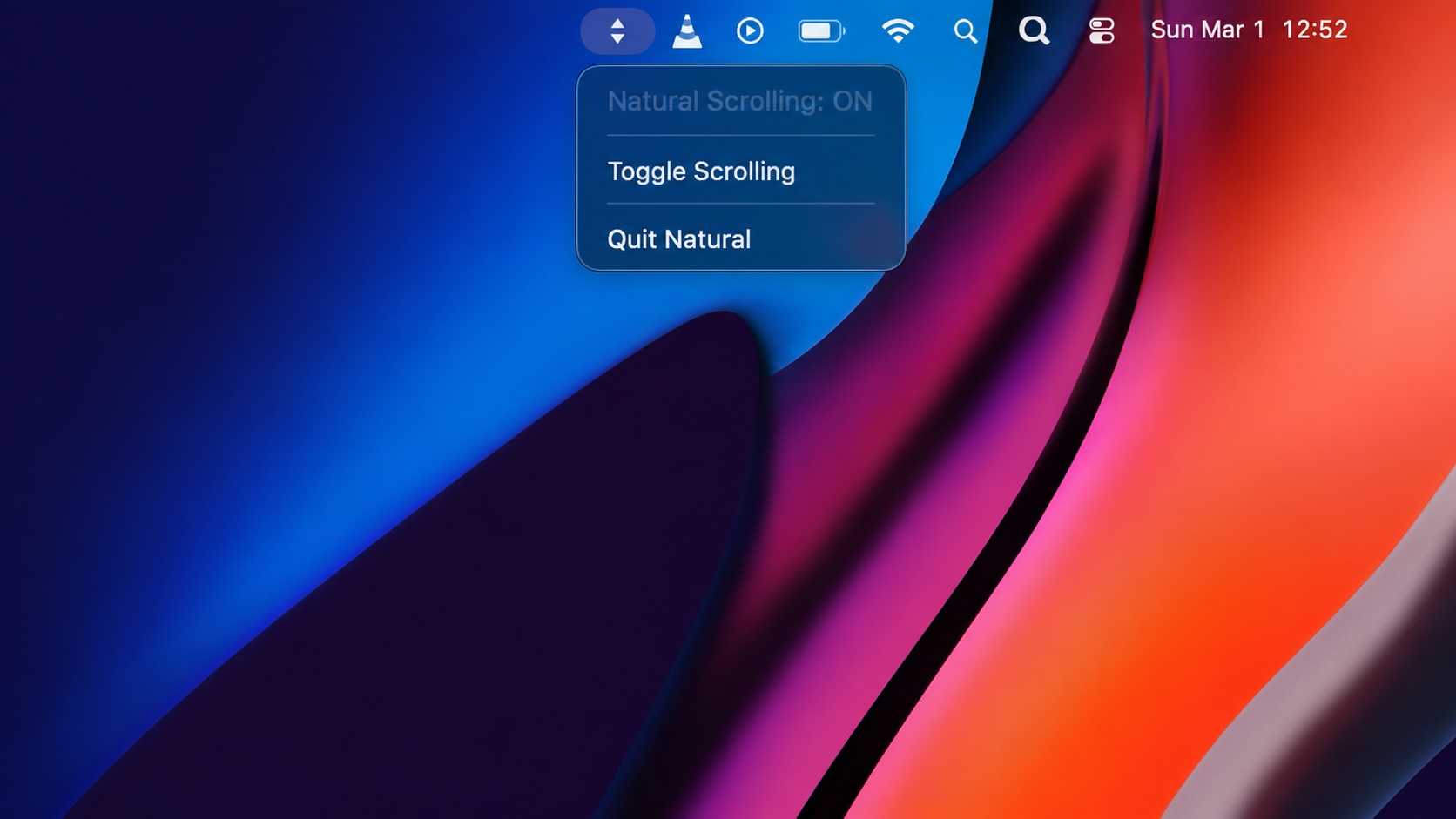
Natural Makes the macOS Scroll Direction Toggle Less Buried
Natural is a small macOS menu bar utility that makes the natural scrolling toggle easy to reach, but building it from source also shows why open-source desktop utilities need clear prerequisite checks before they become recommended tools.

Why Mac Performance Monitor Belongs in the Mac Admin Toolbox
Mac Performance Monitor belongs in the Mac admin toolbox because it records local performance history, helps Help Desk review slow-Mac reports after the moment has passed, and keeps process telemetry on the Mac instead of sending it to a cloud service.

Jamf Moves Platform SSO Into the Enrollment Gate
Jamf's attended Simplified Setup for Platform SSO changes Mac enrollment by making identity registration part of Setup Assistant before the MDM profile is installed.
ClickLock Shows Why Terminal Paste Is a Mac Security Boundary
ClickLock Stealer shows why Mac security teams should watch for Terminal paste lures, fake AppleScript password prompts, command-line Keychain access, LaunchAgent persistence, and Jamf Protect alerts that can route suspected Macs into Jamf Pro response groups.
