CrashStealer Shows the Gap Between Notarization and Detection
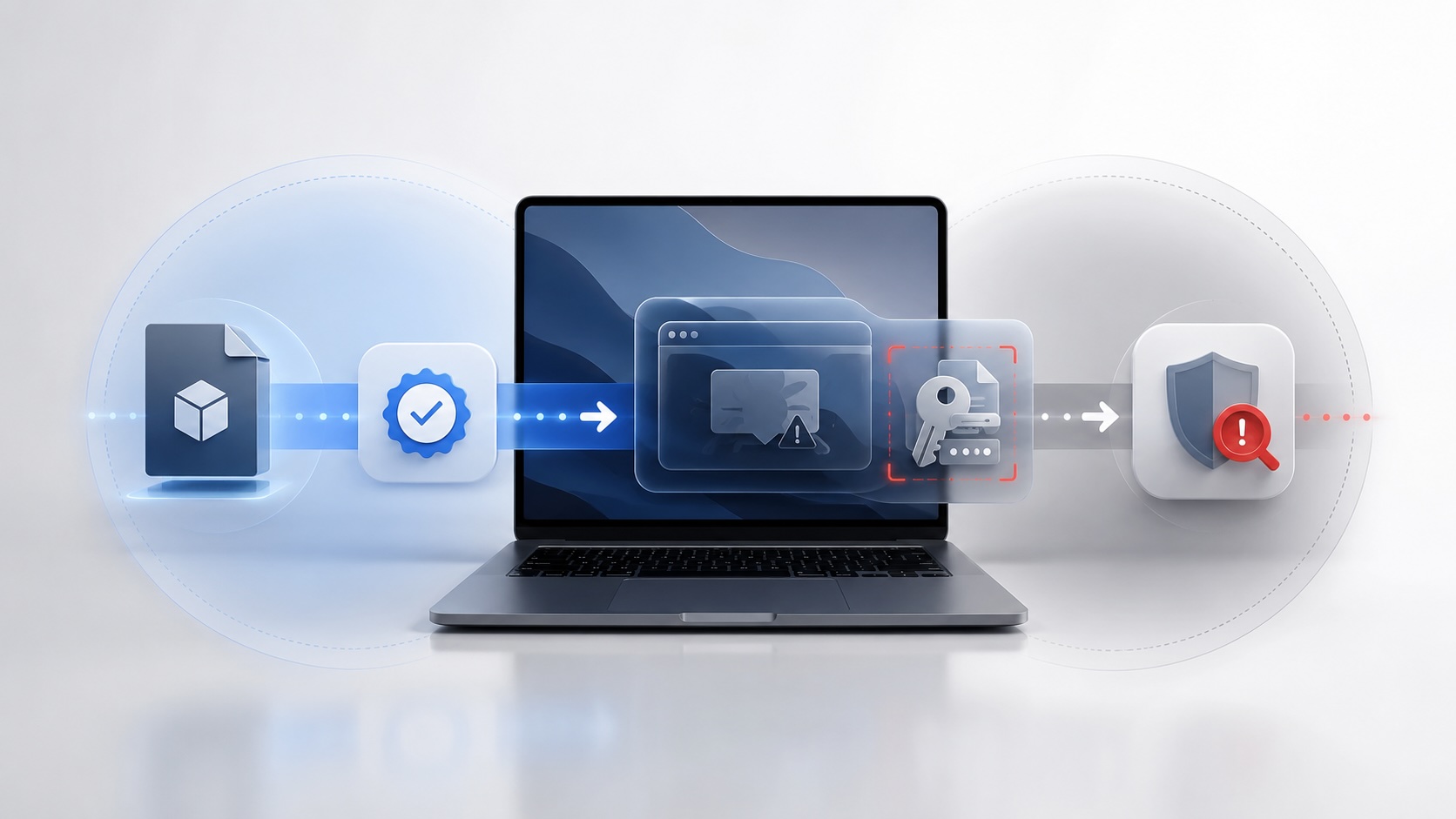

CrashStealer is a Mac malware story, but the interesting part is that the first stage used Apple’s legitimate outside-the-App-Store software path. It was signed with a Developer ID, notarized by Apple, packaged in a signed disk image, and allowed through Gatekeeper. Then Jamf Threat Labs found it behaving like malware.
That is the uncomfortable lesson. Apple did not fail because Gatekeeper is useless. Apple failed to stop this particular chain because Developer ID and notarization are not the same thing as App Store review, and neither one is the same thing as behavioral endpoint detection.
Cult of Mac covered CrashStealer as a fake Apple crash reporting tool. Jamf Threat Labs’ analysis is the important source. Jamf traced the campaign to a signed and Apple-notarized first-stage app called Werkbit, then documented the payload that impersonated Apple’s CrashReporter and went after passwords, keychain data, browser data, files, and cryptocurrency wallet material.
The question is not whether Apple has security controls. It does. The question is what those controls are designed to prove.
Apple verified a developer, not the intent of every run
Apple’s Developer ID path exists for legitimate Mac software distributed outside the Mac App Store. That matters. A lot of real Mac software ships this way: enterprise tools, open source utilities, developer tools, conference tools, hardware vendor apps, admin utilities, internal apps, and niche products that do not fit the App Store model.
Apple’s Safely open apps on your Mac guidance frames Gatekeeper as the macOS layer that checks downloaded software before it opens. Apple’s Developer ID documentation says Gatekeeper checks apps distributed outside the Mac App Store for a Developer ID certificate. It also says notarization automatically scans Developer ID-signed software, performs security checks, and assigns a ticket that tells Gatekeeper the software was notarized.
That is useful, but it is narrower than people often assume.
Developer ID says a developer account and signing certificate were involved. Apple’s enrollment process is not anonymous; Apple’s program enrollment documentation requires an Apple Account with two-factor authentication, legal identity details for individuals, legal entity checks for organizations, and an annual membership purchase. Apple’s identity verification documentation also says legal identity verification is required to enroll in Apple’s developer programs, with additional checks in some cases.
That is identity and accountability. It is not a guarantee that every future binary, installer, script, prompt, download path, and post-install behavior from that account will be safe.
Notarization is also not App Store review. Apple’s Developer ID page describes notarization as an automated service that scans Developer ID software and performs security checks. Apple’s App Review Guidelines describe a different model for the App Store: Apple says every app is reviewed by experts and an editorial team helps with discovery, while Apple also scans apps for malware and other software that may affect safety, security, and privacy.
CrashStealer used the branch that lets developers distribute outside the App Store. That branch is legitimate. It is also where the burden shifts. Apple is checking signing, notarization, known malware, and platform requirements. Apple is not doing the same product, metadata, behavior, business, and safety review that happens when an app is submitted to the App Store.
Why Jamf caught what Apple did not
Jamf was not looking at the same thing Apple notarization looks at.
Apple’s notarization service evaluates submitted software before distribution. It is a front-door trust decision based on Apple’s automated checks of Developer ID-signed software at submission time.
Jamf Threat Labs was looking at threat behavior and campaign evidence. Jamf saw a fake meeting app, a targeted download flow, a signed and notarized disk image, a hidden remote instruction chain, a CrashReporter payload, a fake password prompt, keychain access behavior, persistence, data staging, encryption, and exfiltration.
Those are different signals. A notarization system can miss a payload that hides intent, stages behavior after launch, pulls instructions from the network, or depends on a user taking several steps. Endpoint detection has a better chance when it can see process behavior, files written to disk, network calls, keychain access, LaunchAgents, and suspicious use of legitimate macOS tools.
That is why this story should make Mac admins more interested in Jamf’s finding, not less interested in Apple’s platform model. The platform model reduced some risk. Jamf found what got through.
The hard question is what happens if Jamf does not find it. The answer is that the campaign keeps its Apple-trusted first impression longer. The certificate remains more useful. The installer keeps clearing Gatekeeper. The fake meeting flow keeps looking plausible. Users keep being asked to make trust decisions that belong upstream in the business security program.
This was not a zero-click exploit
CrashStealer also should not be described as magic.
The infection path required a lot to go right for the attacker. Reporting from AppleInsider, BleepingComputer, and Jamf describes a fake meeting or collaboration app called Werkbit. The download was reportedly gated behind a meeting PIN, which suggests a targeted social engineering path rather than random App Store discovery.
A user still had to land on the site, enter or receive the meeting code, download the disk image, launch the application, allow the chain to continue, and then interact with prompts. The first-stage app then reached out for hidden instructions, downloaded additional material, and launched the CrashReporter payload.
That sequence matters. The lesson is not “macOS is broken.” The lesson is that a legitimate developer workflow can give a malicious social engineering chain enough trust to get the user to the next step.
The payload then leaned into macOS familiarity. It impersonated CrashReporter, used Apple-like naming, created persistence with a LaunchAgent, showed a native-looking password prompt, and validated the entered password locally with dscl -authonly. Jamf reported that the captured password could then be used to unlock the login keychain. Other reporting noted requests for Full Disk Access and collection from browsers, password managers, cryptocurrency wallet extensions, files, and keychain material.
That is a lot of friction. It is also the kind of friction a mature Mac program should prevent from reaching the user in the first place. A user should not need to know that Apple’s crash reporter is already part of macOS. The business should be blocking unknown installers, removing routine admin access, and making approved software available through a managed path.
This is not a user-training problem
It is tempting to make the user lesson the center of the article: do not download a crash reporter, do not trust a random meeting site, do not type your password into a prompt you do not understand.
That advice is not wrong, but it is not a security program. Most users do not know which Apple components are built into macOS. They do not know what CrashReporter should look like, whether a meeting vendor has a native Mac client, or whether a Full Disk Access request is normal. If they are trying to join a meeting or satisfy a client request, the attacker already has the pressure advantage.
The administrative lesson is deeper. Developers can use Apple’s legitimate outside-the-App-Store workflow to distribute software directly. That is necessary for the Mac ecosystem. It is also an automation-heavy trust path. Once a developer has the account, certificate, signing workflow, hardened runtime choices, entitlements, and notarization ticket, the software can look clean at the platform boundary while still doing something malicious later.
That is the gap CrashStealer exposed. It is not a flaw in the idea of notarization. It is a flaw in treating notarization as if it were the entire review process.
For Mac admins, “signed and notarized” should answer only the first question: will macOS allow this to run without the usual unsigned-app warning? The next questions belong in the app approval workflow before software is offered to users.
Where did the app come from? Does the vendor domain make sense? Is the download public, documented, and repeatable, or hidden behind a one-off meeting code? Is the Developer ID consistent with the vendor? Is the Team ID used in prior legitimate releases? Does the app’s name match its function? Do the requested permissions make sense? Is the first launch behavior consistent with the product? Is the app trying to unlock the keychain, remove quarantine attributes, re-sign payloads, create LaunchAgents, or hide material in temporary and cache paths?
Those are not paranoid questions. They are the difference between accepting a platform trust signal and approving software for an environment.
How I would approve an app for Self Service
If I were building a business security program, I would assume users cannot install arbitrary software. Standard users would be the default. Local admin rights would be time-bound, justified, logged, and exception-based. Unknown apps downloaded from the web would not become business tools just because a user found a link.
The normal path would be a software request: the user asks for an app, IT validates it, security reviews the risk, and only then does it become available through Self Service or another managed installation path. The goal is not to make every app hard to get. The goal is to make the approved path easier than the risky path.
The Apple checks still matter because they provide evidence:
spctl --assess --verbose=4 /path/to/App.app
codesign -dv --verbose=4 /path/to/App.app
codesign --verify --deep --strict --verbose=2 /path/to/App.app
pkgutil --check-signature /path/to/Installer.pkg
But those commands are intake evidence, not approval. spctl can tell me how Gatekeeper sees the app. codesign can show identity, Team ID, runtime details, and entitlements. pkgutil can show installer package signature details. None of that tells me the business reason for the app, the legitimacy of the download path, or the safety of its runtime behavior.
Before adding an app to Self Service, I would want the vendor’s official source, support domain, release notes, update mechanism, security contact, privacy policy, data access model, and a reason the app needs each permission it asks for. I would compare the Developer ID and Team ID against the vendor identity, test the app on a disposable Mac or VM, record first-launch behavior, inspect network destinations, and confirm whether it creates LaunchAgents, background items, system extensions, login items, browser extensions, or privileged helpers.
Then I would decide how the app is allowed to run. If it needs PPPC permissions, those should be scoped deliberately through MDM, not granted because a random prompt appeared. If it needs frequent updates, the update mechanism should be known and manageable. If it needs admin rights, the business should understand why. If it touches credentials, browser data, files, cameras, microphones, screen recording, or Full Disk Access, the approval bar should be higher.
EDR and malware protection should be the backstop. Apple is not doing nothing here: Apple’s macOS malware protection documentation describes Gatekeeper, notarization, and XProtect as three layers of defense, with XProtect providing built-in antivirus-style detection, blocking, and remediation. Apple can also revoke Developer ID certificates, issue notarization revocation tickets, and ship XProtect signatures when new malware is discovered. That is important protection, but CrashStealer shows why it is not enough by itself. A business still needs endpoint tooling that can alert on suspicious LaunchAgents, hidden staging directories, keychain access, credential prompts, unusual network destinations, and living-off-the-land commands such as dscl, security, xattr, and codesign.
That is where Jamf’s role in this story matters. If a signed and notarized app is malicious, the answer is not to give up on Apple controls. The answer is to pair Apple’s distribution trust layer with behavioral monitoring, managed deployment policy, and Mac-focused endpoint protection. Jamf Protect is the obvious example in this story because Jamf Threat Labs did the research, and Jamf describes Jamf Protect as providing telemetry, advanced threat prevention, threat blocking, quarantine, web protections, and Apple-specific detection and response. Other legitimate EDR and malware platforms can play the same role, but the point is that we are no longer in the world where “Macs do not get malware” is a security plan.
The practical takeaway
CrashStealer is a lesson in the difference between user awareness and a real software control program.
User awareness helps, but it cannot be the primary control. A random meeting website should not be able to turn into an unmanaged software install. A signed and notarized disk image should not become trusted business software without review. A user should not be the only person deciding whether a new app deserves a local password, Full Disk Access, keychain interaction, or persistence.
That is why this cannot be only a user-training story. The app is signed. The app is notarized. Gatekeeper does not show the scary warning. The password prompt looks native. The name sounds like an Apple component. The user is trying to join a meeting. A business security program has to assume that chain can fool a normal person.
CrashStealer shows a potential weakness in the automation built into the legitimate Developer ID workflow. Apple verified a developer path and notarized software for outside-App-Store distribution. Jamf later observed the behavior that made the campaign malicious. Both facts can be true at the same time.
There is also a reporting responsibility here. If you find a suspicious signed or notarized Mac app, do not only wait for Jamf Threat Labs, Objective-See, Apple, or another research team to find it first. Preserve the sample, record the source URL, capture the Developer ID and Team ID, keep hashes and screenshots, and report it through Apple Security Research. Apple’s Security Bounty Guidelines say reports should include a clear explanation of the observed behavior, expected behavior, the protection or mechanism bypassed, and a reliable proof of concept or reproduction path. If the issue is active malware rather than a bounty-style vulnerability, the same discipline still helps: give Apple enough evidence to investigate, revoke certificates or notarization tickets if appropriate, and improve XProtect protections for everyone.
The operational answer is to stop using notarization as a finish line. Treat it as one signal. Then require source validation, vendor review, least privilege, blocked unmanaged installs, Self Service approval, endpoint telemetry, malware prevention, and a reporting path before unknown software gets trusted inside a Mac environment.
Sources
- Cult of Mac: CrashStealer malware masquerades as Apple’s crash report tool
- Jamf Threat Labs: CrashStealer C++ macOS infostealer posing as crash reporter
- AppleInsider: CrashStealer malware poses as an Apple tool to steal passwords and Mac data
- BleepingComputer: New CrashStealer malware poses as Apple crash reporting tool
- Apple Platform Security: Protecting against malware in macOS
- Apple Developer: Signing your apps for Gatekeeper
- Apple Developer: Program enrollment
- Apple Developer: Identity verification
- Apple Developer: App Review Guidelines
- Apple Support: Safely open apps on your Mac
- Apple Security Research
- Apple Security Bounty Guidelines
- Jamf Protect
AI Usage Transparency Report
AI Era · Written during widespread use of AI tools
AI Signal Composition
Score: 0.34 · Moderate AI Influence
Summary
Apple's Developer ID and notarization process can be bypassed by malicious actors, highlighting the need for endpoint detection and behavioral analysis to prevent malware infections.
Related Posts
Bromure Gives Codex a Room of Its Own
I installed Bromure Agentic Coding, watched it build the Linux VM, authenticated Codex, and followed a real Codex task through the workspace.

Amnesia Stealer Shows the Next Stage of ClickFix on macOS
Amnesia Stealer shows how ClickFix-style social engineering is adapting on macOS, while a public malware sample gives defenders an opportunity to study the behavior behind the campaign.
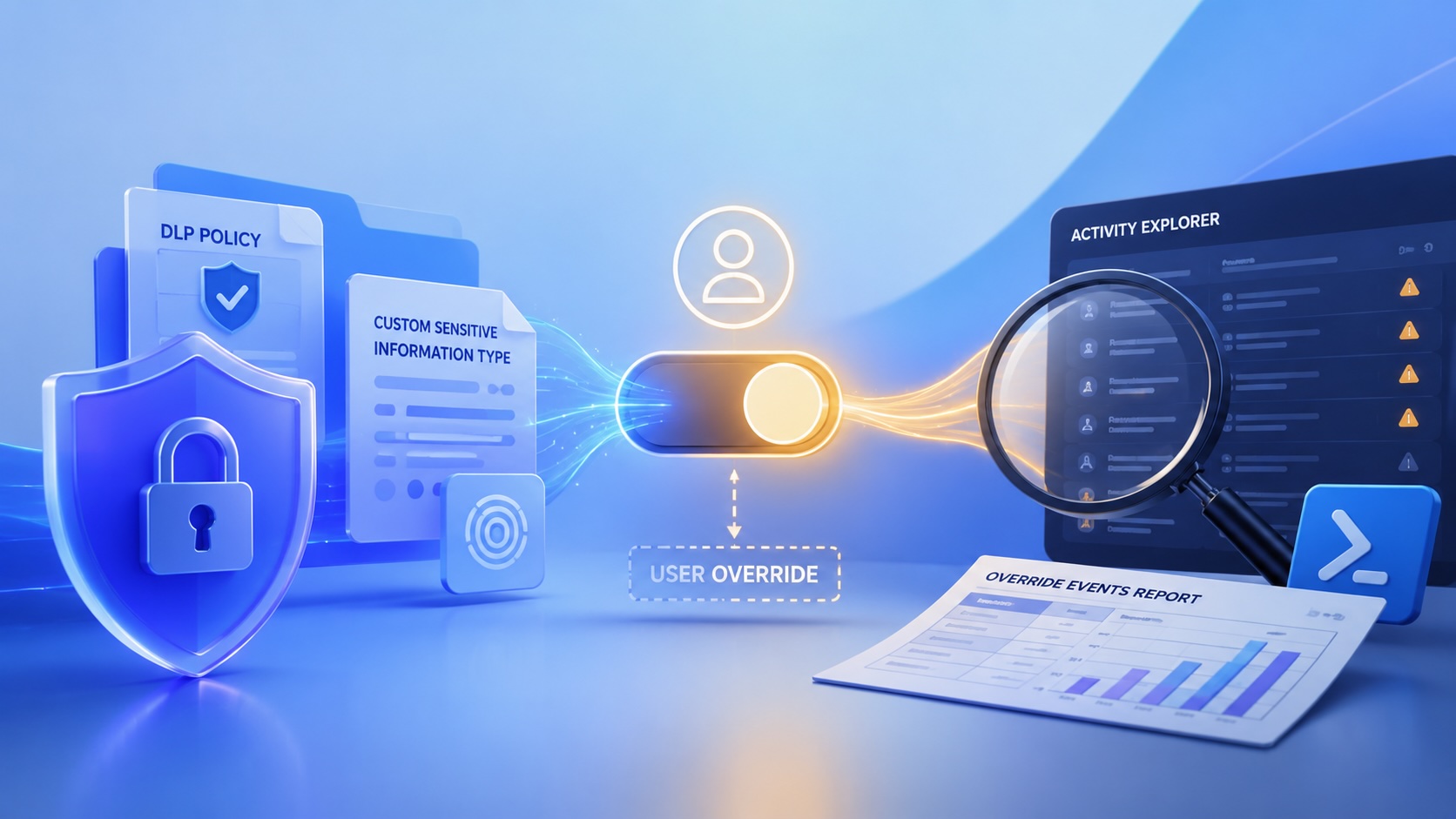
Reporting on Microsoft 365 DLP Overrides with PowerShell
DLP overrides are not automatically bad. They are a business process that needs visibility. This walkthrough covers a Microsoft Purview DLP policy, a custom sensitive information type, user override behavior, and a PowerShell report that exports override events from Activity Explorer.

Move Entra Users Off SMS and Voice Before Microsoft Retires Them
Microsoft is retiring Microsoft-provided SMS and voice authentication in Entra ID. The migration is not passkeys for everyone; it is removing weak telecom MFA and choosing supported replacement methods such as Microsoft Authenticator, FIDO2 keys, certificate-based authentication, OATH hardware tokens, or customer-managed telecom.

macOS Tahoe 26.6.1 Fixes a High-Severity Screen Sharing Authentication Bypass
macOS Tahoe 26.6.1 fixes CVE-2026-65400, a high-severity Screen Sharing authentication issue where an attacker on the network may be able to authenticate without valid credentials.
ClickLock Shows Why Terminal Paste Is a Mac Security Boundary
ClickLock Stealer shows why Mac security teams should watch for Terminal paste lures, fake AppleScript password prompts, command-line Keychain access, LaunchAgent persistence, and Jamf Protect alerts that can route suspected Macs into Jamf Pro response groups.

The CMMC Pause Does Not Make a Level 2 Audit Worthless
The July 2026 CMMC Phase II pause changes the timing of third-party assessment requirements, but it does not erase DFARS, NIST SP 800-171, SPRS, or the value of a completed Level 2 audit.

How We Structured and Hashed CMMC Evidence for Auditor Review
How folder naming, control-level artifact names, spreadsheet hyperlinks, and evidence hashing made a CMMC evidence package easier for the auditor to validate.

Opening the Ollama Black Box: Understanding the Trust Boundary Behind Local AI
Installing Ollama is easy. Understanding the trust boundary behind a local AI service is what determines whether it belongs in an automation workflow.

Your Vibe-Coded App Still Needs a Trustworthy Release Path
Why vibe-coded apps still need release discipline: code signing, notarization, checksums, and GitHub artifact attestations all support integrity and user trust.
