

Today we’re excited to officially launch HelpBook Builder — a native macOS app designed to make creating Apple-style Help Books fast, powerful, and actually enjoyable.
And yes — technically, tools like this have existed before.
But if you’ve looked recently, most of them haven’t been meaningfully updated in years. Some barely work on modern macOS. Others are built around assumptions that no longer match how Help Books behave today. The platform moved forward. The tooling didn’t.
Helpbook Builder Featured
Why we built it
I’ve been working on HelpBook Builder for years. Not weeks. Not a quick indie sprint. Years of testing, rewriting, breaking things, fixing them, learning how Help Viewer really behaves instead of how the documentation says it behaves.
Because here’s the truth: Help Books are not well documented.
They’ve changed over time. Internally. Structurally. Behaviorally. Some things that used to work no longer do. Some things still technically work… until they don’t. Caching can make you question your sanity. Anchors behave differently across macOS versions. Bundle structure has to be just right. A single mismatched identifier can cause Help Viewer to open the wrong book entirely. None of this is obvious. And almost none of it is explained clearly in one place.
This means that over time, fewer apps ship with real Help Books. Some developers quietly give up. Some ship with a barebones web link. Some skip documentation entirely because it’s easier than fighting the pipeline. Even with Apple introducing newer systems like Tips in macOS, most third-party apps don’t deeply integrate documentation at all. The result? A slow decline in in-app help across the ecosystem.
macOS apps deserve first-class documentation. Users expect to click “Help” and get something real. Searchable. Structured. Localized. Native. HelpBook Builder exists to make that achievable again.
🛠 What Is HelpBook Builder?
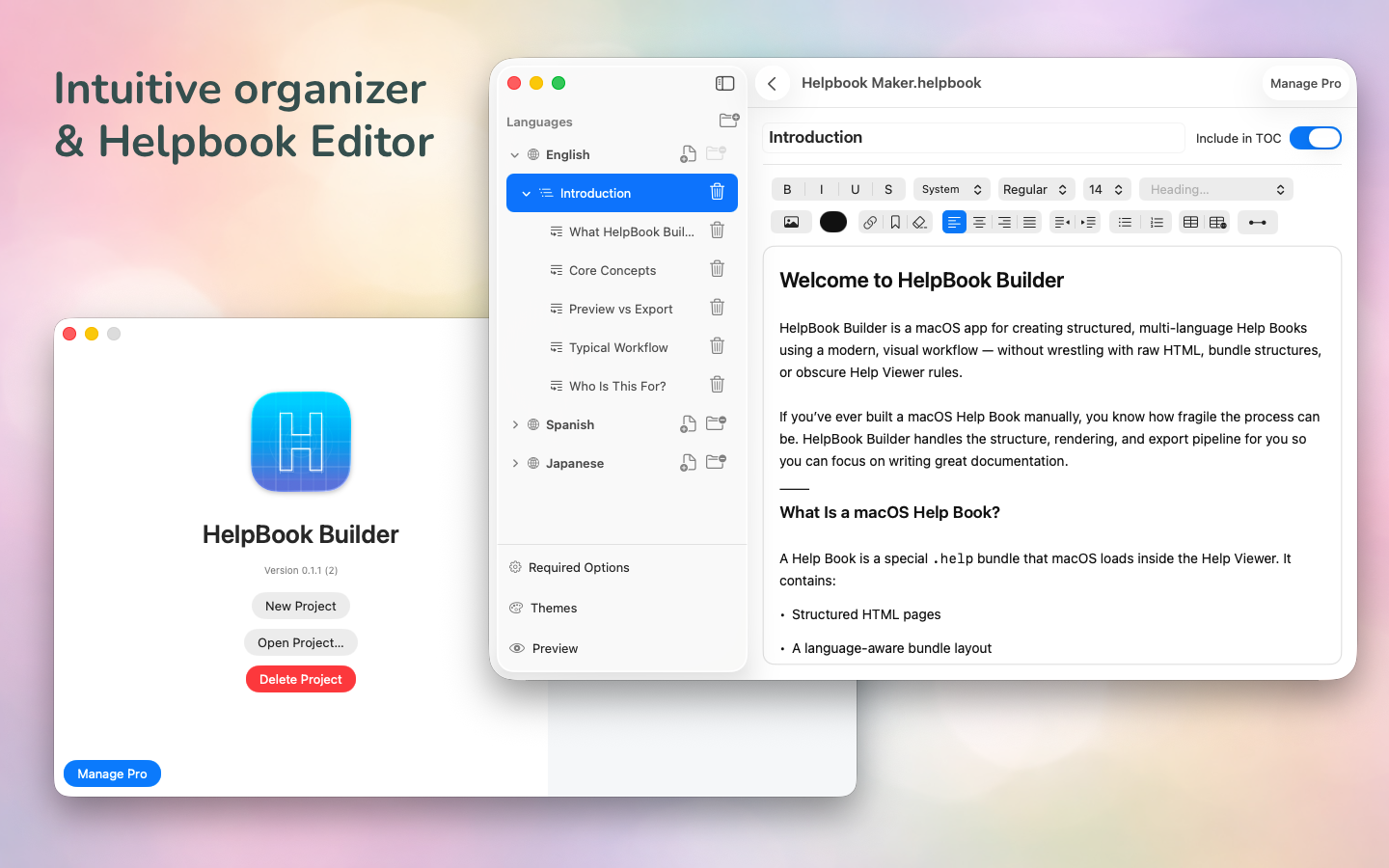
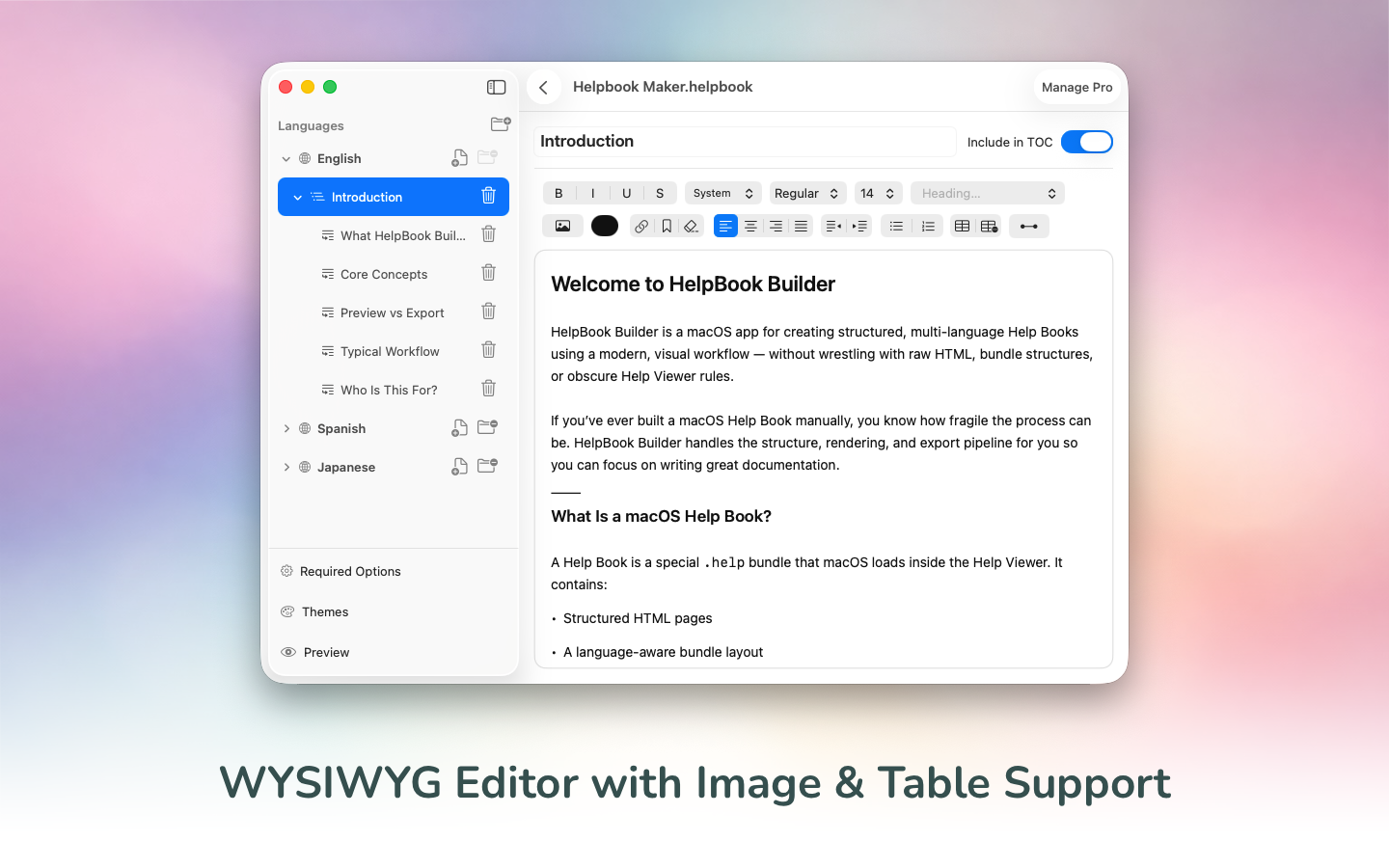
HelpBook Builder is a native macOS application for creating fully structured Help Books for macOS apps.
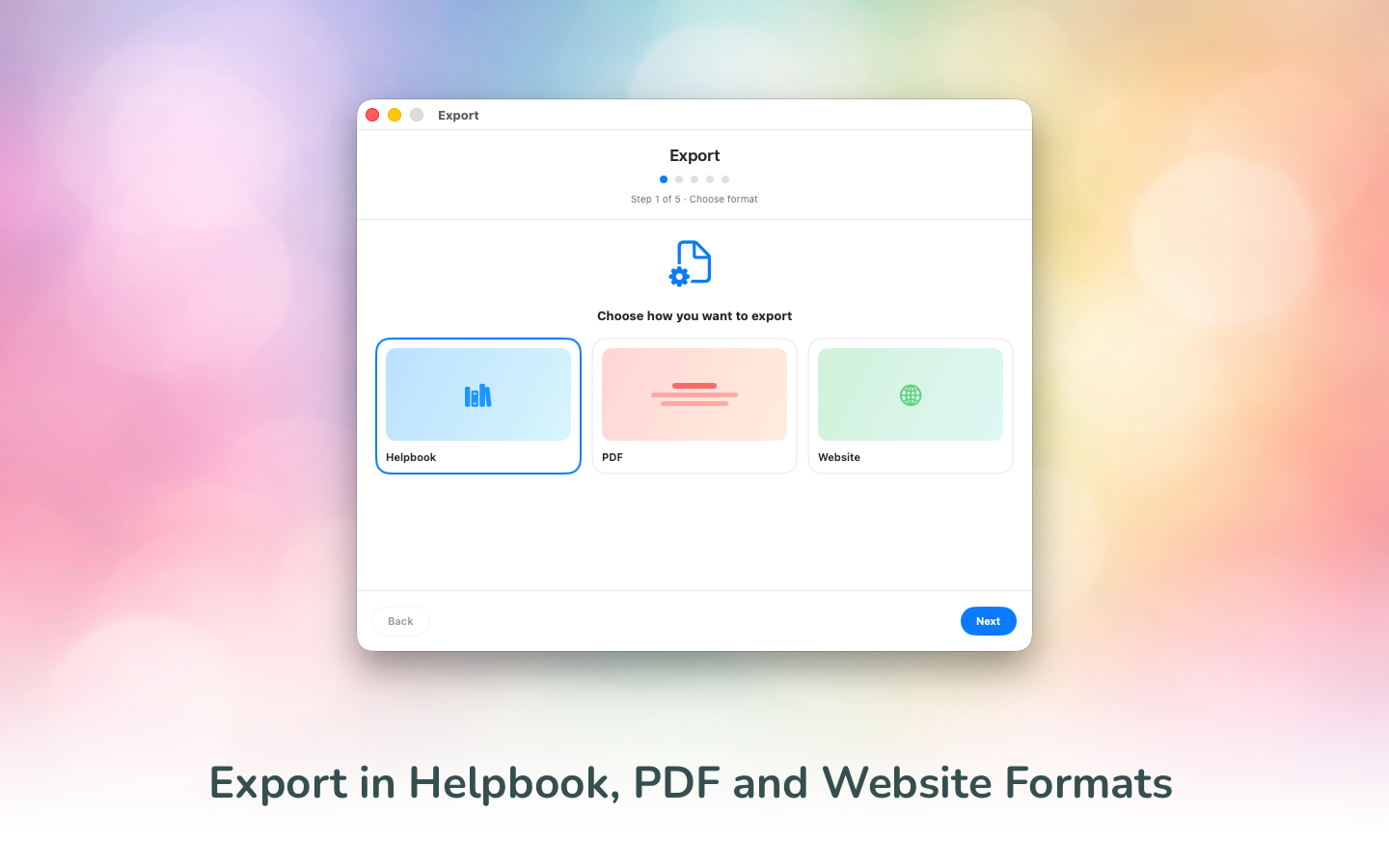
It gives you a modern WYSIWYG editor, a live Help Viewer preview, and one-click export to:
-
macOS Helpbook format (.help bundle)
-
HTML (for documentation sites)
-
PDF (with theme support)
Because modern apps don’t just need something in the Help menu. They need web guides. They need downloadable PDFs. They need multilingual documentation. They need something sustainable.
If you want to localize it, you can. If you want to translate automatically using Claude, OpenAI, or Ollama, you can. If you want to preview themes and styling before exporting, you can.
✨ Core Features
🖥 Native macOS Helpbook Export
At its core, HelpBook Builder is a true document-based macOS app. Your projects live on your machine as real files — organized, portable, and completely under your control. There’s no account required, no cloud dependency, and no hidden storage layer. You create a Help Book document, it saves locally like any other professional macOS document, and you can move, version, or back it up however you like.
The app itself is organizer-based, so you can manage your languages and pages visually while still working within a structured, document-driven workflow. Behind the scenes, it handles the complexity of generating a properly structured .help bundle ready to drop directly into your macOS app. That means the correct Info.plist configuration, proper lproj localization folders, a generated Table of Contents, working anchors, and output that behaves correctly inside Help Viewer.
You focus on writing clear documentation. HelpBook Builder handles the parts Apple never clearly documented.
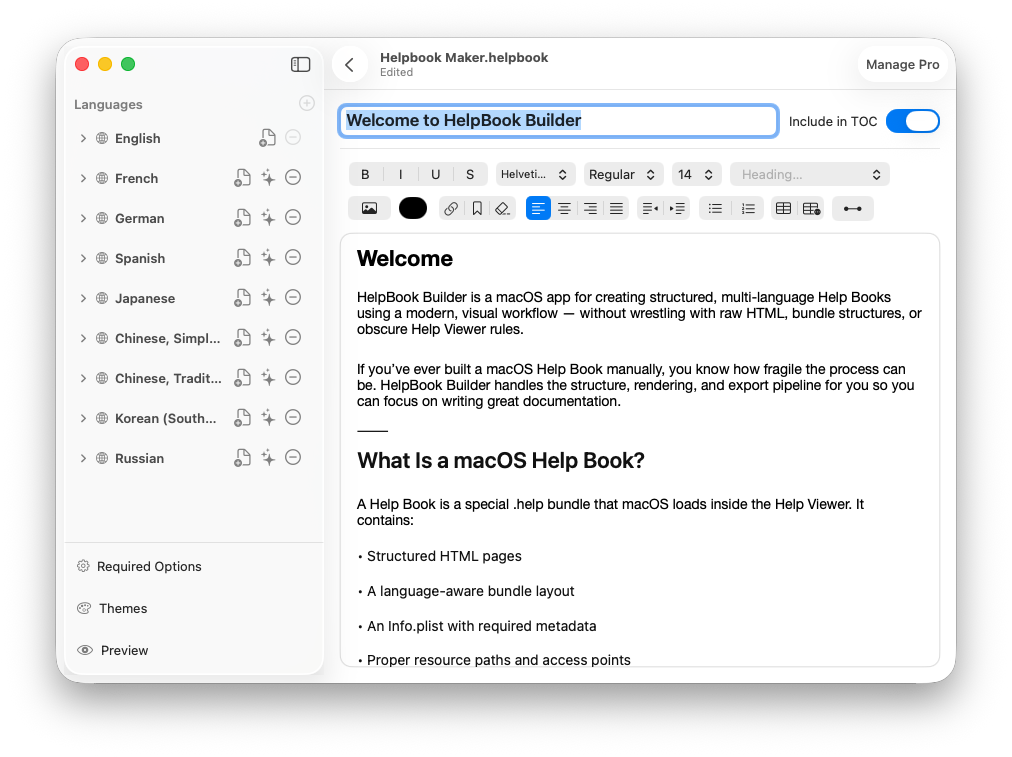
🌍 Multilingual Support (Built In)
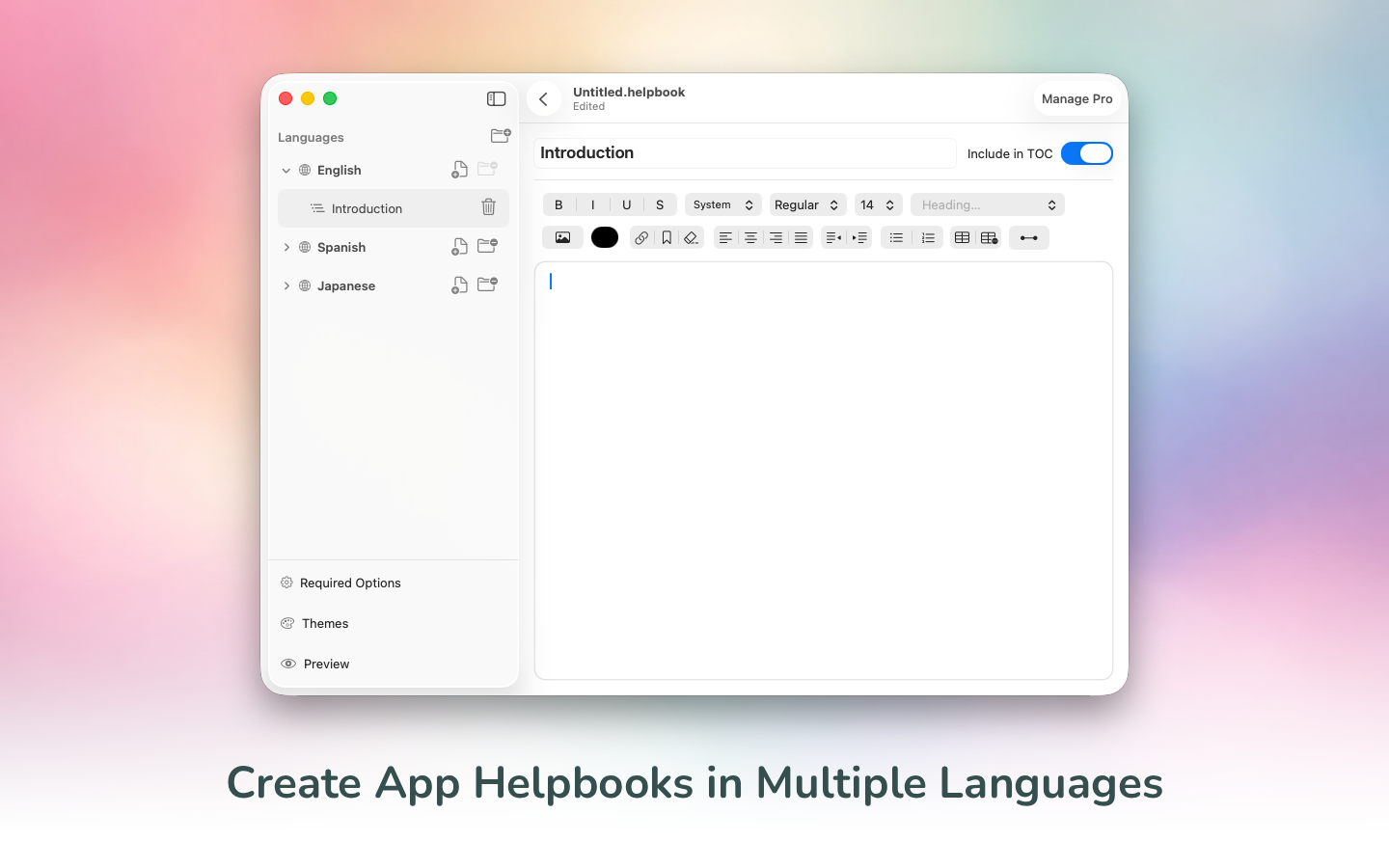
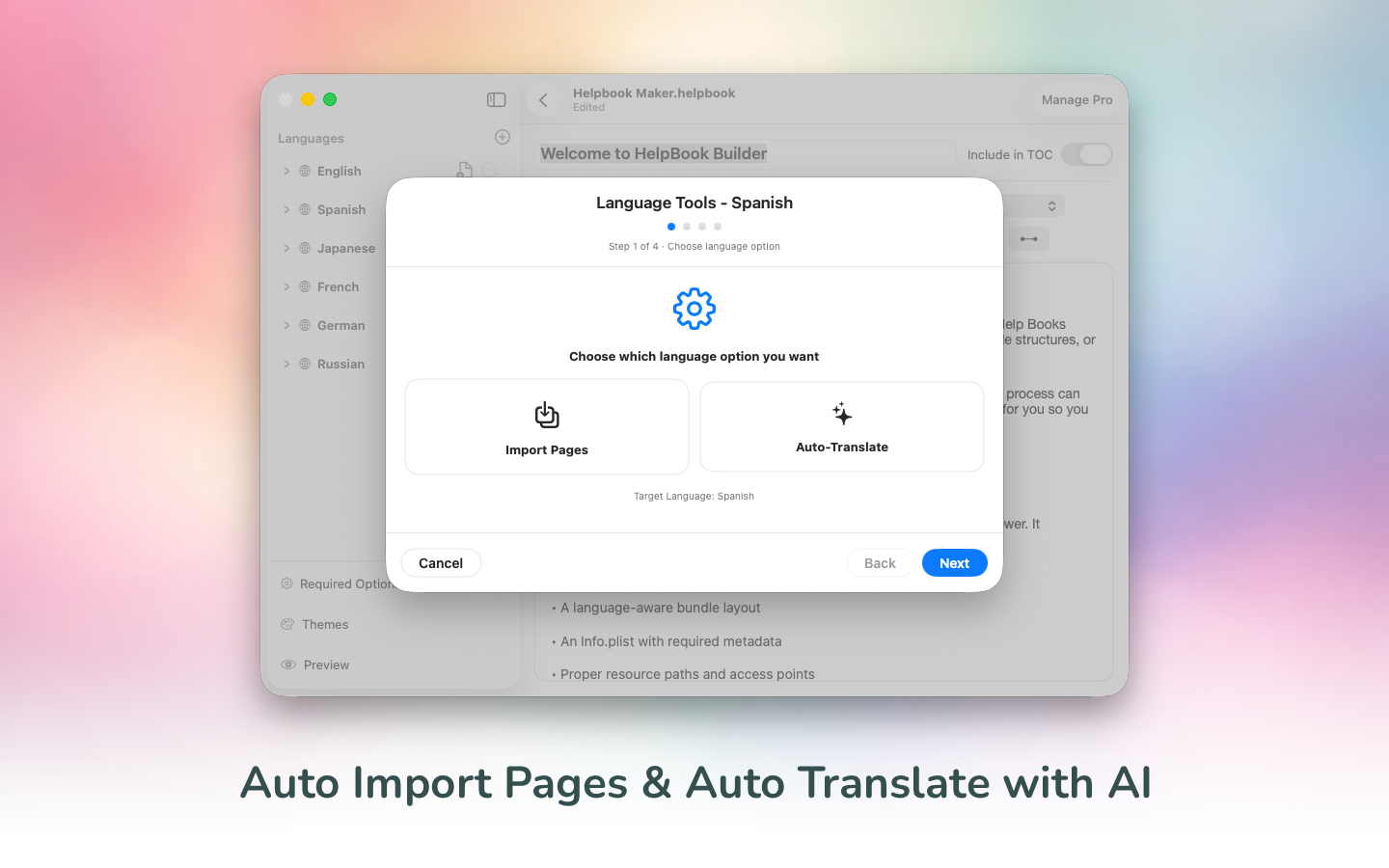
HelpBook Builder makes localization feel natural instead of overwhelming. You can easily add localized languages for your Help Book and manage each one inside the same organized document structure. Each language gets its own page tree, its own preview, and its own properly generated .lproj output at export time — without you having to manually duplicate folders or rebuild structure. It feels like working on one project, not juggling five separate documentation systems.
If you’re starting from a primary language, you can automatically import its pages into a new language and then translate them with AI using Ollama (local models), Claude, or OpenAI.* That means you’re not rebuilding structure from scratch — you’re accelerating from what you’ve already written. The free tier supports up to three languages per project, and Pro removes those limits, letting you scale your documentation as far as your app needs to go.
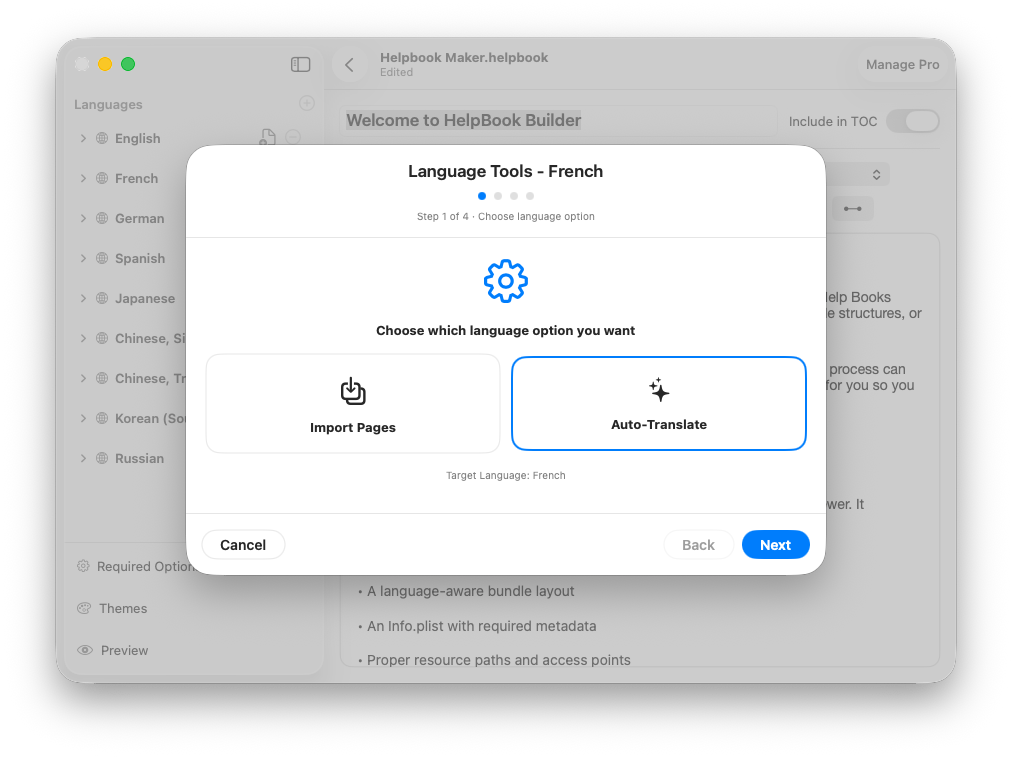
🤖 AI-Powered Translation
HelpBook Builder includes built-in AI translation designed specifically for documentation workflows. You can connect your own API key for Claude or OpenAI directly inside the app, select the model you want to use, and translate an entire language with a single action. The app handles batching, progress tracking, retries, and keeps the translation process transparent so you know exactly which provider and model were used. Nothing is hardcoded behind the scenes — you choose the provider, you choose the model, and your keys stay under your control.
If you prefer to stay fully local, Ollama support is built in as well. Point the app at your local Ollama instance, test the connection, and select any installed model on your machine. Because the model is explicitly chosen per request, you’re not relying on whatever happens to be “active” in Ollama — you control it. That means you can run smaller models for quick drafts, larger models for higher-quality output, or entirely offline workflows if that’s your preference. Whether cloud-based or fully local, AI translation in HelpBook Builder dramatically reduces the time it takes to ship polished, fully localized documentation.
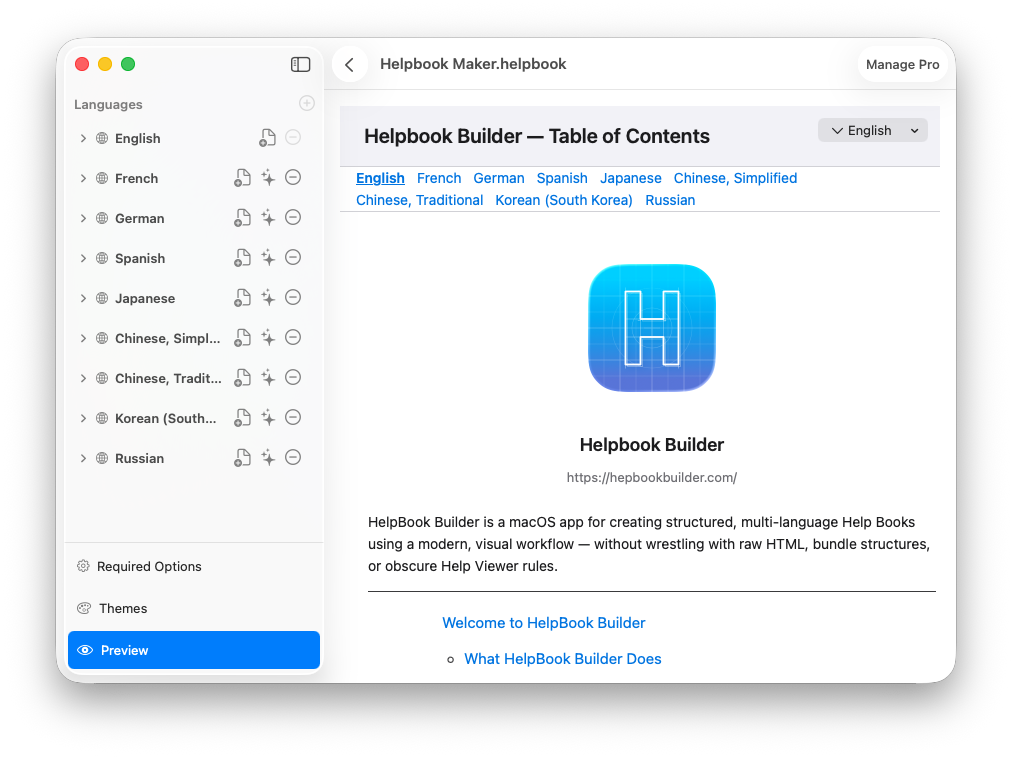
🎨 Theme Support with Live Preview
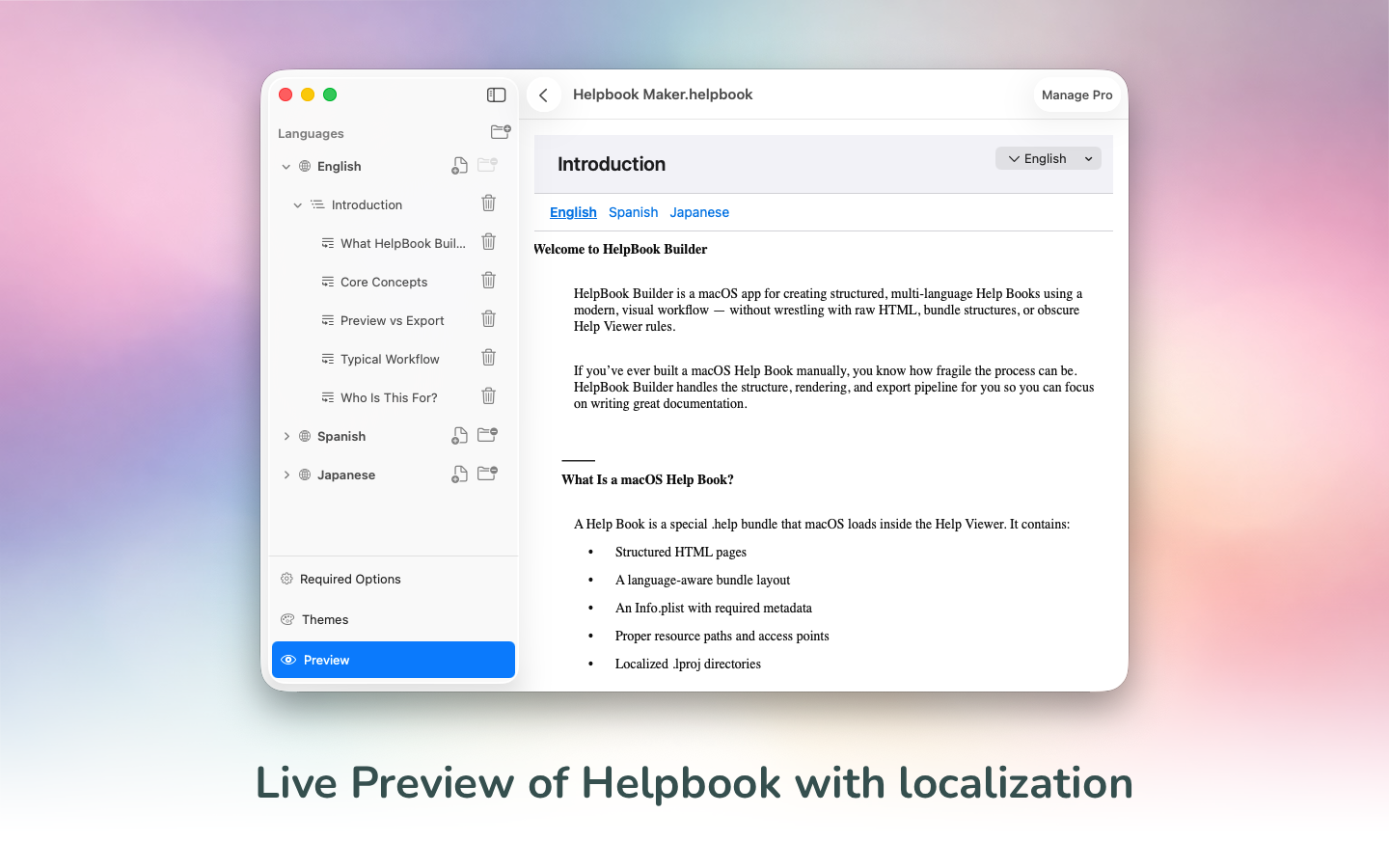
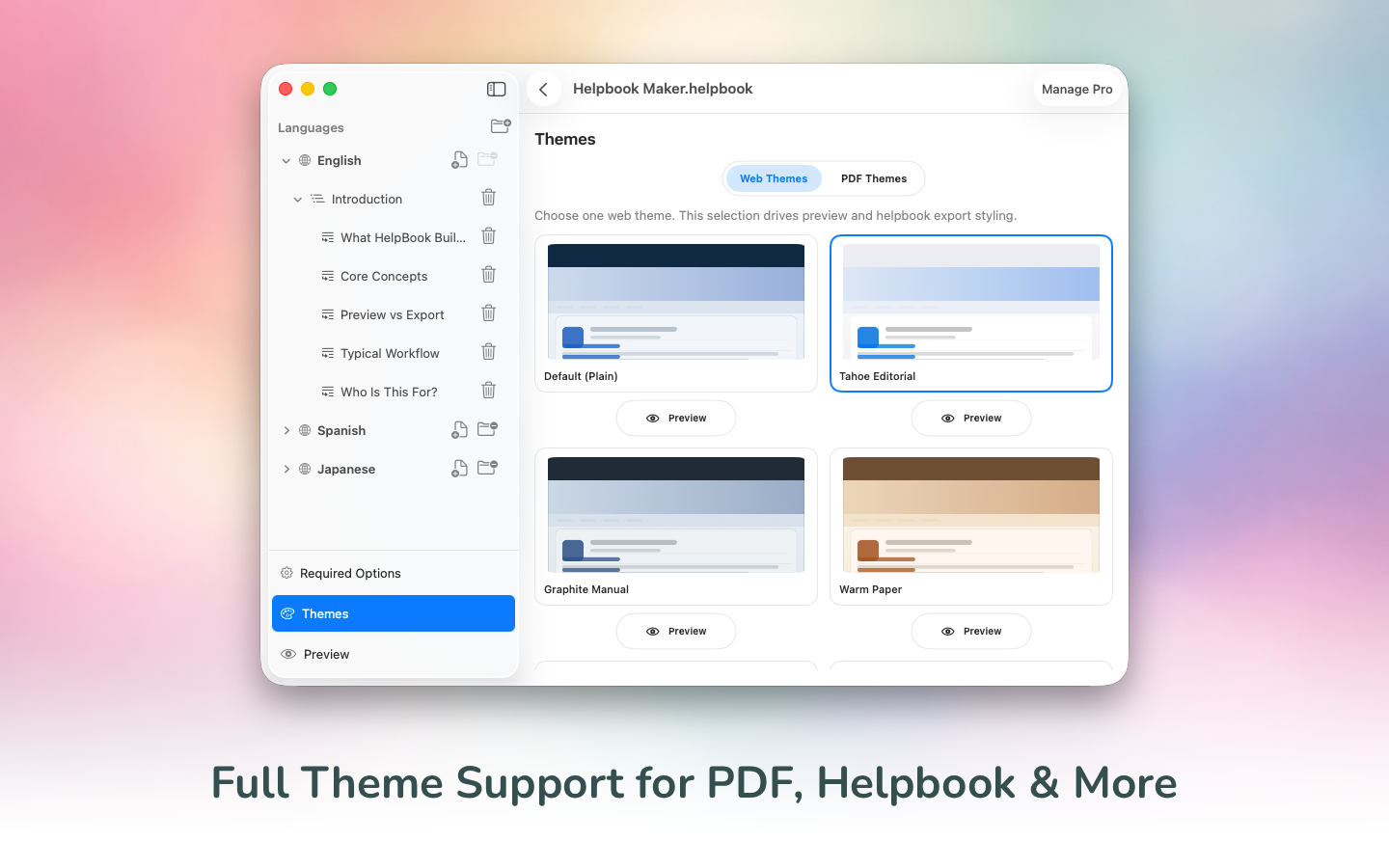
One of the most powerful parts of HelpBook Builder is that you can actually see your documentation the way users will experience it — before you export anything. As you write and edit, the live preview updates in real time, so you’re not guessing how your Help Book, HTML site, or PDF will look. You can tweak spacing, refine headings, adjust structure, and immediately see the result. It turns what used to be an export–test–fix loop into a fluid, visual workflow.
Themes are built in, but they’re not rigid. You can switch themes instantly if the current look doesn’t fit your app’s personality. You can add custom header graphics, fine-tune presentation details, and even localize titles and descriptions per language so everything feels intentional and polished. Theme styling applies consistently across Helpbook and PDF exports, so what you see really is what ships. Instead of treating presentation as an afterthought, HelpBook Builder makes it part of the creative process.
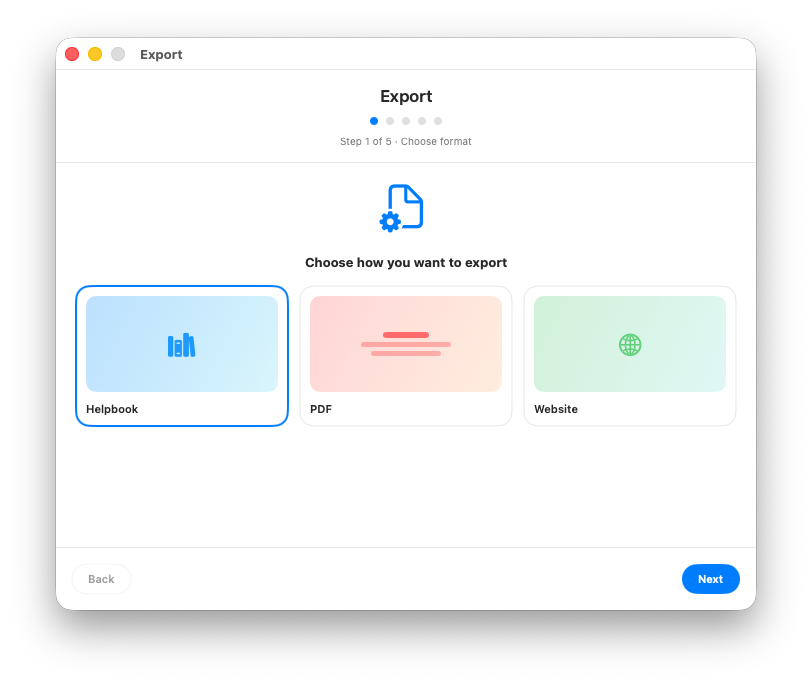
📦 Export Anywhere: Helpbook, HTML, and PDF
Great documentation shouldn’t live in just one place. Different users consume help in different ways, and different apps require different distribution models. That’s why HelpBook Builder lets you export the same content as a native macOS Helpbook, a clean static HTML site, or a fully styled PDF — all from the same source.
If you’re shipping a traditional macOS app, a proper .help bundle embedded directly into your app creates a seamless, native experience. Users can open Help from the menu, search content instantly, and navigate structured topics exactly the way macOS intended. But that’s only part of the story.
A web-based HTML guide is often just as important — especially if you want searchable documentation indexed by Google, something you can link to from onboarding emails, or a public knowledge base customers can browse before they even download your app. Even if you’re not a SaaS company, having a clean web guide dramatically improves discoverability and support.
And then there’s PDF. Some users want something downloadable. Something printable. Something they can send internally to a team, attach to onboarding materials, or store in documentation archives. Enterprise customers especially appreciate having a polished PDF manual available on demand.
By supporting all three formats — Helpbook, HTML, and PDF — HelpBook Builder ensures your documentation isn’t locked into a single channel. You write it once, structure it properly, and publish it everywhere your users need it.
Built the Right Way
Under the hood, HelpBook Builder is built the right way — on top of the real AppKit text system, using the native NSTextView stack, RTFD-backed persistence, and a deterministic HTML export pipeline that reflects how modern macOS actually handles Help Books today. There’s no brittle HTML guessing, no mysterious post-processing that breaks with the next OS update, and no fragile hacks to make Help Viewer behave. It’s engineered around the reality of the platform — not outdated assumptions — so what you build is what ships.
This isn’t just a generator. It’s a documentation workflow designed specifically for macOS developers who are tired of fighting the system. I built the tool I wished existed when I first tried to ship a proper Help Book, and after years of iteration, rewriting, and dogfooding it to build its own documentation, it’s finally ready. Projects are saved locally on your machine — no accounts, no cloud lock-in, no hidden storage. If you care about shipping thoughtful macOS apps, documentation shouldn’t be an afterthought. Now it doesn’t have to be.
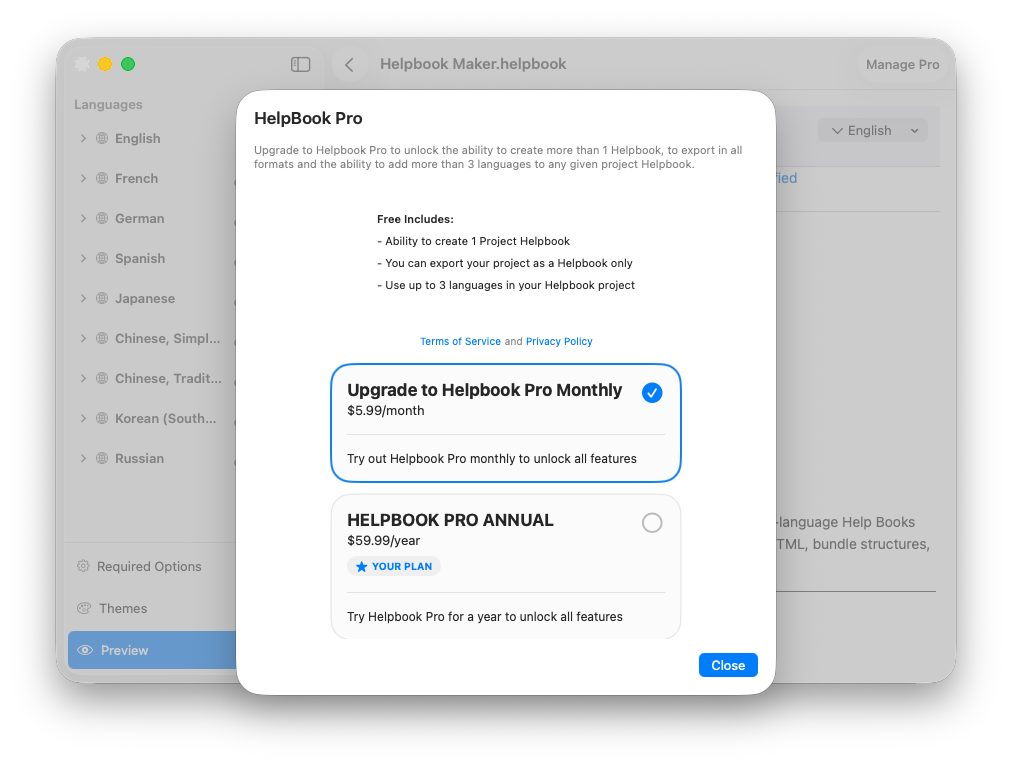
💸 Pricing
HelpBook Builder is designed to be accessible without limiting what matters. The free tier lets you create one project at a time with up to three languages, export a fully functional Helpbook, and keep everything saved locally on your machine — perfect for indie developers or anyone maintaining a single app. If you need more, the Pro plan at $5.99/month unlocks unlimited projects, unlimited languages, AI translation features, and full export flexibility. It’s simple, transparent, and built to scale with you as your apps grow.
🧪 Built by Dogfooding
HelpBook Builder builds its own Help Book — and that’s not a marketing line, it’s a design principle.
The app itself is fully localized, which meant the Help Book had to be fully localized too. Every language workflow, every translation flow, every .lproj export, every preview state — it all had to work for a real, shipping macOS app. I wasn’t building theoretical features. I was solving real problems that surfaced while documenting a real product.
The documentation system powering this app was created entirely inside HelpBook Builder. When something felt awkward, I fixed it. When export exposed a weakness, I rebuilt that part of the pipeline. When localization felt slow, AI translation was integrated. When preview didn’t match Help Viewer closely enough, the renderer was refined. The entire export pipeline, localization system, and live preview engine are continuously tested in real-world use because they’re the same tools used to ship this app’s own documentation.
This app wasn’t built in isolation — it was built out of necessity. Out of the friction of trying to document a modern macOS application properly. Every major feature exists because it was needed for all of my macOS apps.

Support Indie Development
These apps are built in my free time.
I build and maintain these tools as an indie developer outside of client work and day-to-day responsibilities. If you find these apps useful and want to help fund continued development, updates, support, and new releases, you can sponsor the work directly.
Monthly support helps me keep shipping improvements, maintain compatibility, and invest more time into building practical software for the Apple admin and consultant community.
🚀 Download
If you build macOS apps and care about doing things the right way, documentation shouldn’t feel like a chore you dread at the end of a release cycle. It should be part of the product. Structured. Localized. Native. Intentional.
HelpBook Builder was created to make that realistic again — without wrestling Help Viewer, without reverse-engineering bundle quirks, and without rebuilding the same localization structure over and over.
If that sounds like something you’ve needed, it’s available now.
Download on the Mac App Store Learn more at https://helpbookbuilder.com/
I hope it helps you ship better documentation — and better apps.
AI Usage Transparency Report
AI Era · Written during widespread use of AI tools
AI Signal Composition
Score: 0.18 · Low AI Influence
Summary
HelpBook Builder is a native macOS app for creating fully structured Help Books. It has features like multilingual support, AI-powered translation, and theme support with live preview.
Related Posts

Bromure Gives Codex a Room of Its Own
I installed Bromure Agentic Coding, watched it build the Linux VM, authenticated Codex, and followed a real Codex task through the workspace.

Claude Code Auto Mode Changes Approval Flow, Not the Safety Boundary
Claude Code Auto mode changes how approval decisions are handled. It does not expand the boundary of what the coding agent should be allowed to do.
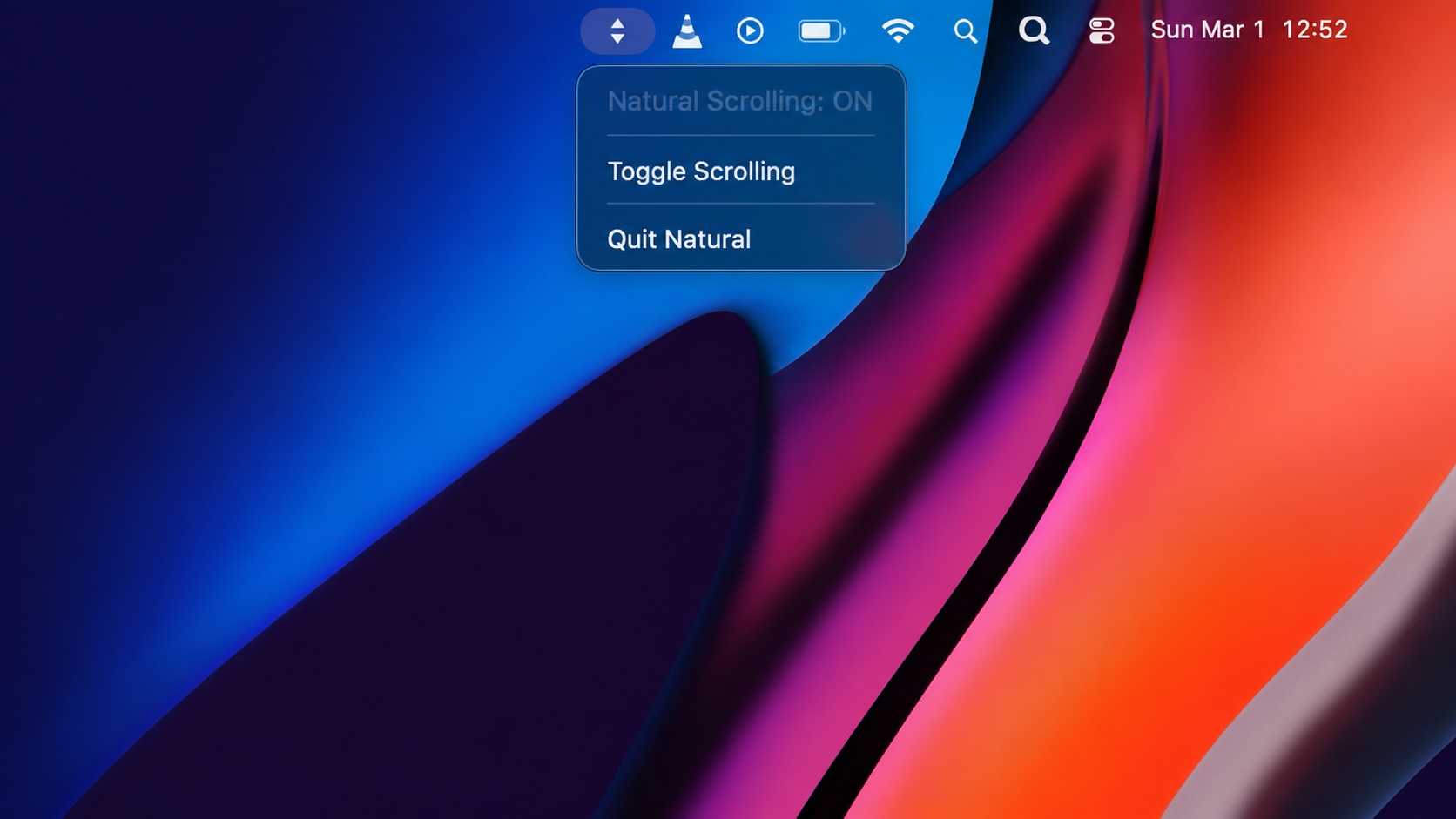
Natural Makes the macOS Scroll Direction Toggle Less Buried
Natural is a small macOS menu bar utility that makes the natural scrolling toggle easy to reach, but building it from source also shows why open-source desktop utilities need clear prerequisite checks before they become recommended tools.
LibrePods Turns AirPods Into an Interoperability Question
LibrePods is interesting because it turns AirPods into an interoperability question: what happens when open-source software implements Apple's private AirPods protocol so Android and Linux users can reach features normally reserved for Apple's ecosystem?

Why Mac Performance Monitor Belongs in the Mac Admin Toolbox
Mac Performance Monitor belongs in the Mac admin toolbox because it records local performance history, helps Help Desk review slow-Mac reports after the moment has passed, and keeps process telemetry on the Mac instead of sending it to a cloud service.
Apple’s WWDC26 AI Story Is About Control, Not Just Models
Apple’s WWDC26 special presentation on Apple Intelligence and Xcode was less about adding a chat box to developer tools and more about making AI part of the platform boundary. Xcode agents, App Intents, Foundation Models, Core AI, and MLX all point toward the same idea: intelligent features need context, permissions, testing, and clear ownership before they belong in production software.

Running a Beta Program: Lessons Learned
Shipping software in isolation is comforting. You control the inputs, the environment, and the narrative you tell yourself about how things work. The moment you invite other people in—especially people who don’t share your assumptions—you lose that comfort. You also gain something far more valuable. Running a public beta for ABM Warranty through Apple’s TestFlight program forced me to confront that tradeoff head-on, and it fundamentally changed how quickly and confidently the app matured.
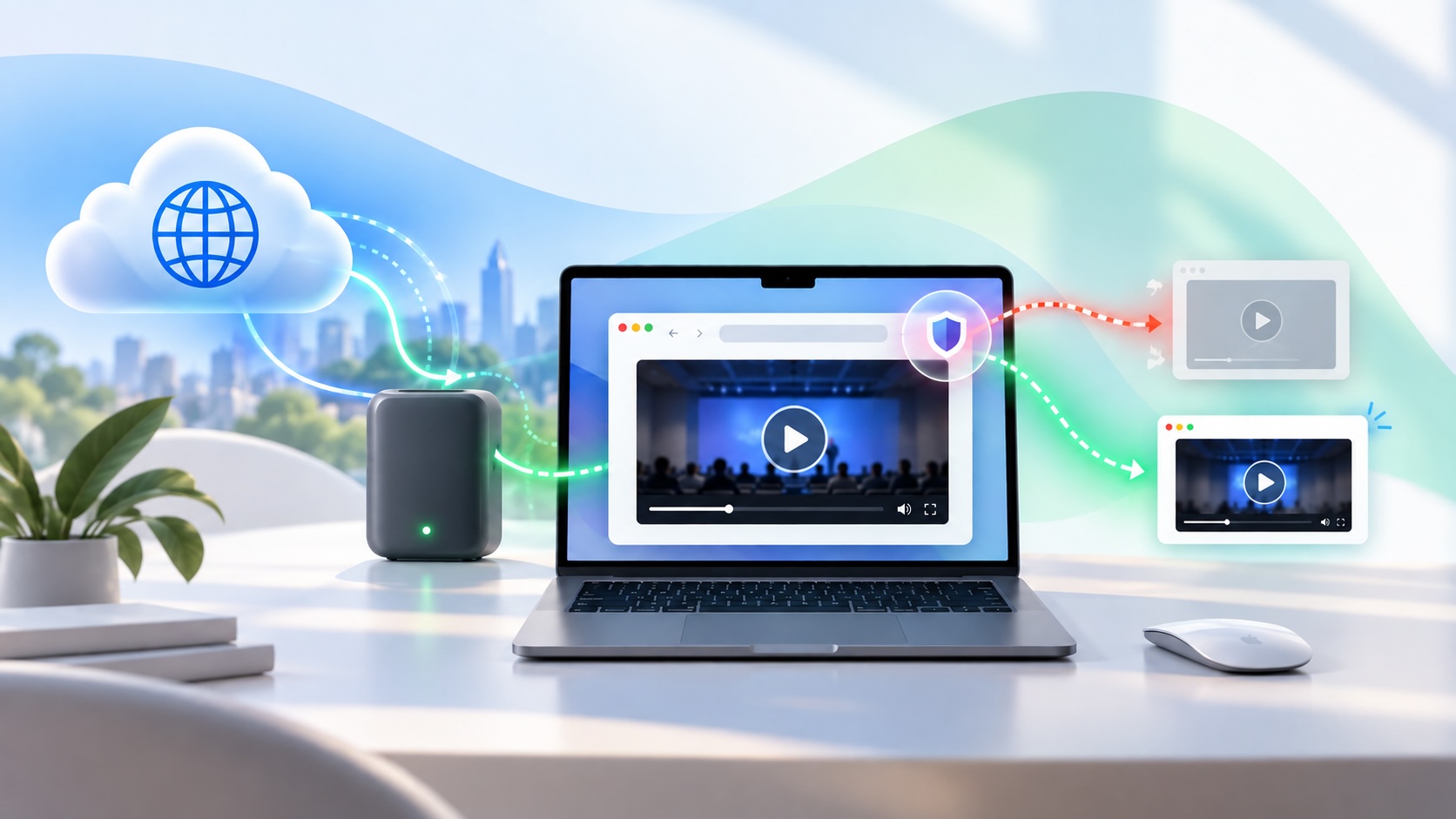
When Chromium Mistakes Your VPN for a Local Network
Turning off Jamf Trust fixed the webinar, which normally would have sent me straight to its routing policies. This time the route was fine: Chromium was treating Jamf's ZTNA broker addresses as a local network, and an Edge and Chrome preference corrected it.
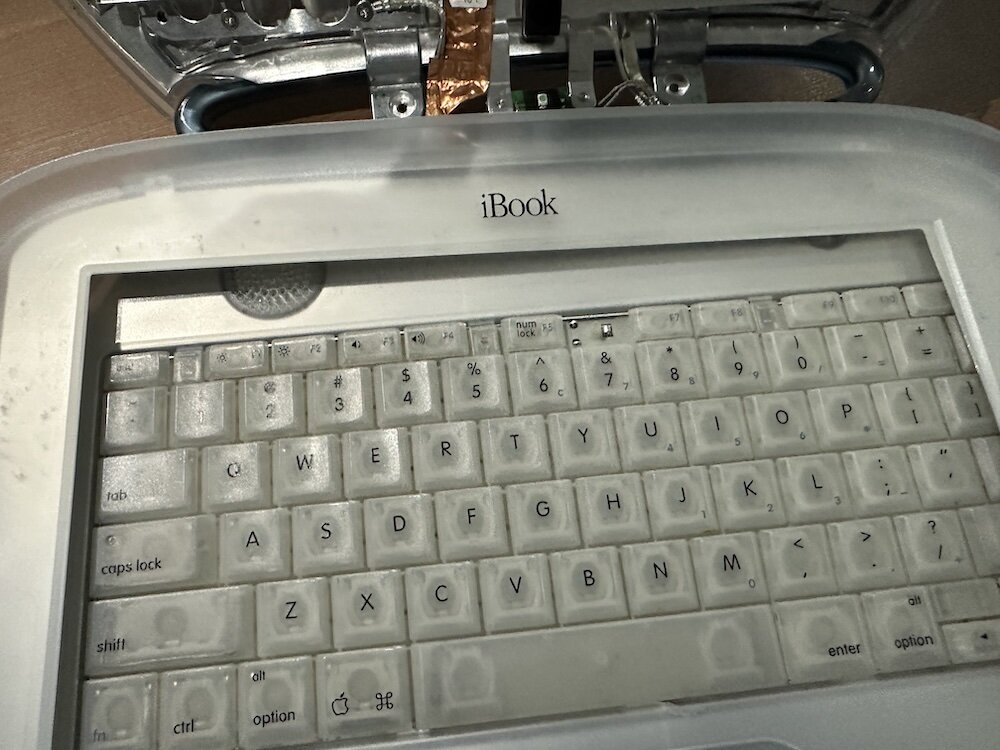
Clamshell iBook G3 Restoration, Part 1: From Broken Screen to Board-Level Repair
Part one of a Clamshell iBook G3 restoration: a broken screen, a charger detour, a blinking system folder, a full teardown, and the backlight connector mistake that paused the project.

Amnesia Stealer Shows the Next Stage of ClickFix on macOS
Amnesia Stealer shows how ClickFix-style social engineering is adapting on macOS, while a public malware sample gives defenders an opportunity to study the behavior behind the campaign.
