

Here’s the solution to a problem that clients have run into on occasion. In a workgroup that relies on Adobe Creative Cloud apps, one person might upgrade to the latest versions of Photoshop, InDesign, and Illustrator, whereas others don’t. Suddenly, if that person opens and re-saves a file in the new version, those using the old version may not be able to open it, or certain aspects of the file may disappear.
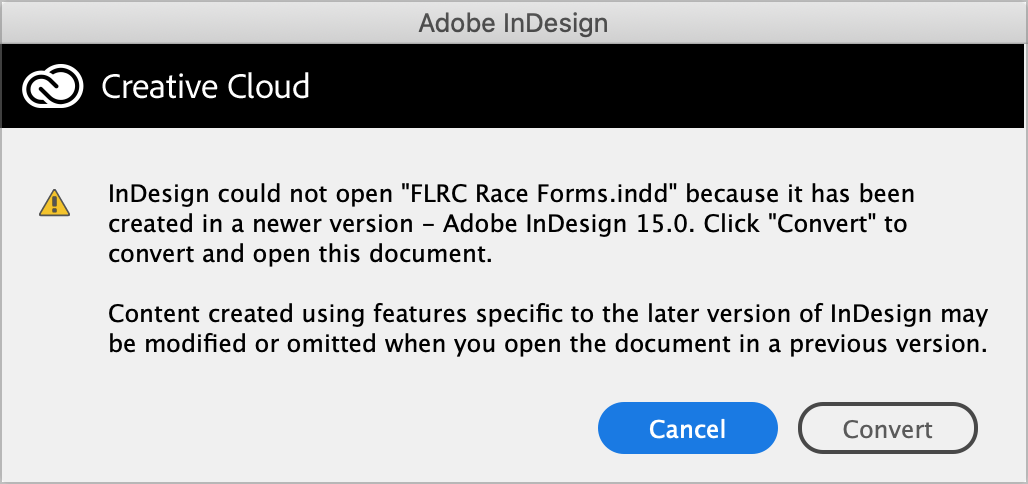
Upgrading isn’t always possible—some people may have too-old Macs or not be running a new enough version of macOS. More commonly, however, the rest of the group is deep in a major project and quite reasonably doesn’t want to introduce potential problems by changing their software in mid-stream. What to do?
Luckily, Adobe makes it easy to download previous versions of all the Creative Cloud apps, allowing the person who upgraded to rejoin the rest of the team on the older version.
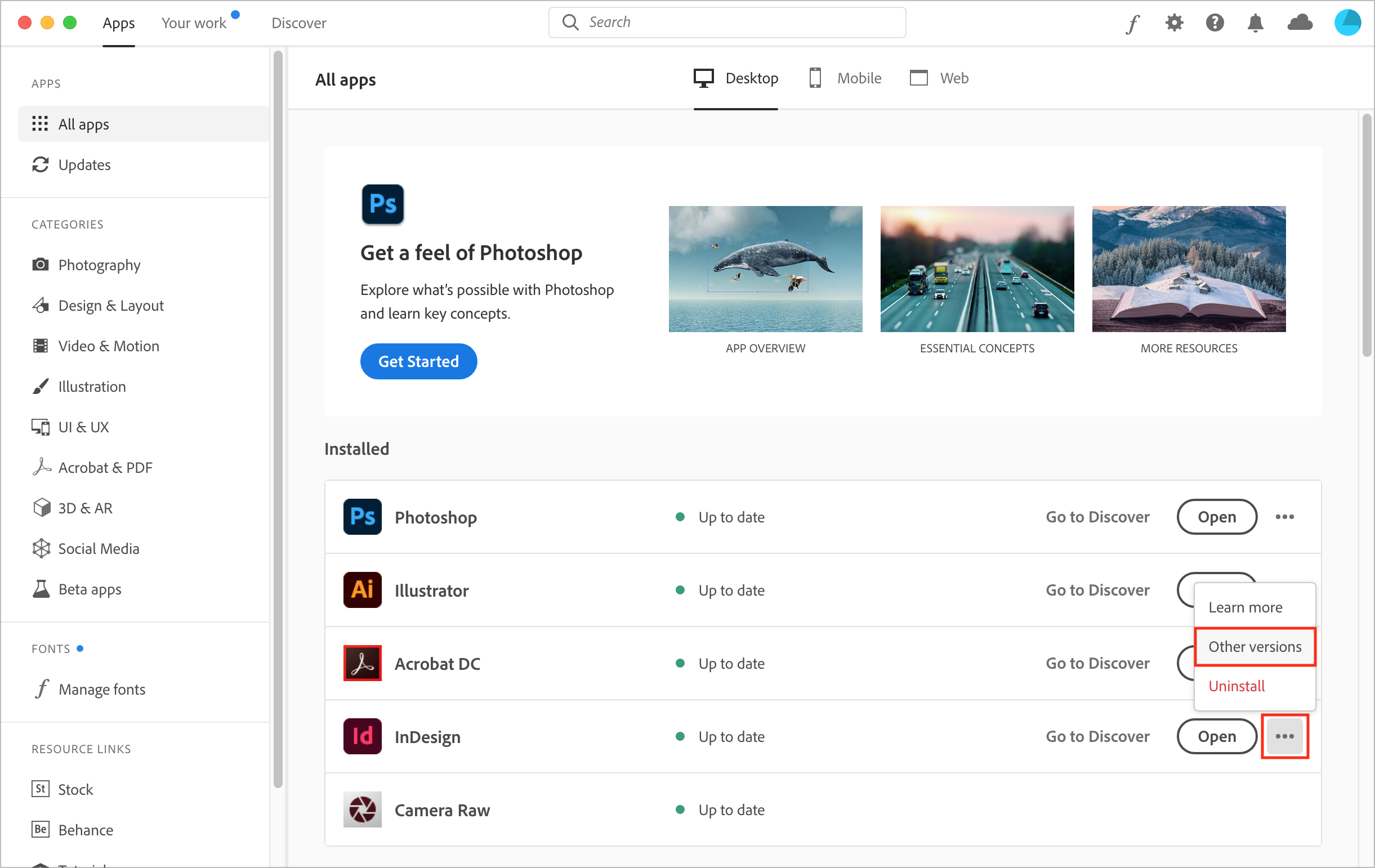
Open the Creative Cloud app, click the ••• button to the right of the desired app, and choose Other Versions from the pop-up menu.
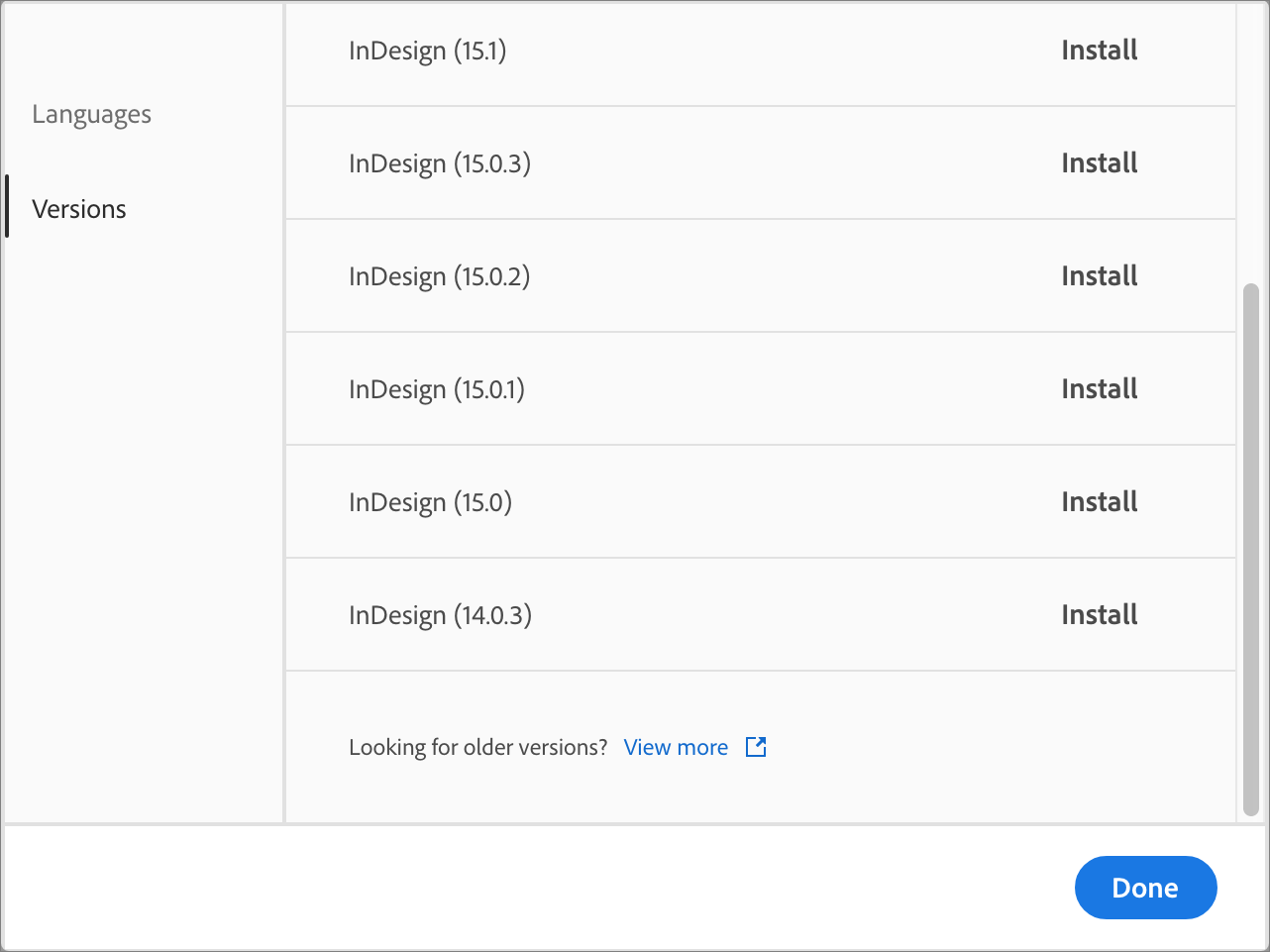
In the list that appears, find the older version you want to install—likely the version that the rest of the team is using—and click Install. Creative Cloud warns you that the app will have its auto-update setting disabled so the newly installed old version won’t be overwritten during a future update.
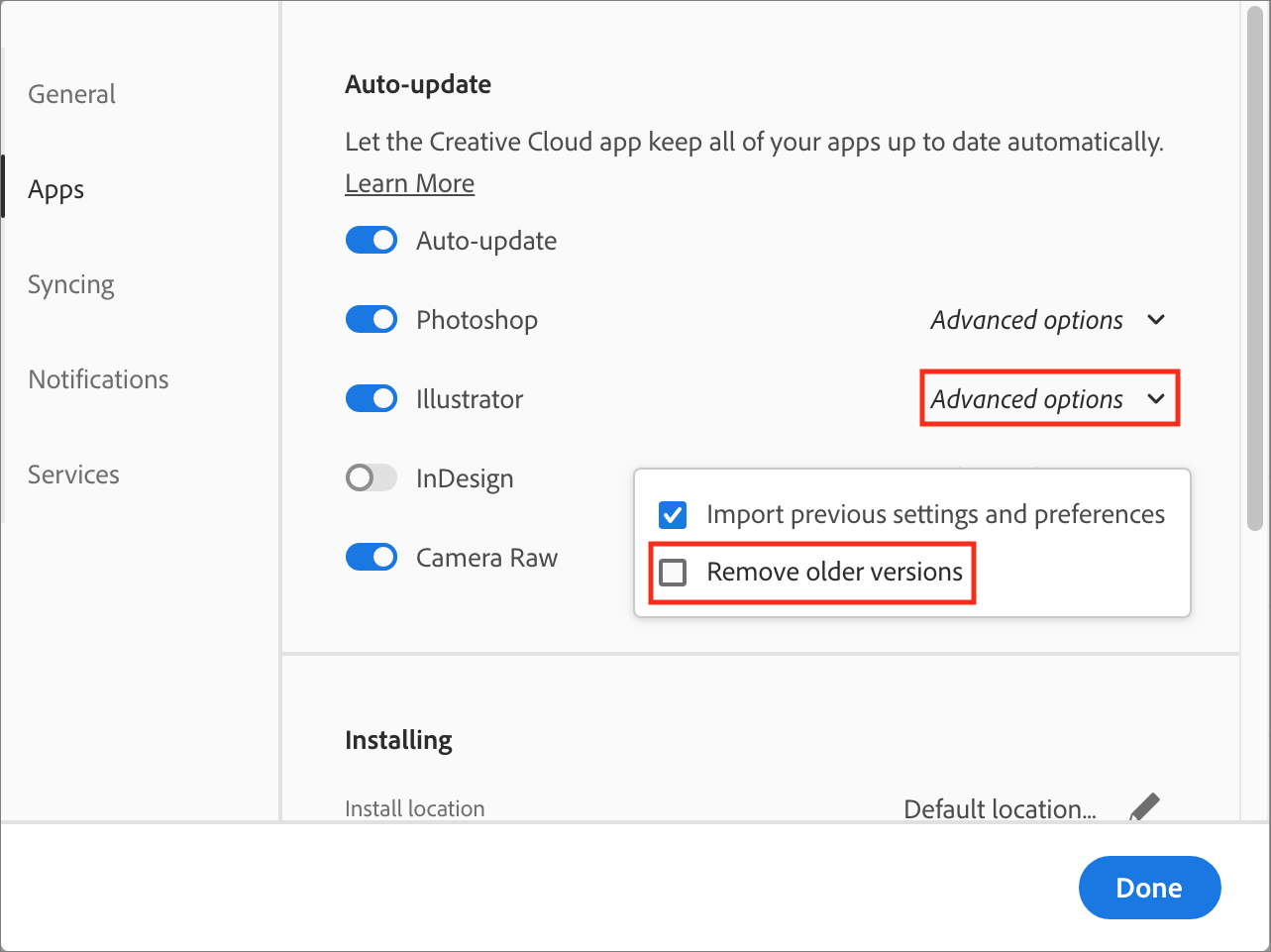
You can ensure that you don’t lose access to older versions during updates by disabling a Creative Cloud setting that automatically removes previous versions of apps when you update. In the Creative Cloud app, choose Creative Cloud > Preferences > Apps. Then click Advanced Options to the right of the desired app’s name, and in the dialog that appears, deselect Remove Older Versions. When you’re finished, click Done.
That’s it—a potentially project-stopping problem eliminated quickly and easily. Just don’t let your Creative Cloud apps get too far out of date, since you can go back only so far when downloading previous versions.
AI Usage Transparency Report
Pre-AI Era · Written before widespread use of generative AI tools
AI Signal Composition
Score: 0.04 · Low AI Influence
Summary
A solution to a common problem in Adobe Creative Cloud workgroups, where one person's upgrade can cause issues for others. The solution involves downloading previous versions of the apps and disabling auto-update settings.
Related Posts

When Chromium Mistakes Your VPN for a Local Network
Turning off Jamf Trust fixed the webinar, which normally would have sent me straight to its routing policies. This time the route was fine: Chromium was treating Jamf's ZTNA broker addresses as a local network, and an Edge and Chrome preference corrected it.

Clamshell iBook G3 Restoration, Part 1: From Broken Screen to Board-Level Repair
Part one of a Clamshell iBook G3 restoration: a broken screen, a charger detour, a blinking system folder, a full teardown, and the backlight connector mistake that paused the project.

Bromure Gives Codex a Room of Its Own
I installed Bromure Agentic Coding, watched it build the Linux VM, authenticated Codex, and followed a real Codex task through the workspace.

Claude Code Auto Mode Changes Approval Flow, Not the Safety Boundary
Claude Code Auto mode changes how approval decisions are handled. It does not expand the boundary of what the coding agent should be allowed to do.

Amnesia Stealer Shows the Next Stage of ClickFix on macOS
Amnesia Stealer shows how ClickFix-style social engineering is adapting on macOS, while a public malware sample gives defenders an opportunity to study the behavior behind the campaign.

Reporting on Microsoft 365 DLP Overrides with PowerShell
DLP overrides are not automatically bad. They are a business process that needs visibility. This walkthrough covers a Microsoft Purview DLP policy, a custom sensitive information type, user override behavior, and a PowerShell report that exports override events from Activity Explorer.
PowerBook 140 BlueSCSI Install: Cable Fixed, Battery-Bay Power, and Wi-Fi Setup
The PowerBook 140 project moved from preparing a BlueSCSI card in Basilisk II to installing the repaired internal SCSI cable, powering the BlueSCSI Pico externally from the battery bay, booting System 7.1, and fighting through DaynaPORT Wi-Fi setup.

Move Entra Users Off SMS and Voice Before Microsoft Retires Them
Microsoft is retiring Microsoft-provided SMS and voice authentication in Entra ID. The migration is not passkeys for everyone; it is removing weak telecom MFA and choosing supported replacement methods such as Microsoft Authenticator, FIDO2 keys, certificate-based authentication, OATH hardware tokens, or customer-managed telecom.
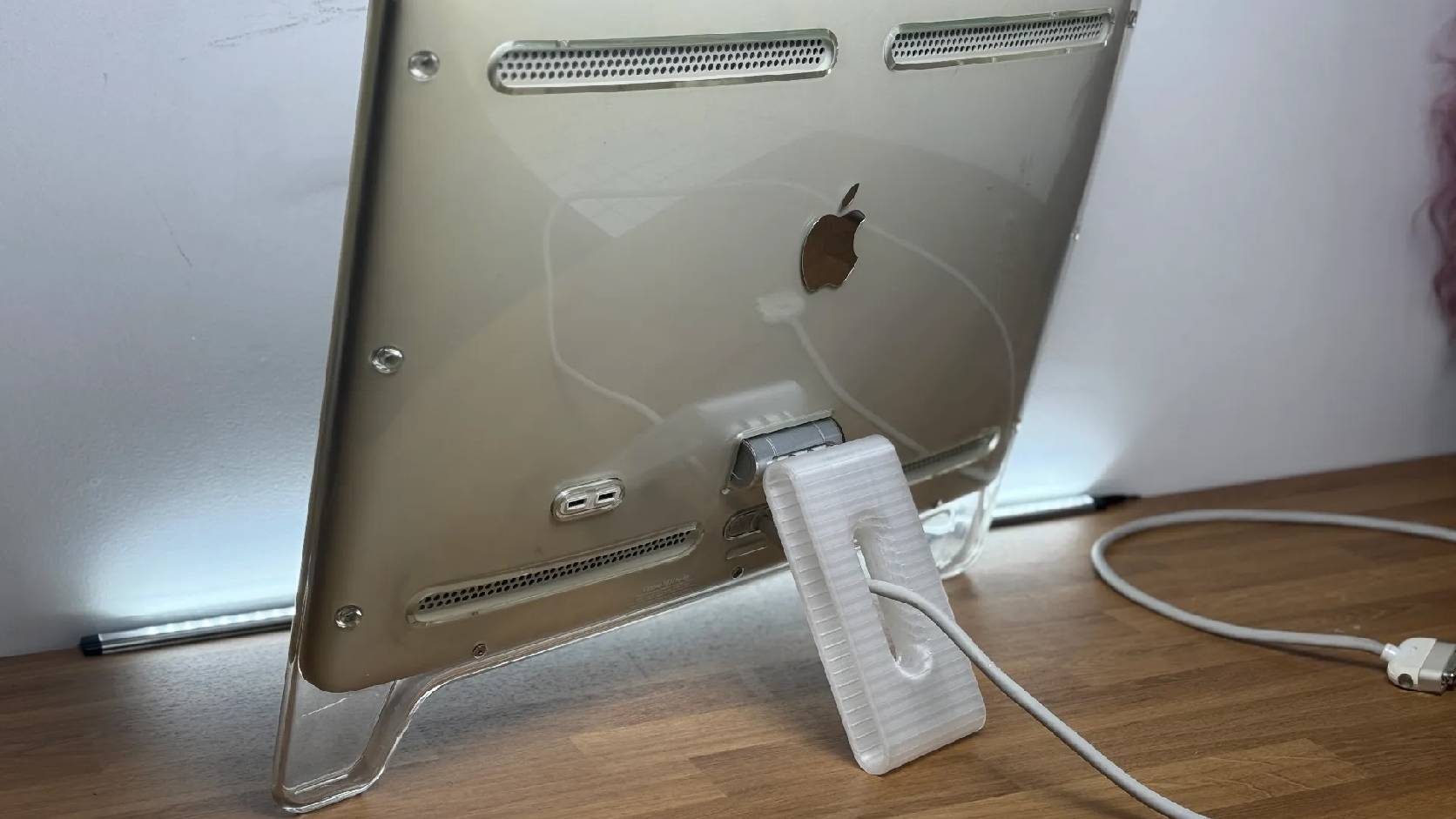
Fixing a Broken Apple Cinema Display Stand with a 3D Printed Leg
A 22-inch Apple Cinema Display arrived with a broken acrylic easel stand, so I used a 3D printed replacement leg instead of sending the monitor back.

macOS Tahoe 26.6.1 Fixes a High-Severity Screen Sharing Authentication Bypass
macOS Tahoe 26.6.1 fixes CVE-2026-65400, a high-severity Screen Sharing authentication issue where an attacker on the network may be able to authenticate without valid credentials.
