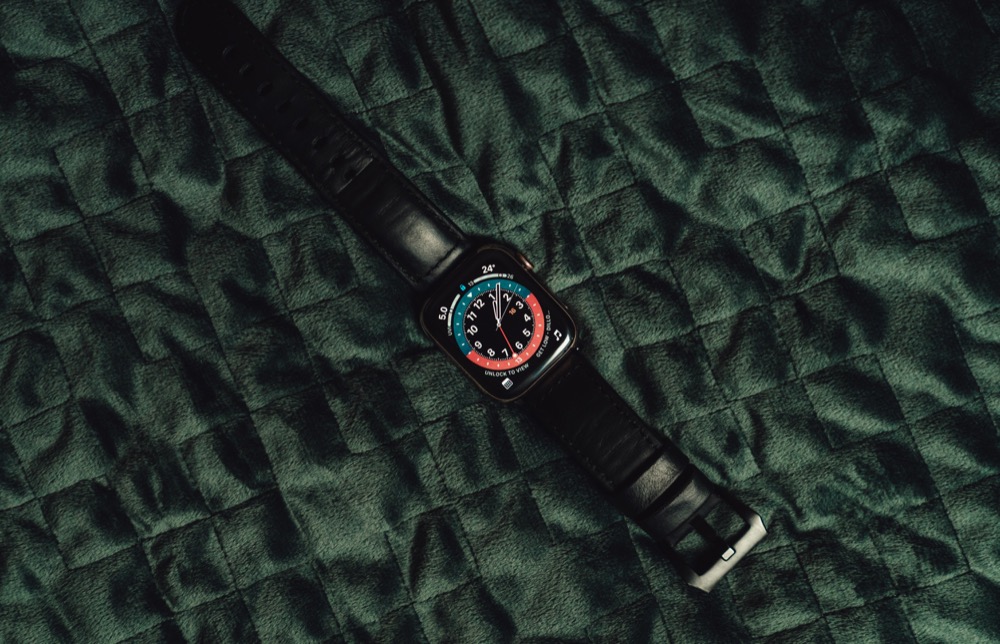

The small screen of the Apple Watch prevents new watchOS features from being as obvious or splashy as those in iOS and iPadOS. But watchOS 7, now available for the Apple Watch Series 3 and later when paired with an iPhone 6s or later running iOS 14, has quite a few notable changes. Here are our favorites: Family Setup, sleep tracking, handwashing reminders, and new watch faces and complications.
Family Setup
Since the original Apple Watch, Apple has required that every Apple Watch be paired with an iPhone to simplify setup, reduce the reliance on power-hungry Wi-Fi in favor of the more efficient Bluetooth, and more. However, cellular-enabled Apple Watch models can do a lot without their iPhone companion nearby. In watchOS 7, Apple has taken another step toward a standalone Apple Watch, with Family Setup.
The goal behind Family Setup is to make it possible for children or seniors to benefit from an Apple Watch without needing their own iPhones. You pair their watches to your iPhone, but they get their own phone numbers and use their own Apple ID on the watch. Family Setup works only with cellular-capable Apple Watch Series 4 models or later, and although a cellular plan isn’t required, many features won’t be useful without one.
The most compelling benefits of Family Setup are that you can easily see where the people wearing the watches are and communicate with them via text messaging and phone calls. You can also control with whom they can communicate and enforce a restricted Schooltime mode that helps kids stay focused. Apple Cash Family lets you send money to kids that they can spend via the contactless Apple Pay system. Fall detection, high and low heart rate notifications, and Emergency SOS might be welcome for seniors too.
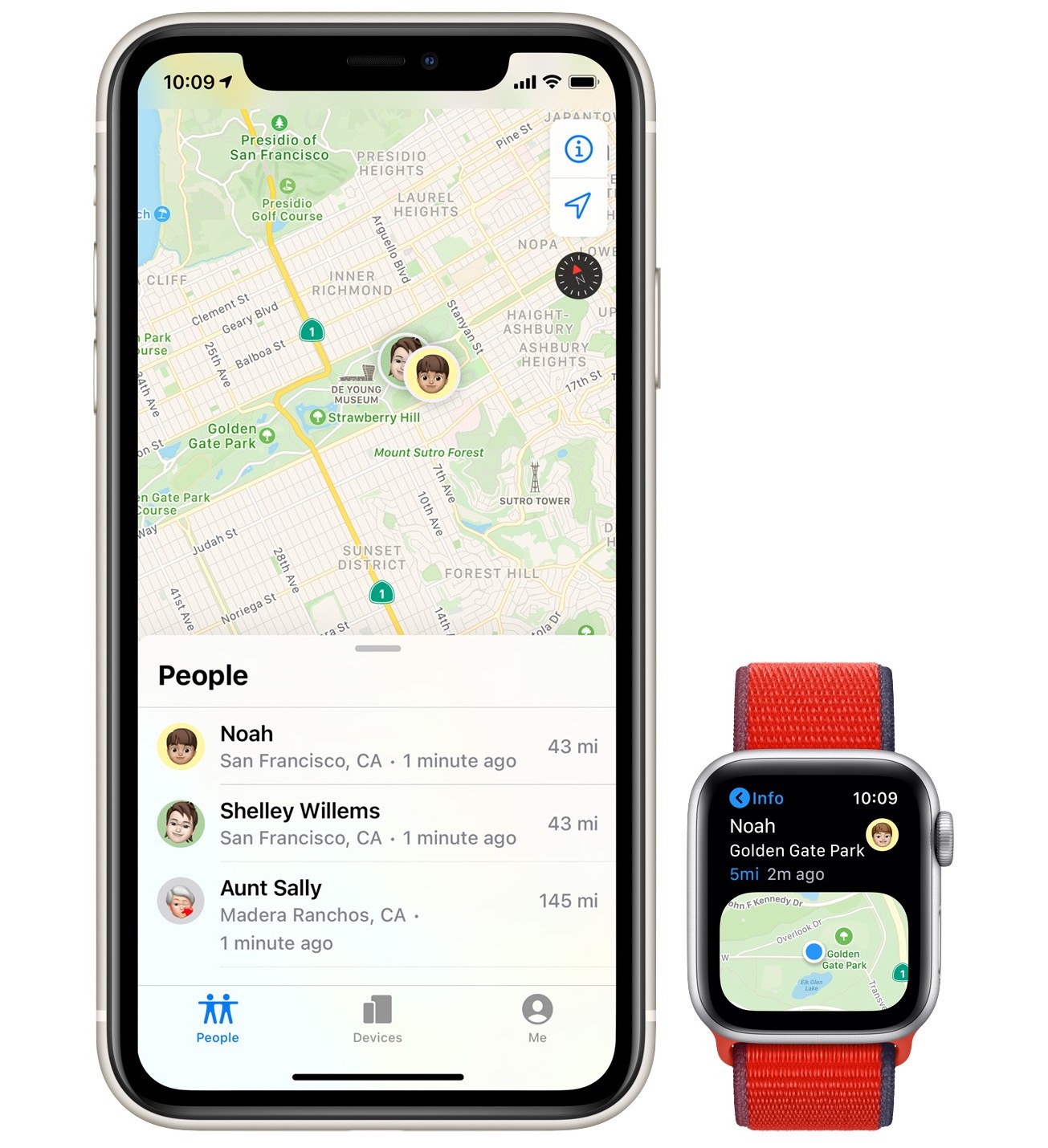
Unfortunately, some desirable Apple Watch features aren’t available without a paired iPhone, so Family Setup members won’t be able to take advantage of irregular heart rhythm notifications, ECG, Cycle Tracking, Sleep, Blood Oxygen, Podcasts, Remote, News, Home, and Shortcuts.
Sleep Tracking
Sleep deprivation has been deemed a public health epidemic, with a third of US adults reporting that they usually get less than the recommended 7–8 hours of sleep per night. Too little sleep causes losses of work productivity and increases in motor vehicle accidents, and it’s linked to chronic diseases like type 2 diabetes, heart disease, obesity, and depression.
watchOS 7’s new sleep tracking function helps you get on a healthy sleep schedule, tracks your sleep, and shows you sleep trends in the Health app on the iPhone. You can most easily set up the new Sleep mode in the Watch app on your iPhone (My Watch > Sleep), and an option there lets you enable charging reminders, since you can’t charge it while you sleep with it on—while you get ready for bed at night and while you’re getting dressed in the morning will be enough.
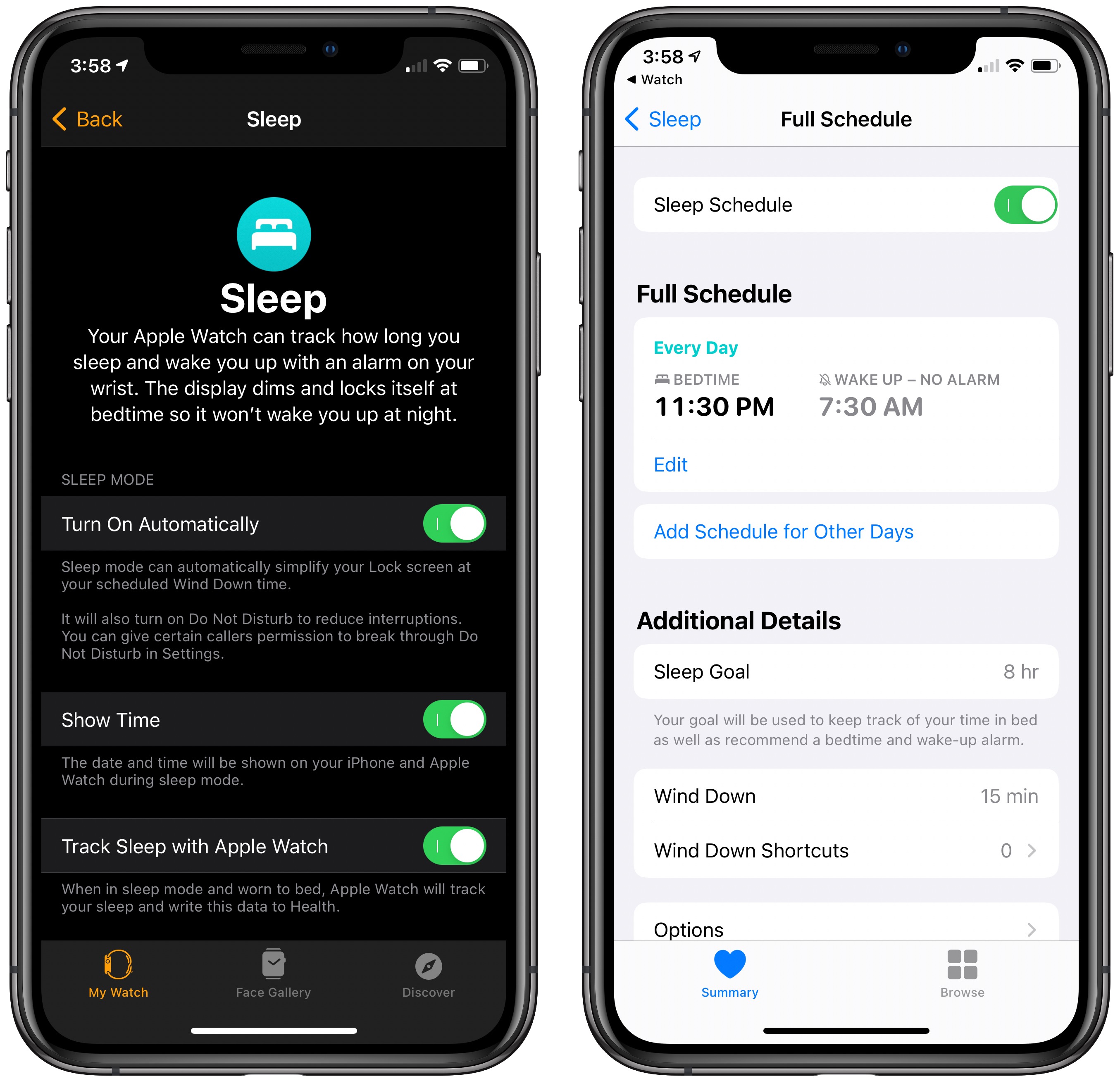
Flip over to the Sleep options in the Health app to create sleep schedules—which can be different by the day—set sleep goals, and configure a Wind Down period that enables Do Not Disturb and alerts you when it’s time to start winding down.
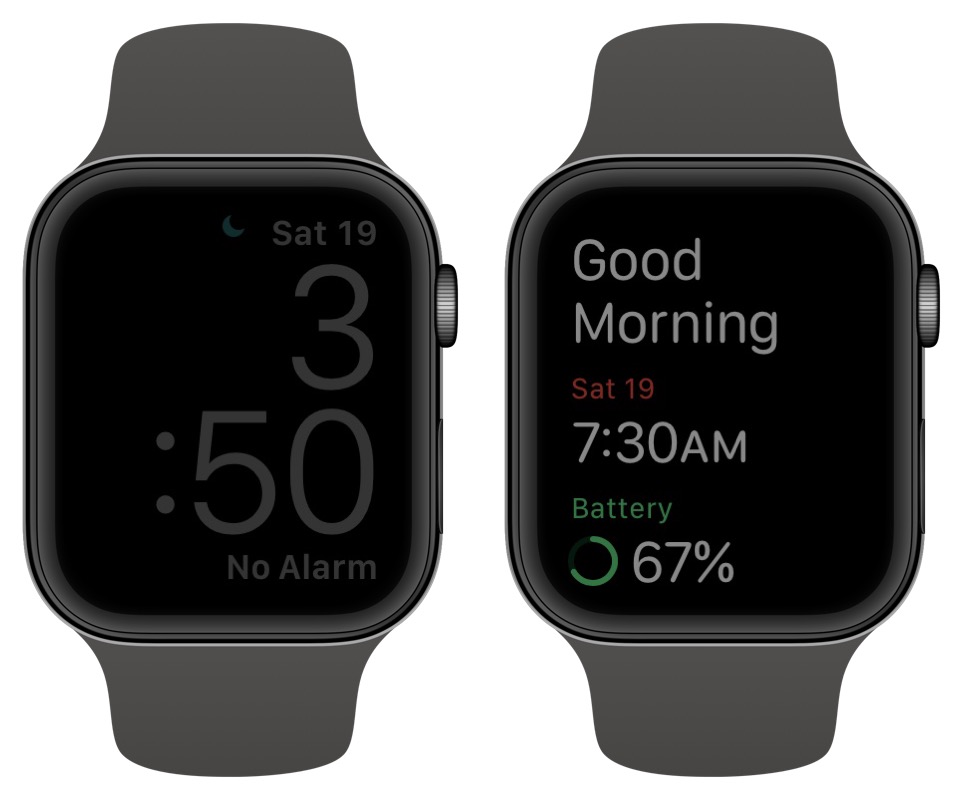
Of course, sleep tracking requires that you wear your Apple Watch in bed, so Sleep mode simplifies the watch face and keeps it dark until you tap it. Even then, it shows only the time at a very dim illumination level. In the morning, the watch wishes you a good morning and shows you the remaining battery life to remind you to charge it while getting dressed.
To see your sleep data, in the Health app, tap Browse > Sleep (you can tap a star under More to add it to your Favorites so it appears in the Summary screen too). It reports how much time you spend asleep versus just in bed, shows your average sleep times, and even records your heart rate while you’re sleeping.
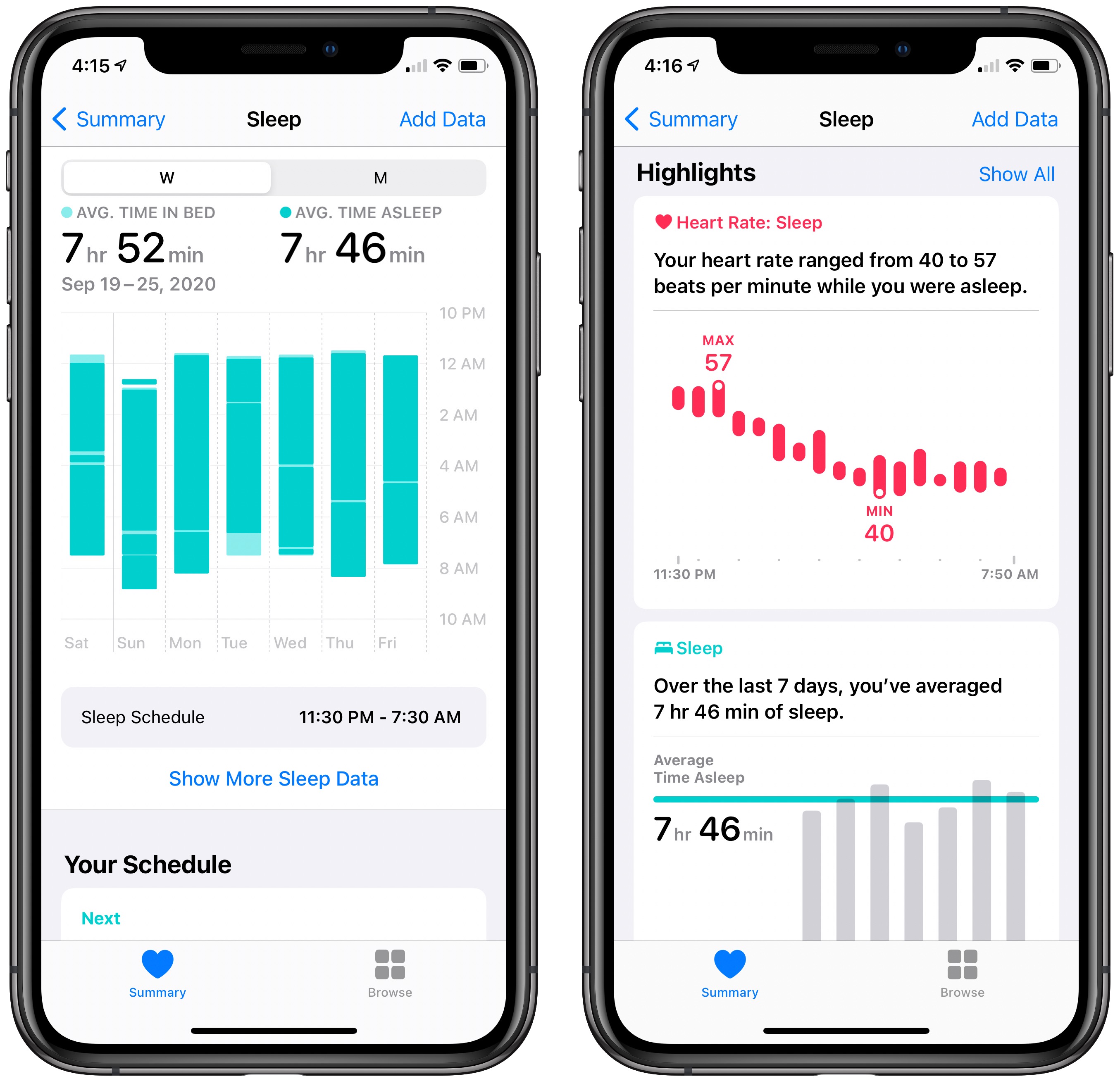
Keep in mind that this data—however interesting—is useful only if you can leverage it to improve your sleep. Remember, the goal is 7–8 hours of sleep on a regular schedule, so you’re not messing with your circadian rhythms too much. You might also consider third-party apps that promise to apply machine learning to your data to recommend changes in behavior—look for Sleep++, SleepWatch, Sleep Cycle, and more.
Handwashing Reminders
Although current research seems to be focusing on airborne transmission of the coronavirus, those droplets and particles still fall on surfaces that we touch, ensuring that handwashing remains important. watchOS 7 includes two features designed to help you remember to wash your hands when necessary and to do so long enough that it helps.
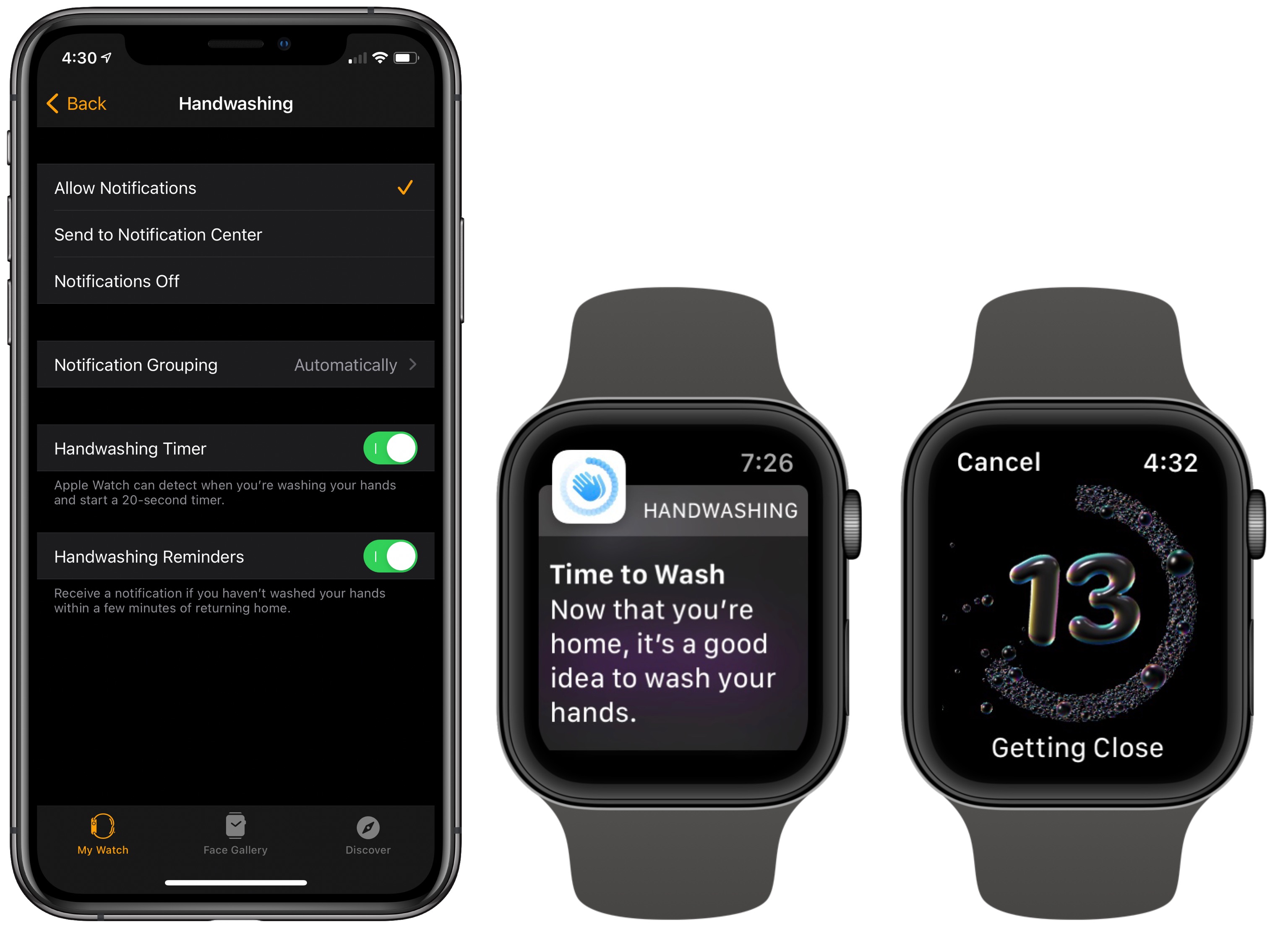
In the Watch app, in My Watch > Handwashing, you can enable the Handwashing Timer, which detects when you’re washing your hands and starts a 20-second timer. That’s helpful, although the cooks among us may find themselves ignoring it as they rinse their hands repeatedly while preparing dinner. The Handwashing Reminders setting alerts you if you haven’t washed your hands shortly after returning home. Of course, if you were just out for a bike ride or never got out of the car, those notifications might be annoying.
More Faces, More Complications, and Face Sharing
The details here are way too varied to get into, but suffice it to say that with watchOS 7, Apple has once again increased the number of watch faces among which you can choose. New faces include Artistic, Chronograph Pro, Count Up, GMT, Memoji, Stripes, and Typograph, all shown below.
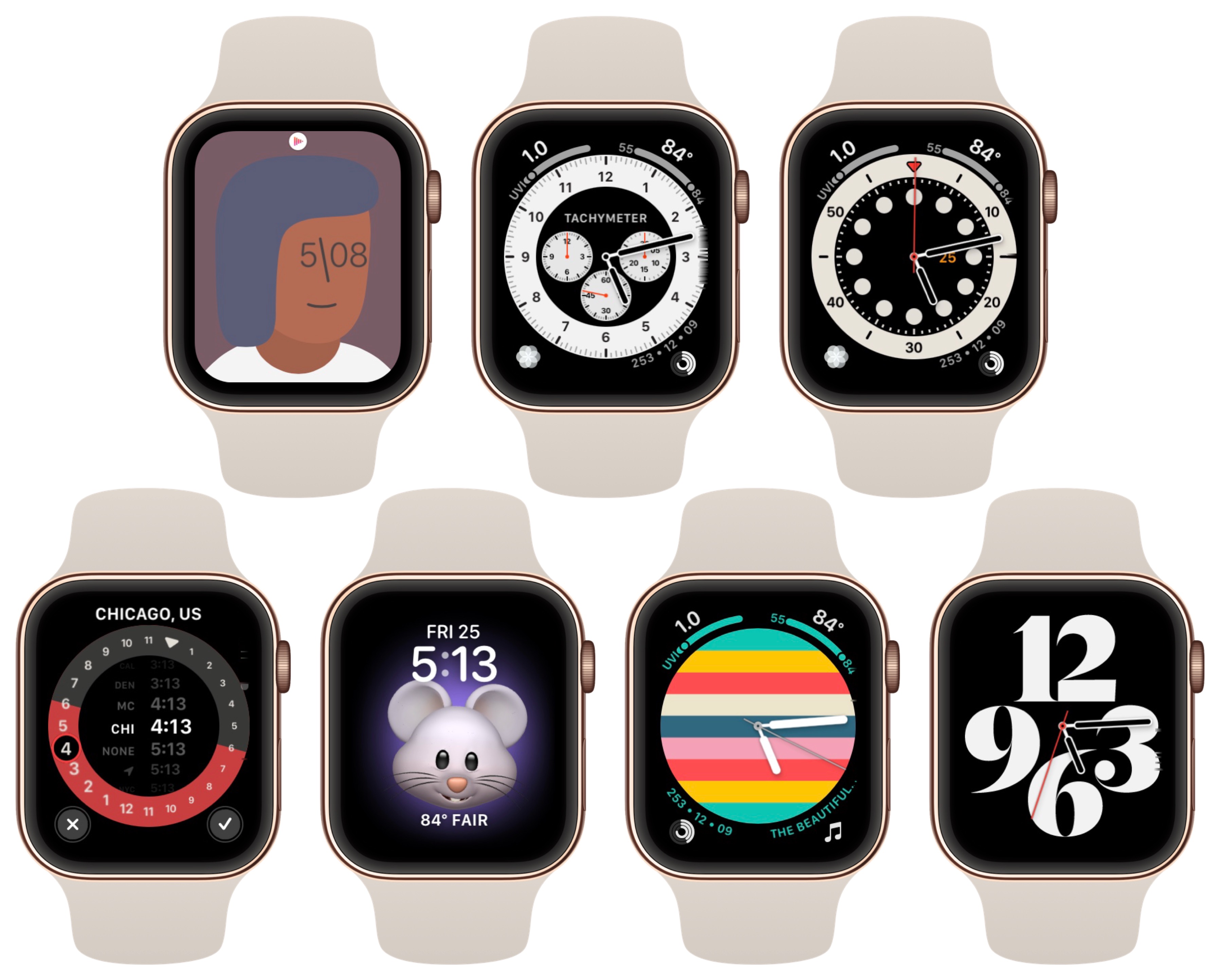
Many of these faces have slots for numerous complications, and with watchOS 7, you can now add multiple complications from the same app if you wish. If you spend a lot of time getting a watch face just right, you can now share it with an Apple Watch-using friend by tapping the Share button when customizing a face (press hard on the face of the Apple Watch to enter customization mode).
Those are our favorite features, but they’re by no means everything in watchOS 7. Other features include support for four additional workout types (Dance, Functional Strength Training, Core Training, and a post-workout Cooldown), support for cycling directions in Maps, translations in Siri, and improvements in hearing health. Once you’ve upgraded, check them all out!
AI Usage Transparency Report
Pre-AI Era · Written before widespread use of generative AI tools
AI Signal Composition
Score: 0.04 · Low AI Influence
Summary
watchOS 7 has several notable changes, including Family Setup, sleep tracking, handwashing reminders, and new watch faces and complications.
Related Posts
When Chromium Mistakes Your VPN for a Local Network
Turning off Jamf Trust fixed the webinar, which normally would have sent me straight to its routing policies. This time the route was fine: Chromium was treating Jamf's ZTNA broker addresses as a local network, and an Edge and Chrome preference corrected it.
Clamshell iBook G3 Restoration, Part 1: From Broken Screen to Board-Level Repair
Part one of a Clamshell iBook G3 restoration: a broken screen, a charger detour, a blinking system folder, a full teardown, and the backlight connector mistake that paused the project.

Bromure Gives Codex a Room of Its Own
I installed Bromure Agentic Coding, watched it build the Linux VM, authenticated Codex, and followed a real Codex task through the workspace.
Claude Code Auto Mode Changes Approval Flow, Not the Safety Boundary
Claude Code Auto mode changes how approval decisions are handled. It does not expand the boundary of what the coding agent should be allowed to do.

Amnesia Stealer Shows the Next Stage of ClickFix on macOS
Amnesia Stealer shows how ClickFix-style social engineering is adapting on macOS, while a public malware sample gives defenders an opportunity to study the behavior behind the campaign.
Reporting on Microsoft 365 DLP Overrides with PowerShell
DLP overrides are not automatically bad. They are a business process that needs visibility. This walkthrough covers a Microsoft Purview DLP policy, a custom sensitive information type, user override behavior, and a PowerShell report that exports override events from Activity Explorer.
PowerBook 140 BlueSCSI Install: Cable Fixed, Battery-Bay Power, and Wi-Fi Setup
The PowerBook 140 project moved from preparing a BlueSCSI card in Basilisk II to installing the repaired internal SCSI cable, powering the BlueSCSI Pico externally from the battery bay, booting System 7.1, and fighting through DaynaPORT Wi-Fi setup.
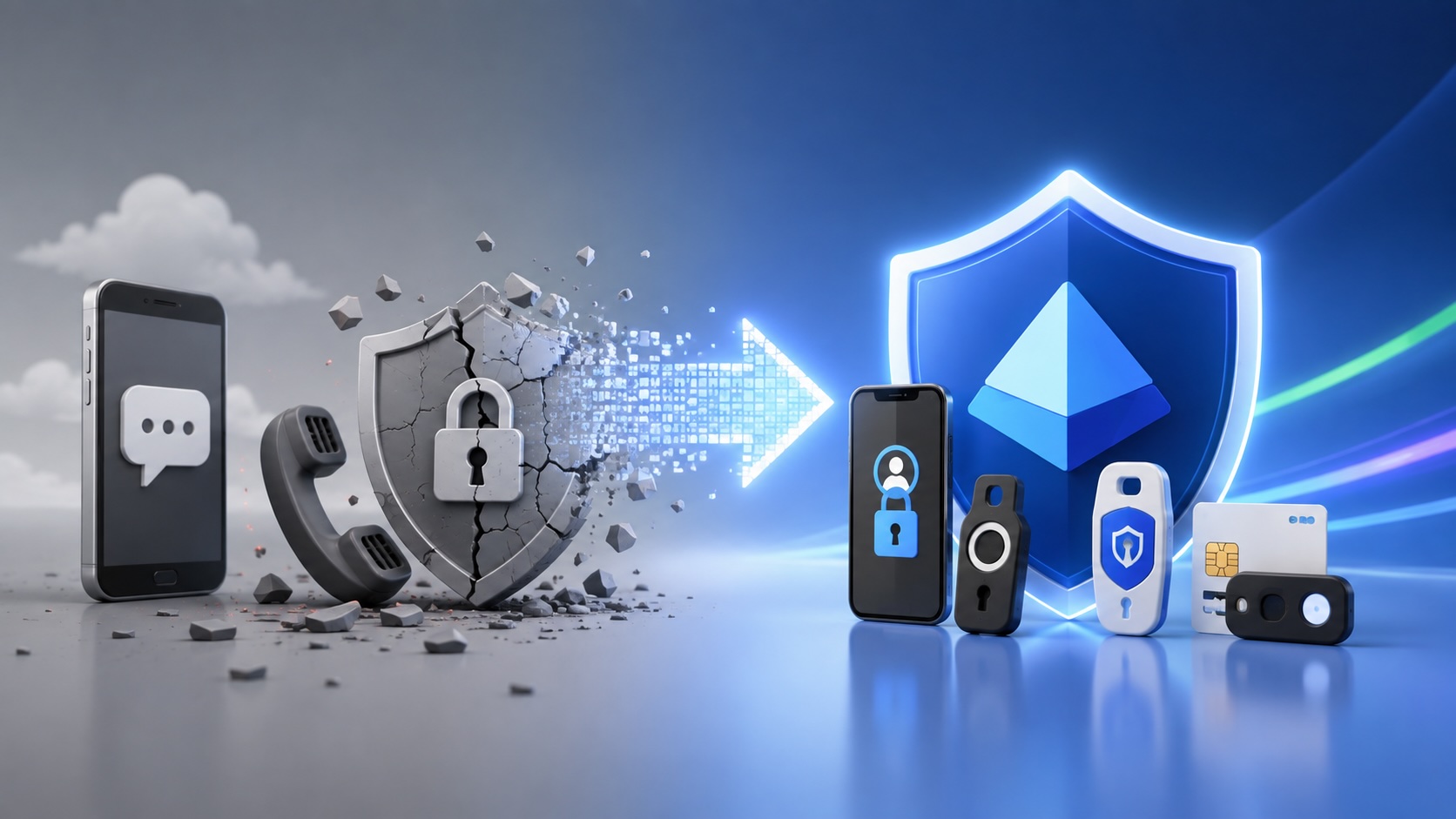
Move Entra Users Off SMS and Voice Before Microsoft Retires Them
Microsoft is retiring Microsoft-provided SMS and voice authentication in Entra ID. The migration is not passkeys for everyone; it is removing weak telecom MFA and choosing supported replacement methods such as Microsoft Authenticator, FIDO2 keys, certificate-based authentication, OATH hardware tokens, or customer-managed telecom.
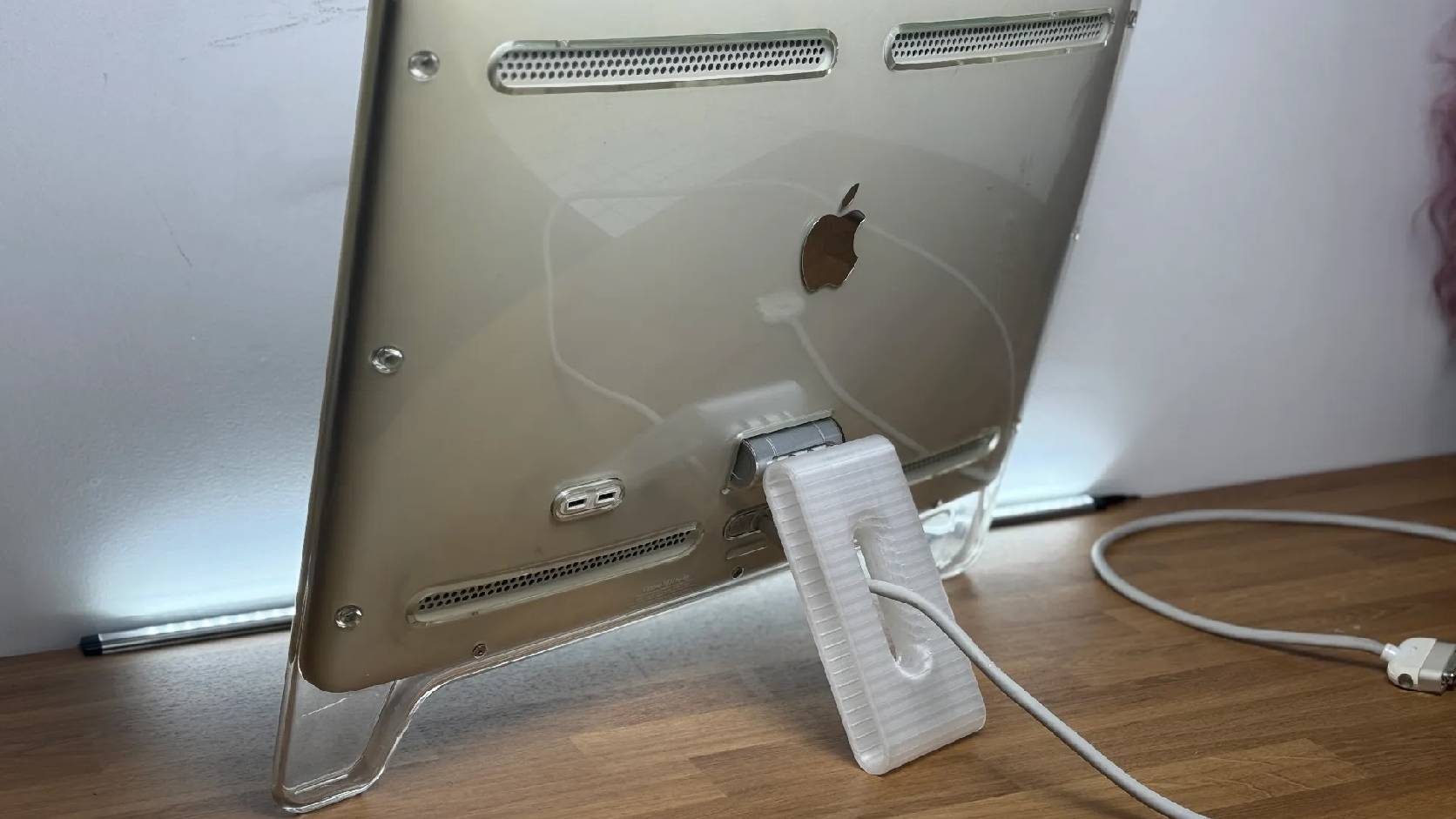
Fixing a Broken Apple Cinema Display Stand with a 3D Printed Leg
A 22-inch Apple Cinema Display arrived with a broken acrylic easel stand, so I used a 3D printed replacement leg instead of sending the monitor back.
macOS Tahoe 26.6.1 Fixes a High-Severity Screen Sharing Authentication Bypass
macOS Tahoe 26.6.1 fixes CVE-2026-65400, a high-severity Screen Sharing authentication issue where an attacker on the network may be able to authenticate without valid credentials.
