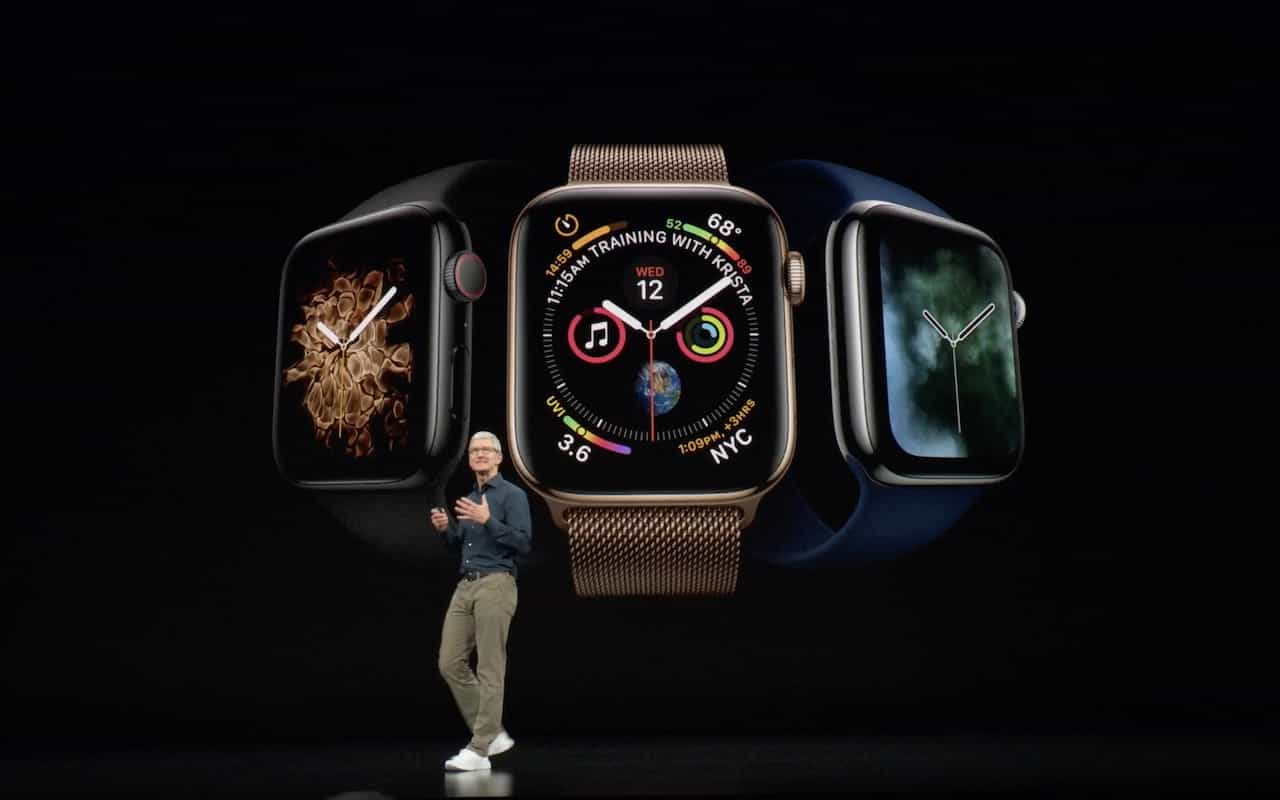

Apple has thrown back the curtain on its latest batch of iPhones and a new model of the Apple Watch. The company also announced plans to release iOS 12, watchOS 5, and tvOS 12 on September 17th. macOS 10.14 Mojave will follow a week later on September 24th.
X Appeal: The New iPhone XS, iPhone XS Max, and iPhone XR
Last year’s iPhone X was a massive hit, so Apple has gone further down that road, dropping the Home button and Touch ID and focusing on Face ID in this year’s iPhones. There are three models: the mid-level iPhone XS (pronounced “Ten Ess”), the big iPhone XS Max, and the less-expensive iPhone XR.
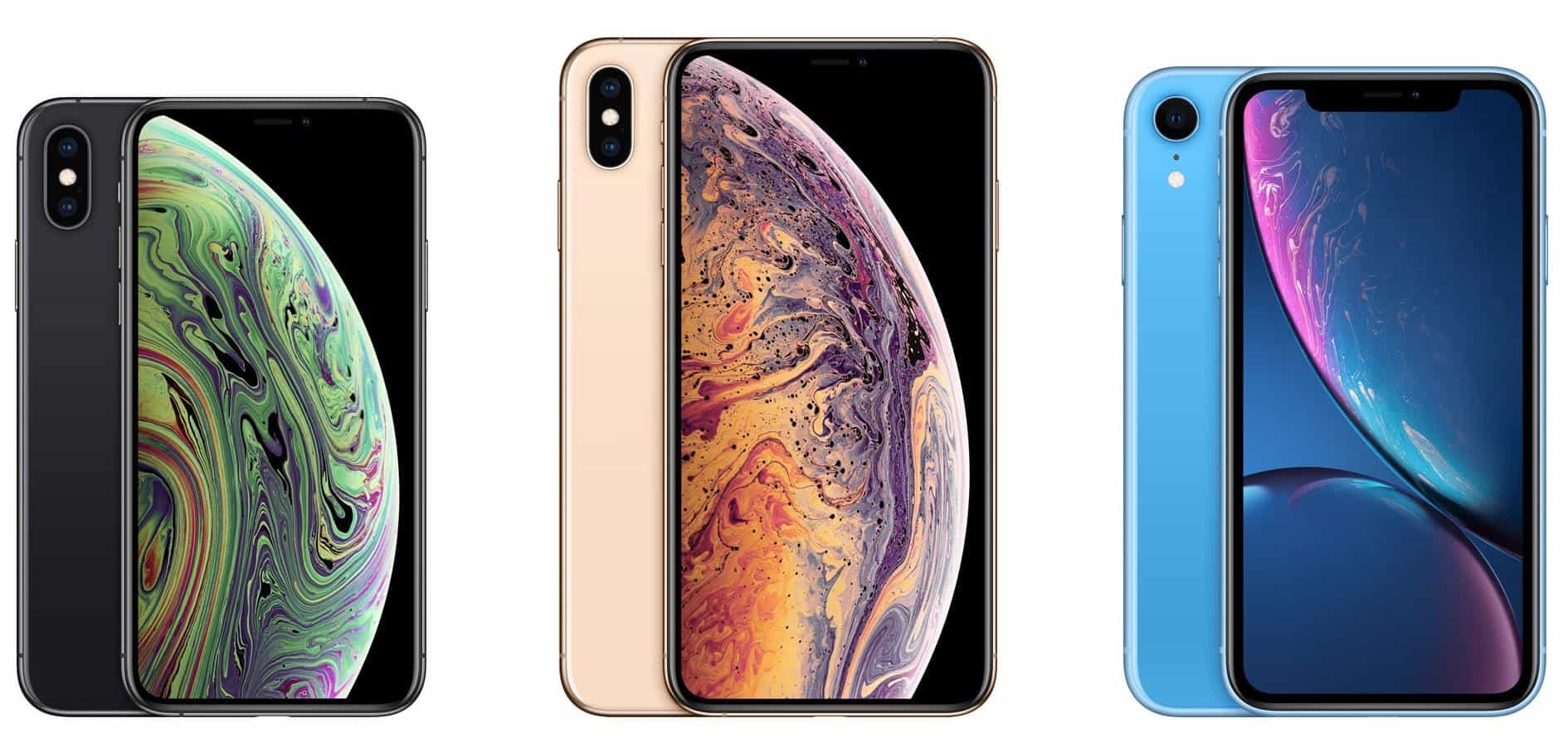
You can pre-order the first two on September 14th, and they’ll ship a week later. Those who want an iPhone XR will have to wait until October 19th to pre-order. Here’s how the pricing shakes out:
-
iPhone XS: 64 GB for $999, 256 GB for $1149, 512 GB for $1349
-
iPhone XS Max: 64 GB for $1099, 256 GB for $1249, 512 GB for $1499
-
iPhone XR: 64 GB for $749, 128 GB for $799, 256 GB for $899
What do you get for your money? All three new iPhones rely on Apple’s new A12 Bionic chip, which promises faster performance and reduced power consumption compared to last year’s A11 Bionic. Along with snappier overall responsiveness, the A12 Bionic enables new computational photography capabilities. Users of these iPhones will enjoy Smart HDR, which combines multiple images behind the scenes to produce better photos, and depth-of-field editing for adjusting the background behind a photo’s primary subject.
Apple also improved the camera hardware, enhancing the dual 12-megapixel rear-facing cameras in the iPhone XS and XS Max with larger, deeper pixels and an improved True Tone flash. The iPhone XR lacks 2x optical zoom because it has only a single rear-facing 12-megapixel camera, but thanks to the A12 Bionic’s processing power, it can still take photos in Portrait mode and do depth-of-field editing. The rear-facing cameras on all three models can capture up to 4K video at 60 frames per second—now with stereo sound. The front-facing camera on each iPhone is a 7-megapixel TrueDepth camera that can also capture 1080p video.
If you carry separate work and personal phones, or if you travel abroad frequently, you’ll appreciate the new dual-SIM capability that lets these iPhones support two phone numbers simultaneously, each with their own plan.
What differentiates these iPhones from one another? One big difference is the screens.
-
iPhone XS: 5.8-inch OLED “Super Retina HD” display with a 2436-by-1125 resolution at 458 ppi
-
iPhone XS Max: 6.5-inch OLED “Super Retina HD” display with a 2688-by-1242 resolution at 458 ppi
-
iPhone XR: 6.1-inch LCD “Liquid Retina” display with a 1792-by-828 resolution at 326 ppi
Apple makes much of the iPhone XR’s LCD display, which is essentially a newer and larger version of the screen in last year’s iPhone 8. It won’t look as good as the OLED screens in the iPhone XS models, but unless you’re watching a lot of video or playing photo-realistic games, you may not notice.
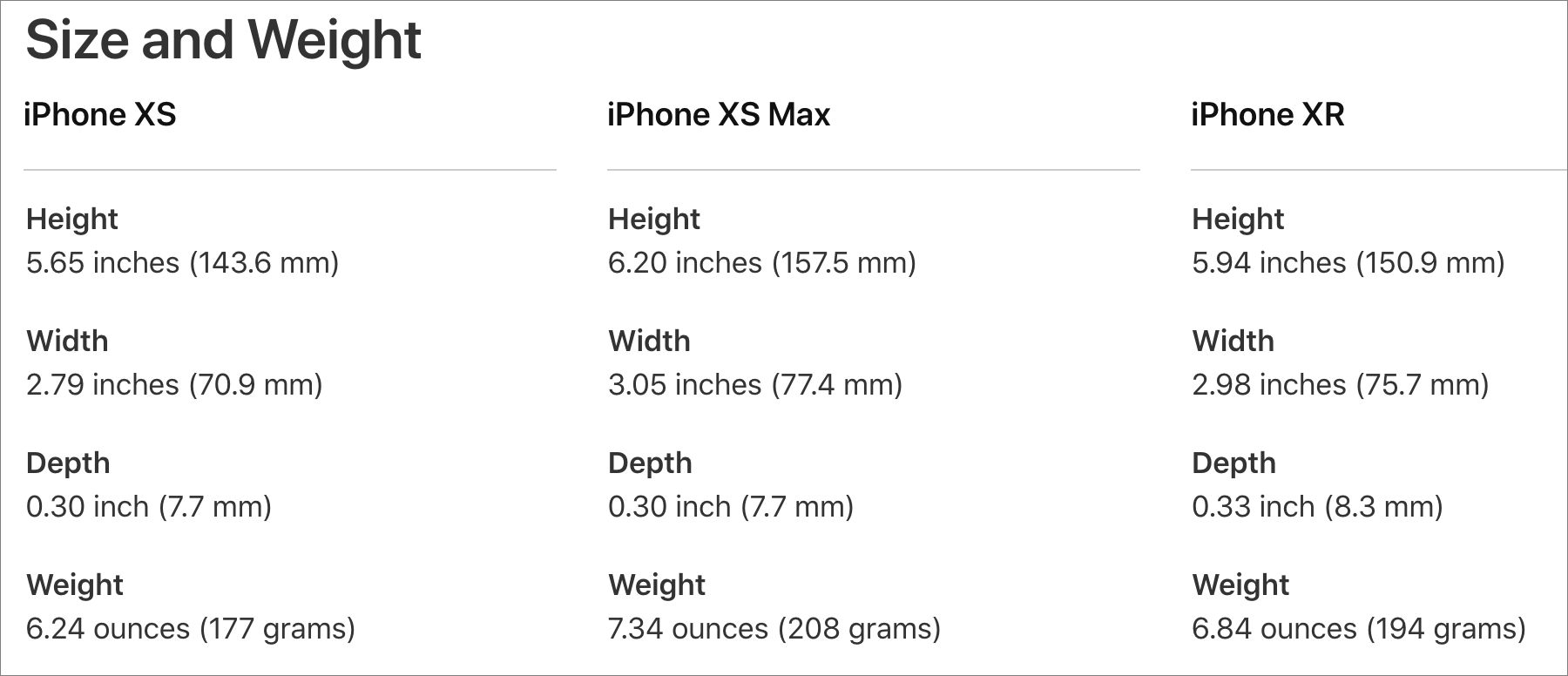
Another difference between these models is size. The iPhone XS is the smallest, clocking in at a few millimeters and grams under the iPhone XR. On the other end of the spectrum, the iPhone XS Max has essentially the same dimensions as the previous iPhone Plus models.
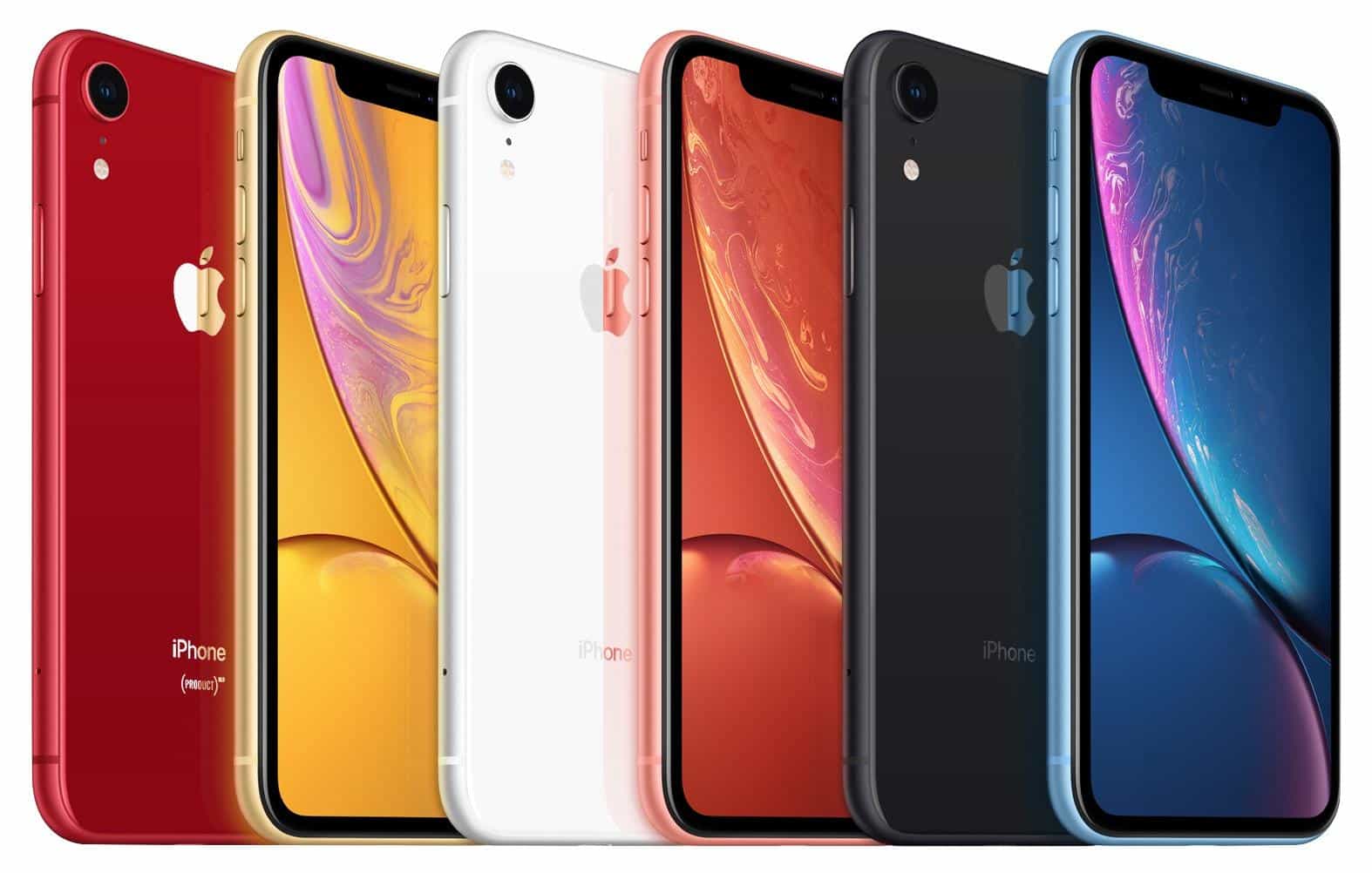
The other major difference between the iPhone XR and the iPhone XS models is the case material. The iPhone XS models have glass backs and are edged in stainless steel that comes in silver, space gray, and gold. In contrast, the iPhone XR features colorful aluminum casings in red, yellow, white, coral, black, and blue. Both are gorgeous, but if you’re like many people, a protective case will prevent you from appreciating the case material.
Should you consider upgrading to one of these new models? If your existing iPhone is on life support, absolutely. And, if you want the latest and greatest, the iPhone XS models are the best iPhones ever, particularly for photography. But for those with functional iPhones from the past few years, these new models are less compelling, especially since iOS 12 promises to speed up older devices as far back as the iPhone 5s.
If you decide to buy one, which model you choose probably depends on how much you’re willing to spend since these are Apple’s most expensive iPhones ever. The iPhone XR combines modern technology with a lower price than the other two models, and the decision between the iPhone XS and XS Max comes down to size and cost. Finally, if the prices for the new models are too high, you can still get the iPhone 7 starting at $449 and the iPhone 8 at $599.
Apple Watch Series 4: Bigger Screens and Health Monitoring
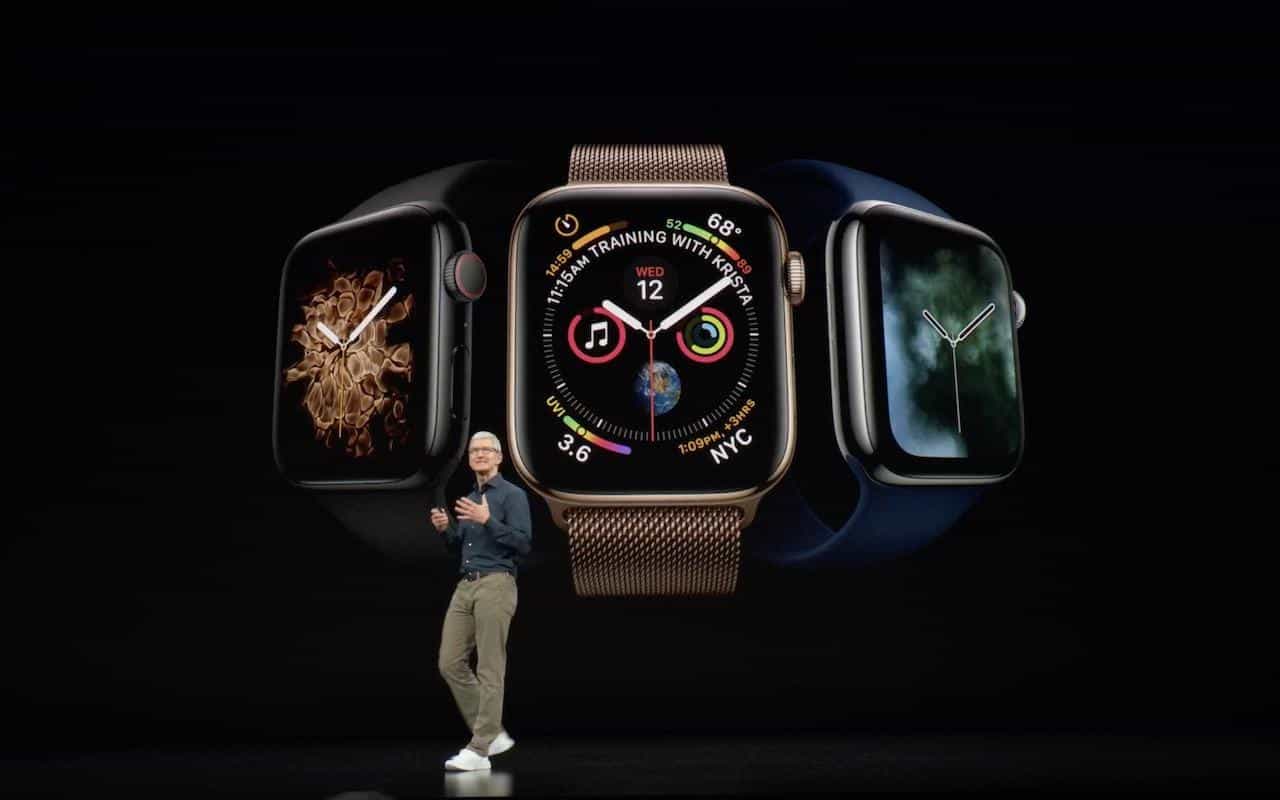
In a first for the Apple Watch line, Apple changed the size and shape of the Apple Watch Series 4, boosting the vertical screen dimensions to 40mm and 44mm, up from 38mm and 42mm, and making the screens a little wider to retain the same proportions. However, the new models are 1.1mm thinner and thus have less total volume. You’ll want to try on the different models before buying to see how they look and feel on your wrist. Happily, the Series 4 can use the same bands as previous models.
Apple claims the new display, which extends into the corners of the screen, is “edge-to-edge,” and while there still is a black border, it’s smaller than before. The overall viewing area is about 30% larger.
To use the extra screen space effectively and show off the power of its new S4 chip, the Series 4 comes with some new faces. The Infograph face can incorporate up to eight complications, the Breathe face moves in time with a deep breath, and Vapor, Fire, Water, and Liquid Metal faces animate behind virtual clock hands.
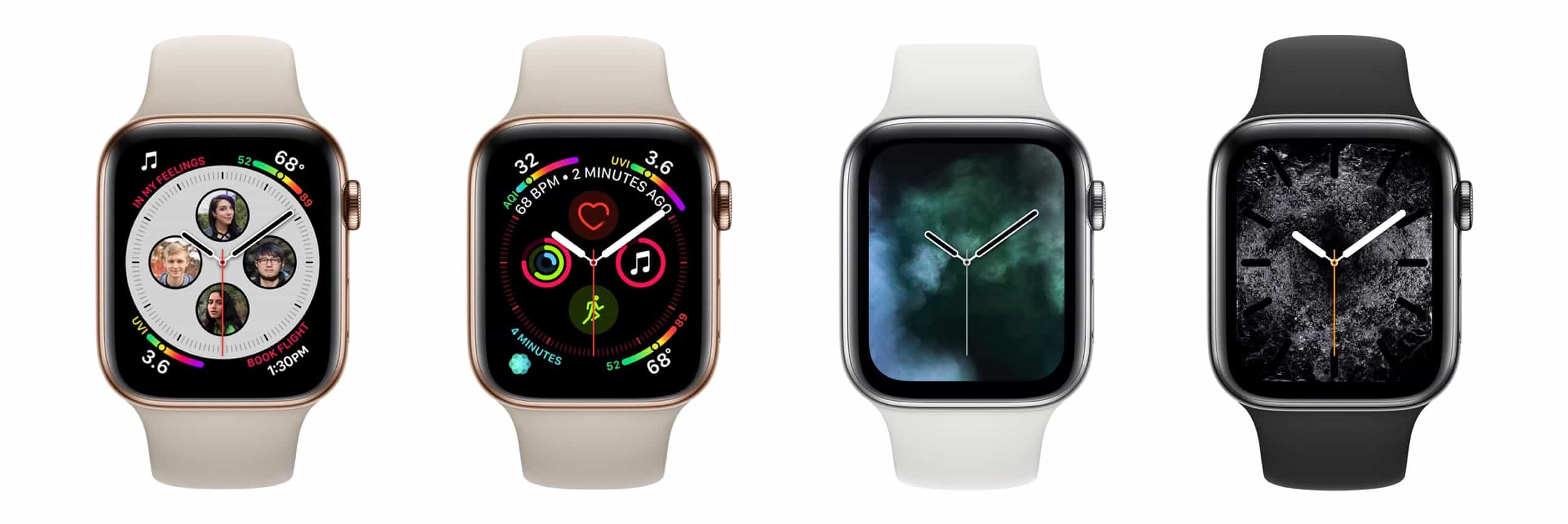
More practically, the Apple Watch Series 4 incorporates new and enhanced sensors. Later this year, the electrodes built into the Digital Crown and the back crystal let you record an electrocardiogram and, after 30 seconds, receive a heart rhythm classification that can identify signs of atrial fibrillation. Recordings are stored securely in the Health app, where you can share them with doctors. Even if you don’t use the ECG app manually, the Series 4 analyzes your heart rhythms in the background and alerts you if it detects irregular rhythms or if the heart rate exceeds or falls below a threshold.
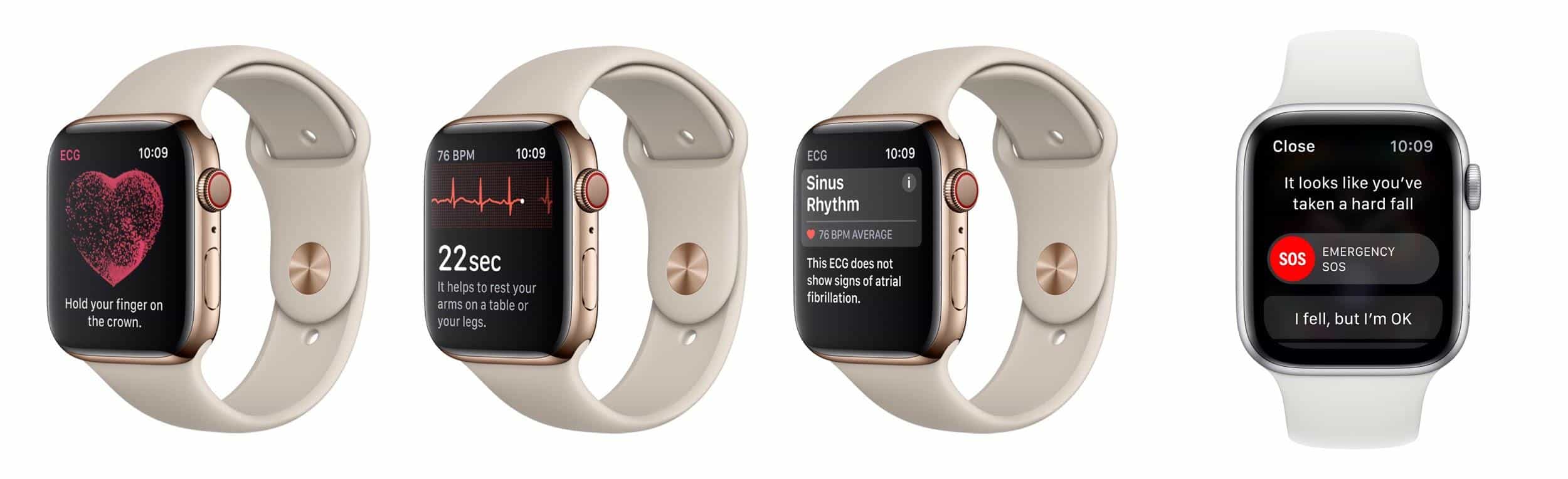
Plus, the Series 4 can now use its accelerometer and gyroscope to detect hard falls. If you fall, the Apple Watch sends you an alert, and if you don’t move for 60 seconds after the notification, it calls emergency services and notifies your emergency contacts of your location.
Other improvements include a speaker that is 50% louder, a relocated microphone to make calls clearer, haptic feedback in the Digital Crown, a back made of sapphire crystal and ceramic for better cellular reception, and Bluetooth 5 for faster data transfer over greater distances.
All this technology comes at a cost, and Apple has raised prices to match. GPS-only models of the Apple Watch Series 4 cost $399, and cellular-capable models are $499 (plus you’ll need to pay an additional $10–$15 for a cell plan). The Apple Watch Series 3 remains available at lower prices: $279 for GPS and $379 for cellular. You can pre-order on September 14th, and the Series 4 will ship on September 21st.
Our take is that the new health-monitoring features of the Apple Watch Series 4 are compelling for anyone who is concerned about falls or heart monitoring. But the increased prices may steer those who are mostly interested in fitness features and iPhone notifications to the cheaper Series 3.
AI Usage Transparency Report
Pre-AI Era · Written before widespread use of generative AI tools
AI Signal Composition
Score: 0.05 · Low AI Influence
Summary
Apple has announced new iPhones and an Apple Watch, with improved cameras, processors, and displays.
Related Posts
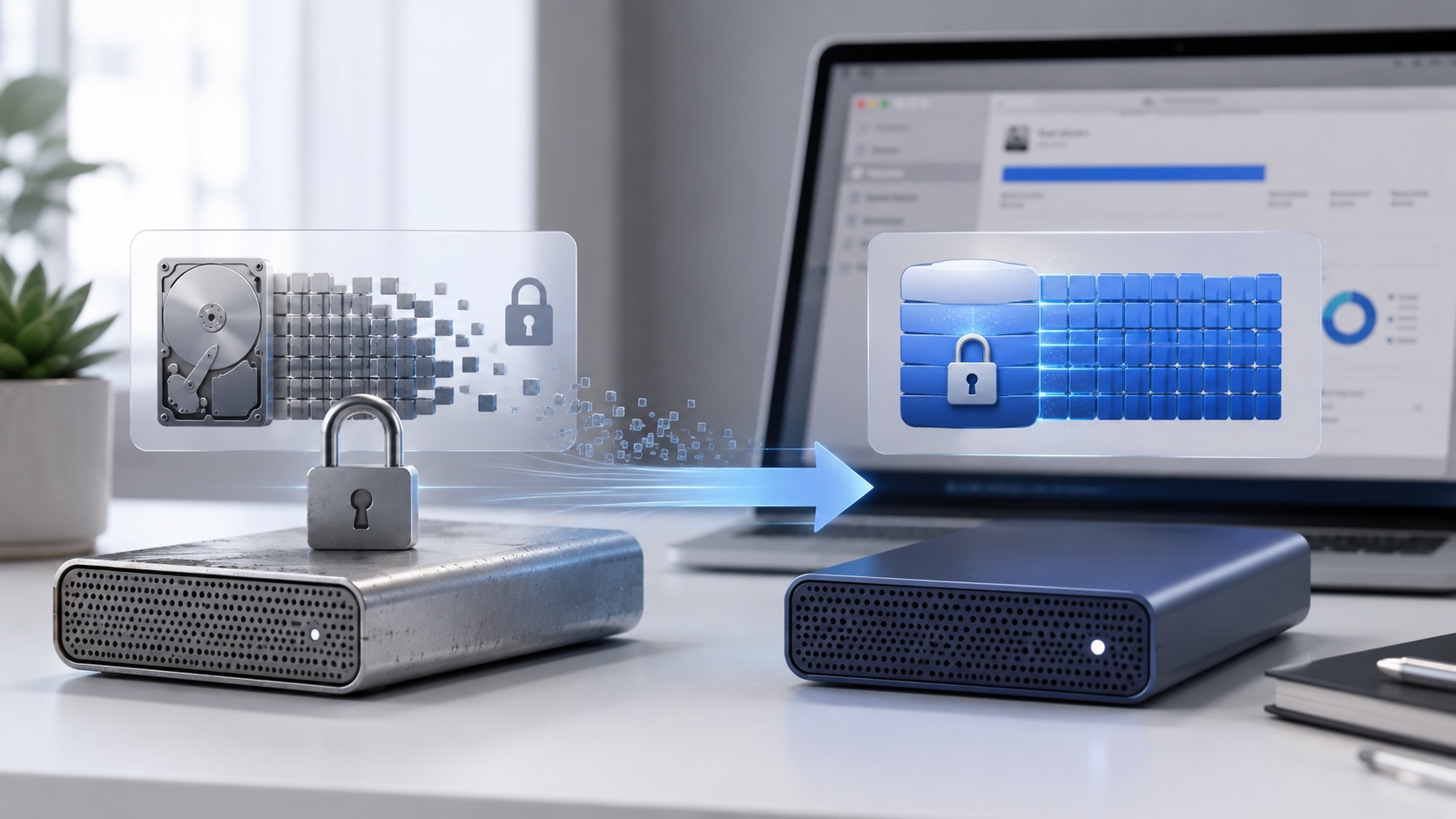
Check Encrypted HFS+ Drives Before macOS 28
Apple says macOS 28 will not support encrypted Mac OS Extended volumes, so older encrypted HFS+ external drives need to be identified, backed up, decrypted, converted, or reformatted before that upgrade.
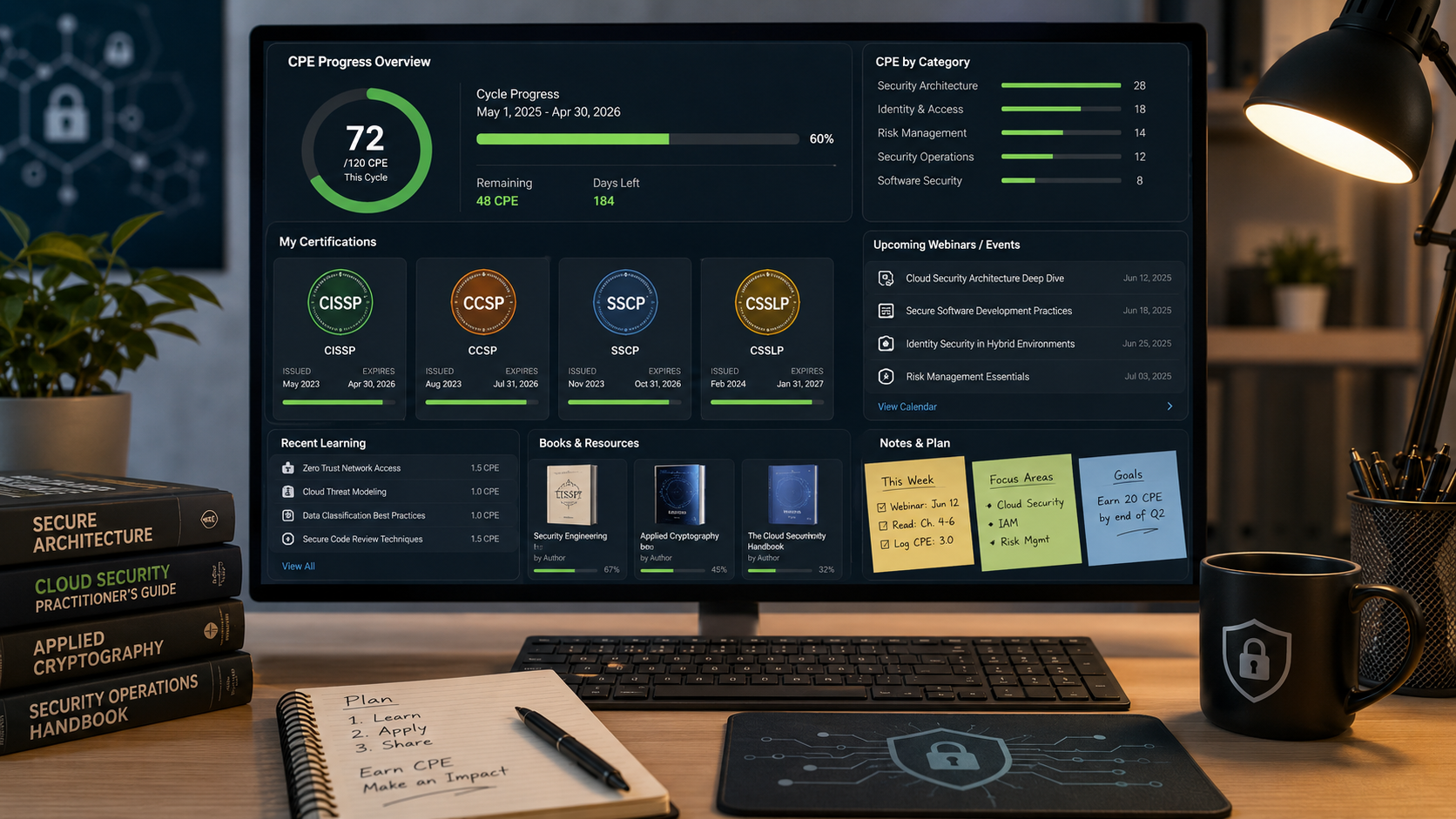
How I Keep Up With ISC2 CPE Credits Without Making It a Second Job
Keeping up with ISC2 CPE credits is easier when you treat it like a normal professional habit instead of a renewal emergency. Here is the system I use across CISSP, CCSP, SSCP, and CSSLP, with free and low-friction sources for webinars, books, training, and work-based credits.
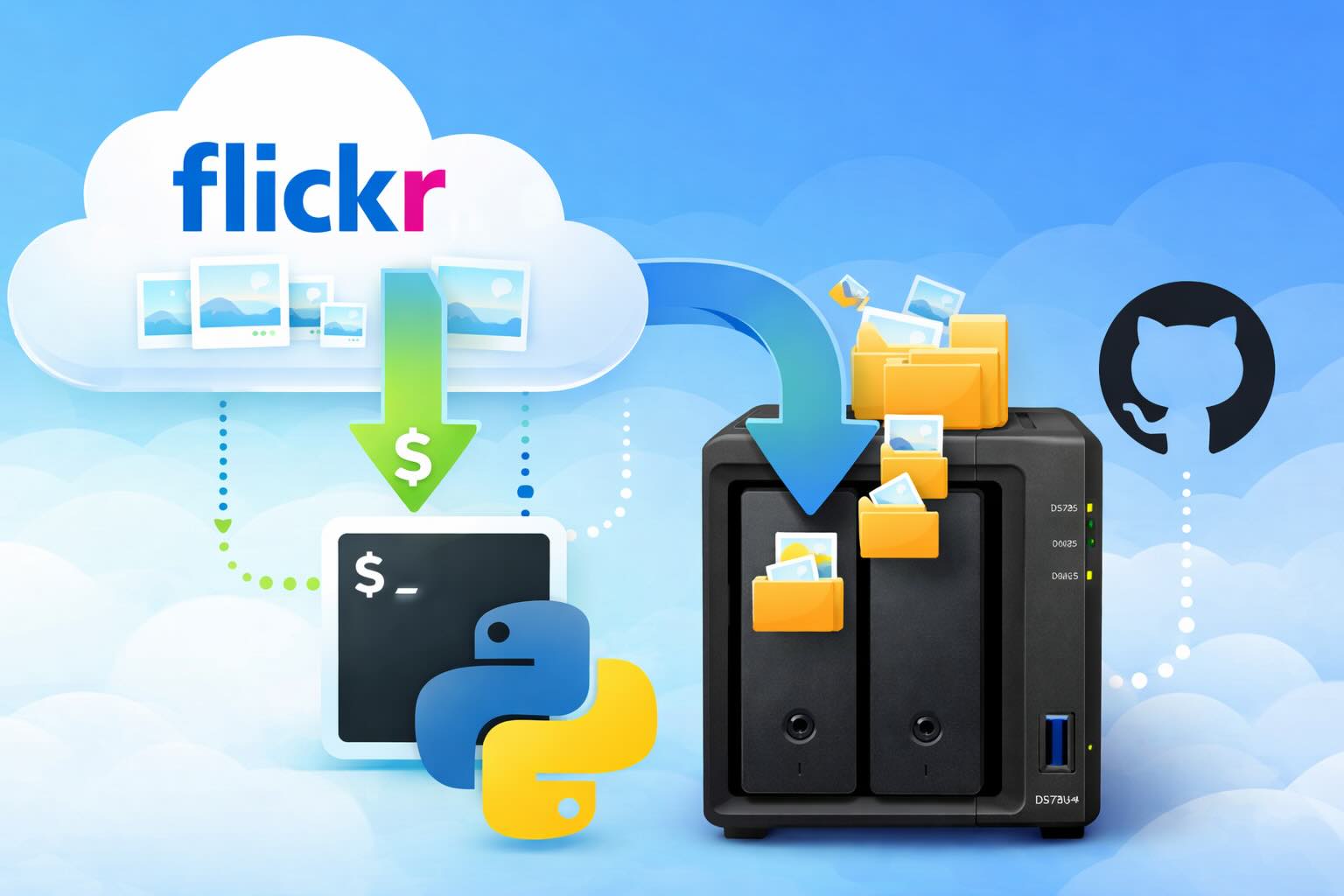
Leaving Flickr: Migrating 20,000+ Photos to Synology and Taking Back Control
There’s a certain kind of friction you start to notice when you’ve been using a service for a long time. Not enough to make you leave immediately, but enough to make you pause. Flickr had been that kind of service for me. It quietly held years of photos, uploads from old phones, albums I hadn’t looked at in ages, and a massive "Auto Upload" collection that had grown into something I didn’t fully understand anymore.

How I Finally Passed the PMP Exam (After 12 Years of Waiting)
Back in 2013, I registered for a PMI membership with every intention of pursuing my PMP certification. I downloaded the handbook, bookmarked the eligibility requirements, and even told a few friends that I was going to do it "soon." At the time, I thought getting certified would be a straightforward process, but little did I know what lay ahead in terms of studying and preparation.

10 Things You Didn't Know You Could Do With Apple Configurator (That Save Mac Admins Hours)
Most of us treat Apple Configurator like a fire extinguisher: break glass, DFU, restore, move on. But it can do a lot more, and when you know the edges, you can turn a bricked morning into a ship-it afternoon. Below are ten things I regularly use (or wish I’d used sooner) that demonstrate its capabilities beyond just emergency recovery.
The Evolution of Apple Certification: A Journey Through Versions, Challenges & Growth
When I recently passed the Apple Certified Support Professional (ACSP) exam again, I paused to reflect — not just on this milestone, but on the long path I’ve walked through Apple’s certification landscape. My first certification dates back to macOS 10.5, and over the years, I’ve earned credentials across nearly every version since. In that time, the exams — and Apple itself — have transformed significantly.
Secure Software, Secure Career: How I Passed the CSSLP
After passing the CISSP earlier this year, I decided to follow it up with the **Certified Secure Software Lifecycle Professional (CSSLP)** certification. For those unfamiliar, CSSLP is an ISC2 certification that focuses specifically on secure software development practices across the full SDLC—from requirements and design to coding, testing, deployment, and maintenance. My goal in pursuing this certification was to further develop my skills in ensuring the security of software throughout its entire lifecycle.
Managing Bring Your Own Device (BYOD) for Android with Microsoft Intune
Alright, so today we're going to be talking about the management of bring your own device BYOD for Android devices. There's a lot of information out there for the management of iOS devices and you can do that with pretty much any Apple MDM on the market. We just happen to use Jamf where I work, but you could use anything from Braavos to SimpleMDM to Kanji or JumpCloud. Mosyle is also a great option.
BYO with me in 2025: iOS with User Enrollment in JAMF Pro
It really depends on your company's needs. For example, many companies need to hire 1099 contractors and in such a case they come with their own devices but not the correct security settings or enforcements. Remember BYOD is a security construct. The idea here is that you should be securing the company's sensitive data in all forms. This may involve implementing policies for contractor-owned devices, ensuring that all devices accessing company data meet minimum security standards, and regularly reviewing and updating these standards to stay ahead of emerging threats.
Securing BYOD Email Access: Exploring Strategies in Microsoft 365
In today’s mobile-first world, organizations increasingly rely on Bring Your Own Device (BYOD) programs to empower employees while optimizing costs. However, this flexibility introduces unique challenges, particularly around securing email access. To mitigate risks, we are implementing a comprehensive strategy to block email access on non-company devices by default and ensure only sanctioned apps can access organizational email accounts. This approach will help prevent unauthorized access and data breaches, aligning with our commitment to maintaining the security and integrity of company communications.
