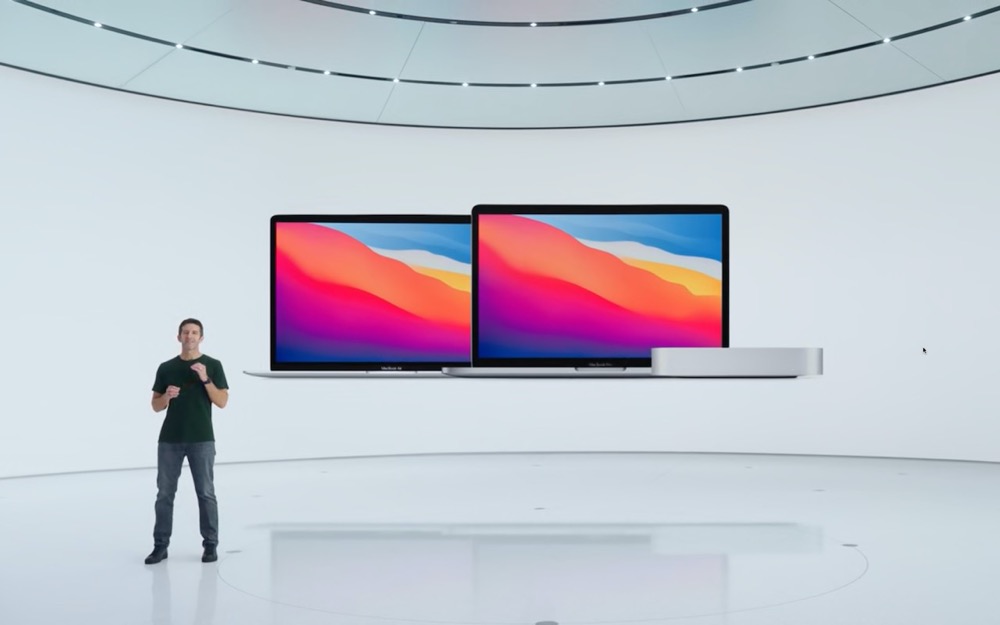

Continuing its pandemic-driven approach of short, focused announcements, Apple once again took to the Internet to stream its “One More Thing” event. On center stage this time was the Mac, or specifically, three Macs, all of which replace the longstanding Intel chip with Apple’s new M1 chip. All three Macs can be ordered now and will be available within a week or so.
What Is the M1 and Why Should You Care?
Before we talk about the Macs that are now based on Apple’s custom-designed M1 chip, let’s explain what it is and why it’s important.
First, the M1 is what’s called a “System on a Chip” or “SoC.” Instead of having a separate CPU (main processor), GPU (graphics processor), and RAM (memory, which both the CPU and GPU need), the M1 combines those components onto a single chip. The M1 also has a special 16-core processor, called the Neural Engine, that helps with machine-learning tasks, along with a custom storage controller, image signal processor, and Secure Enclave.
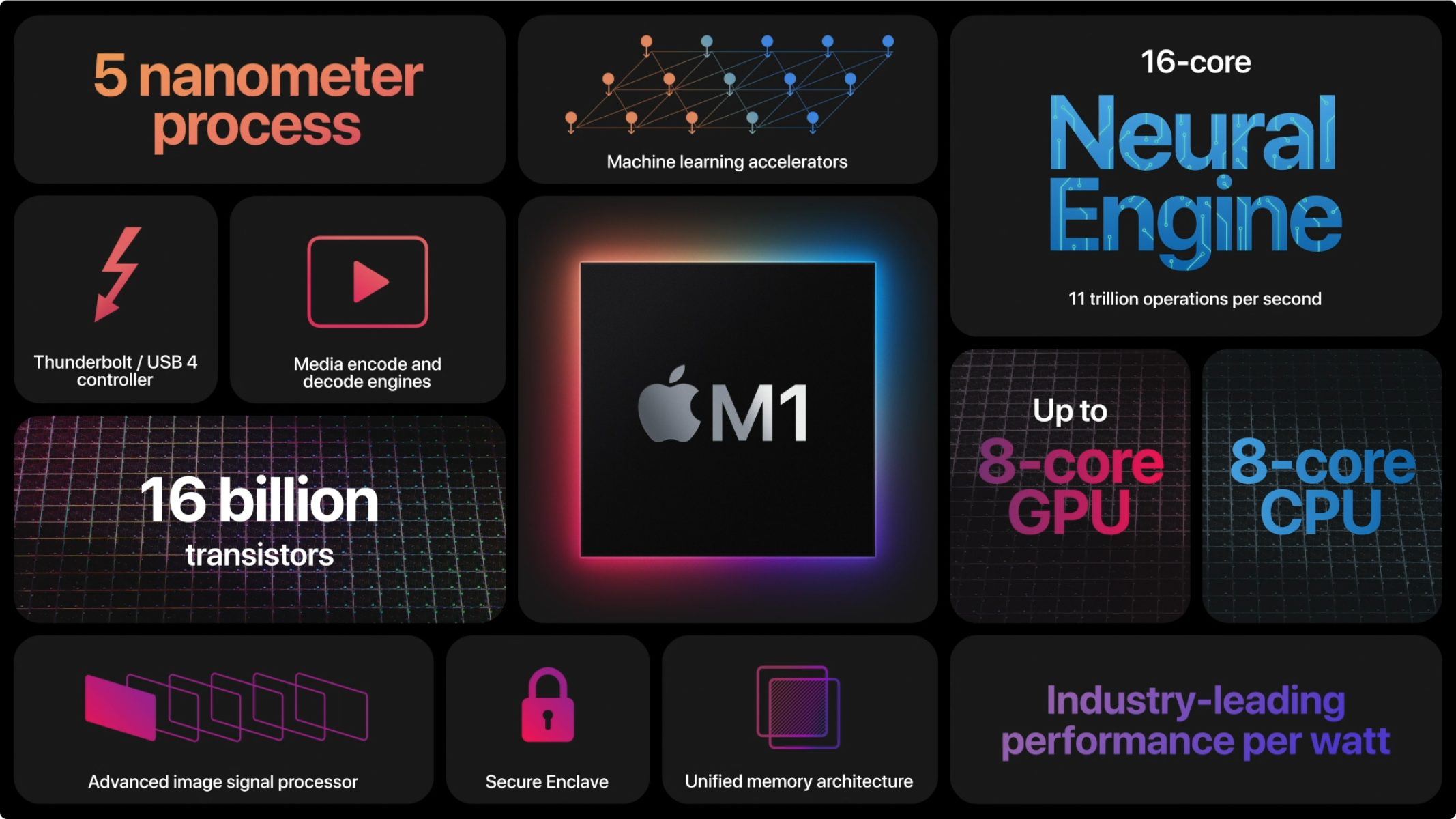
Within the 8-core CPU, Apple has four high-performance cores and four high-efficiency cores. When you need maximum processing power to edit a video, for instance, macOS dynamically brings the high-performance cores into play. However, if you’re just reading email, macOS switches to the high-efficiency cores to avoid wasting power and draining laptop batteries. Another way the M1 achieves its performance gains is through “unified memory.” By putting the RAM on the chip and sharing it among the CPU, GPU, and Neural Engine, those processors can access it more quickly than when it’s elsewhere on the motherboard. The downside is that the M1 chip comes with only 8 GB or 16 GB of RAM; there’s no option for more.
Second, since 2006, Macs have been powered by CPUs from Intel. Switching to its own M1 chip benefits Apple in three ways:
-
Performance: When Apple moved the Mac to Intel chips, it did so because IBM’s PowerPC chips couldn’t compete in performance per watt. That measurement is key for battery-powered laptops and has come home to roost again. With the M1, Apple has customized the design in many ways to provide up to three times the performance per watt.
-
Control: By designing its own chip, Apple can optimize performance in all sorts of small ways that integrate perfectly with macOS. Previously, Apple had to work with whatever Intel shipped, forcing Apple to make trade-offs in macOS. Plus, Intel’s roadmap and production schedule often conflicted with Apple’s.
-
Profit: Apple won’t say this, but Intel processors have high profit margins, and Apple would far prefer to keep that money rather than giving it to Intel.
In essence, the M1 will enable Apple to make Macs that are faster and cheaper, and that have better battery life. It will also allow Macs to run all iPhone and iPad apps, since the M1 is similar to the A-series chips that power those devices.
The first three Macs to take advantage of the M1 are the MacBook Air, 13-inch MacBook Pro, and Mac mini. Apart from a few small exceptions, the main thing that has changed about these Macs is the M1 chip. They look the same, feel the same, and work the same, although they do all come with—and require—macOS 11 Big Sur.
MacBook Air
The new M1-based MacBook Air confidently replaces the previous Intel-based model that Apple released in March
- It does so thanks to massive M1-powered performance improvements: up to 3.5x faster processing, up to 5x faster graphics, and up to 9x faster machine-learning workloads. The M1’s integrated storage controller and the latest solid-state storage technology also combine for up to 2x speedier SSD performance.
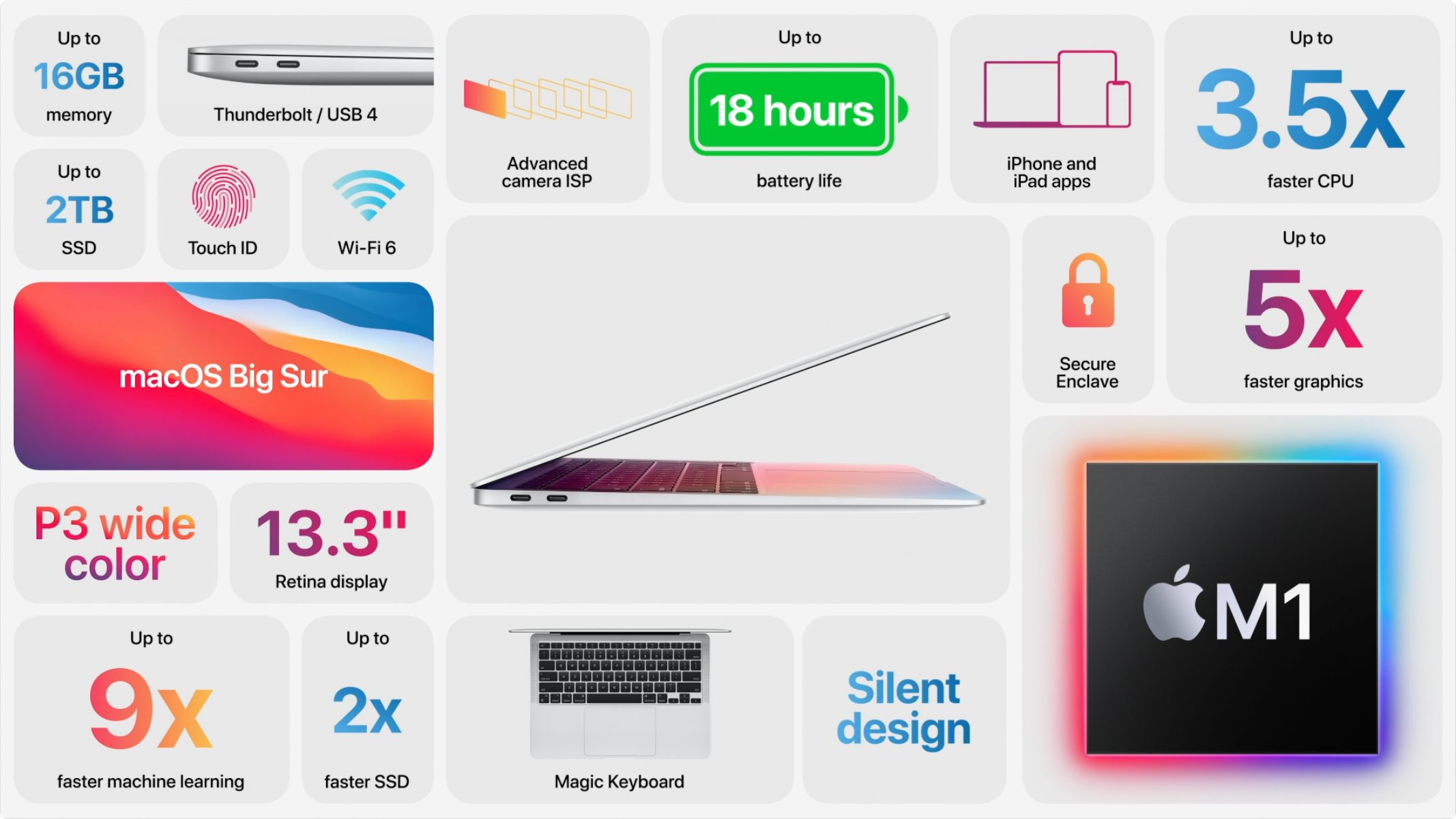
Because the M1 is so much more efficient than Intel chips, the MacBook Air no longer needs a fan to keep its cool. It’s now silent. Apple significantly improved battery life as well, promising up to 15 hours of “wireless web” and up to 18 hours of video playback, up from 11 and 12 hours for the previous model. More relevant is that videoconferencing should last twice as long on a single charge.
There are a few other small improvements:
-
Support for P3 wide color on the 13-inch Retina display
-
Two Thunderbolt 3 ports that support the new USB 4
-
802.11ax Wi-Fi 6 networking, up from 802.11ac Wi-Fi 5
-
Better image quality on the (unchanged) 720p FaceTime HD camera, thanks to the M1’s dedicated image signal processor
-
Instant wake from sleep
Note that the MacBook Air lacks the Touch Bar of the MacBook Pro—which may be a pro or a con—but its Magic Keyboard does include traditional F-keys and a Touch ID sensor for login and authentication.
The MacBook Air comes in two configurations: a low-end model whose M1 chip has an 8-core CPU and a 7-core GPU, plus 8 GB of unified memory and 256 GB of storage for $999. The high-end model switches to an 8-core GPU and 512 GB of storage for $1249—that’s $50 cheaper than the previous high-end model. You can bump the RAM to 16 GB for $200, and the storage levels include 256 GB, 512 GB, 1 TB, and 2 TB.
Frankly, it’s a great machine.
13-inch MacBook Pro
Things get a little more confusing with the M1-based 13-inch MacBook Pro. Previously, there were four configurations, priced at $1299, $1499, $1799, and $1999. Apple replaced the bottom two with M1 configurations but left the top two with Intel chips. Why? Probably because the higher-end Intel models can take up to 32 GB of RAM. They also have four Thunderbolt 3 ports and a 4 TB storage option.
Apple doesn’t say if or by how much the new M1 MacBook Pro is faster than the Intel models, but it does say that it’s up to 2.8x faster overall than what it replaces, has up to 5x faster graphics, and is up to 11x quicker for machine-learning tasks. It should outperform the M1 MacBook Air, even though they share the same chip, because the 13-inch MacBook Pro has a fan that lets the M1 chip run faster and thus hotter than in the MacBook Air. Nonetheless, battery life is excellent, with up to 17 hours of “wireless web” and up to 20 hours of video playback—the longest battery life ever for a Mac.
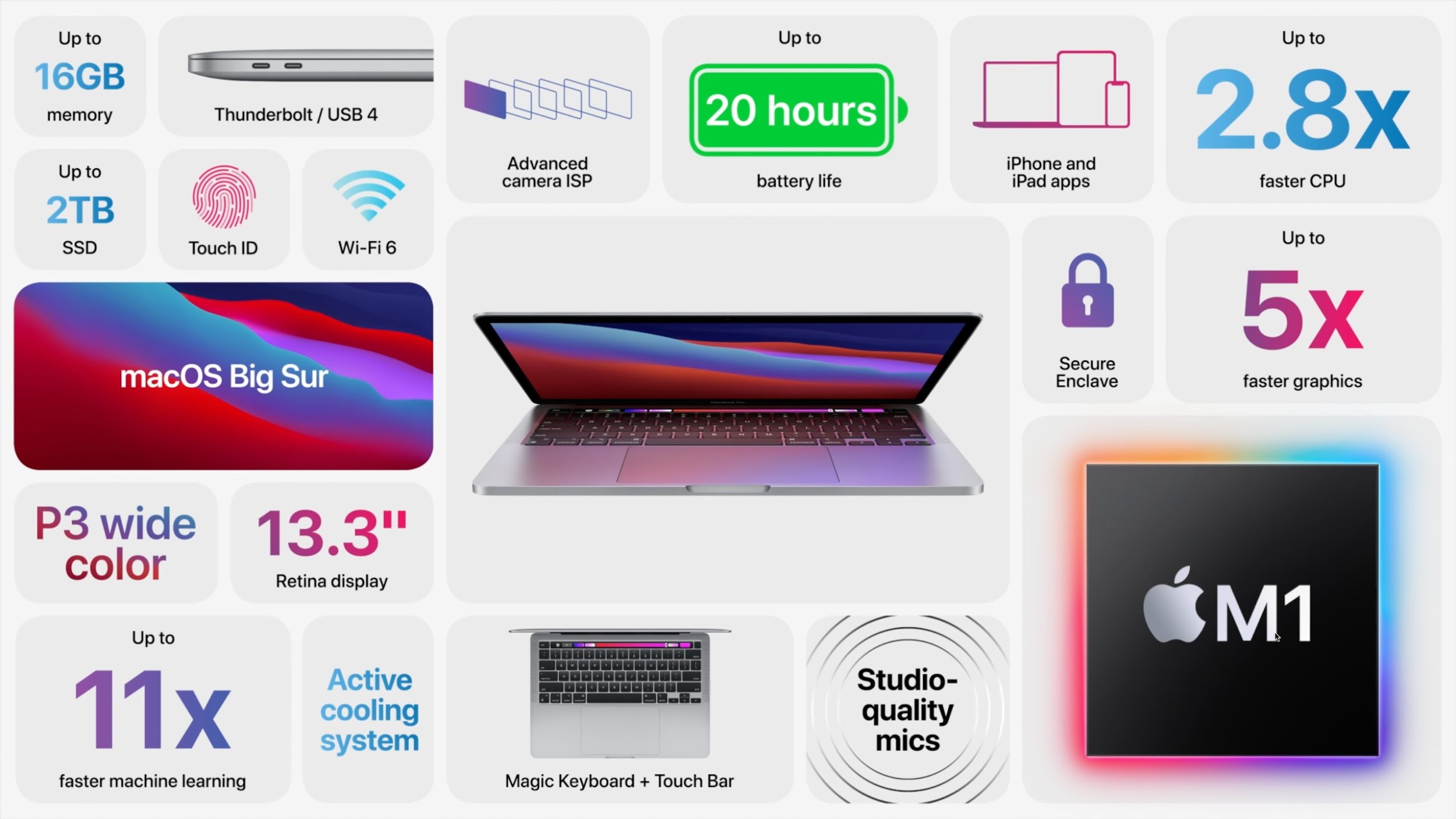
The M1 MacBook Pro shares most of the small improvements in the MacBook Air, including the two Thunderbolt 3/USB 4 ports, 802.11ax Wi-Fi 6, better image quality from the 720p FaceTime HD camera, and instant wake. New is a “studio-quality three-mic array” that promises better audio for videoconferencing. It already supported P3 wide color, and the Retina display remains gorgeous.
The M1-based 13-inch MacBook Pro starts at $1299 with an M1 chip that has an 8-core CPU, 8-core GPU, 8 GB of memory, and 256 GB of storage. Going to 16 GB of RAM costs $200, and you can upgrade the storage to 512 GB ($200), 1 TB ($700), or 2 TB ($800).
It can be hard to choose between the MacBook Air and the 13-inch MacBook Pro. Our take? Pick the MacBook Air for its lower price, fanless design, and F-keys, or go with the MacBook Pro if you’re willing to pay for more performance and a Touch Bar.
Mac mini
The third Mac model to switch to the M1 chip is the Mac mini. Like the 13-inch MacBook Pro, not all models make the jump, however. Previously, there were two Mac mini models, one starting at $799 and the other at $1099. The M1 Mac mini replaces the low-end model and drops the price to $699.
As with the other two M1-based Macs, the M1 Mac mini boasts impressive performance improvements. Apple says its CPU performance is 3x faster than the model it replaces, it has up to 6x faster graphics, and machine-learning tasks complete up to 15x faster.
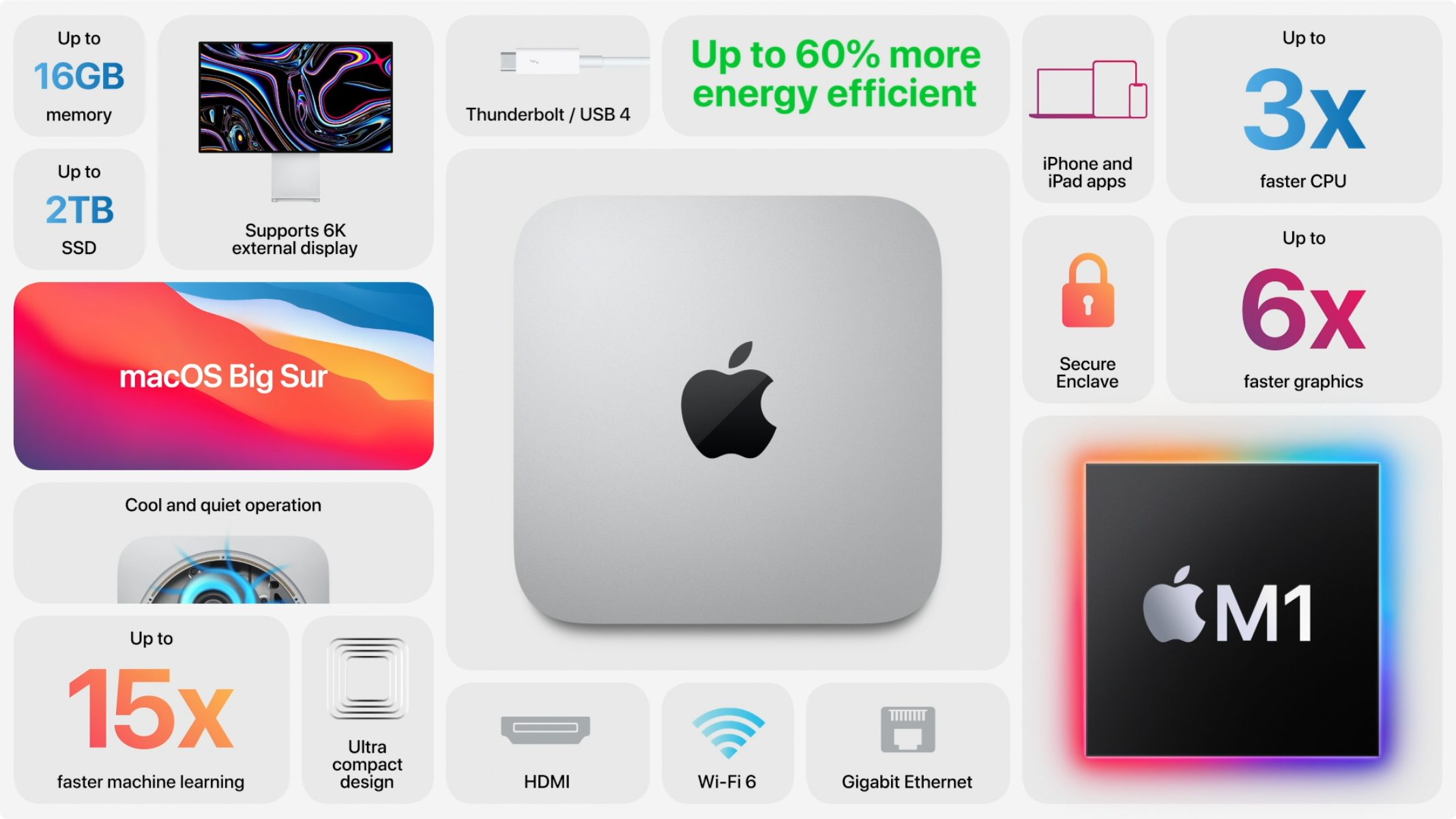
Although Apple made no comparisons with the remaining Intel-based Mac mini, we suspect the M1 model will be faster, and it has the new 802.11ax Wi-Fi 6. So why is that Intel Mac mini sticking around?
-
The M1 Mac mini offers only 8 GB or 16 GB ($200) of RAM, whereas the Intel Mac mini is configurable to 32 GB ($600) or 64 GB ($1000) as well.
-
The Intel Mac mini can drive up to three displays, whereas the M1 Mac mini supports only two. On the plus side, the M1 Mac mini can drive Apple’s 6K Pro Display XDR at full resolution, which the Intel Mac mini can’t.
-
The M1 Mac mini has only two Thunderbolt ports, whereas the Intel Mac mini has four.
-
The Intel Mac mini has a $100 option for 10 Gigabit Ethernet, whereas the M1 Mac mini is limited to Gigabit Ethernet.
Our feeling is that, at $200 cheaper, a comparable M1 Mac mini is a better deal unless you need any of the hardware options that exist solely on the Intel Mac mini.
macOS Big Sur on November 12th
Finally, Apple said that it would release macOS 11 Big Sur on November 12th. The new Macs require it, but put bluntly, we strongly recommend that you do not upgrade any other production Macs to Big Sur yet. Along with a complete user interface overhaul, it has significant under-the-hood changes that could pose compatibility problems for many workflows in the near term. We’ll be evaluating Big Sur with common productivity apps shortly and will update our advice about when it’s safe to upgrade as we learn more.
AI Usage Transparency Report
Pre-AI Era · Written before widespread use of generative AI tools
AI Signal Composition
Score: 0.05 · Low AI Influence
Summary
Apple has released three new Macs with the M1 chip, including the MacBook Air, 13-inch MacBook Pro, and Mac mini. The M1 chip provides up to 3.5x faster processing, up to 5x faster graphics, and up to 11x quicker machine-learning tasks compared to Intel chips.
Related Posts

When Chromium Mistakes Your VPN for a Local Network
Turning off Jamf Trust fixed the webinar, which normally would have sent me straight to its routing policies. This time the route was fine: Chromium was treating Jamf's ZTNA broker addresses as a local network, and an Edge and Chrome preference corrected it.
Clamshell iBook G3 Restoration, Part 1: From Broken Screen to Board-Level Repair
Part one of a Clamshell iBook G3 restoration: a broken screen, a charger detour, a blinking system folder, a full teardown, and the backlight connector mistake that paused the project.

Bromure Gives Codex a Room of Its Own
I installed Bromure Agentic Coding, watched it build the Linux VM, authenticated Codex, and followed a real Codex task through the workspace.

Claude Code Auto Mode Changes Approval Flow, Not the Safety Boundary
Claude Code Auto mode changes how approval decisions are handled. It does not expand the boundary of what the coding agent should be allowed to do.

Amnesia Stealer Shows the Next Stage of ClickFix on macOS
Amnesia Stealer shows how ClickFix-style social engineering is adapting on macOS, while a public malware sample gives defenders an opportunity to study the behavior behind the campaign.

Reporting on Microsoft 365 DLP Overrides with PowerShell
DLP overrides are not automatically bad. They are a business process that needs visibility. This walkthrough covers a Microsoft Purview DLP policy, a custom sensitive information type, user override behavior, and a PowerShell report that exports override events from Activity Explorer.
PowerBook 140 BlueSCSI Install: Cable Fixed, Battery-Bay Power, and Wi-Fi Setup
The PowerBook 140 project moved from preparing a BlueSCSI card in Basilisk II to installing the repaired internal SCSI cable, powering the BlueSCSI Pico externally from the battery bay, booting System 7.1, and fighting through DaynaPORT Wi-Fi setup.

Move Entra Users Off SMS and Voice Before Microsoft Retires Them
Microsoft is retiring Microsoft-provided SMS and voice authentication in Entra ID. The migration is not passkeys for everyone; it is removing weak telecom MFA and choosing supported replacement methods such as Microsoft Authenticator, FIDO2 keys, certificate-based authentication, OATH hardware tokens, or customer-managed telecom.
Fixing a Broken Apple Cinema Display Stand with a 3D Printed Leg
A 22-inch Apple Cinema Display arrived with a broken acrylic easel stand, so I used a 3D printed replacement leg instead of sending the monitor back.

macOS Tahoe 26.6.1 Fixes a High-Severity Screen Sharing Authentication Bypass
macOS Tahoe 26.6.1 fixes CVE-2026-65400, a high-severity Screen Sharing authentication issue where an attacker on the network may be able to authenticate without valid credentials.
