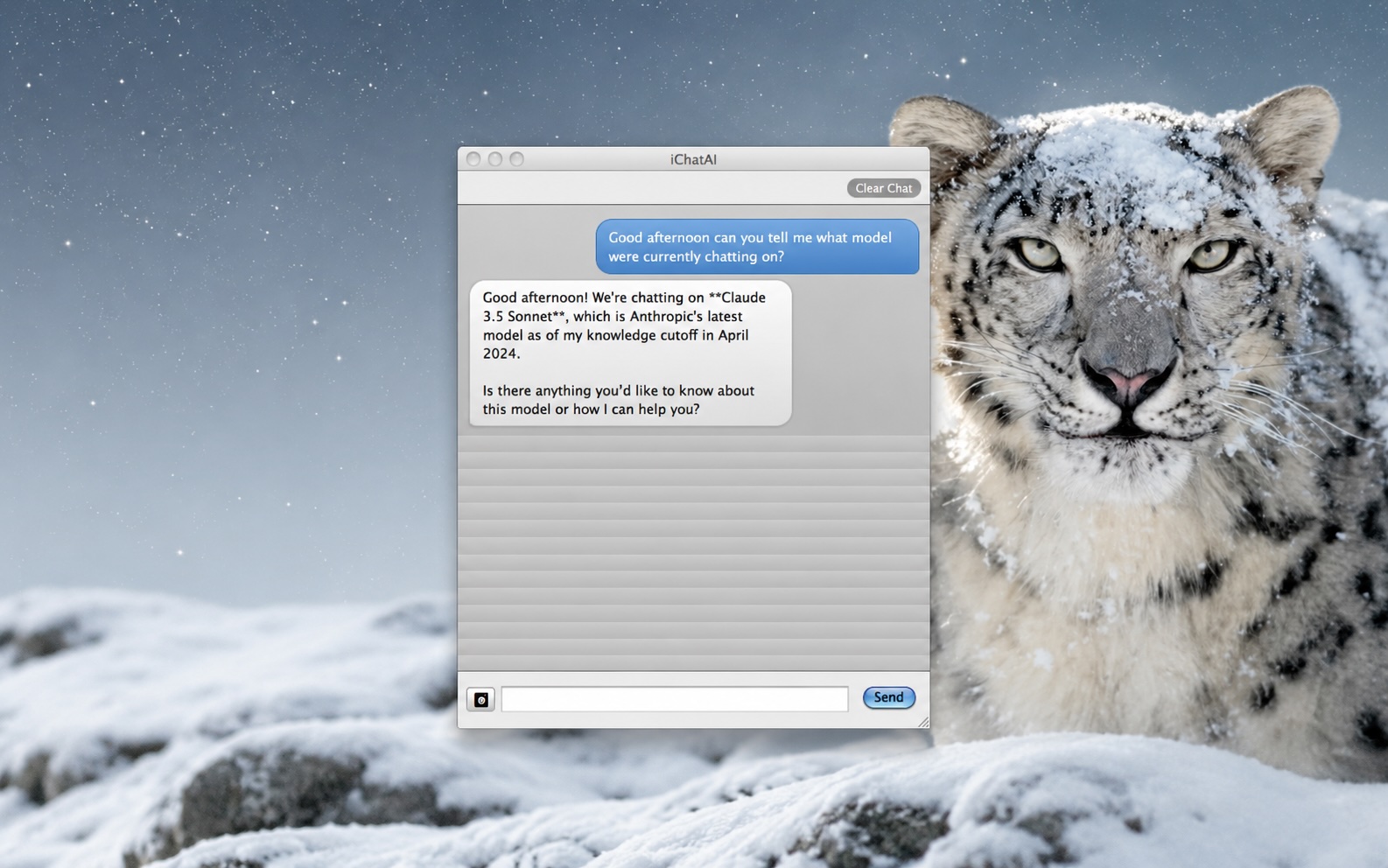

When it comes to AI you typically have two camps. The camp that uses it in the cloud, on cloud infrastructure primarily in web browsers or desktop applications over an API connection and the camp that downloads local models and uses them on AI capable chips like Apple’s M series chips for example which allow local models to be run and operate on modern Macintosh and even iOS hardware. Its super fun and interesting to see what people in these two camps build with AI as well.
But what about retro Macs? For many that know me I am an avid Retro Macintosh collector and its fun to fire up and take that trip down memory lane. For many with older computers they still use them to get stuff done. With limits to how older computers can interact with modern websites and API’s thats a real challenge for AI use on older platforms.
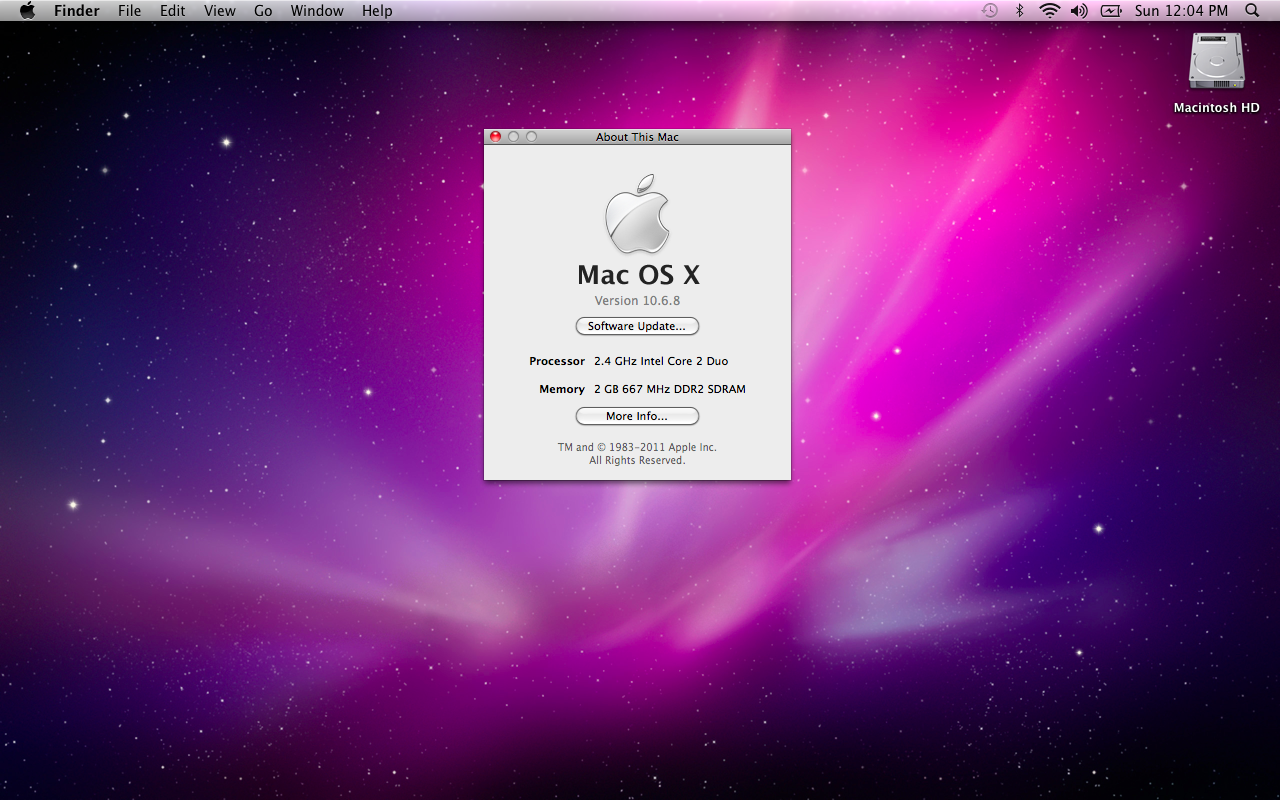
That is why ClaudeChat-Snow-Leopard is such a fun project. It is a native Mac OS X 10.6.8 Cocoa chat client for Anthropic’s Claude API, built and tested on a white MacBook4,1. The README describes it as an Objective-C app with manual retain/release memory management, iChat-style HTML chat bubbles rendered in WebView, API key storage in the macOS Keychain, screenshot uploads, a bundled static curl binary for TLS 1.2, and a native installer package.
The repository is published under the GitHub account Daniel-McDonald95. What I like about it is the direction: instead of trying to force today’s web experience onto a 16-year-old operating system, it builds a small native bridge that fits the machine.
The problem is not just the browser
Snow Leopard is still useful for a certain kind of Mac workflow. It runs on Intel Macs, keeps the old Aqua feel, and can sit at the end of the line for a lot of classic Mac software habits. Apple lists Mac OS X 10.6 Snow Leopard’s technical base as an Intel Mac operating system with Cocoa, Carbon, AppleScript, Keychain Access, WebKit-era tools, Xcode 3, GCC, Python, Ruby, Perl, PHP, SQLite, and the development tools of that time. It is old, but it is not empty.
The problem is that modern services do not target it anymore. Anthropic’s current Claude Desktop requirements start at macOS 11 Big Sur. Claude Code is newer still, with system requirements that begin at macOS 10.15. That leaves Snow Leopard far outside the supported desktop-app path.
Modern AI sites depend on newer TLS stacks, JavaScript behavior, browser APIs, and authentication flows that old Safari, TenFourFox-style workflows, or legacy WebKit environments were never designed to handle forever.
That makes ClaudeChat-Snow-Leopard interesting it does not try to make the modern Claude web app run on Snow Leopard. It talks to the API directly and presents the result in a native Mac app.
The architecture is refreshingly small
The README describes the project in a way that tells you a lot about the architecture:
Native Cocoa app
Objective-C
Manual retain/release, no ARC
iChat-style HTML chat bubbles via WebView
Bundled curl-static binary for TLS 1.2 support on 10.6
API key stored securely in macOS Keychain
Setup window on first launch
macOS 10.6 Snow Leopard requirement
Xcode 3.2.6 build environment
A modern app might reach for SwiftUI, WKWebView, URLSession conveniences, sandbox entitlements, hardened runtime, notarization, and a current deployment target. A 10.6 app has a different set of constraints. Objective-C is the natural language. Cocoa is the UI framework. Manual memory management is normal. WebView is the web rendering tool available to this generation of app. Xcode 3.2.6 is part of the time machine.
The key design choice is that the app keeps the user experience local while using the Claude API as the remote reasoning service. The old Mac does not have to run a local model. It only needs a native shell, a network path that can speak modern TLS, and a clean way to store the API key.
TLS is the hidden compatibility layer
The bundled curl-static detail is easy miss, but it is probably one of the most important choices in the project.
The Claude API overview requires HTTPS requests with headers such as x-api-key, anthropic-version, and content-type. In a current development environment, that sounds ordinary. On Snow Leopard, the problem is not just how to format JSON. The problem is whether the system networking stack can still negotiate with modern HTTPS endpoints.
Bundling a modern curl build for TLS 1.2 support is a practical answer to that gap. It treats the old OS as a native application environment while outsourcing the modern network handshake to a tool that can still speak to today’s API infrastructure.
The request shape is straightforward conceptually:
curl https://api.anthropic.com/v1/messages \
  -H "content-type: application/json" \
  -H "anthropic-version: 2023-06-01" \
  -H "x-api-key: $ANTHROPIC_API_KEY" \
  -d '{
    "model": "claude-sonnet-4-5",
    "max_tokens": 512,
    "messages": [
      {
        "role": "user",
        "content": "Explain this Snow Leopard screenshot."
      }
    ]
  }'
That example is illustrative, not copied from the project source. The point is the boundary: the app can be native Cocoa while the API call still follows Anthropic’s modern Messages API contract.
Powerfox
In order to install this tool you can either download it and copy it over to your Snow Leopard Mac on a USB drive or you can use a supported web browser that allows for TLS connections so you can get to the Github repository. PowerFox is a great choice for older systems.
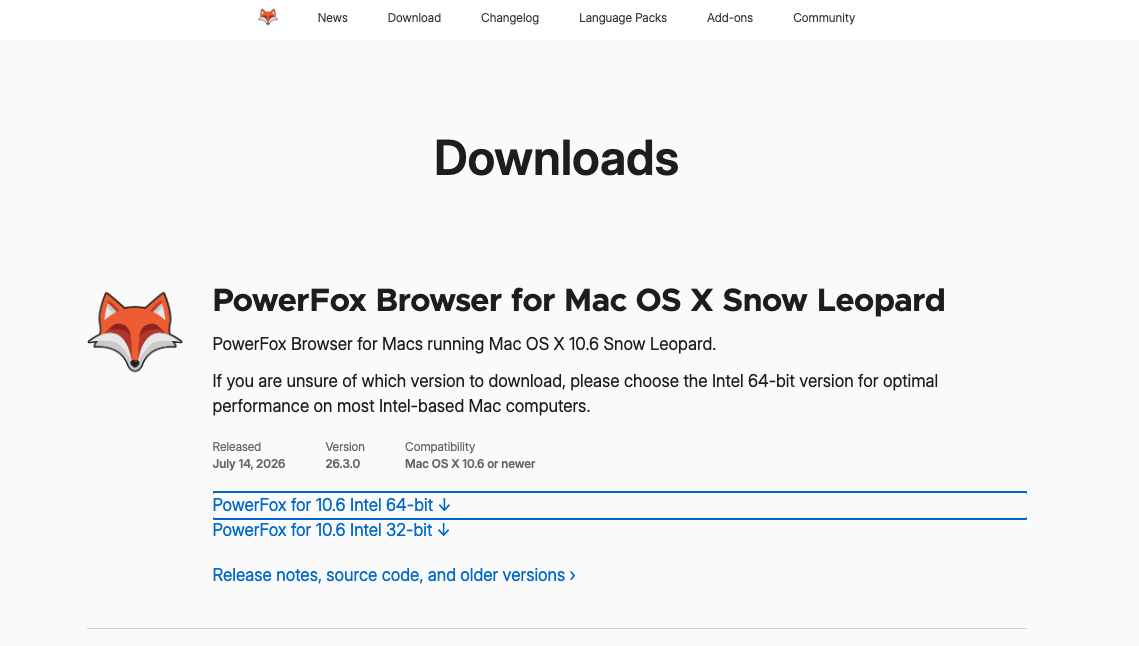
Once installed you can navigate to pretty much any website online that uses modern TLS which means you can if you wanted to login to your Claude account on your older device directly through this web platform.

The thing I like though about this project is that it mimic’s the old-school UI (more on that later in the post). Now that we have the ability to download the installer we can continue installing it and running it on the system.
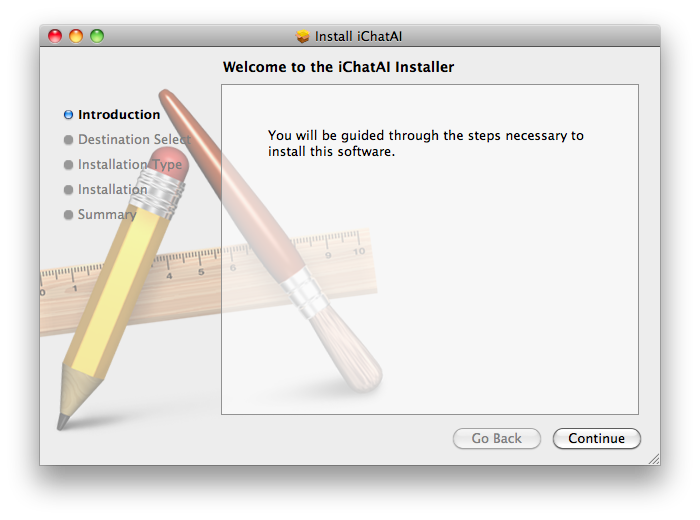
Installation
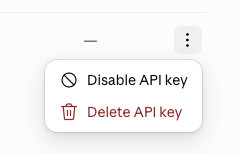
Once you download it you can then install it on your system. During the installation after first launch you are asked for your Anthropic API key. They key is securely stored in the Keychain of the computer.
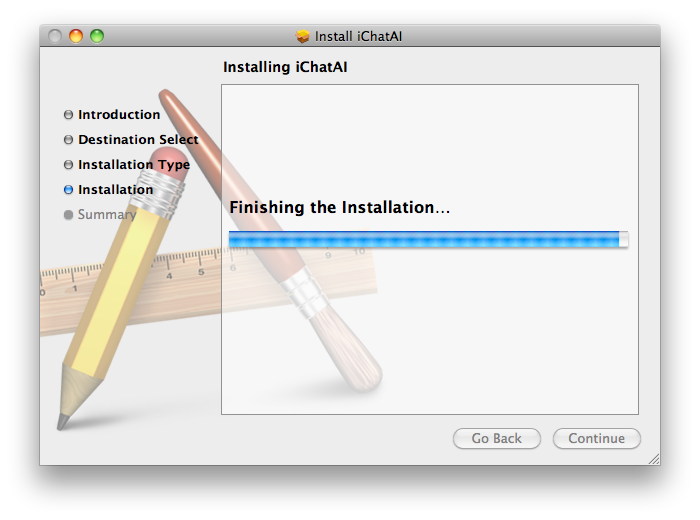

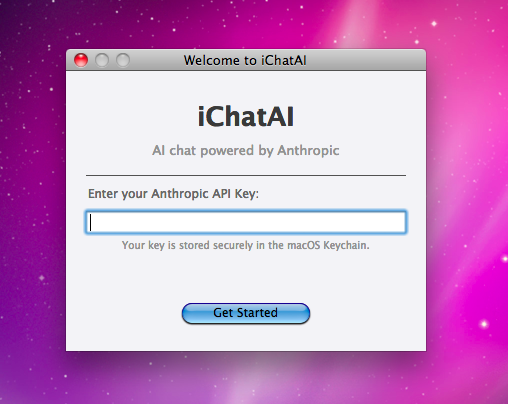
Anthropic’s authentication documentation treats API keys as static secrets and recommends storing them safely, rotating them, and revoking anything suspected of leaking. A small retro Mac app still has to respect that. An API key pasted into a preferences plist, log file, source file, crash report, or screenshot would turn a fun project into an avoidable secret-handling mistake.
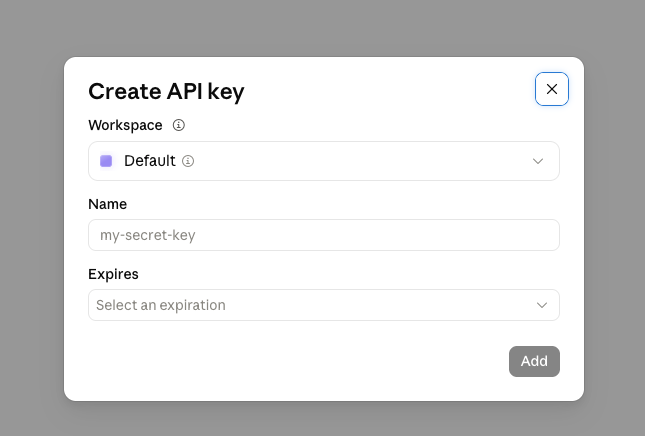
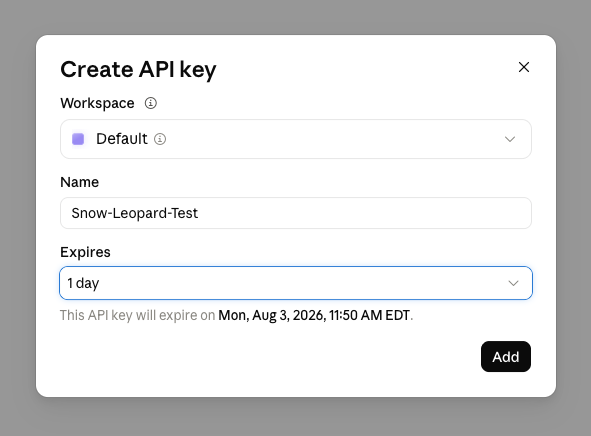

Apple’s current Keychain Services documentation describes Keychain as the mechanism for storing small secrets on behalf of the user, and Apple’s technote on Mac keychain APIs is a useful reminder that macOS keychain history goes back a long way. Snow Leopard is not going to have every modern keychain behavior, but the basic instinct is correct: the API key belongs in Keychain, not in a text box saved casually to disk.
On a Snow Leopard-era computer the workflow is as follows:
- First launch asks for the API key.
- The key is stored in the user’s login keychain.
- The chat window never shows the full key again.
- Logs redact request headers.
- A preferences or setup window can replace or remove the key.
Screenshot upload
Screenshot upload is the feature that changes this from “AI chat on an old Mac” into something genuinely useful.
Anthropic’s vision documentation explains that images can be sent to Claude through the API as base64-encoded image content, URL references, or file references depending on the path being used. On Snow Leopard, the old Mac already has screenshot tools and UI problems worth documenting. A native client that can send a screenshot means the old machine can ask about the thing happening on its own screen without needing another computer as the bridge.
That is the retro-computing value. If an old installer throws an error, a classic app displays a weird dialog, a game needs a configuration hint, or a network setting is buried in System Preferences, the Snow Leopard Mac can capture the image and send it from the same context.
The workflow becomes:
Use the old Mac.
Hit the compatibility problem.
Capture the screenshot.
Ask the AI from the old Mac.
Keep working without moving the problem to a modern laptop.
That is a small thing, but small things matter on vintage systems. Every extra transfer step makes the machine feel more like a museum object and less like a computer.
The User Interface
The README calls out iChat-style HTML chat bubbles via WebView.
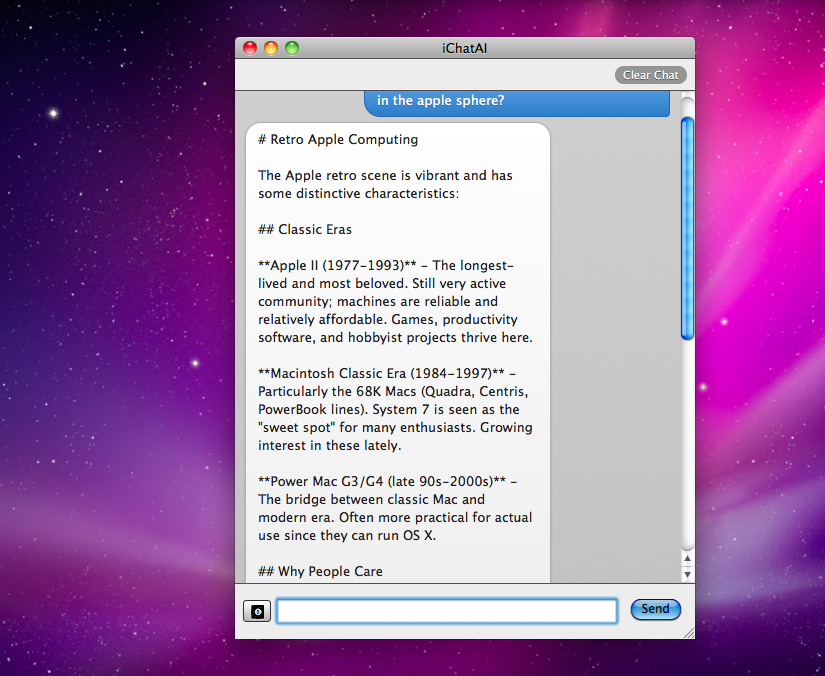
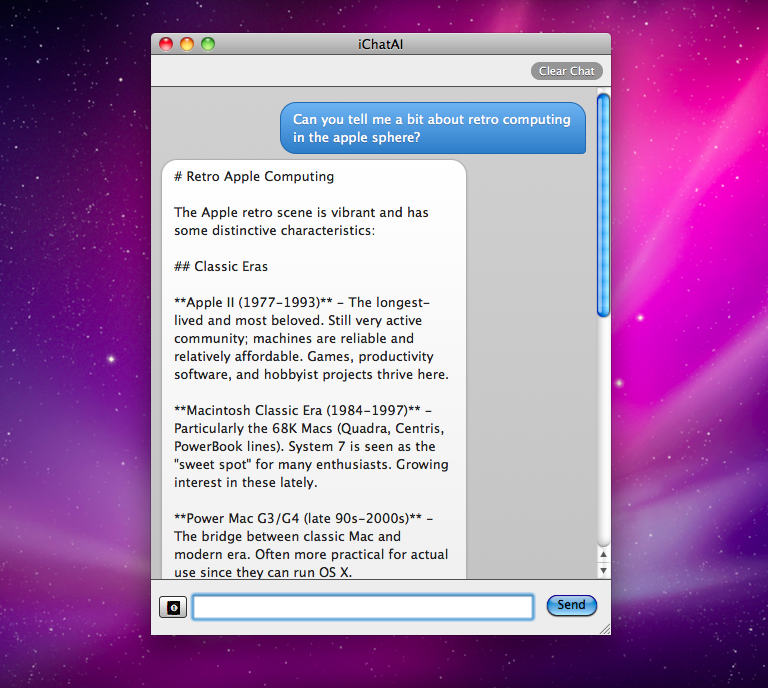
I do not want a Snow Leopard AI app to look like a modern SaaS window with rounded cards and a purple gradient. The whole charm is that it can feel native to the operating system it is running on. Snow Leopard already has a strong visual language: Aqua controls, familiar toolbar spacing, older WebView behavior, brushed and glossy interface expectations depending on the app, and a different sense of density than today’s Mac apps.
The project name in the README also references iChatAI, which is exactly the kind of cue I would expect. The best version of this app should feel like something a curious Mac user could have downloaded in 2009 if the Claude API had somehow existed then.
Because this is a public GitHub project with a downloadable installer, I would still review it like software.
For a retro Mac, modern signing and notarization expectations may not apply the same way they do on current macOS. Snow Leopard predates Gatekeeper as we know it today, so the user has to make more of the trust decision manually. That makes the source and release path important.
Before installing, I would check:
Repository owner and release page match the project being discussed.
README describes the app, requirements, and build path.
Installer filename and version match the release notes.
Source builds with Xcode 3.2.6 if I want to inspect or modify it.
No API key is committed, logged, or stored outside Keychain.
The bundled curl binary is expected and documented.
Screenshots sent to Claude are intentional, not automatic background capture.
Note this is mostly a hobbiest and novelty program so I would use a disposable Anthropic API key scoped to the experiment. I would also revoke the test key after the article or experiment is done. That is not distrust of this project specifically. It is normal hygiene for any third-party client that handles an API credential.
The practical takeaway
ClaudeChat-Snow-Leopard is interesting to me because it shows that modern AI can still create software solutions for older systems.
The old Mac still has a keyboard, screen, local files, screenshots, Keychain, Cocoa, and a user sitting in front of it. The missing piece is a modern path to an AI service. By building that path as a native Snow Leopard app instead of a fragile web workaround, the project makes the machine feel useful in a way that fits its era.
I would still test it carefully, use a temporary API key, and review the source/release path before installing anything on a vintage machine I care about. But as a project, I love the premise: bring the modern capability to the old Mac without erasing what makes the old Mac interesting.
Sources
- ClaudeChat-Snow-Leopard README
- ClaudeChat-Snow-Leopard GitHub repository
- Apple Support: Mac OS X v10.6 Snow Leopard technical specifications
- Anthropic Help Center: Installing Claude Desktop
- Anthropic Claude Code setup requirements
- Anthropic Claude API overview
- Anthropic API authentication documentation
- Anthropic vision documentation
- Apple Developer: Keychain Services
- Apple Developer Technote TN3137: On Mac keychains
AI Usage Transparency Report
AI Era · Written during widespread use of AI tools
AI Signal Composition
Score: 0.32 · Moderate AI Influence
Summary
The article discusses the challenges of using AI on older Macs and introduces ClaudeChat-Snow-Leopard, a native Mac OS X 10.6.8 Cocoa chat client for Anthropic's Claude API.
Related Posts

When Chromium Mistakes Your VPN for a Local Network
Turning off Jamf Trust fixed the webinar, which normally would have sent me straight to its routing policies. This time the route was fine: Chromium was treating Jamf's ZTNA broker addresses as a local network, and an Edge and Chrome preference corrected it.
Clamshell iBook G3 Restoration, Part 1: From Broken Screen to Board-Level Repair
Part one of a Clamshell iBook G3 restoration: a broken screen, a charger detour, a blinking system folder, a full teardown, and the backlight connector mistake that paused the project.
Bromure Gives Codex a Room of Its Own
I installed Bromure Agentic Coding, watched it build the Linux VM, authenticated Codex, and followed a real Codex task through the workspace.

Claude Code Auto Mode Changes Approval Flow, Not the Safety Boundary
Claude Code Auto mode changes how approval decisions are handled. It does not expand the boundary of what the coding agent should be allowed to do.

Amnesia Stealer Shows the Next Stage of ClickFix on macOS
Amnesia Stealer shows how ClickFix-style social engineering is adapting on macOS, while a public malware sample gives defenders an opportunity to study the behavior behind the campaign.

Reporting on Microsoft 365 DLP Overrides with PowerShell
DLP overrides are not automatically bad. They are a business process that needs visibility. This walkthrough covers a Microsoft Purview DLP policy, a custom sensitive information type, user override behavior, and a PowerShell report that exports override events from Activity Explorer.
PowerBook 140 BlueSCSI Install: Cable Fixed, Battery-Bay Power, and Wi-Fi Setup
The PowerBook 140 project moved from preparing a BlueSCSI card in Basilisk II to installing the repaired internal SCSI cable, powering the BlueSCSI Pico externally from the battery bay, booting System 7.1, and fighting through DaynaPORT Wi-Fi setup.

Move Entra Users Off SMS and Voice Before Microsoft Retires Them
Microsoft is retiring Microsoft-provided SMS and voice authentication in Entra ID. The migration is not passkeys for everyone; it is removing weak telecom MFA and choosing supported replacement methods such as Microsoft Authenticator, FIDO2 keys, certificate-based authentication, OATH hardware tokens, or customer-managed telecom.
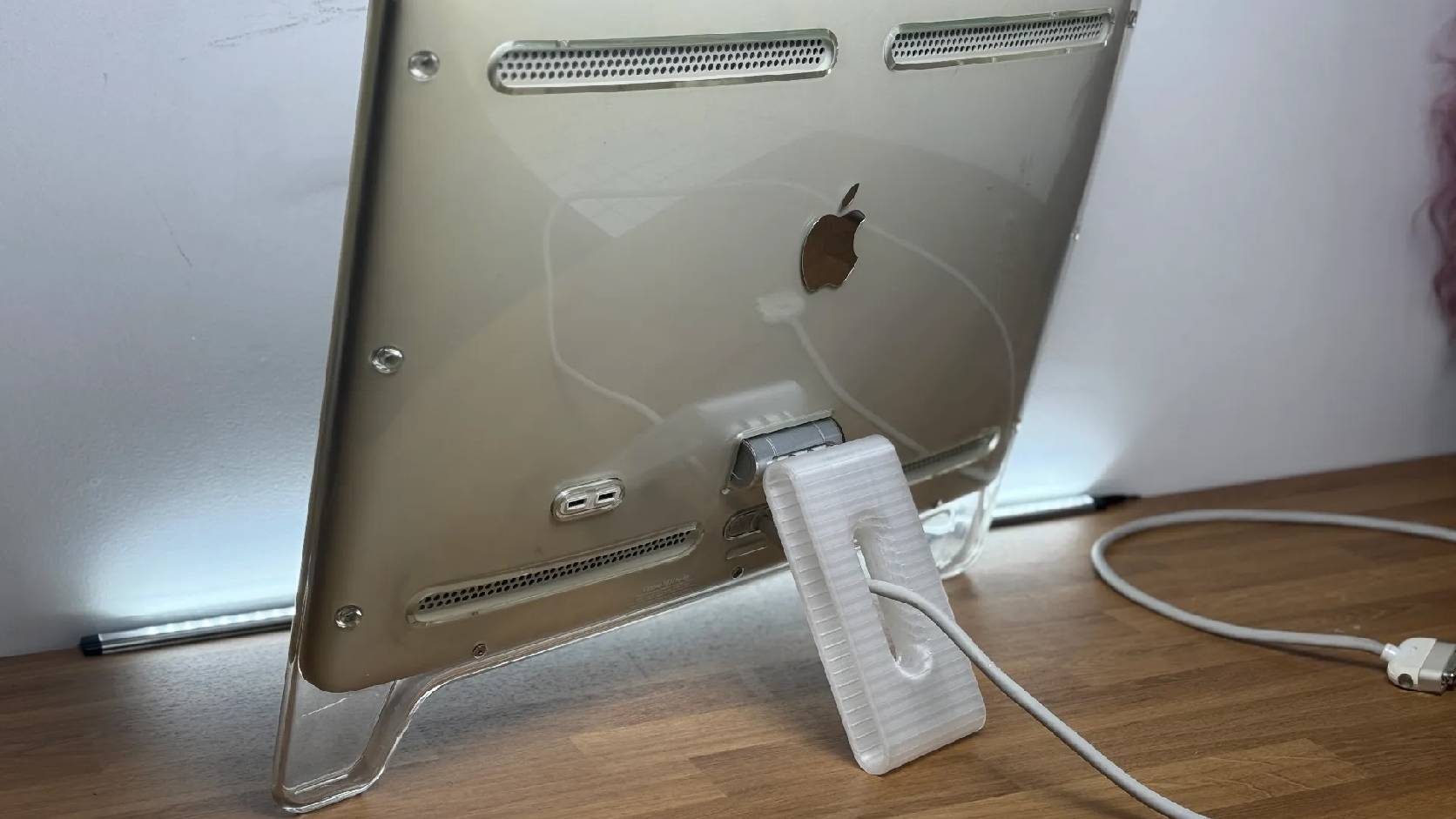
Fixing a Broken Apple Cinema Display Stand with a 3D Printed Leg
A 22-inch Apple Cinema Display arrived with a broken acrylic easel stand, so I used a 3D printed replacement leg instead of sending the monitor back.

macOS Tahoe 26.6.1 Fixes a High-Severity Screen Sharing Authentication Bypass
macOS Tahoe 26.6.1 fixes CVE-2026-65400, a high-severity Screen Sharing authentication issue where an attacker on the network may be able to authenticate without valid credentials.
