
LibrePods caught my attention because it is not trying to be another battery widget for AirPods. It is trying to make AirPods behave more like full-featured headphones outside Apple’s ecosystem.
The LibrePods README says the project implements the proprietary protocol used between AirPods and Apple devices. That is the interesting part. It is not simply reading the basic Bluetooth connection state. It is trying to expose features that usually require an iPhone, iPad, or Mac: listening modes, ear detection, accurate battery status, head gestures on Android, Conversation Awareness, some accessibility settings, and other AirPods-specific controls.
This project sits right on the line between interoperability, reverse engineering, platform lock-in, user choice, warranty/support boundaries, and the practical risk of asking a non-Apple device to identify itself in a way that AirPods treat as special.
Is this legal? It’s a classic David-and-Goliath tech showdown: legally protected under the banner of open interoperability, yet perpetually one firmware update away from being locked out by Apple’s digital gatekeepers.
What LibrePods is actually trying to unlock
AirPods are standard Bluetooth audio devices at the basic level. Pair them with Android or Linux and you can usually listen to audio. The frustration starts when the headphones have more capability than the host can reach.
Apple documents AirPods features such as Adaptive Audio and Conversation Awareness, and its AirPods guide explains how users adjust listening mode settings from an iPhone, iPad, or Mac. Those settings are part of the AirPods experience Apple sells, but they are exposed through Apple’s ecosystem UI and integration layer.
LibrePods is trying to recreate enough of that integration layer for Android and Linux. Its feature table says listening mode changes, ear detection, battery status, renaming, Conversation Awareness, and automatic connection behavior are implemented for both Linux and Android. Other features are more complicated. Some are marked unknown, planned, not implemented, or dependent on VendorID spoofing.
The mechanism is a private protocol
The project names the important piece directly. LibrePods implements Apple’s proprietary AirPods communication protocol and refers readers to reverse-engineered protocol work, including an Apple Wireshark dissector project and earlier AirPods protocol definitions.
The practical architecture looks like this:
- The AirPods pair to a non-Apple device over normal Bluetooth.
- LibrePods opens the additional AirPods control path.
- The app reads and sends AirPods-specific state, settings, and commands.
- On Linux, the project exposes both a tray app and a
librepods-ctlcommand-line utility. - On Android, deeper integration may depend on OS version, privileged Bluetooth behavior, Xposed, or root for some features.
That is why this is more than a novelty app. It is an interoperability project. The author is not waiting for Apple to publish an Android AirPods control SDK. The project is learning how the headphones already talk to Apple devices and implementing enough of that behavior somewhere else.
Installing LibrePods on Android
Android is the main practical use case for LibrePods, but the installation path depends on the phone, Android version, and the features you want. The simplest place to begin is the official LibrePods listing on Google Play. The project’s Android README says the Play Store build can be used without root on supported device and OS combinations. At the time of writing, it specifically identifies ColorOS/OxygenOS 16, realme UI 7.0, and Pixel devices on Android 16 QPR3 with the latest Google Play system update as supporting most features without root.
For that supported path, I would install LibrePods from Google Play, pair the AirPods through Android’s normal Bluetooth settings, open LibrePods, and approve only the Bluetooth and notification permissions the app needs. Once LibrePods recognizes the paired AirPods, its main screen becomes the control surface for battery status, listening modes, press-and-hold actions, and the settings the headphones expose.
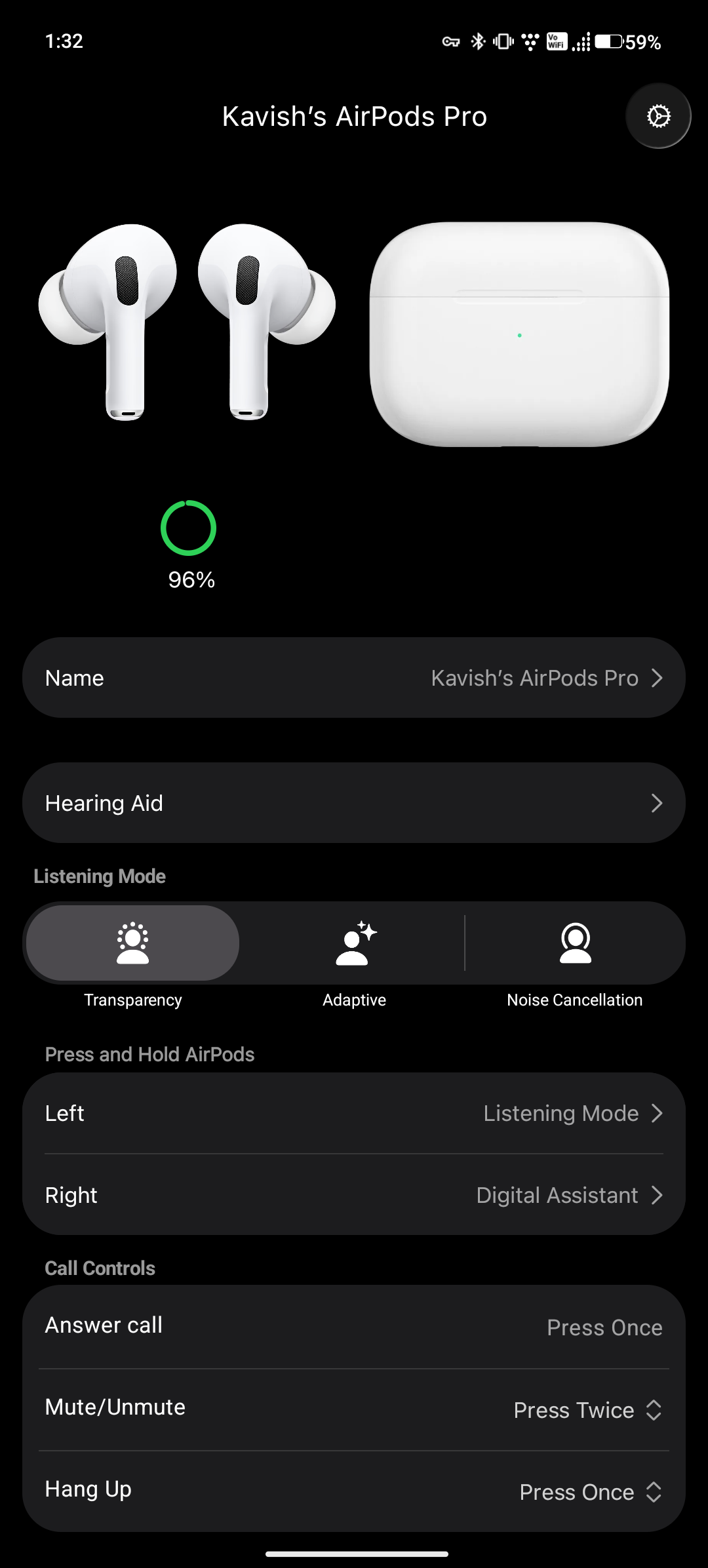
The second settings screen contains more of the behavior that makes the project different from a basic battery app. Personalized Volume, Conversation Awareness, Loud Sound Reduction, ear detection, automatic connection, microphone behavior, head gestures, accessibility, and Off listening mode can all be reviewed from the app. The exact options available still depend on the AirPods model and whether a feature requires the VendorID hook.
The Android installation becomes more involved when the phone is not in a supported non-root combination. The project says those devices may need the APK and ZIP from the official LibrePods GitHub releases, along with Xposed, to work around the Android Bluetooth behavior described in the README. Features that require the VendorID hook always require root. This is the point where I would stop treating the process like a normal Play Store installation and use a test phone with a rollback plan.
The optional root module is a separate choice. It gives LibrePods privileged Bluetooth permissions for deeper system integration, including battery information in Android settings and widgets, the AirPods icon in system settings, and switching audio back to the phone when the AirPods are not being worn. The project explicitly warns not to combine the Play Store version with the root module because their signatures can mismatch. Use one installation path, not both.
If the Xposed path does not connect, the project’s troubleshooting sequence is short: verify the correct LSPosed or Vector scope, check that a root-hiding module is not preventing the hook from loading into the Bluetooth app, and restart the phone after confirming the scope. The README also warns that this workaround is not guaranteed on every device.
Configuring the AirPods experience
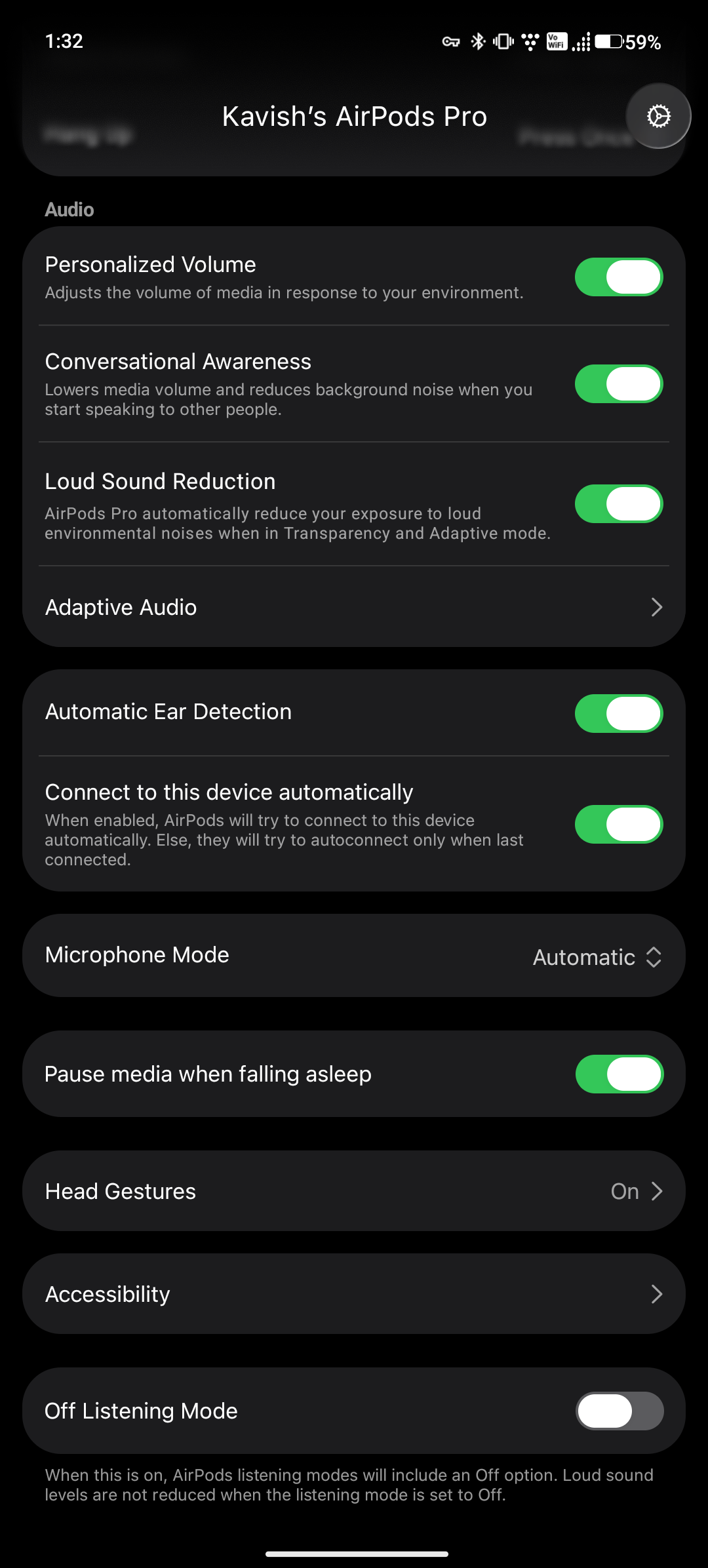
After connection, LibrePods exposes the configuration Android normally does not provide. The Press and Hold controls can assign a listening-mode selector or digital assistant independently to each AirPod, and the listening-mode menu determines which modes are available when the stem is held.
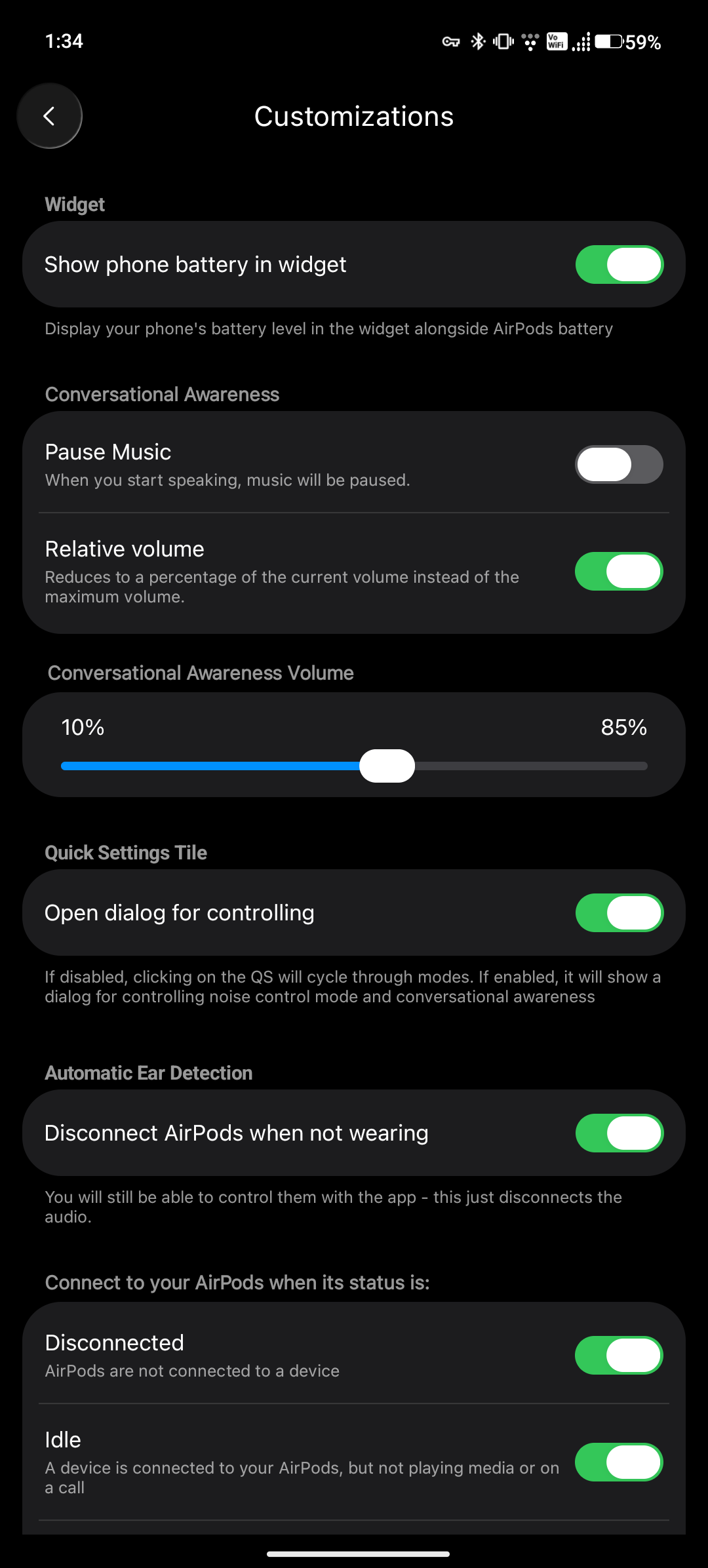
The Customizations page covers the Android-facing experience: whether the widget shows the phone battery, how Conversation Awareness behaves, how the Quick Settings tile opens, and how LibrePods handles automatic ear detection and connection states.
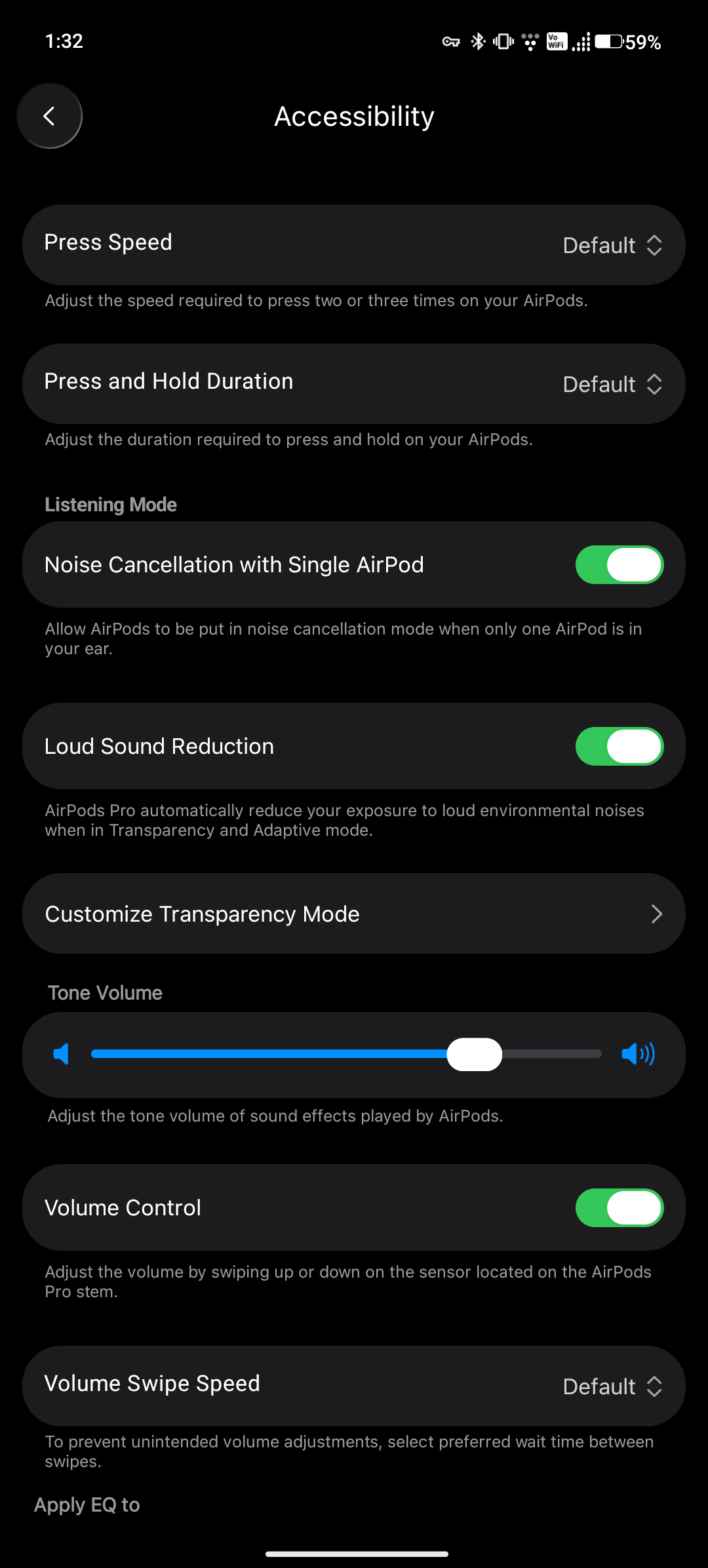
The Accessibility screen adds control over press speed, press-and-hold duration, single-AirPod noise cancellation, loud-sound reduction, tone volume, and swipe behavior.
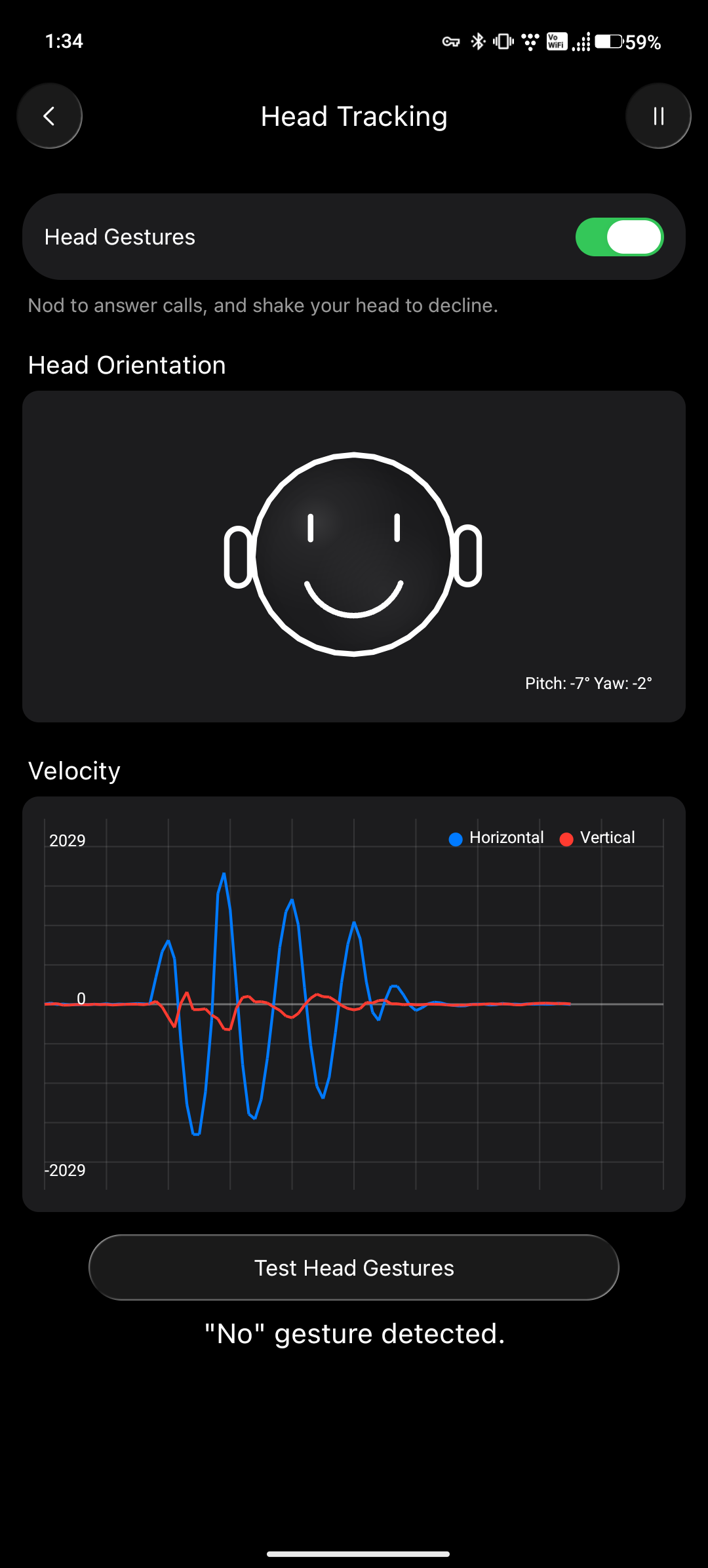
Head Tracking is also visible as its own configuration and diagnostic screen. It can enable head gestures, display orientation data, and test whether nod and shake gestures are detected.
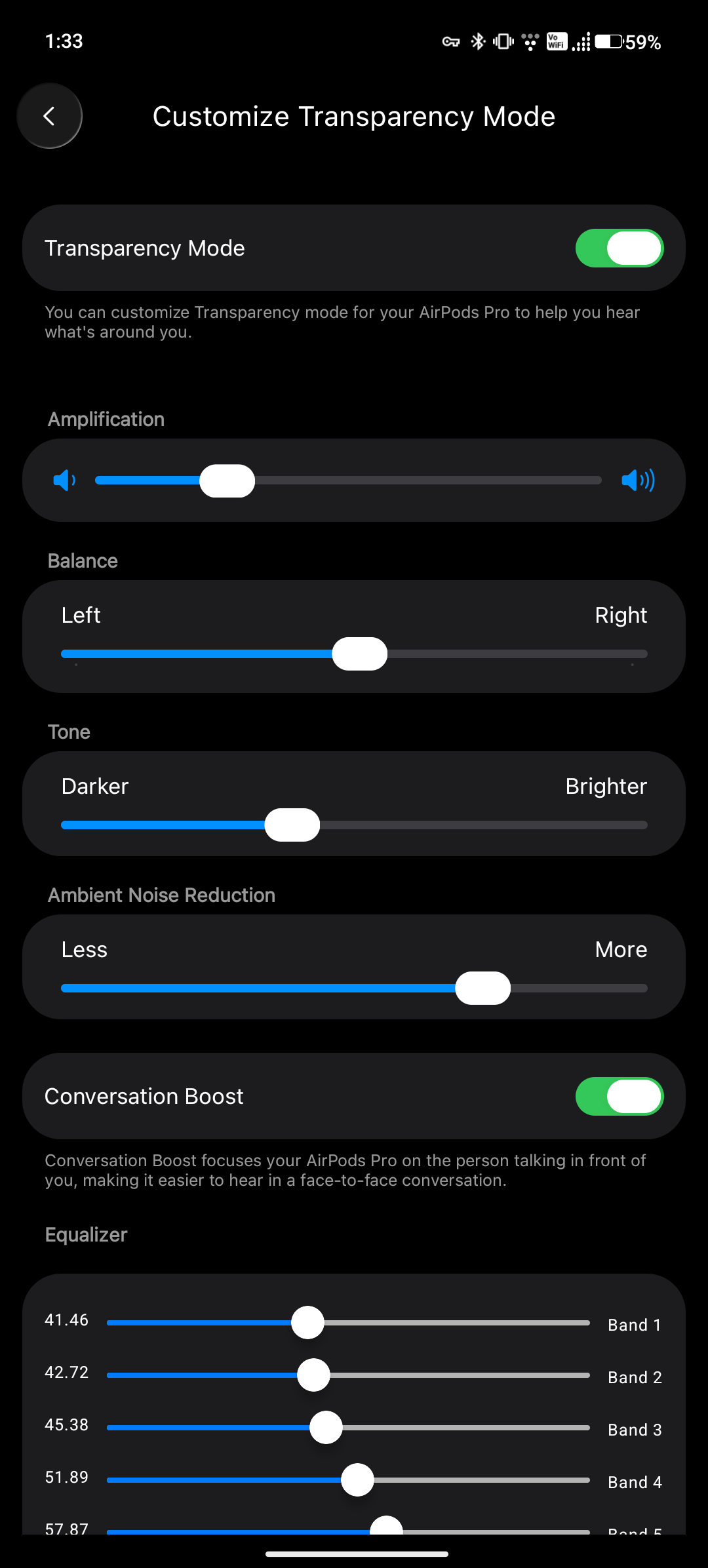
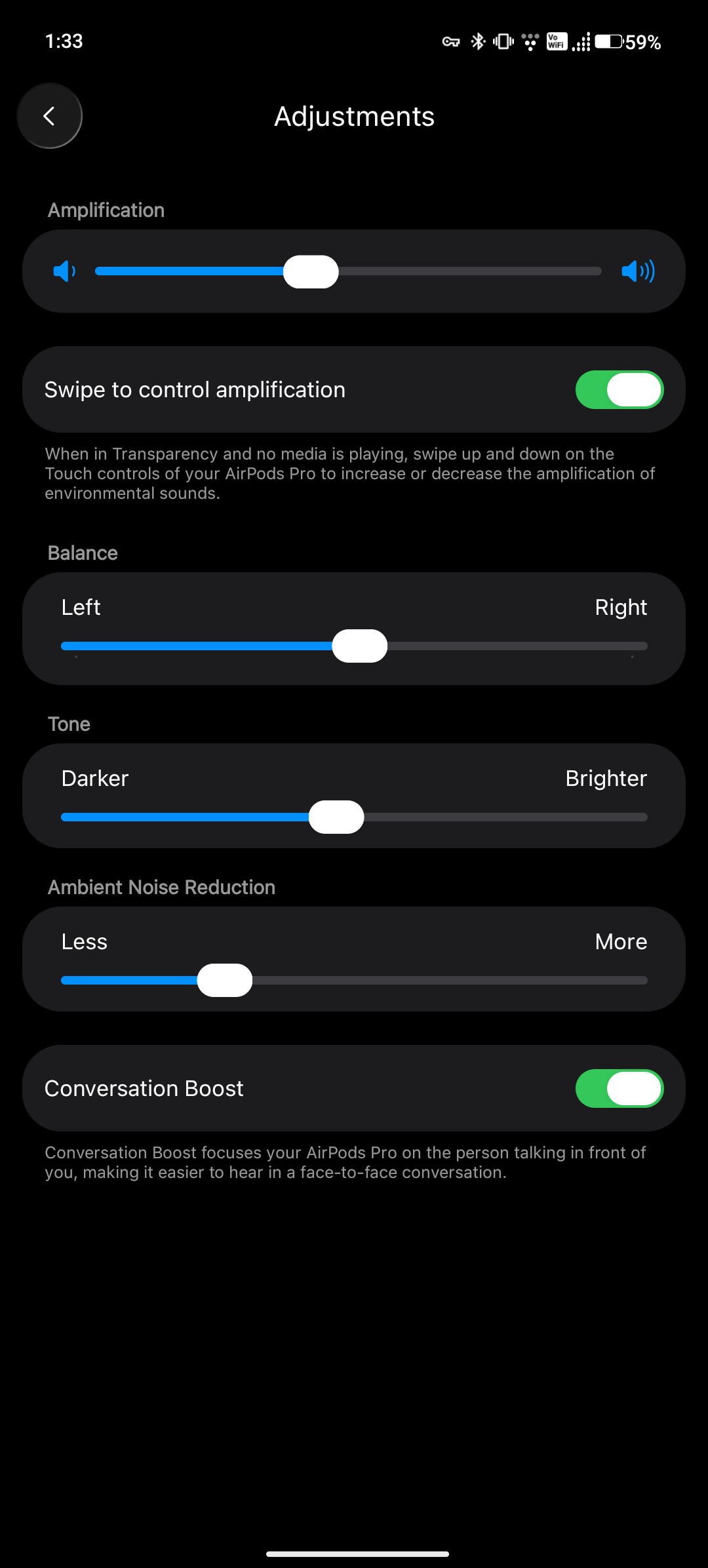
Transparency Mode gets a detailed control panel rather than a simple on-or-off switch. LibrePods exposes amplification, left-right balance, tone, ambient-noise reduction, Conversation Boost, and an equalizer on supported AirPods.
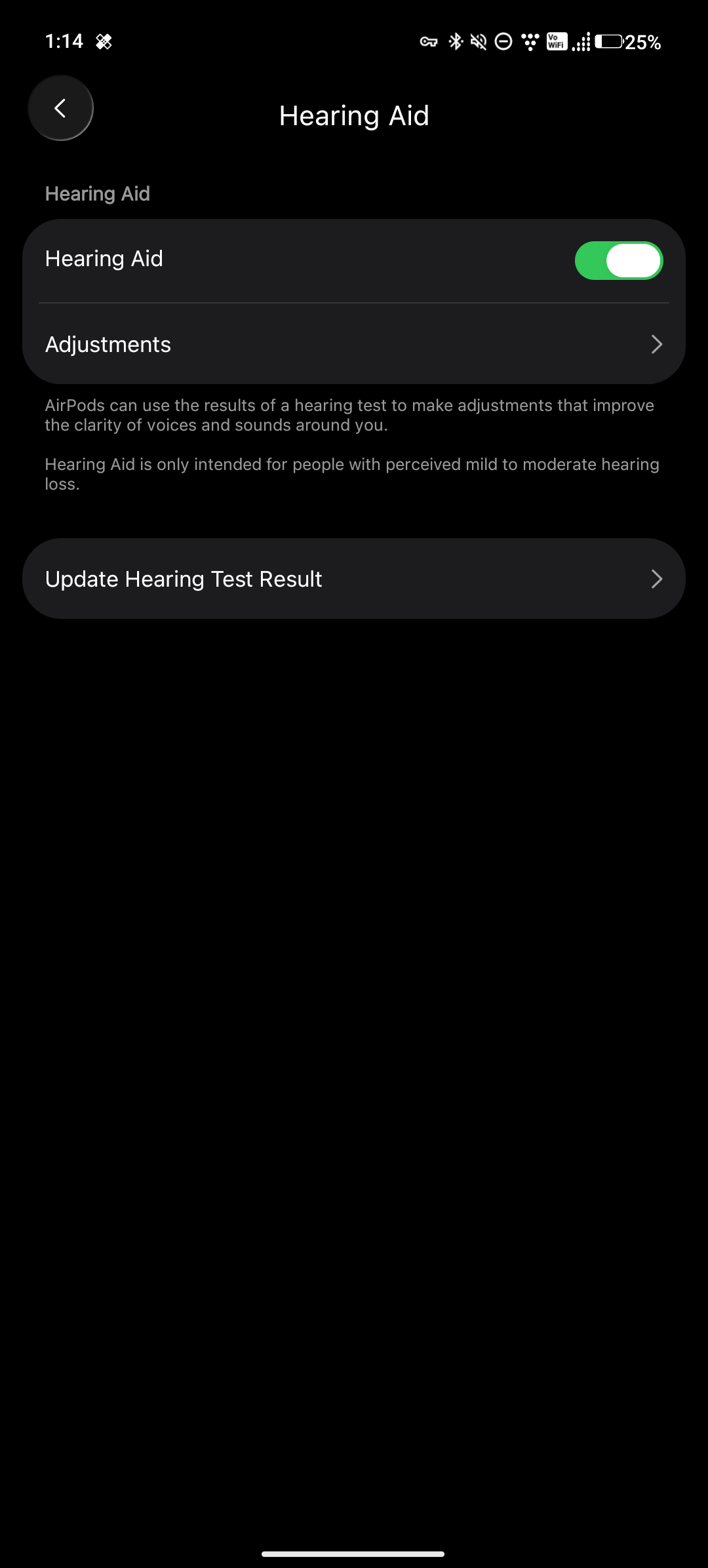
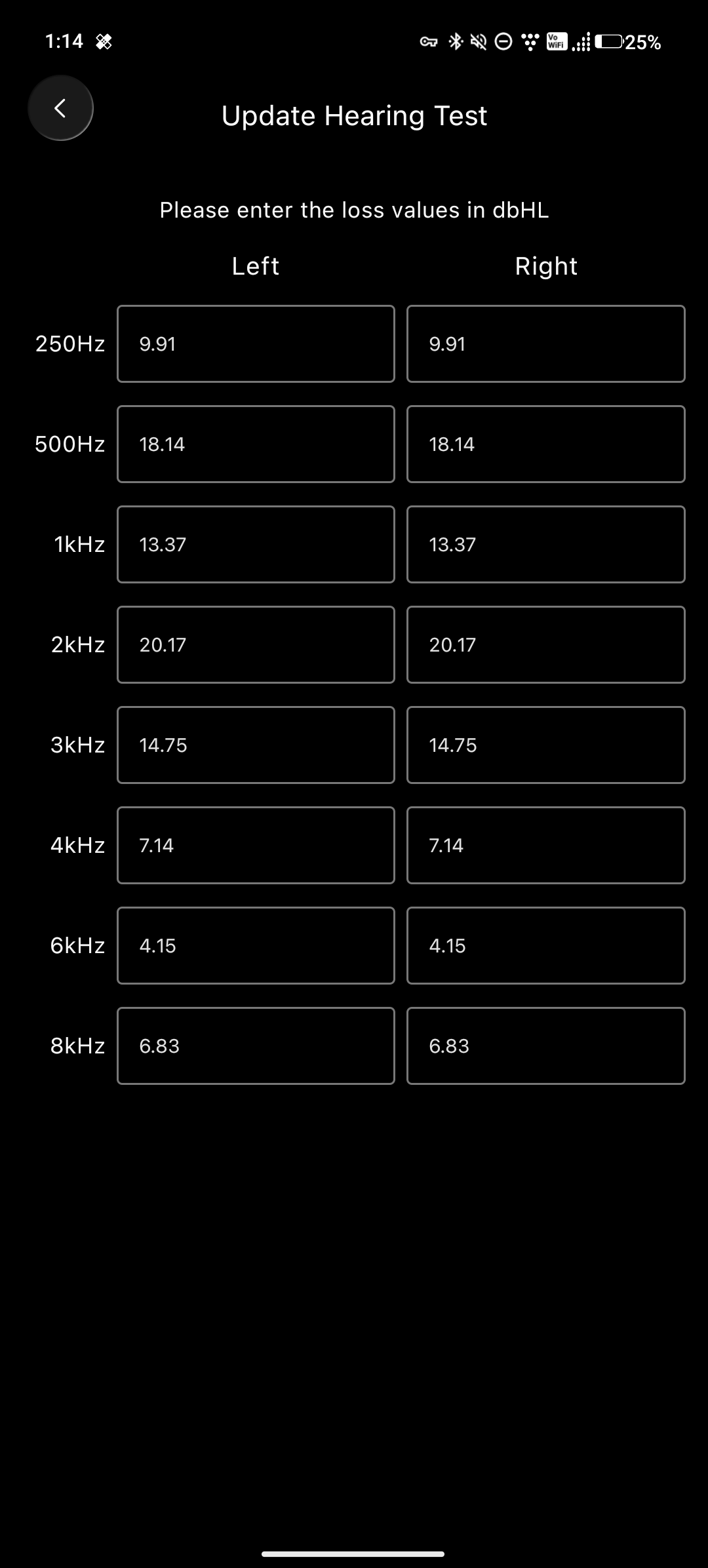
Hearing Aid controls are similarly separated into an enable switch, adjustments, and a place to update hearing-test results.
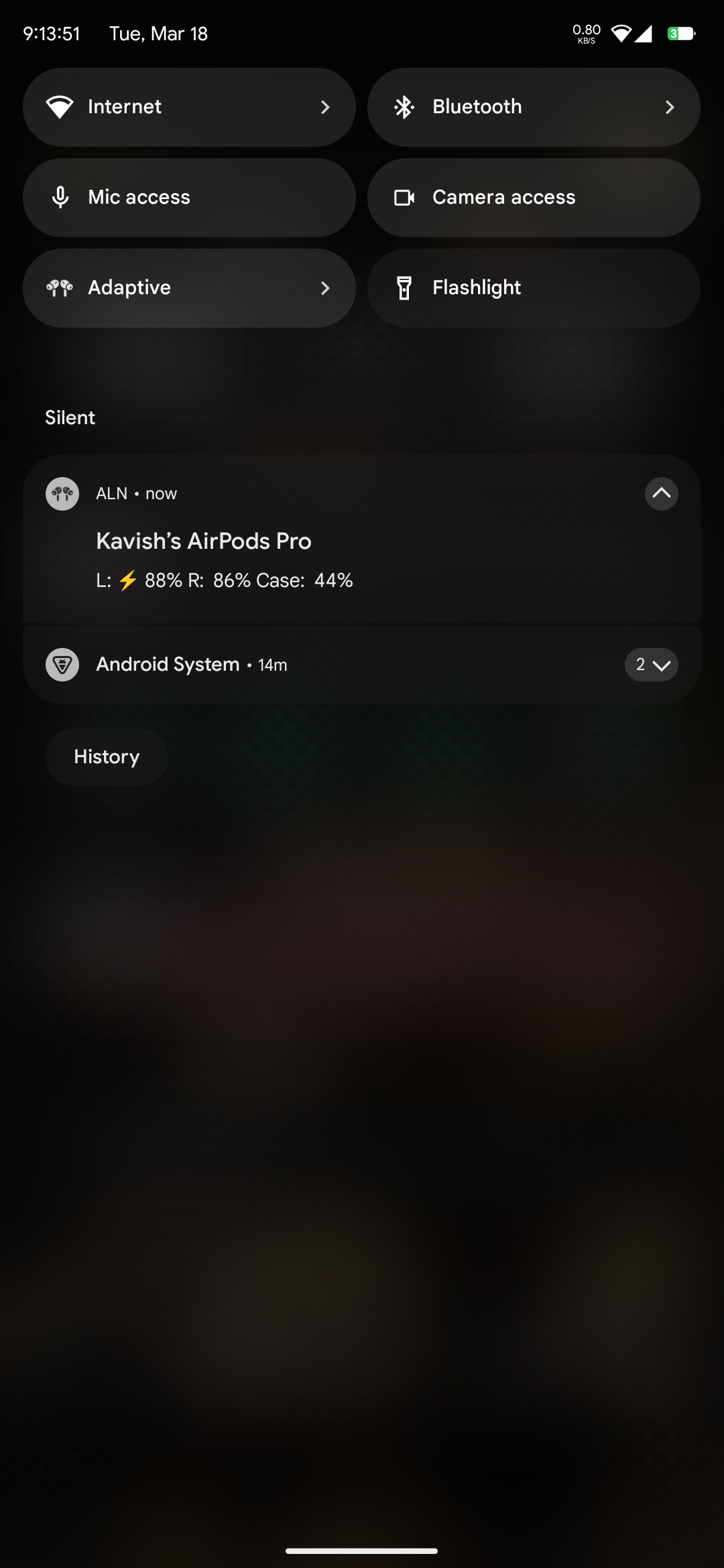
The optional privileged integration is most visible outside the app. LibrePods can place AirPods battery information in Android notifications and expose listening-mode controls through a Quick Settings tile.
It can also provide a home-screen widget with listening-mode buttons and separate battery levels for the phone, each AirPod, and the charging case.
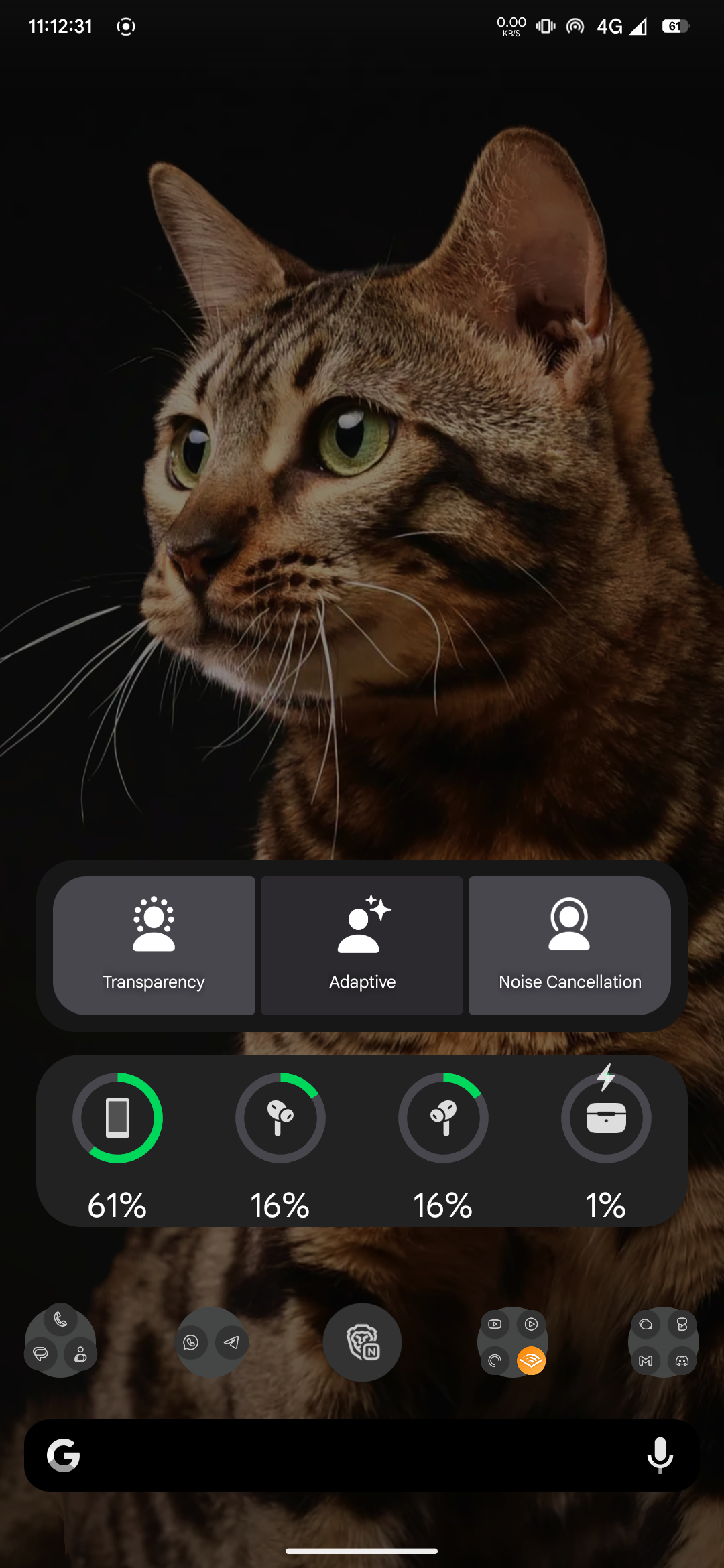
Two small details from the Android README are worth remembering after setup. Recent AirPods firmware requires enabling Off listening mode before the app can switch listening mode to Off. Renaming AirPods through LibrePods also requires re-pairing them before Android reflects the new name.
Where VendorID spoofing comes into play
The most sensitive part of the README is the VendorID section.
LibrePods says that changing the Device ID profile VendorID to Apple’s value unlocks special features. On Linux, the README shows this line for /etc/bluetooth/main.conf:
DeviceID = bluetooth:004C:0000:0000
That value is not random. The Bluetooth Assigned Numbers table lists 0x004C as Apple, Inc. The Bluetooth Device Information Service specification describes Vendor ID fields as values that identify the vendor of the device, with the source indicating whether the value came from the Bluetooth SIG or USB Implementers Forum. BlueZ’s sample main.conf also shows the DeviceID format as a configurable vendor/product/version tuple.
That means the interesting question is no longer only “can the packets be understood?” It becomes “what happens when a host presents itself to an accessory in a way that causes the accessory to unlock behavior reserved for another vendor’s ecosystem?”
LibrePods itself labels those features as use-at-your-own-risk. That is the right tone. A user may be comfortable experimenting on a personal Linux laptop. I would treat the same change differently on a managed business endpoint, a daily driver phone, or any machine where Bluetooth behavior has to remain boring and supportable.
Interoperability is not the same thing as vendor support
There is a very real user argument for projects like this. If someone bought AirPods, they may reasonably want the hardware to work well with the devices they own. Better battery reporting, listening-mode control, and accessibility settings are not strange requests. They are features built into the headphones.
There is also a very real vendor-support boundary. Apple did not ship LibrePods. Apple does not document this AirPods control protocol as a public third-party integration point. If a firmware update changes behavior, LibrePods may have to catch up. If a feature depends on root, Xposed, a Bluetooth stack quirk, or a spoofed identity, the user owns that fragility.
The LibrePods README warns that librepods.org is not the official project website and says the official code lives on GitHub. That is a supply-chain concern before anything has even been installed. For a project this visible and controversial.
Verify Verify Verify
Always use the official GitHub repository and avoid third-party download sites. The README explicitly warns about unofficial branding around librepods.org, so the trusted entry point is the GitHub project and its releases.
Read the install path for the platform I am testing. The Android README says root may be required depending on device, OS version, and feature set. It also says some privileged behavior depends on an Xposed module. That is not a small detail. Root and framework hooks are a different risk category than installing a normal Play Store app.
On Linux, I would treat the Bluetooth configuration change as something I could revert if needed:
sudo cp /etc/bluetooth/main.conf /etc/bluetooth/main.conf.before-librepods
sudoedit /etc/bluetooth/main.conf
sudo systemctl restart bluetooth
If the test requires Apple VendorID behavior, I would document the original DeviceID state, apply the LibrePods value only on a test machine, re-pair the AirPods, and verify that normal Bluetooth devices still behave correctly. When finished, I would restore the original Bluetooth configuration and restart the service again.
The broader lesson is not about AirPods alone. LibrePods is a small window into the tension around modern hardware ecosystems.
AirPods contain hardware capability that is not fully exposed through generic Bluetooth pairing. Apple users get a first-party control surface. Android and Linux users get the basics unless someone recreates the missing layer. That creates the opening for projects like LibrePods.
From the user side, that feels like liberation. From the platform side, it looks like private integration being replicated outside the supported boundary. From the admin side, it is a reminder that device behavior is increasingly controlled by private protocols, companion apps, cloud services, entitlement checks, and identity assumptions.
The practical takeaway
LibrePods is technically impressive because it turns AirPods from a partially supported Bluetooth accessory into a cross-platform interoperability project. It is also the kind of project that should make people slow down before installing it on a machine they depend on.
LibrePods touches a private protocol, optional root or Xposed behavior on Android, Linux Bluetooth identity configuration, AirPods firmware assumptions, and third-party release trust. Those are real boundaries. For a personal lab, that may be exactly the fun of it. For a managed environment, I would keep it out of production unless there were a clear support case, a controlled test plan, and a rollback path.
Sources
- LibrePods README
- LibrePods Android README
- LibrePods Linux README
- Apple Support: Use Adaptive Audio with your AirPods
- Apple AirPods User Guide: Adjust listening mode settings
- Bluetooth SIG Assigned Numbers
- Bluetooth Device Information Service specification
- BlueZ main.conf sample
- U.S. Copyright Office Section 1201 2024 proceeding
- 17 U.S.C. 1201, reverse engineering provision
- Cornell Wex: Reverse engineering
AI Usage Transparency Report
AI Era · Written during widespread use of AI tools
AI Signal Composition
Score: 0.25 · Moderate AI Influence
Summary
LibrePods is an open-source project that allows Android and Linux devices to control AirPods features, such as listening modes, ear detection, battery status, and more.
Related Posts

When Chromium Mistakes Your VPN for a Local Network
Turning off Jamf Trust fixed the webinar, which normally would have sent me straight to its routing policies. This time the route was fine: Chromium was treating Jamf's ZTNA broker addresses as a local network, and an Edge and Chrome preference corrected it.

Clamshell iBook G3 Restoration, Part 1: From Broken Screen to Board-Level Repair
Part one of a Clamshell iBook G3 restoration: a broken screen, a charger detour, a blinking system folder, a full teardown, and the backlight connector mistake that paused the project.
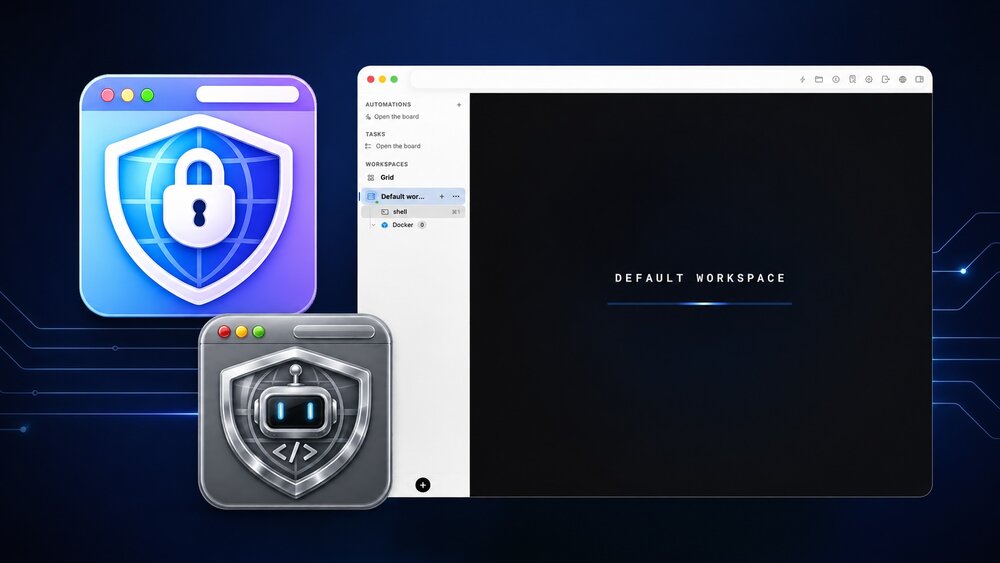
Bromure Gives Codex a Room of Its Own
I installed Bromure Agentic Coding, watched it build the Linux VM, authenticated Codex, and followed a real Codex task through the workspace.
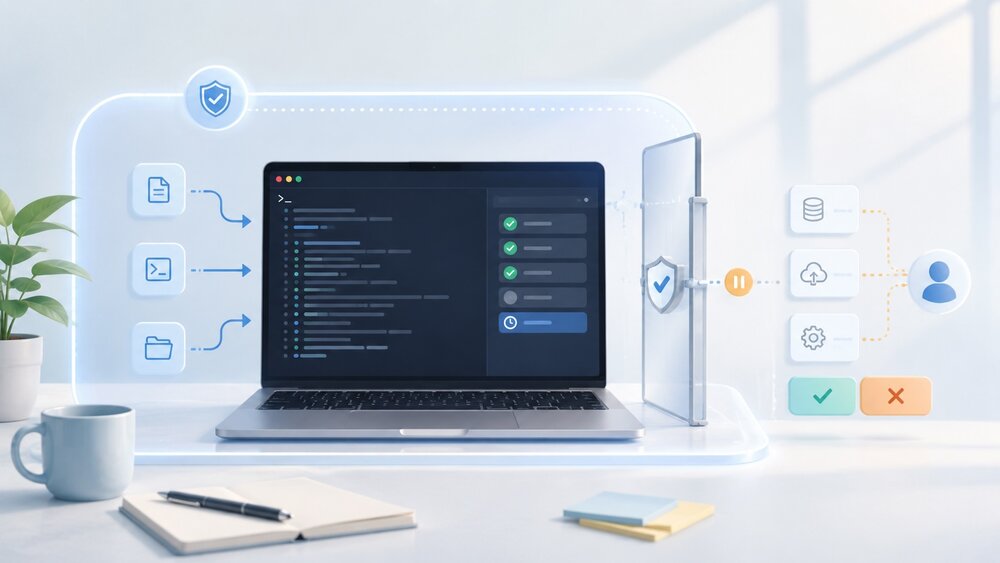
Claude Code Auto Mode Changes Approval Flow, Not the Safety Boundary
Claude Code Auto mode changes how approval decisions are handled. It does not expand the boundary of what the coding agent should be allowed to do.

Amnesia Stealer Shows the Next Stage of ClickFix on macOS
Amnesia Stealer shows how ClickFix-style social engineering is adapting on macOS, while a public malware sample gives defenders an opportunity to study the behavior behind the campaign.
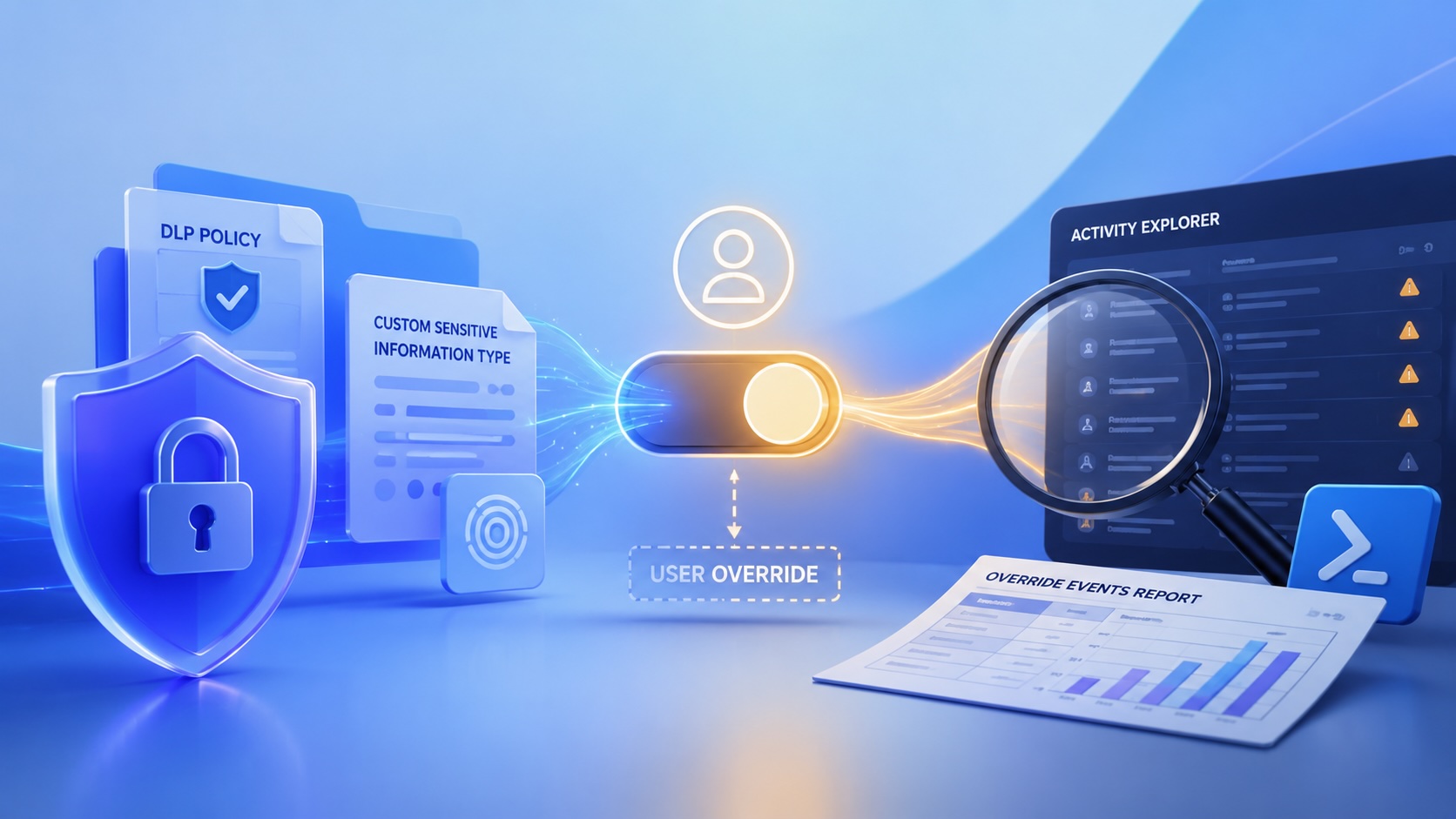
Reporting on Microsoft 365 DLP Overrides with PowerShell
DLP overrides are not automatically bad. They are a business process that needs visibility. This walkthrough covers a Microsoft Purview DLP policy, a custom sensitive information type, user override behavior, and a PowerShell report that exports override events from Activity Explorer.

PowerBook 140 BlueSCSI Install: Cable Fixed, Battery-Bay Power, and Wi-Fi Setup
The PowerBook 140 project moved from preparing a BlueSCSI card in Basilisk II to installing the repaired internal SCSI cable, powering the BlueSCSI Pico externally from the battery bay, booting System 7.1, and fighting through DaynaPORT Wi-Fi setup.

Move Entra Users Off SMS and Voice Before Microsoft Retires Them
Microsoft is retiring Microsoft-provided SMS and voice authentication in Entra ID. The migration is not passkeys for everyone; it is removing weak telecom MFA and choosing supported replacement methods such as Microsoft Authenticator, FIDO2 keys, certificate-based authentication, OATH hardware tokens, or customer-managed telecom.
Fixing a Broken Apple Cinema Display Stand with a 3D Printed Leg
A 22-inch Apple Cinema Display arrived with a broken acrylic easel stand, so I used a 3D printed replacement leg instead of sending the monitor back.

macOS Tahoe 26.6.1 Fixes a High-Severity Screen Sharing Authentication Bypass
macOS Tahoe 26.6.1 fixes CVE-2026-65400, a high-severity Screen Sharing authentication issue where an attacker on the network may be able to authenticate without valid credentials.
