In the days following WWDC, I heard the same comment from several people.
“Apple didn’t really announce much this year.”
Most of those conversations eventually landed in the same place. Siri wasn’t ready. Liquid Glass was everywhere. There was no new hardware announcement. Depending on who you asked, WWDC 2026 was either disappointing or forgettable.
I understand why people reached that conclusion. If you only watched the keynote, there is a reasonable chance that’s exactly what you took away from the event. The more sessions I watched, however, the less that conclusion made sense.
WWDC has always been larger than its keynote. The keynote exists to tell Apple’s story for the next year. The developer sessions that follow often tell a different story—one that is usually more interesting to the people building, managing, and supporting Apple platforms every day. This year felt no different.
WWDC26 What’s new in the Foundation Models framework
The biggest AI announcement at WWDC wasn’t Siri. In many ways, it wasn’t even Apple Intelligence.
What caught my attention was the Foundation Models framework. While much of the industry conversation continues to focus on cloud-hosted AI services, Apple quietly gave developers access to on-device foundation models that can be integrated directly into applications.
Over the last few years, we’ve become accustomed to AI features that require an internet connection, external APIs, and data being sent somewhere else for processing. Apple’s approach continues to emphasize local processing whenever possible. That isn’t simply a privacy discussion. It has implications for performance, reliability, offline workflows, and application design.
For most users, this announcement won’t mean much today. For developers, however, it opens the door to an entirely different class of applications. Some of the most interesting uses of these models probably haven’t been built yet.
That tends to be the case with platform technologies. The announcement itself rarely generates excitement. What comes afterward is usually where things get interesting.
One of the easiest WWDC announcements to overlook was Apple’s work around spatial scenes.
At first glance, it looked like another Vision Pro feature. A quick demo. A few moments on stage. Then the presentation moved on.
The underlying technology is far more interesting than the demo itself.
Apple demonstrated the ability to transform traditional photographs into spatial experiences by using machine learning to infer depth and perspective. Most people focused on how the effect looked. What stood out to me was what it represented.
For years, AI conversations have been dominated by content generation. Generate an image. Generate a video. Generate text. Apple’s approach felt different. Instead of creating something entirely new, the technology is being used to enhance and reinterpret content people already have.
For anyone with decades of family photos sitting in Photos libraries, that could become surprisingly meaningful. The value isn’t in creating new memories. It’s in experiencing old ones differently.
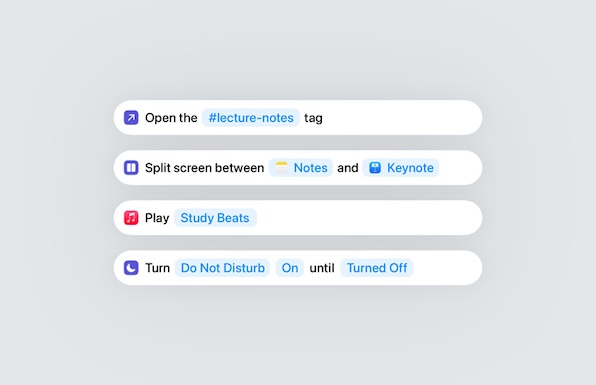
One of the recurring themes I noticed throughout WWDC wasn’t tied to a single feature announcement. It was the continued evolution of Spotlight.
For years, Spotlight has been viewed primarily as a search tool. Need to find a document? Launch an application? Look up a contact? Spotlight was usually the fastest path.
What Apple continues to build, however, feels increasingly different.
Several sessions demonstrated workflows that move beyond search and into action. Search, shortcuts, contextual actions, and application workflows continue moving closer together. The result feels less like a search utility and more like a central interaction layer for the operating system.
The change has been gradual enough that it’s easy to miss. Looking at a single release in isolation, none of these additions feel revolutionary. Looking at the last several years together paints a different picture.
Longtime Mac users have likely experienced this before. Features that appear incremental from release to release often end up becoming some of the most heavily used parts of the platform.
One announcement that received almost no mainstream attention involved Apple’s continued investment in containerization.
This isn’t the kind of feature that appears in consumer-focused WWDC recap videos, but it represents a significant shift for developers working on Apple platforms.
For years, container workflows on the Mac have largely depended on third-party tooling. WWDC 2026 continued Apple’s effort to bring more of those capabilities directly into the platform. For developers, that means simpler workflows and tighter integration. For Apple, it means reducing reliance on external solutions for common development tasks.
What I found interesting wasn’t the technology itself so much as the pattern it represents.
Across multiple sessions, Apple demonstrated a continued willingness to build first-party solutions for workflows that historically lived outside the operating system. Sometimes those efforts succeed. Sometimes they take a few years to mature. Either way, it’s a trend that has become increasingly difficult to ignore.
WWDC26 Whats New in Managing Apple Devices
If your WWDC viewing ended with the keynote, it would have been easy to assume enterprise and device management received very little attention this year.
The opposite was true. Some of the most important announcements for Mac administrators were spread throughout sessions that never had a chance of becoming headline news.
Declarative Device Management continues to expand, and Apple continues moving more management workflows toward a declarative model. That’s not particularly exciting to talk about on social media, but it represents one of the most important long-term changes happening within Apple’s management ecosystem. Each year, more capabilities move into a framework designed to make devices more autonomous and management more reliable.
Identity also continued appearing throughout numerous sessions. Managed Apple Accounts, Platform SSO, authentication workflows, account lifecycle management, and identity integrations all received attention. A few years ago, identity often felt like something layered on top of device management. Increasingly, it feels like the foundation around which device management is being built.
That trend matters because identity touches nearly everything. Enrollment, application access, security policies, device configuration, and user provisioning all become easier when identity systems are integrated effectively.
There were also numerous improvements around deployment and migration workflows. These rarely generate excitement outside administrator circles, yet they are often the updates that save the most time over the course of a year.
Anyone responsible for deploying Apple devices at scale understands this. Small improvements to setup and migration workflows can have a much larger operational impact than flashy consumer-facing features.
WWDC26 Refine accessibility for custom controls
One pattern I’ve noticed over the years is that many of Apple’s most impactful technologies begin their lives as accessibility features.
WWDC 2026 continued that tradition. Several announcements focused on improving usability, accessibility, and interaction across Apple’s platforms. While these features are often discussed through the lens of accessibility, their impact frequently extends much further.
History provides plenty of examples. Technologies originally developed to solve specific accessibility challenges often become useful for everyone.
That pattern is one of the reasons I pay close attention whenever Apple discusses accessibility initiatives. Some of the most important platform improvements are hiding there long before they become mainstream features.
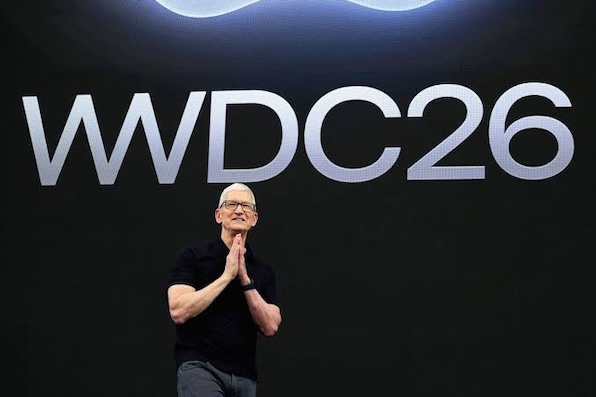
Looking back, what stands out most about WWDC 2026 isn’t a single announcement. It’s the number of meaningful announcements that never became part of the public conversation.
The narrative that emerged after the keynote was largely centered around what Apple didn’t announce. The developer sessions painted a different picture. There was significant investment in AI frameworks, spatial computing, development workflows, identity, device management, deployment, and accessibility. None of those topics generated the same attention as Liquid Glass. Most weren’t intended to.
WWDC has always worked this way. The keynote provides a snapshot of Apple’s vision. The sessions that follow often reveal where developers, administrators, and technology professionals will spend their time over the next year.
If your impression of WWDC 2026 came entirely from keynote coverage, it’s understandable to think this was a relatively quiet year. After spending time with the sessions, I came away with a very different conclusion. There was quite a bit announced this year. You just had to look beyond the keynote to find it.